

📖 14 min read
Build Software Without Writing Code With Antigravity
The OpenCode and Google Antigravity Tutorial
Stop typing. Start orchestrating.
The way software gets built just changed. Completely.
For 50 years, writing code meant sitting at a keyboard and typing line after line. Debugging. Googling syntax. Copy-pasting from Stack Overflow. Hoping it works.
That's over.
Welcome to the era of mission control coding. Where you don't write code. You manage AI agents that write it for you.
This tutorial shows you exactly how to build software without writing code using OpenCode and Google Antigravity—two breakthrough tools that turn anyone into a software builder. No computer science degree required.
What OpenCode and Antigravity Actually Do
Think of Antigravity as NASA mission control for coding.
Instead of one astronaut doing everything, you have specialized teams working in parallel. One team handles design. Another builds the backend. A third runs quality checks.
They work together. Fix each other's mistakes. Report back with results.
You're not the developer anymore. You're the director.
OpenCode is the open-source engine that powers this system. It connects to the best AI models—Claude Opus 4.5, Gemini 3 Pro, GPT—and lets you switch between them based on what you need.
One model writes complex logic. Another handles creative interface design. Another runs automated tests.
Together, they build software without writing code manually—producing production-ready applications faster than any human team could.
The Old Way vs. The New Way
The old way:
- Open your IDE
- Write 100 lines of code
- Fix syntax errors for 30 minutes
- Test manually
- Debug for an hour
- Repeat tomorrow
The new way:
- Open your terminal
- Type what you want to build
- Watch agents create, test, and verify it
- Review the results
- Ship in minutes
Projects that took weeks now take hours. Ideas that stayed in notebooks go live the same day.
This isn't theory. It's happening right now in the world of enterprise AI.
How to Actually Use OpenCode and Antigravity
Step 1: Install the Tools
OpenCode works in your terminal, your IDE, or as a desktop app. It's completely free and open source.
Antigravity is Google's AI-first IDE, built on VS Code. It's in free public preview right now.
Both run on Mac, Windows, and Linux. No complicated setup. No expensive subscriptions.
Step 2: Understand the Two Modes
Antigravity gives you two ways to work:
Editor View: This looks like a normal code editor. Use this when you want to write code yourself or make small tweaks.
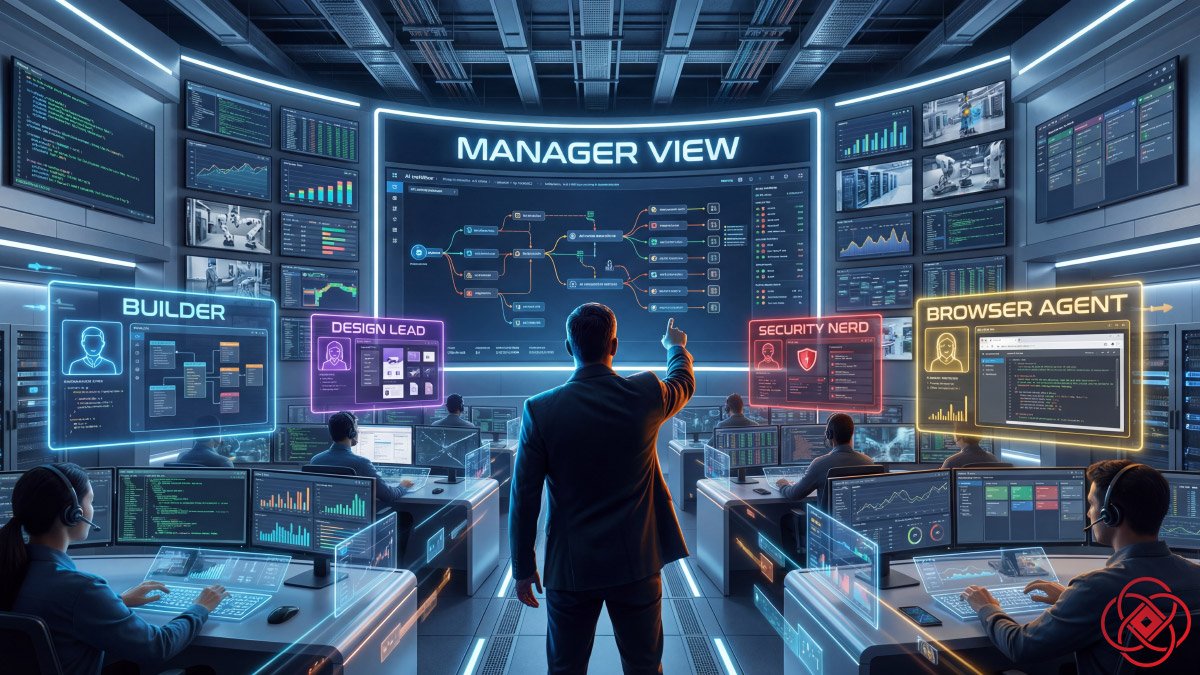
Manager View: This is mission control. Here, you don't write code—you assign tasks to AI agents and watch them work in parallel.
Most people waste time in Editor View doing things Manager View handles automatically.
Switch to Manager View. That's where the magic happens when you want to build software without writing code.
Step 3: Give Your First Command
Here's a real example:
opencode run Build a responsive web app for tracking business automation tasks. Model Google/antigravity claudeopus-4.5 thinking highThen hit Enter.
Within seconds:
- The agents create a project plan
- Install all dependencies
- Write the backend logic
- Design the frontend interface
- Run automated tests
- Capture screenshots to verify everything works
You just watch it unfold.
No syntax errors. No debugging. No context switching between files.
You've built a production-ready web app in minutes.
What's Actually Happening Under the Hood
This is where it gets powerful.
Antigravity runs multiple AI agents simultaneously. Each agent has a specialty:
- The Builder focuses on functionality, logic, and API connections
- The Design Lead handles UI, spacing, colors, responsive layouts
- The Nerd audits for bugs, security issues, performance risks
They collaborate in real time. If one agent encounters an error, another fixes it automatically.
This is called mission control coding—a completely new paradigm where you manage intelligent systems instead of typing code character by character. Learn more about how AI education is evolving to teach these new skills.
The Safety-First Approach
This power requires responsibility.
AI agents can access your files. They can run system commands. They can modify your entire codebase.
Here's how to use them safely:
Always supervise major tasks. Don't walk away during big builds. Watch what the agents are doing.
Back up your work first. Before running large projects, save your current state. One command can save you from disasters.
Review every change. AI-generated code can look perfect and be subtly wrong. Read the diffs. Check the logic.
Use artifacts for transparency. Antigravity generates logs, screenshots, and progress reports for every build. Review them before accepting changes.
Start small. Test the system with simple projects first. Learn how it thinks. Then scale up.
Think of AI agents like power tools. Incredibly useful. Potentially dangerous if misused. Always keep both hands on the wheel.
The Five Essential Features You Need to Know
1. LSP Integration (Language Server Protocol)
OpenCode automatically loads the right language tools for your project. This means the AI gets real-time error checking, code intelligence, and refactoring capabilities.
When you ask it to rename a function, it updates all 379 references across your codebase in 22 seconds. No missed files. No broken code.
2. Planning Mode
Before writing a single line of code, Antigravity enters Planning Mode.
It generates a detailed plan showing:
- Which files it will touch
- What logic it will change
- How it will verify correctness
- What risks exist
You review this plan. Edit it if needed. Approve it when ready.
Then the agents execute.
This prevents the biggest failure mode in AI coding: agents solving the wrong problem really well.
3. Browser Agent
This feature is wild.
Antigravity includes an agent that doesn't just write code—it tests it like a real user.
If you build a login form, the Browser Agent:
- Opens a local server
- Launches a browser
- Clicks the submit button with empty fields
- Verifies the error message appears
- Reports back with screenshots
It catches bugs you wouldn't find until production.
4. MCP (Model Context Protocol)
This connects your AI agents directly to real-world data and tools.
Need to pull data from your company database? MCP handles it.
Want to query your CRM? MCP connects it.
Building a dashboard that needs live analytics? MCP integrates it.
Instead of isolated AI that hallucinates data, you get AI that works with your actual systems—essential for AI enterprise implementations.
5. Multi-Agent Orchestration
Here's where it gets exponential.
You can run five different agents on five different tasks simultaneously.
One agent builds your authentication system. Another creates your dashboard. A third writes documentation. A fourth runs security audits. A fifth deploys to staging.
All happening in parallel. All coordinated. All reporting progress in real time.
This is why projects that took weeks now take hours.
Real-World Example: Build a Todo App in 10 Minutes
Let's walk through an actual project.
Your goal: Build a full-stack todo list app with user authentication, database storage, and a clean interface.
What you do:
- Open Antigravity Manager View
- Press
Cmd+Eto start a new agent task - Type: "Create a todo list web app using Python and React. Include user auth, database persistence, and responsive design."
- Hit Enter
What the agents do:
- Planning Agent creates an implementation plan with file structure
- Builder Agent sets up the Python backend with FastAPI
- Design Agent creates the React frontend with Tailwind CSS
- Database Agent configures PostgreSQL and creates migrations
- Auth Agent implements JWT authentication
- Test Agent writes and runs automated tests
- Browser Agent verifies the UI works correctly
Your job:
Review the artifacts. Check the screenshots. Test the app. Make refinement requests if needed.
Ten minutes later, you have a working app you can demo to clients.
This is how you truly build software without writing code—by orchestrating AI agents that handle the implementation details.
The Mental Shift Required
The hardest part isn't technical. It's mental.
For decades, being a good developer meant being fast at typing code. The best programmers typed the fastest, memorized the most syntax, debugged the quickest.
That skillset is now obsolete.
The new skillset is orchestration. You need to:
- Describe what you want clearly
- Break complex projects into agent-sized tasks
- Review AI output critically
- Identify when to intervene
- Know which model handles which problem best
You're moving from mechanic to architect. From typist to director.
Some developers hate this. They spent 10 years mastering syntax and now it doesn't matter.
Smart developers embrace it. They multiply their output by 10x while competitors argue about semicolons.
Who This Changes Everything For
Founders: Validate ideas in hours instead of months. Build MVPs before your first hire. Ship products while competitors are still writing specs.
Developers: Scale your output without burning out. Handle five projects in the time you used to handle one. Become the AI manager everyone wants on their team.
Teams: Replace weeks of context-switching with coordinated agent workflows. Start Monday with tickets, finish Friday with shipped features.
Non-technical builders: Stop waiting for technical co-founders. Stop outsourcing to dev shops. Build directly with AI and maintain control.
The democratization of software creation is here. The people who move first will dominate their markets.
The Three Mistakes Everyone Makes (And How to Avoid Them)
Mistake #1: Treating AI Like Google
You wouldn't Google "make my app better." That's useless.
Same with AI agents. Vague prompts get vague results.
Instead: Be specific. "Add a dark mode toggle to the navigation bar that persists user preference in localStorage."
Specificity = quality.
Mistake #2: Accepting Output Without Review
AI code can look perfect and be completely wrong. It might use outdated libraries. Ignore edge cases. Create security holes.
Instead: Review every change. Run tests. Check for vulnerabilities. Use tools like Snyk, SonarQube, or Semgrep to catch issues automatically.
The agent is fast. You're the quality control.
Mistake #3: Skipping Backups
One wrong command can overwrite hours of work. AI agents move fast. Mistakes compound quickly.
Instead: Use git. Commit often. Create branches for agent tasks. If something breaks, you can revert in seconds.
Speed without safety is recklessness.
Advanced Patterns for Power Users
Once you've mastered the basics, try these workflows:
Test-Driven Development with AI:
- Ask the agent to write tests based on requirements
- Confirm the tests fail (no code exists yet)
- Ask the agent to write code that passes the tests
- Iterate until all tests pass
This prevents AI from hallucinating solutions.
Multi-Repository Coordination:
Run agents across different repos simultaneously. One updates your backend API. Another updates the mobile app. A third updates documentation.
All changes coordinate through implementation plans.
Continuous Improvement Loops:
Set up agents to monitor your codebase for technical debt. They refactor automatically, run tests, and submit pull requests for your review.
Your code gets cleaner while you sleep.
The Tools Are Free. The Advantage Isn't.
OpenCode is open source. Antigravity is in free public preview.
The technology is available to everyone right now.
But here's the thing: Most people won't use it. They'll read this tutorial, think "that's cool," and go back to typing code the old way.
The competitive advantage goes to the people who actually implement.
Who build their first project with AI this week. Who practice orchestrating agents instead of writing functions. Who ship products while others are still learning syntax.
The future of coding isn't code. It's collaboration with AI powered by advanced Google Cloud AI and similar platforms.
The question isn't whether this will happen. It's already happening.
The question is: Will you be leading this wave or watching it from the sidelines?
Getting Started Right Now
Don't overthink it. Start small:
- Install OpenCode from opencode.ai
- Sign up for Antigravity's free preview at antigravityide.org
- Pick one small project—a landing page, a calculator, a todo list
- Use Planning Mode to create an implementation plan
- Let the agents build it
- Review the output
- Ship it
That's it. That's how you start.
Then do it again tomorrow with something harder. And again the day after.
Within a week, you'll build more than you built in the last month.
Within a month, you'll wonder how you ever coded without agents.
Within a year, you'll be the person teaching others how to do this through AI tutorials like this one.
The tools exist. The advantage is execution.
Stop reading. Start building.
The era of typing code is ending. The era of directing AI is beginning.
You now know exactly how to build software without writing code using OpenCode and Antigravity. You understand the workflow. The safety practices. The competitive advantage.
What you do next determines everything.
Build something. Today. Right now.
The future belongs to the builders who move first.
Frequently Asked Questions
Is this actually free?
Yes. OpenCode is open source. Antigravity offers a free public preview tier with Gemini 3 Pro access. Both tools allow you to build software without writing code at no cost.
Do I need to know how to code?
No. You describe what you want in plain language. The AI handles implementation. You can build software without writing code manually.
Can this replace developers?
It doesn't replace developers. It evolves them. Developers become AI managers who direct systems instead of typing syntax. They orchestrate agents to build software without writing code line by line.
Is it safe for production?
Yes, but supervise closely. Review all AI-generated code. Run security scans. Use backups. Follow the safety practices outlined in this tutorial to safely build software without writing code.
What if the AI makes mistakes?
It will. AI isn't perfect. That's why human review is essential. Think of agents as extremely fast junior developers who need oversight when you build software without writing code yourself.
Which AI model should I use?
Gemini 3 Pro excels at reasoning and complex logic. Claude Opus 4.5 handles creative tasks well. GPT works for general coding. OpenCode lets you switch models based on the task to build software without writing code most efficiently.
How long does it take to learn?
You can build your first project in under an hour. Mastering orchestration takes weeks of practice. But you're productive from day one when you build software without writing code with AI agents.
