Prompt Engineering for Beginners: Where to Start
RedHub AI Editorialupdated August 18, 20265 min read

Jump to a section9
TL;DR
- What it is: the first real skill path for someone who's used AI casually but never learned prompting on purpose.
- Who it's for: beginners who want their AI output to be reliably good, not hit-or-miss — see the Prompt Practice Lab.
- How it works: learn one framework — six pieces every good prompt has — write real prompts for real tasks, and get feedback as you go.
- Bottom line: you don't need fifty prompt "hacks" on day one. You need one framework and real reps.
What is prompt engineering for beginners?
For a beginner, prompt engineering is learning one structural framework for what a good prompt needs — not memorizing a list of prompt hacks. The framework is six pieces: who the model should be, what background it needs, exactly what to produce, how to format it, what to avoid, and whether it's asked to check its own work. Learn those six, practice them on tasks you actually have, and you'll out-prompt someone with a hundred saved "power prompts" they never really understand.
Best for: anyone brand new to writing their own prompts — the free Operator Prompt Vault gives you 32 examples to study; the Prompt Practice Lab ($69) is the next step once you want graded feedback.
If you've used ChatGPT or Claude a handful of times and gotten mixed results, you've probably gone looking for "the best prompts." That's the wrong first move. The people who are actually good at this aren't running better prompts than you — they're running the same handful of structural habits every time. Learn those habits first, and the "best prompts" question mostly answers itself.
Skip the hacks list. Start with one framework.
The beginner trap is collecting prompts. You save one from a blog post, another from a video, a third from a friend, and none of them teach you why they work — so you can't adapt any of them when your task is slightly different. One framework, learned properly, transfers to every task you'll ever prompt for. That's the better trade for a beginner's first week.
The six pieces every good prompt has
Here's the whole framework, in plain terms, with a mini-example for each.
- Role — tell the model what expertise or point of view to use. "You are an experienced small-business accountant."
- Context — give it the background it can't guess. "Here's our Q2 numbers: [paste data]."
- Task — say exactly what to produce, not just a topic. "Write a one-page summary of what changed and why," not "talk about Q2."
- Format — specify structure or length up front. "Three bullet points, under 100 words each."
- Constraints — say what to avoid. "Don't recommend specific investments."
- Verification-ask — ask it to check itself. "Flag any number you're not fully confident in."
Your first week: a simple starting plan
- Day 1–2: pick one real task you already do (an email, a summary, an outline). Write a full six-piece prompt for it from scratch.
- Day 3–4: take that same prompt and tighten the format and constraints — you'll likely notice the output getting cleaner.
- Day 5: add a verification-ask to it if you haven't already. Compare the output before and after.
- Day 6–7: repeat the whole process on a new, different task. Notice which of the six pieces you forgot this time — that's your weak spot.
Free starting point vs. a structured practice path
You don't need to spend anything to start. The Operator Prompt Vault is a free tool with 32 production prompts, already built with all six pieces, that you can study, adapt, and learn from with fillable variables for sales, ops, support, content, and hiring. Reading well-built examples is a legitimate part of learning — just don't stop there.
Once you've run your first week of real prompts and want feedback that's more specific than "did it feel better," the Prompt Practice Lab grades your own drills against the same six-piece rubric (called RCTFCV: Role, Context, Task, Format, Constraints, Verification-ask), tells you exactly which piece is weak, and uses spaced review to bring your weakest drills back until they're strong.
Key insight: the single habit that separates a beginner from a reliable prompter is the verification-ask. It's the one piece almost nobody adds without being told to — and it's the one most likely to catch a wrong answer before you act on it.
Turn your first week into a real skill
A graded drill engine, a workbook that reproduces it exactly, and two playbooks — practice the six-piece framework on real tasks and get immediate, specific feedback.
Get the Prompt Practice Lab — $69 →Where to go after the basics
Once you're consistently including all six pieces without thinking about it, two natural next steps open up. If you find yourself reusing the same prompt structure for the same recurring job, the Claude Project Blueprint Library shows you how to build that into a reusable Claude Project instead of retyping it each time. And if you want an honest read on exactly where your skills stand — not just prompting, but verification and safe use too — the AI Fluency Diagnostic scores six skill areas from your own inputs.
Decision Guide
Start here if: you've used AI a handful of times casually but never studied prompting as a skill on purpose.
Skip the beginner path if: you already use the six-piece framework instinctively — go straight to exercises or graded practice instead.
Best first step: write one full six-piece prompt for a real task today, before reading anything else.
FAQ
What is prompt engineering, in plain terms?
Writing instructions to an AI model in a way that reliably gets you the output you actually need — using a repeatable structure instead of trial and error.
Do I need to learn code to write good prompts?
No. Prompting is plain-English instruction writing. No programming knowledge is required.
What's the single best beginner habit to build first?
Adding a verification-ask — asking the model to flag what it's unsure of. It catches more real problems than any other single habit.
How long does it take to get good at prompting?
There's no fixed number of days. Consistent practice on real tasks, with feedback, over a few weeks builds the habit — a single session won't.
Should I use a prompt library or write my own?
Both, at different stages. A library like the Operator Prompt Vault teaches you the patterns by example. You build the actual skill by writing your own prompts for your own real tasks.
What counts as the "role" part of a prompt?
Telling the model what expertise or point of view to adopt — for example, "You are a skeptical editor," not just asking a question with no framing at all.
Where do I go after the basics?
Graded practice to fix your weak spots (the Prompt Practice Lab), and a full skills read if you want to know where you stand overall (the AI Fluency Diagnostic).
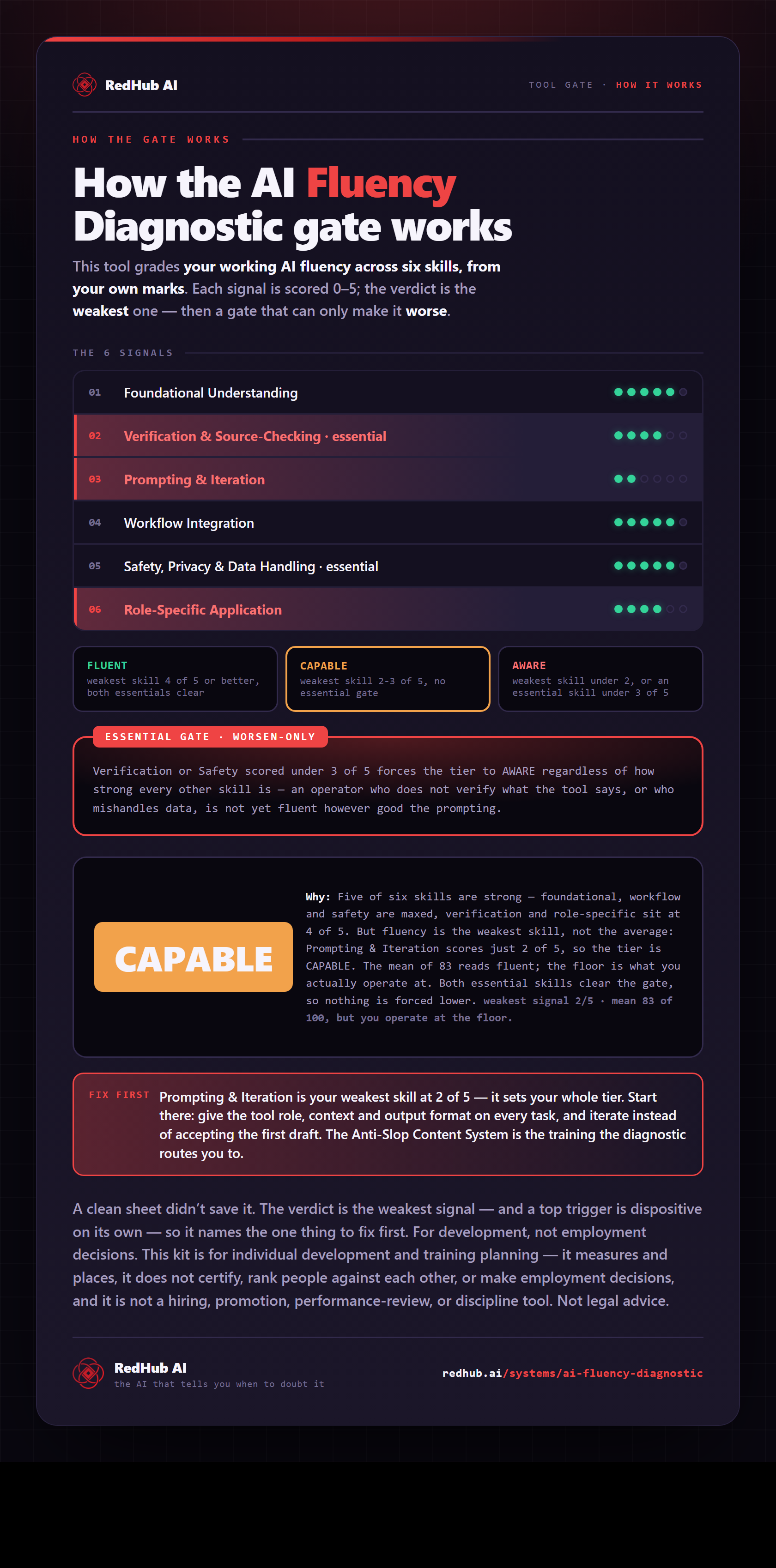
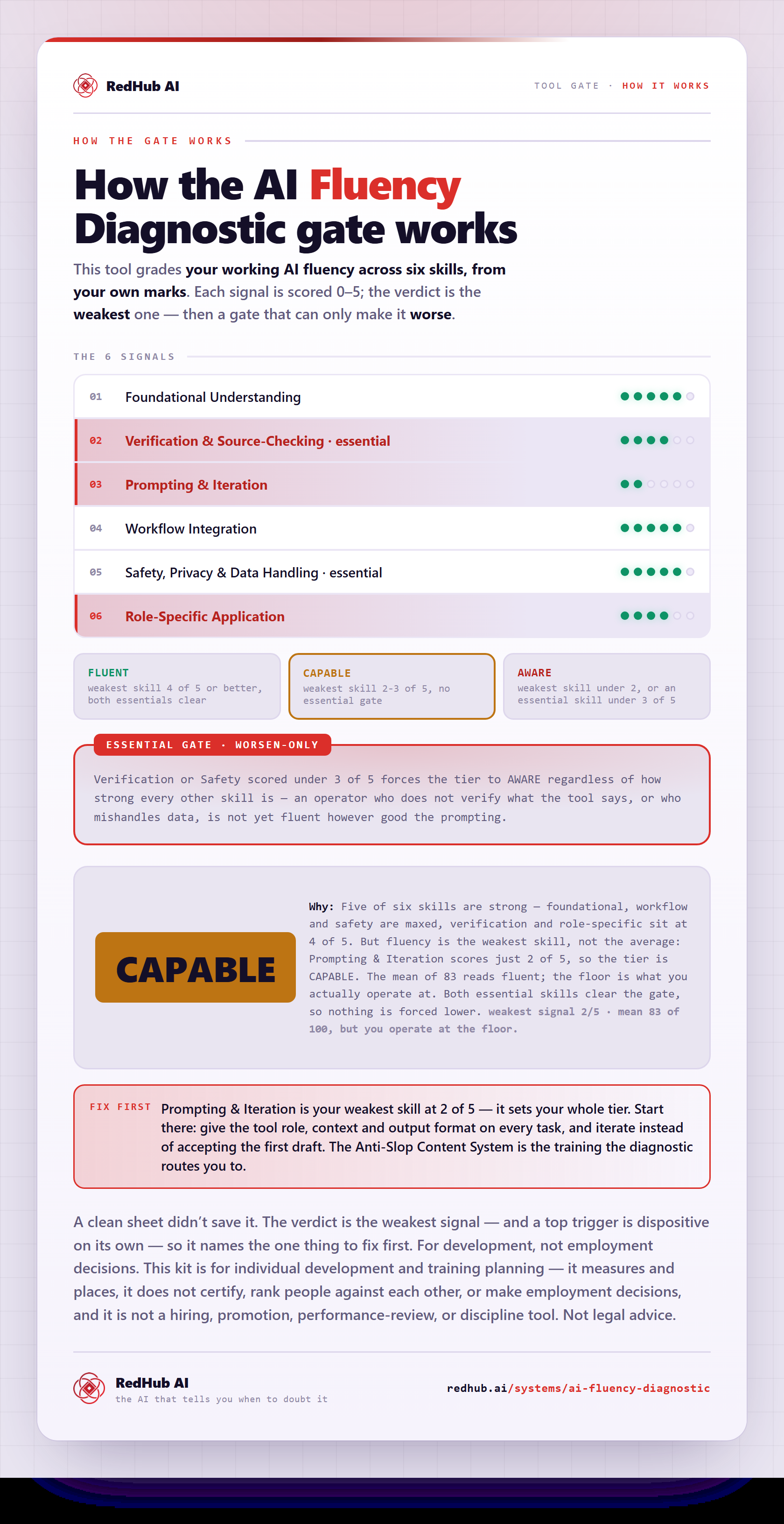
The gate this post refers to, drawn from the tool’s own logic. See the tool.