AI Agents at Work: What Changes When Software Acts
RedHub AI Editorialupdated August 16, 20264 min read

In short
An agent acts instead of answering, so consequences land without a person in the path. Errors compound across steps, and failures cluster on unusual cases rather than spreading evenly. Suitable tasks are narrow, repetitive and cheap to verify. Decide deliberately what an agent can reach, change and do unattended. The risk teams miss: an agent reading untrusted content, holding private access, and able to write somewhere public forms an exfiltration path.
Jump to a section7
This is general information about deploying AI agents. It is not a security assessment of any specific product or configuration.
The difference is acting, not answering
A chat assistant returns text and you decide what to do with it. Every consequence passes through a person, which makes the review step automatic instead of a policy anybody had to write.
An agent takes actions. It browses, fills forms, calls APIs, writes files, sends messages. The consequences land whether or not anyone was watching.
That single change is the whole story. Everything difficult about agents follows from it, and most of the disappointment comes from teams evaluating one as though it were a better assistant.
Where the demo and the job diverge
Agent demos are chosen well. A bounded task, a cooperative website, a clear finish line. Real work is none of those things.
Long tasks compound. A ten-step task at 95 percent reliability per step finishes about 60 percent of the time, and the failures are not evenly distributed. They cluster on exactly the unusual cases you most wanted handled, because those are the steps the model has least support for.
Recovery is the harder half. When a person hits something unexpected, they stop and ask. An agent usually proceeds on its best guess, and a confident wrong step early produces a coherent, entirely wrong result at the end. That output looks finished, which is what makes it expensive.
The permission question nobody answers deliberately
Every agent deployment answers three questions. Most teams answer them by accident, by accepting whatever the setup flow suggested.
- What can it reach? Enumerate it. Not the intended list, the actual credential scope. Broad access granted for convenience during setup is the most common finding and the least noticed.
- What can it change? Read-only agents are a different risk category from agents that write. The gap between "summarize my inbox" and "manage my inbox" is enormous and the interface makes it look like a toggle.
- What can it do without asking? Spending money, sending external messages and deleting things deserve a person. Deciding that deliberately takes ten minutes and almost nobody spends them.
There is a fourth that only applies to agents, and it is the one people miss. An agent that reads untrusted content, such as a web page, an inbound email or a support ticket, is taking instructions from whoever wrote it. If that same agent also holds access to something private and can send output somewhere public, those three properties together form a path from your data to a stranger. Each is ordinary alone.
Where they earn their keep now
The pattern that works is narrow, repetitive, verifiable, and low-cost to get wrong. Gathering information from several sources into one summary. Monitoring something and flagging changes. Filling a form from a document you already have.
Notice the shared property: a person can check the output quickly against something objective. That is what makes an agent safe to use, and it is a stronger predictor than task complexity.
The pattern that fails is open-ended work with no clean check. If verifying the output costs as much as doing the work, you have moved effort instead of saving it, and you have added a failure mode.
The tension that does not resolve
Constrain an agent enough to be safe and you have often constrained it into being a script, which is cheaper, faster and more predictable than a model.
That is a legitimate objection to the whole category, and it holds for a good share of what agents get used for. The honest counter is that the interesting cases are the ones where inputs vary too much for a script and the value of handling that variation exceeds the cost of occasional wrongness. That set is real and it is smaller than the marketing implies.
Which means the question is not whether agents work. It is whether your specific task sits in that set, and that is answerable before you build anything.
Before you give one real access
The gap between a promising pilot and a deployment you can defend is a list of specific, checkable conditions. Scope, reversibility, logging, a tested stop, and a named owner for when it goes wrong at 2am.
Our AI Agent Go-Live Readiness Gate ($79) runs that list and returns a verdict, including — where a control is short — the one thing to fix first. It is deliberately capable of telling you not to launch, which is the point of a gate.
Frequently Asked Questions
How is an AI agent different from a chatbot?
A chat assistant returns text and a person decides what to do with it, so every consequence passes through human review automatically. An agent takes actions directly, browsing, filling forms, calling APIs, writing files and sending messages. The consequences land whether or not anyone was watching, and everything difficult about agents follows from that.
Why do agents fail on long tasks?
Errors compound across steps. A ten-step task at 95 percent per-step reliability completes roughly 60 percent of the time. Failures also cluster on unusual cases instead of spreading evenly, because those are the steps the model has least support for, and those are usually the cases you most wanted handled.
What makes a task well suited to an agent?
Narrow, repetitive, verifiable and cheap to get wrong. The critical property is that a person can check the output quickly against something objective. If verification costs as much as doing the work, an agent moves effort instead of saving it and adds a failure mode in exchange.
What permissions should an agent have?
Decide three things deliberately instead of accepting setup defaults: what it can reach, what it can change, and what it can do without asking. Read-only access is a different risk category from write access, and spending money, sending external messages or deleting data should require a person.
What agent-specific risk do teams miss?
An agent that reads untrusted content, such as a web page, inbound email or support ticket, is effectively taking instructions from whoever wrote it. That becomes serious when the same agent also holds access to something private and can send output somewhere an outsider can read. Each property is unremarkable alone; combined they form an exfiltration path.
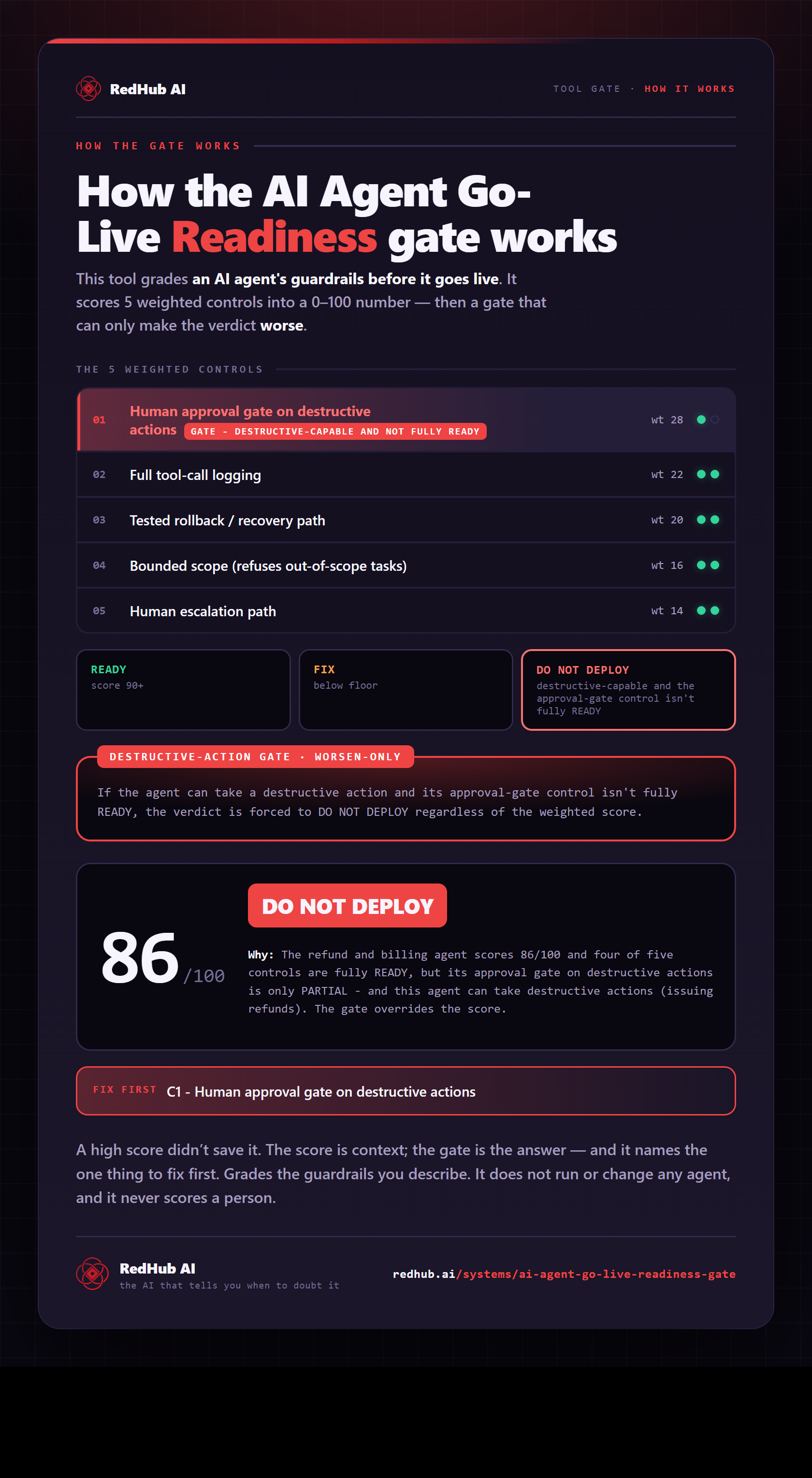
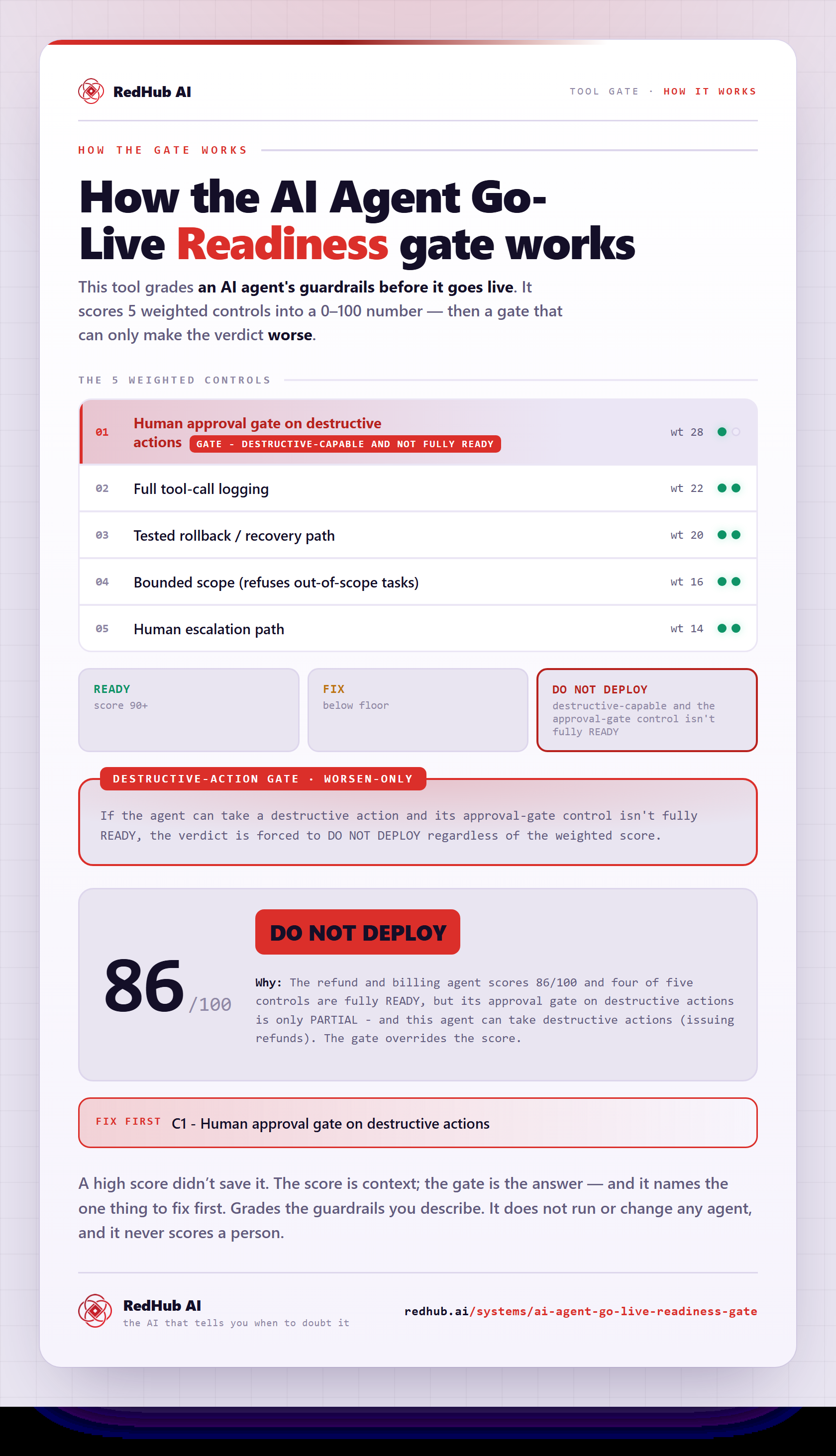
The gate this post refers to, drawn from the tool’s own logic. See the tool.