12 Seedance 2.0 Workflows for AI Video Teams
Todd Brooks, Founderupdated July 22, 20268 min read
Jump to a section11
TL;DR
- What it is: Twelve production-ready workflows using Seedance 2.0 for social content, paid ads, launches, and brand storytelling
- Who it's for: Video teams, marketers, creators, and brands building scalable AI video systems
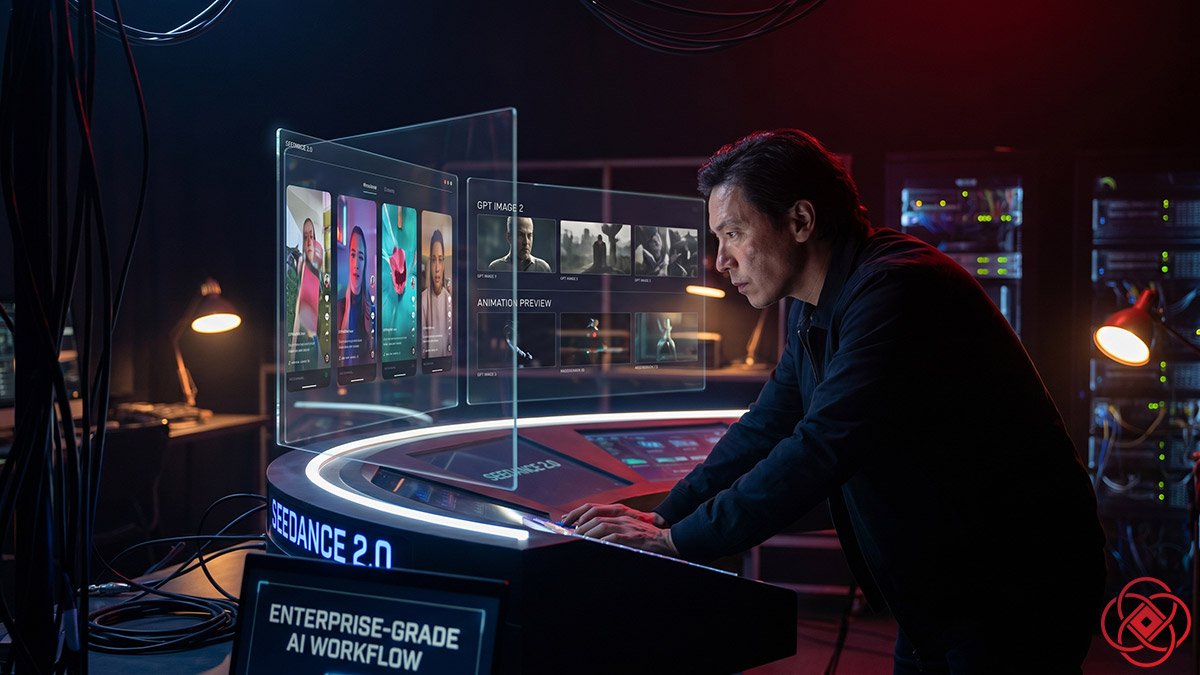
- How it works: Still images first (GPT Image 2), motion second (Seedance 2.0) — lock visuals before animating
- Bottom line: The teams winning with AI video aren't chasing prompts — they're building repeatable production systems
What Are Seedance 2.0 Workflows?
Seedance 2.0 workflows are repeatable production systems that use still images first, then motion. Teams generate reference frames with GPT Image 2 (opens in a new tab) to lock tone, faces, and composition, then animate those frames with Seedance 2.0 for controlled camera movement, pacing, and audio sync. This approach reduces wasted generations, improves consistency, and turns AI video from guessing into production.
Best for: Marketers, creators, and brands building scalable AI video pipelines / Not ideal for: One-off experimentation without systems thinking
Seedance 2.0 is most useful when you stop thinking in prompts and start thinking in workflows. The teams getting results are not making random clips; they are building repeatable systems for social content, ads, launches, education, and brand storytelling.
The workflow shift
A lot of people still use AI video like a slot machine. They type a prompt, hope for magic, and then wonder why the result feels inconsistent, expensive, or impossible to scale.
That is the wrong mental model.
The better model is simple: still images first, motion second. Use GPT Image 2 to lock the world, the face, the product, and the visual tone. Then use Seedance 2.0 to animate that world with controlled camera movement, pacing, and audio sync. When you need a more dramatic or stylized look, Nano Banana Pro (opens in a new tab) can still be a strong option for mood frames and concept directions before the Seedance pass.
That one shift changes everything. It lowers wasted generations, improves consistency, and makes the work feel less like guessing and more like production.
Here are 12 real-world workflows that make Seedance 2.0 useful for marketers, creators, and brands.
Social content
1. Founder shorts
This is one of the easiest wins. A founder, consultant, or operator has ideas but no time for daily filming. Instead of setting up a camera every day, you build a small bank of reference portraits and visual scenes, then use Seedance to create short expert-led clips that feel polished and consistent.
The workflow looks like this: write a short script, generate or refine the on-camera look with GPT Image 2, feed those frames into Seedance, and create 20–40 second vertical clips for LinkedIn, TikTok, or Reels. This works because the brand face stays stable while the scenes, hooks, and motion can change around it.
2. Hook testing
Most social videos live or die in the first three seconds. Seedance is useful here because it lets you keep the same offer and swap the opening beat, visual setup, text overlay, or camera move across multiple variations.
That makes it a strong testing engine for creative teams. One approved visual system can become five or ten hook variations in a single session, which is far faster than reshooting or rebuilding every version from scratch.
3. Content repackaging
Long-form content usually has more value in it than the original post gets credit for. A webinar, podcast, blog post, or keynote can be broken into short visual stories where Seedance turns key ideas into cinematic micro-content.
The best version of this workflow starts with the source transcript, identifies the strongest claims, generates reference scenes with GPT Image 2, and then uses Seedance to animate each insight into a short sequence. This is one of the fastest ways to build a content ladder from one long asset.
Paid creative
4. UGC-style product ads
This is where Seedance starts to feel commercially serious. Product marketers can create believable creator-style product demos without organizing a full shoot, especially for fast-moving paid social campaigns.
A strong workflow uses GPT Image 2 to create the persona, the product framing, and the set, then hands those references to Seedance for handheld motion, simple action, and voiceover timing. The advantage is not just lower cost. It is speed: one product, many angles, fast variations, and less friction when the client wants three new cuts by tomorrow.
5. Offer explainer ads
Some offers need a little narrative structure: problem, tension, solution, proof, call to action. Seedance works well here because it can hold a visual thread across multiple short scenes while keeping motion and pacing coherent.
This workflow starts by building problem-state and solution-state frames in GPT Image 2, then animating each beat with Seedance and stitching the clips into a 30–45 second ad. It is especially good for landing page videos, YouTube pre-roll, lead generation campaigns, and founder-led offer explainers.
6. Localized market variants
One of the hidden strengths of AI video is not just creation. It is adaptation. Once a brand has a stable visual system, the same ad concept can be repurposed across markets, offers, and audience segments much faster than traditional production allows.
With Seedance, the smart move is to hold the visual DNA steady and change the voiceover, subtitles, on-screen text, and opening angle for each market. That gives teams more coverage without rebuilding the whole campaign for every audience.
Brand and launch work
7. Product launch films
A launch creates pressure. There is a date. There is a narrative. There is no time to drift. Seedance is useful here because it can turn a storyboard into a real short film faster than most teams can coordinate even a small production.
The strongest approach is still images first. Build 6–9 key launch frames in GPT Image 2, use one canvas or storyboard grid to lock tone and scene continuity, and then animate the sequence in Seedance. This gives brands a fast hero asset for product drops, landing pages, keynote intros, and campaign trailers.
8. Recruiting and culture stories
Most recruiting videos are bland because they rely on the same tired formula: smiling people, office shots, vague mission talk. Seedance opens a different lane. It lets brands blend real office photos, value statements, and cinematic reference scenes into something that feels more like a story and less like HR wallpaper.
This is a strong workflow for companies that want to show how the work feels, not just what the office looks like. Real inputs anchor authenticity, while Seedance adds motion, emotional pacing, and a more polished brand atmosphere.
9. Event recap content
Most events create a pile of raw photos and shaky phone clips, then do nothing with them. That is wasted attention.
Seedance can help teams turn a small set of real event assets into recap trailers, highlight reels, and sponsor-friendly social cuts by generating connective tissue: transitions, atmosphere shots, and cinematic bridges between real moments. It is not replacing the event footage. It is making the footage usable faster and in more formats.
Education and authority
10. Concept explainers
Some ideas are too abstract for talking-head video but too visual for text alone. This is where Seedance can help educators, consultants, and B2B marketers build short explainers that turn slides, diagrams, and written concepts into moving visual sequences.
The smartest workflow starts with the structure of the lesson, not the animation. Pull out the key concept, generate clean reference images or restyled diagrams, then let Seedance animate the sequence around narration and pacing. This works well for product education, internal training, and executive thought leadership.
11. Micro-lessons and content series
One video is useful. A consistent series is a brand asset. Seedance becomes more valuable when it is used as a content engine, not a one-off generator.
That means building a stable reference library first: character sheets, environments, color palette, typography style, recurring intro structure, and motion language. Once that system exists, one curriculum or topic outline can become a structured sequence of short lessons that feel like episodes, not disconnected clips.
IP and world-building
12. World-building and visual development
This is the workflow that creative studios tend to notice first. Before a film, campaign, game, or fictional brand world fully exists, teams need to explore tone, characters, places, and scenes without spending weeks in pre-production.
That is where the GPT Image 2 plus Seedance combination is strongest. GPT Image 2 builds the world bible: character sheets, location frames, hero moments, storyboards. Seedance then turns those stills into tone pieces, cinematic sequences, and early proof-of-concept trailers that help everyone see the same thing earlier in the process.
Nano Banana Pro still has a place here too. When the brief calls for heightened style, surreal visual language, or a more aggressive aesthetic, it can be the better first move for mood exploration before the final Seedance animation pass.
How to operationalize this
The real value is not in trying all 12 workflows at once. The value is in picking two or three that fit your business model and building an internal system around them.
That system should include:
- A standard intake form for offer, audience, message, platform, and references.
- A still-image approval stage using GPT Image 2 before video generation starts.
- A repeatable Seedance prompt structure for camera movement, duration, aspect ratio, and motion goals.
- A post-production checklist for captions, CTAs, exports, and channel formatting.
That is what turns AI video from novelty into leverage. The teams that win will not be the ones with the longest prompts. They will be the ones with the cleanest production systems.
Decision Guide
Use it if: You need a repeatable system for social ads, product launches, or content series — and you're ready to treat AI video like production, not experimentation.
Skip it if: You're looking for one-off magic outputs without building workflows, templates, or production pipelines.
Best first step: Pick one workflow (founder shorts or hook testing), build a 3-frame reference set in GPT Image 2, then animate with Seedance. Scale from there.
FAQ
What are Seedance 2.0 workflows in simple terms?
They are repeatable production systems that use still images first (created with AI video tools like GPT Image 2), then animate those images with Seedance 2.0. This approach reduces guessing, lowers wasted generations, and makes AI video feel like real production instead of random experimentation.
Why start with still images instead of text-to-video prompts?
Starting with still images lets you lock the visual tone, character consistency, product framing, and composition before adding motion. This dramatically improves consistency, speeds up iteration, and gives creative teams more control over the final output compared to text-only prompts.
Which workflow should I try first?
Start with founder shorts or hook testing. Both are fast, low-friction, and deliver immediate value for social content. Build 3-5 reference frames, animate with Seedance, and test the output. Once you have one workflow dialed in, scale to others.
Can Seedance replace traditional video production for brands?
Not entirely — but it can handle speed-critical work like paid social variations, hook testing, event recaps, and product launch films. For high-stakes brand films or emotionally complex storytelling, traditional production still leads. Seedance excels at volume, speed, and iteration.
How does Nano Banana Pro fit into these workflows?
Nano Banana Pro is best for heightened style, surreal visuals, or aggressive aesthetic exploration during the mood and concept phase. Use it to generate stylized reference frames before handing final storyboards to Seedance for animation. It's less about replacing Seedance and more about expanding creative range.
What tools do I need to operationalize Seedance workflows?
You need an image generation tool like GPT Image 2, access to Seedance 2.0, a project intake form, a still-image approval process, and a post-production checklist for captions and formatting. Optional tools include WaveSpeed (opens in a new tab) for audio sync and Higgsfield (opens in a new tab) for advanced editing.
How long does it take to build one of these workflows?
Initial setup for one workflow (intake form, reference library, prompt templates) takes 2-4 hours. Once built, individual executions — like generating a founder short or hook test — take 15-45 minutes depending on complexity. The investment is in the system, not the one-off output.