AI for Sales Reps: Where It Helps and Where to Close It Yourself
RedHub AI Editorialupdated September 20, 20266 min read

Jump to a section9
AI helps a sales rep move faster on research, outreach drafts, call prep, and CRM notes. It does not help you build trust, run discovery, or close a deal — that part is still on you. The reps who win with AI treat it like a fast first draft, not a replacement for the conversation.
TL;DR: AI is a research and drafting assistant for sales reps, not a closer. Use it to prep faster for calls, draft outreach you still personalize and check, and clean up your notes — then own the relationship yourself. The AI for the Sales Rep Kit ($39) packages the prompts and workflows that make this practical without turning your outreach robotic.
Where AI actually helps a sales rep
Think about a normal week for an account executive selling a mid-market SaaS product. You're researching ten new accounts, writing outreach to five prospects, prepping for three discovery calls, and typing up notes after every one of them. None of that work closes the deal by itself — but doing it badly, or too slowly, kills deals before they start.
This is where AI earns its keep. It can pull together a first-pass summary of a company from public information, draft an outreach email that references something real about the prospect, build a rough agenda for a discovery call, or turn your messy call notes into a clean summary for your CRM. All of that used to eat an hour or two a day. Done well, AI cuts that time down — so you have more hours for the calls and conversations that actually move a deal.
The pattern across every one of those use cases is the same: AI drafts, you decide. It's a first pass you edit, verify, and make your own before it goes anywhere near a prospect.
Where AI can't do the job for you
AI doesn't know your prospect's tone of voice on a call. It doesn't know that the VP of Ops you're emailing just had a rough quarter and needs a softer opener. It can't read a hesitation in someone's voice and decide whether to push or pull back. It can't build the trust that gets someone to tell you the real reason they haven't bought yet.
There's a second risk that's easy to miss: AI will confidently write things that sound personalized but aren't true. It might invent a detail about a company's "recent expansion" that never happened, or reference a funding round that's a year out of date. Sending that to a VP is worse than sending nothing — it signals you didn't actually do the work, you just automated the appearance of doing it. Every AI draft needs a human check against a real source before it goes out.
And the close itself — the moment where a prospect decides to trust you with their budget — is a human moment. No tool does that for you. AI can get you to the table faster and more prepared. It can't sit at the table for you.
The AI sales skills worth building first
If you're new to using AI in your sales process, don't try to automate everything at once. Start with the skills that save the most time for the least risk: prospect research, outreach drafting, call prep, follow-up writing, and CRM note cleanup. We break each one down — with the review step that keeps it honest — in The AI Sales Skills Worth Building First.
Prospecting and research, done right
Prospecting is where the "creepy AI" problem shows up most. A rep uses AI to generate a personalized cold email, and it reads like a mail-merge with someone's first name jammed in — or worse, it states something false about the company that the rep never checked. We walk through how to use AI for research and outreach without crossing that line in How to Use AI for Sales Prospecting and Research. If your real bottleneck is speed-to-lead and getting inbound leads booked onto a calendar fast, that's a narrower problem the Lead-to-Meeting Engine is built to solve.
Call prep and objection handling
Walking into a discovery or demo call cold is the fastest way to lose it. AI can help you build a solid pre-call brief — likely questions, probable objections, a rough agenda — in minutes instead of the twenty you'd otherwise spend digging through notes and LinkedIn. We cover the workflow in Using AI to Prep for Sales Calls and Handle Objections. If your team needs a real objection-handling library — not just a call brief but a maintained set of battlecards your whole sales floor can pull from — that's a deeper build the Sales Enablement Battlecard Builder handles.
Prompts that actually help you sell
A prompt like "write a cold email" gets you generic output. A better prompt gives the AI real context — the prospect's role, the trigger event, what you actually sell — and treats the output as a draft, not a send-ready message. We share the exact prompt patterns we use in AI Sales Prompts That Actually Help You Sell.
A day in the life, with and without AI
Picture an AE with four accounts to touch today: a warm inbound lead from a demo request, two cold outbound targets, and a follow-up on a stalled deal. Without AI, that's ninety minutes of research and drafting before you've made a single real connection. With AI doing the first-pass research and draft work — and you doing the verification, personalization, and actual outreach — that same prep might take twenty-five minutes, leaving you the rest of the morning for calls.
The time saved isn't the win by itself. The win is what you do with it: more calls, more follow-through, more attention on the deals that are actually close to closing. AI that saves you time but doesn't change what you do with it isn't worth the setup.
Pairs well with
The AI for the Sales Rep Kit covers the individual rep's day-to-day skills. If your bottleneck is getting inbound leads booked before they go cold, look at the Lead-to-Meeting Engine. If your team needs a shared, maintained objection-handling library instead of one-off call notes, the Sales Enablement Battlecard Builder is the deeper build. And if inbound volume is high enough that reps are wasting time on leads that were never going to buy, the Inbound Lead Qualification Engine filters before it ever reaches a rep's desk.
More in this guide
Can AI actually close sales deals?
No. AI can prepare you to close faster by handling research, drafting, and prep work, but the actual close — building trust and getting a prospect to commit — is a human skill AI doesn't replace.
Is it safe to send AI-written cold emails without editing them?
No. AI-drafted outreach needs a human check every time — for accuracy and for tone. AI can invent details that sound plausible but aren't true, and sending an unverified claim to a prospect damages trust faster than sending nothing at all.
What's the fastest way for a sales rep to start using AI?
Start with one skill, not five. Prospect research or call prep are the easiest places to begin because the output is for your eyes first, not a prospect's — you can build confidence in the workflow before you use AI on anything customer-facing.
Will using AI make my outreach sound robotic?
It will if you send the first draft as-is. AI output is a starting point built from real context about the prospect — you still need to add your own voice and verify every specific claim before it goes out.
What's in the AI for the Sales Rep Kit?
It's a $39 role-based skills brief covering the core AI workflows for reps — prospect research, outreach drafting, call prep, follow-up writing, and CRM note cleanup — with the review checkpoints built in so the habits stay honest from day one.
How is this different from a sales enablement platform?
A sales enablement platform is infrastructure your whole team logs into. This is a focused skills brief for one rep to start using AI well in their existing workflow today — no new software, no team rollout required.
Do I need a specific AI tool to use these skills?
No. The workflows are written to work with any general-purpose AI assistant you already have access to — the value is in the prompts and the review process, not a proprietary tool.
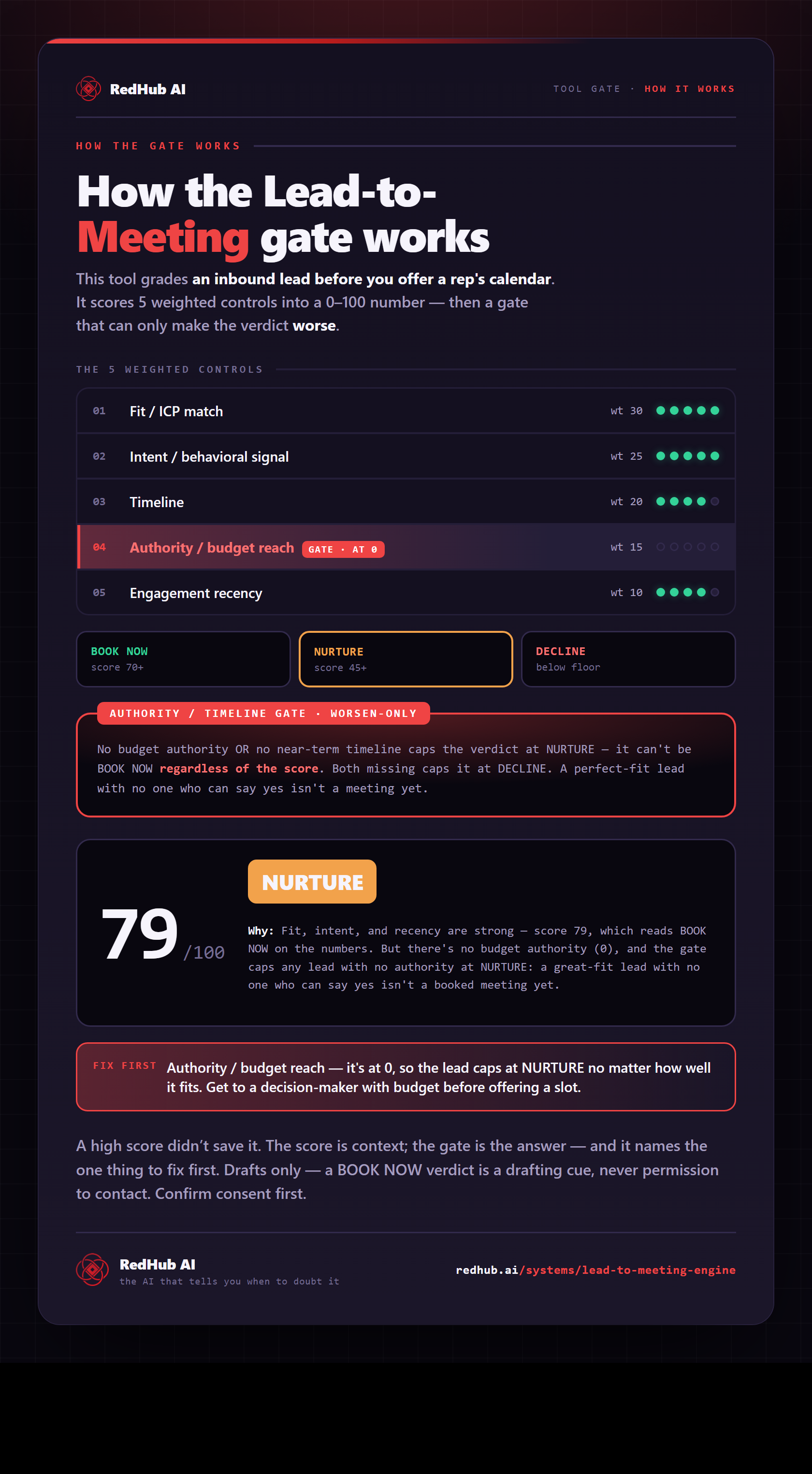
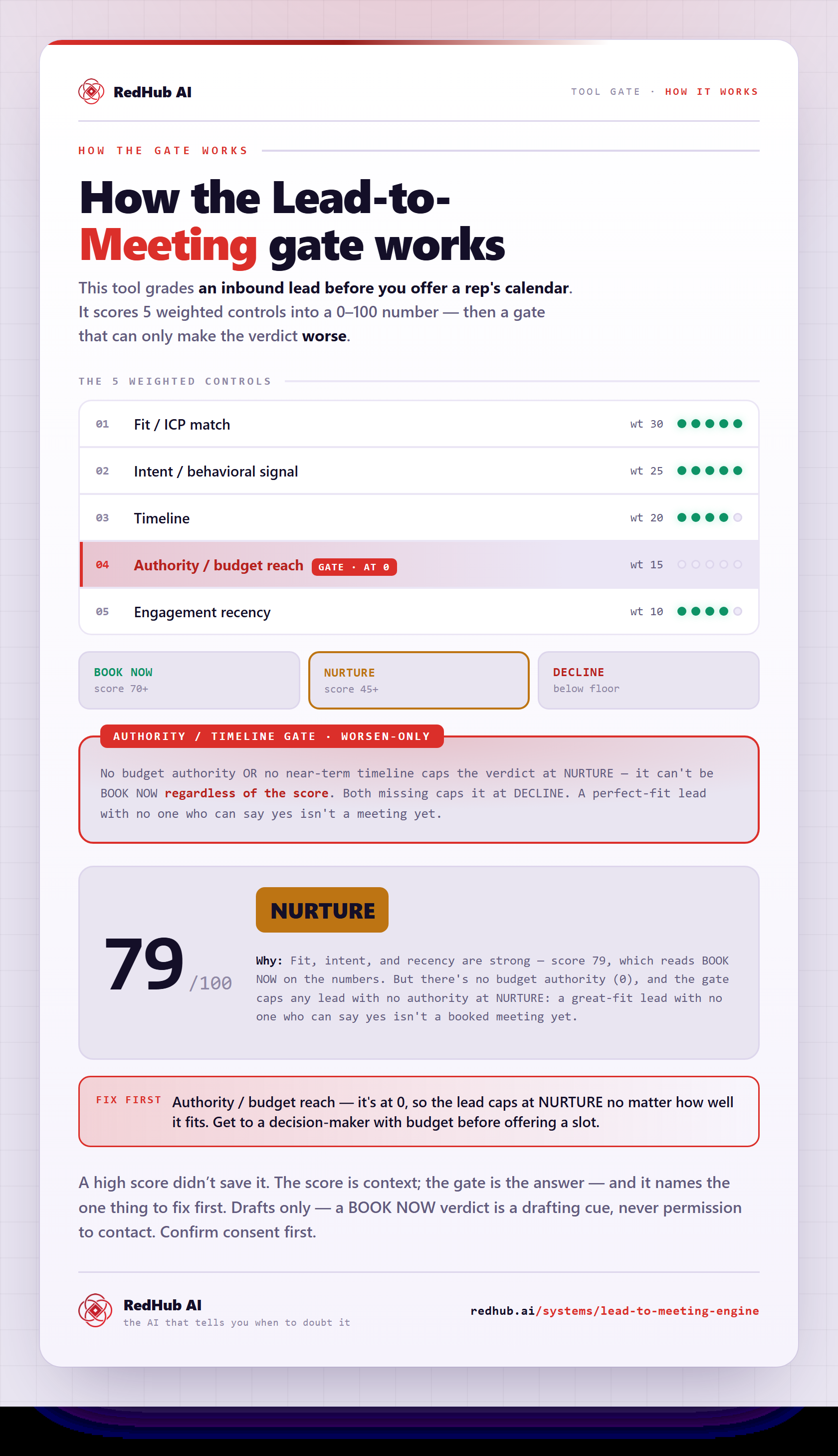
The gate this post refers to, drawn from the tool’s own logic. See the tool.