Why Data Imports Fail (and How to Catch It Upstream)
RedHub AI Editorialupdated October 7, 20265 min read

Jump to a section6
Ask why data imports fail and the answer you get is "the file was bad." The more useful answer is that nobody read the file closely until the destination did. A renamed column, a row with one field too many, or the wrong encoding was already there when the export finished. The import was the first careful reader, and it is the most expensive place to have one.
TL;DR: The fault is in the file at export time. Found at the import, it costs a failed run, a confusing error and a re-run. Missed at the import, it costs more, because the data loads wrong and nobody is told. Check the file where it is produced, before anything reads it. The CSV / Data-Export Schema & Quality Gate ($69) is built for that spot. A gate does not catch every import failure, and it needs an owner. More in the CSV data quality guide.
The failed import is the lucky one
A structural fault in a file ends one of two ways.
In the first, the import stops. You get an error, the run is marked failed, and someone goes looking. That is annoying, and it is the good outcome.
In the second, the import finishes. A forgiving reader met a row with an extra field, kept going, and put each value after the break one column to the right. The job reports success. The data is wrong and the log says it is fine. You learn about it when a customer gets an email addressed to a street name, or a monthly total is off and nobody can say since when.
What it costs to find it late
- The error describes the wrong thing. The destination reports what it tripped on, which is a symptom. The cause sits somewhere else in the row.
- The fault travels. If the import triggers other jobs when it completes, a bad load is copied into each of them before anyone looks.
- The repair is done twice. First you fix the file and re-run. Then you find and undo what the bad run wrote. The second part has no script.
Check at the export, not at the import
The same four checks, run earlier, turn that morning into a short job: do the headers match, is every row the same width, is the encoding clean, is every required column there. Run them on the raw file, as soon as it is written.
At that point nothing has been loaded, so there is nothing to undo. The fix is a setting, a re-export, or a message to whoever owns the source. And the report names the real fault. "Row width is not consistent" sends you to look for a stray comma. "Invalid date" does not.
The CSV / Data-Export Schema & Quality Gate is a script you run against the file and a schema you write. Where a structural check fails, it returns BLOCK and names that check as the thing to fix first. It does not rewrite the file, and it does not judge whether a value is true.
What an upstream gate will not fix
Moving the check earlier is right. It also has limits and a price.
Not every failure is the file. The destination can reject a clean file for its own reasons: a record that duplicates one already there, a field it now requires, an order that points to a customer it does not have, a size limit. A schema gate reads one file. It knows nothing about what is already in the system the file is going to. Whether the loaded totals match the source afterward is a separate check again, covered in our post on account reconciliation.
A block needs an owner. BLOCK on a file that feeds the morning's invoices means the invoices wait. If the standing answer is "load it anyway," the gate is decoration. If the answer is "wait for a re-export," someone needs the authority to make the business wait. That is a staffing decision, and no tool makes it for you.
FIX is harder still. The file lines up, but a column holds values that do not match their type. Loading it may be fine or may not, depending on what the destination does with a value it cannot read. Decide that rule before the first FIX arrives. At seven in the morning it gets decided by whoever is awake.
Put the first careful reader at the export
The CSV / Data-Export Schema & Quality Gate grades an exported file before any row-level tool touches it: seven structural checks, a quality score per column, and one verdict, READY, FIX or BLOCK. A structural failure blocks the file however clean the cells look. Runnable Python engine with no dependencies, a workbook, an editable JSON schema, and a Fix-It Runbook. It runs offline and never changes your file.
Get the CSV / Data-Export Schema & Quality Gate — $69Pairs well with
After the file is READY, the Document Field Validator ($79) checks each record by rule and returns PASS, REVIEW or REJECT. When three or more systems have to agree after the load, the Multi-Source Data Reconciliation Engine ($89) marks every key AGREED, DISPUTED or INCOMPLETE; one DISPUTED key means NOT RECONCILED. And before an export with personal data goes anywhere, PII Detection for Structured Data ($79) classifies its columns and returns HANDLED, MASK FIRST or EXPOSED for each.
More in this guide
Why do data imports fail?
A structural fault was in the file when it was exported: a renamed column, a row of the wrong width, a wrong encoding. The import is the first step that reads the file strictly, so that is where the fault shows up.
Is a failed import the worst outcome?
No. A failed import tells you something is wrong. An import that finishes after shifting values into the wrong columns reports success, and the bad data is found later by someone using it.
What does catching it upstream mean?
Checking the raw file where it is produced, before any import or automation reads it. The checks are the same: headers, row width, encoding and required columns. The difference is that nothing has been loaded yet.
Will an upstream gate stop every import failure?
No. It reads one file. It cannot see duplicates, missing related records, new required fields or limits in the destination system. Those failures need checks on the destination side.
What should I do with a FIX verdict?
In the CSV / Data-Export Schema & Quality Gate, FIX means the file lines up but at least one column is DIRTY. Whether to load it depends on the destination. If it rejects an unreadable value and reports it, loading may be acceptable. If it stores a blank silently, hold the file.
Who should own a blocked file?
Someone with the authority to hold the downstream job. If a BLOCK is always overridden to keep things moving, the check changes nothing. Decide the rule for BLOCK and for FIX before the first one arrives.
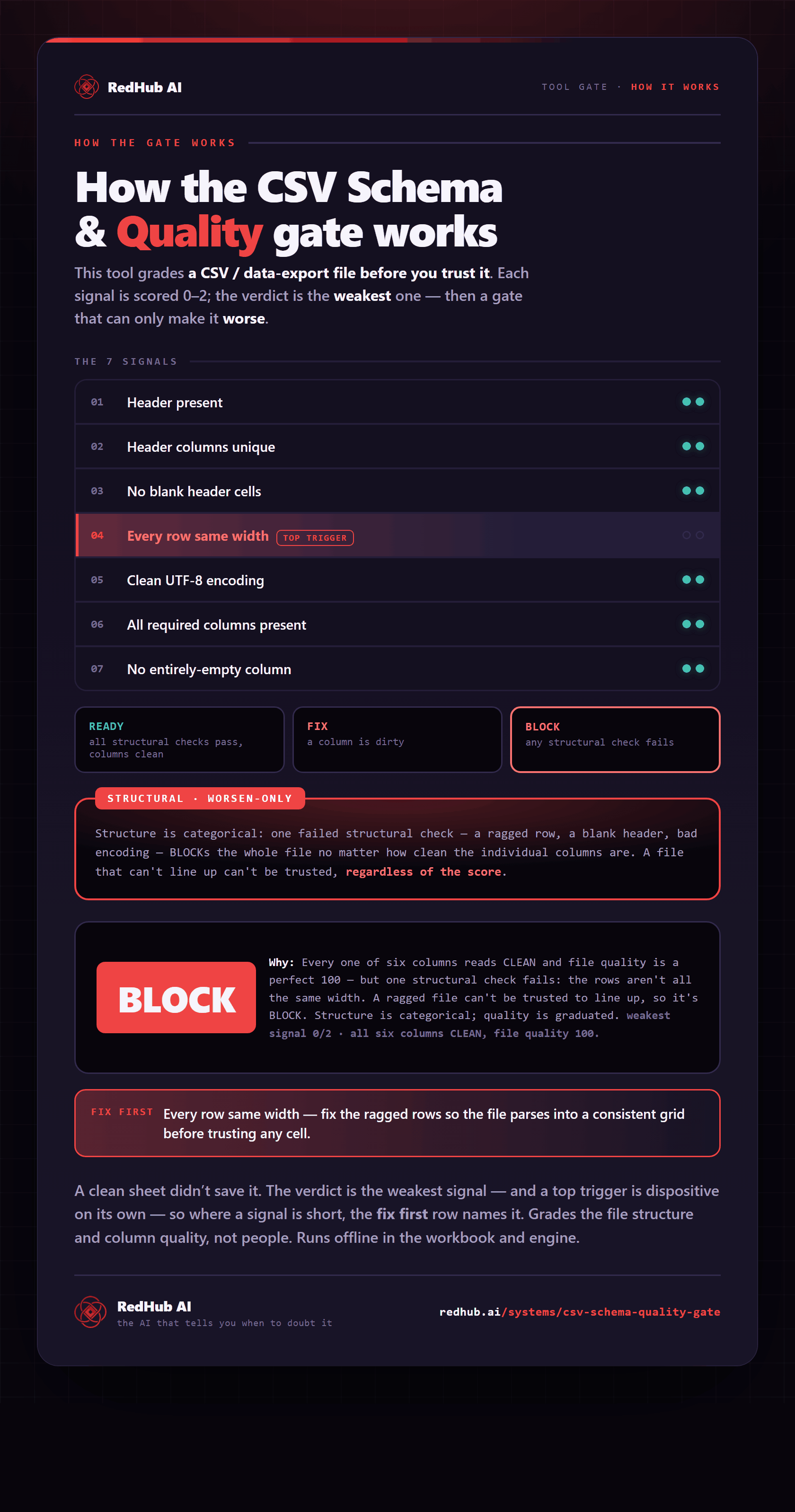
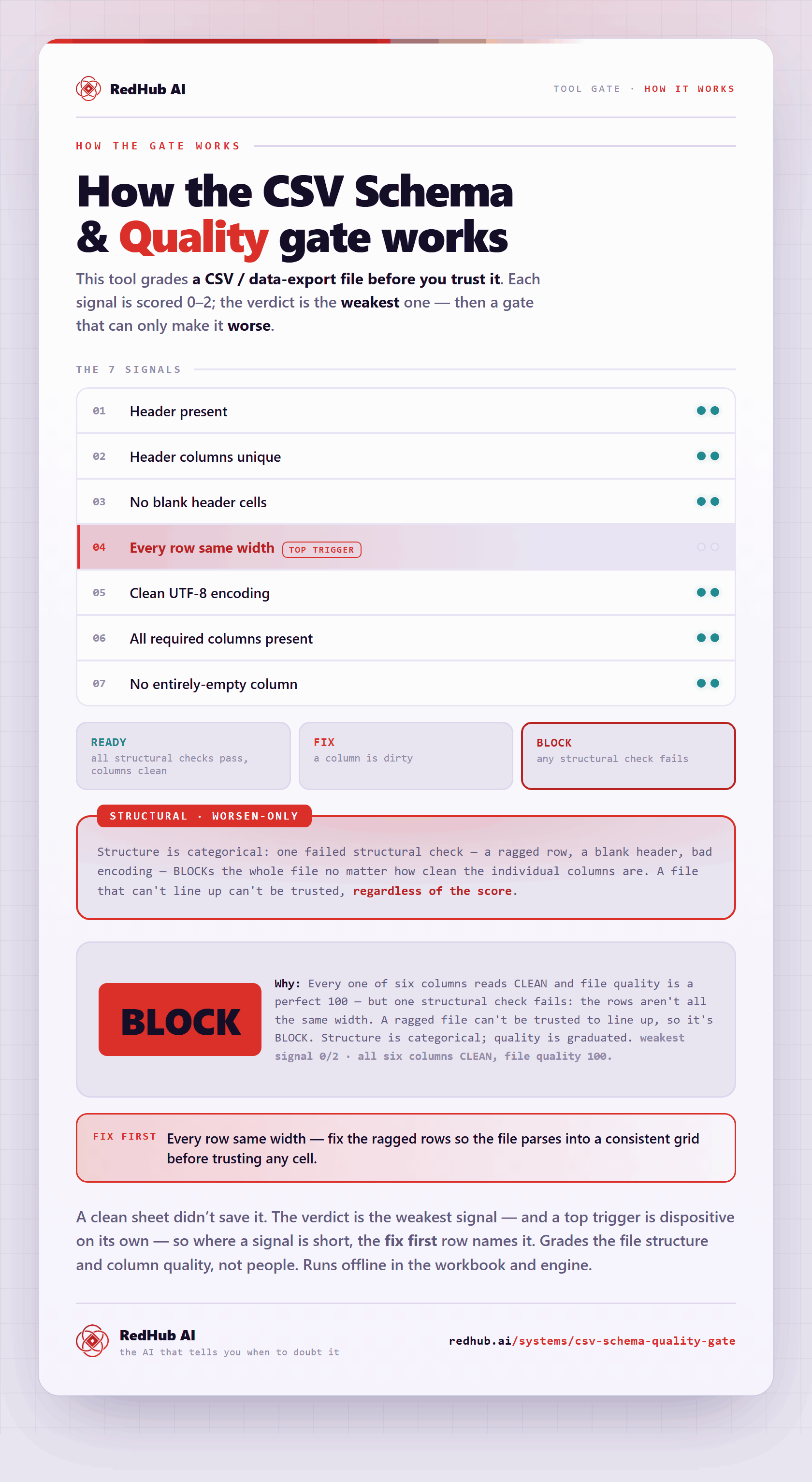
The gate this post refers to, drawn from the tool’s own logic. See the tool.