AI Subscription Costs: Stop the Quiet Creep
RedHub AI Editorial6 min read

Jump to a section9
AI Subscription Costs Are Creeping. Here's How to Audit Them.
TL;DR
- What it is: AI subscription costs are the fastest-growing line on most software statements — per-seat assistants, consumption pricing, and trials that quietly converted.
- Who it's for: Teams whose AI line doubled and nobody's sure why — see the AI & SaaS Subscription Auditor.
- How it works: Inventory every AI line item, compare seats paid to seats actually used, flag overlapping assistants, and give each one a keep, right-size, consolidate, or cut verdict.
- Bottom line: Surveys suggest most enterprises blow past their AI budgets in year one. The fix is the same honest audit you'd run on any SaaS — just run it on the AI line first.
How do you control AI subscription costs?
You control AI subscription costs by auditing them like any other software spend — seats, usage, overlap, verdict — but sooner and more often, because AI spend creeps faster. List every AI charge on your card statement, including the AI add-ons inside tools you already pay for. Compare seats paid to people actually using them in the last 30–60 days. Flag overlapping assistants that answer the same prompts. Then give each line a verdict — keep, right-size, consolidate, or cut — before the next renewal or overage lands.
Best for: teams paying for two or more AI tools without a clear owner of the total — the AI & SaaS Subscription Auditor audits AI and SaaS lines in the same register.
Two years ago the AI line on most small-business statements was one subscription. Now it's an assistant per person, an AI add-on inside half your existing tools, a couple of consumption-priced APIs, and at least one trial someone forgot. AI subscription costs don't grow the way normal SaaS does — they grow faster, and along more paths at once. Surveys suggest 63% of enterprises blow past their AI budgets by 30% or more in the first year. Small teams aren't immune; they just have nobody assigned to notice. This is the AI-specific chapter of how to cut SaaS costs.
Why AI spend creeps faster than SaaS
- It's adopted per person, not per team. Regular SaaS gets bought once for a team. AI assistants get bought seat by seat, person by person, often on personal initiative — so three overlapping subscriptions can exist before anyone compares notes.
- Consumption pricing hides the ceiling. Per-seat SaaS has a known monthly maximum. API and usage-based AI billing doesn't — a busy month or a runaway workflow shows up as a surprise overage after the fact.
- Trials convert quietly. The team that "just wants to try" a new model or tool becomes a paying subscriber the month everyone's too busy to cancel.
- Add-ons stack invisibly. The AI copilot inside your CRM, your docs tool, and your support desk each bills a few dollars per seat — none big enough to question, all recurring.
Key insight: the most common AI waste isn't an expensive tool — it's the same capability paid for three times. An assistant subscription, an AI add-on in an existing tool, and an API doing the same job is one job billed three ways.
Put a number on the seat gap
Start with the easiest measurable piece: seats. AI assistant seats get provisioned optimistically ("roll it out to everyone") and used unevenly. Enter what you pay for and what's actually used.
Estimate your wasted AI-seat cost
An estimate, not a measurement — and it only counts seats. It doesn't count overlapping assistants or forgotten trials, which the full audit catches.
The AI audit, in four steps
- Inventory every AI line item. Standalone assistants, AI add-ons inside existing tools, API billing, and anything still labeled "trial." The card statement catches the standalone charges; the add-ons hide inside your existing tools' invoices, so check those line by line.
- Run the seat check. Seats paid versus people who actually used the tool in the last 30–60 days. A rolled-out-to-everyone assistant with a third of the team active is a right-size verdict waiting to happen.
- Run the overlap check. Treat AI assistants as one category and count. More than one? Ask what each extra subscription answers that the first one can't. The consolidation playbook is the same as for any duplicate — see how to consolidate SaaS tools.
- Verdict every line before renewal. Keep, right-size, consolidate, or cut — and put every AI renewal and trial end-date on the watch-list, because AI tools change fast enough that this quarter's keep can be next quarter's cut. Cancellation mechanics are in how to cancel unused subscriptions.
Cutting waste isn't cutting AI
To be clear: the audit isn't an argument against AI spend. Tools that earn their keep get a keep verdict, and the money recovered from unused seats and triple-billed capabilities is exactly what funds the AI that's actually working. Cut the waste so the spend that remains is spend you chose. That's the whole point of the verdict system — it separates conviction from drift.
Audit the AI line and the SaaS line in one pass
The AI & SaaS Subscription Auditor ($49, one-time) puts AI and software subscriptions in one register: wasted-seat cost per tool, automatic overlap flags, a live savings dashboard, a renewal watch-list, and copy-paste scripts to cancel and downgrade. One .xlsx, about 30 minutes, no bank connection.
Get the Subscription Auditor — $49 →Decision Guide
Audit your AI spend if: you pay for two or more AI tools, the AI line has grown for three straight months, or an overage has ever surprised you.
Skip it if: you pay for a single AI tool and know its seat count and renewal date cold.
Best first step: list every AI charge — standalone, add-on, and API — from last month's statements. Most teams find at least one they'd forgotten.
FAQ
Why are my AI subscription costs growing so fast?
Because AI spend grows along four paths at once: per-person assistant seats, AI add-ons inside existing tools, consumption-priced APIs, and trials that convert quietly. Each path is small; the sum creeps monthly.
How do I find all my AI charges?
Card statements catch standalone subscriptions and API billing. AI add-ons hide inside your existing tools' invoices, so open each invoice and look for AI or copilot line items. Include anything still marked "trial."
Should everyone on the team have an AI assistant seat?
Only if everyone uses it. Count active users over the last 30–60 days and pay for that number. Seats are easy to add back later — that's the one direction vendors make frictionless.
Do I need more than one AI assistant?
Sometimes — different tools genuinely lead at different jobs. But make it a decision, not a drift: name what each extra subscription answers that the first can't. If nobody can, consolidate.
How do I avoid surprise AI overages?
Put every consumption-priced tool on the renewal watch-list with a monthly spend check, and set the vendor's own usage alerts or caps where offered. The audit tells you which lines are consumption-priced in the first place — many teams don't know.
Is cutting AI subscriptions short-sighted?
Cutting waste isn't cutting AI. Tools with real usage and clear value get a keep verdict. The audit recovers money from unused seats and duplicate capabilities — which is what funds the AI that's actually working.
Does the Subscription Auditor handle AI tools differently?
Same register, same math — AI and SaaS lines sit side by side, which is exactly how you spot an AI add-on duplicating a standalone assistant. It's a one-time $49 spreadsheet with a 30-day guarantee. See the kit here.
Make the AI line a decision, not a drift
Seats, overlap, and trials — audited in one pass, with a verdict on every line before the next renewal.
Get the AI & SaaS Subscription Auditor — $49 →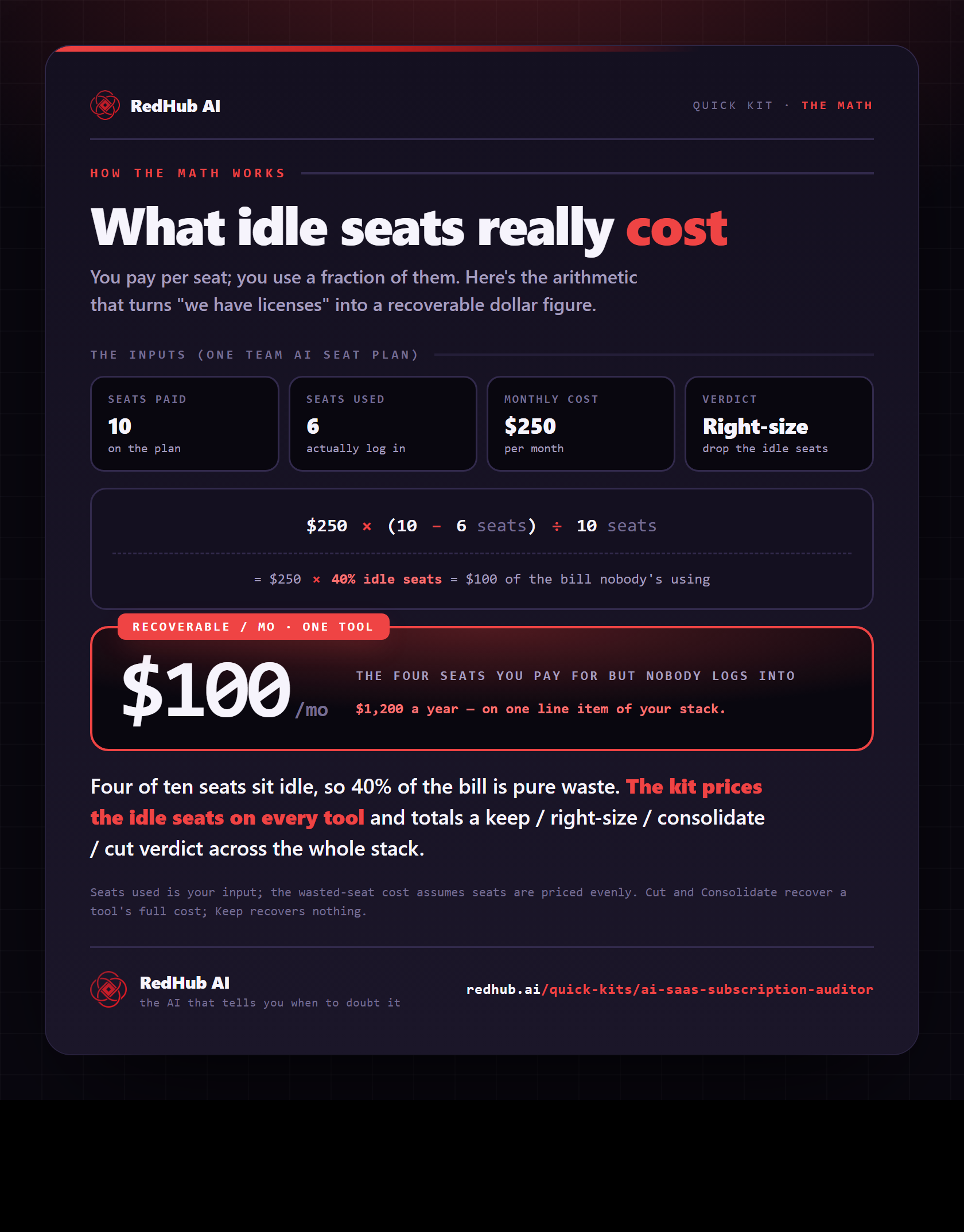
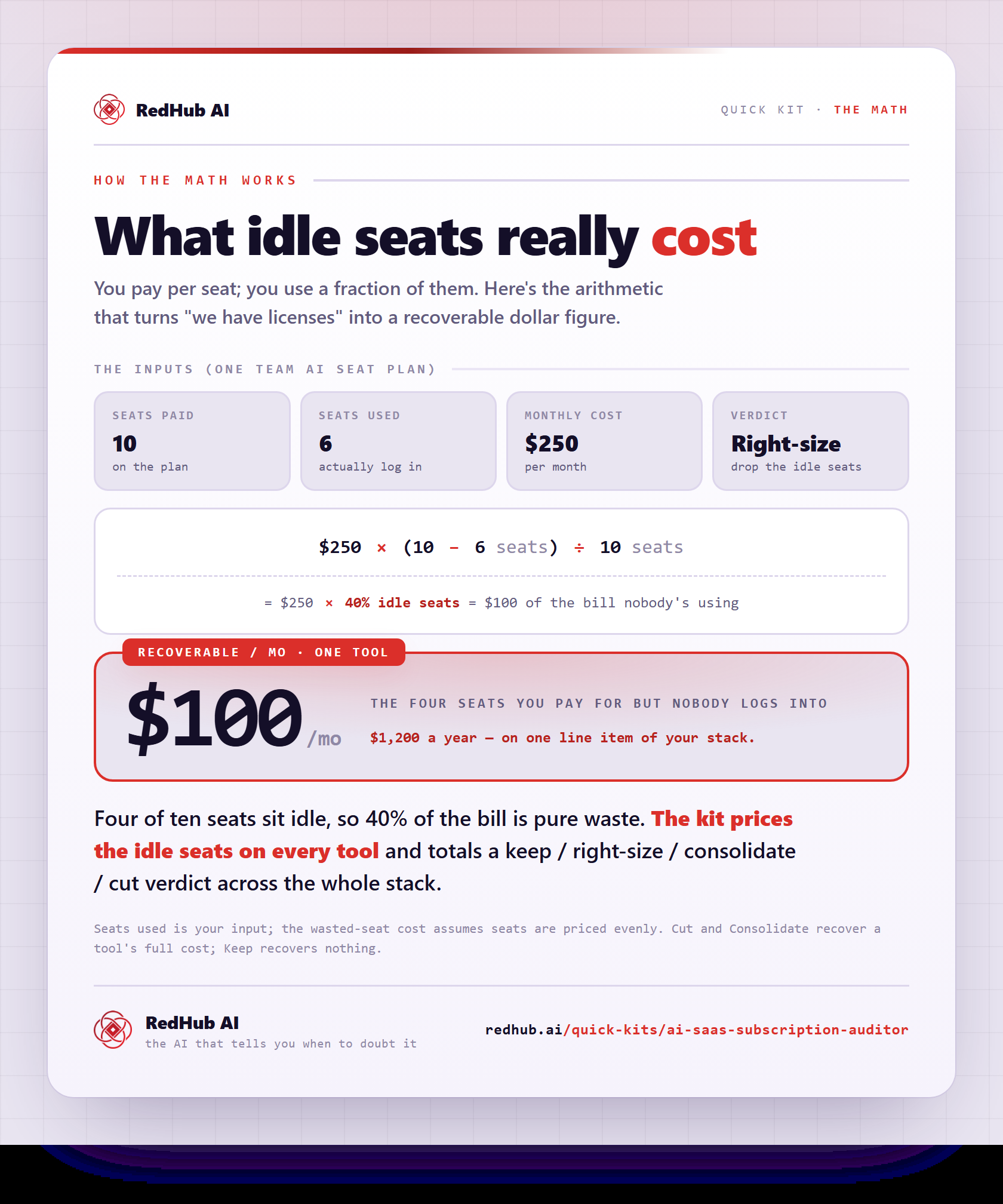
The gate this post refers to, drawn from the tool’s own logic. See the tool.