Why API Spending Limits Don't Stop Runaway Bills
RedHub AI Editorialupdated August 18, 20265 min read

Jump to a section7
TL;DR
- What it is: Most platform API spending limits are notify-only — they alert you after you cross a threshold, but the key keeps working.
- Who it's for: Anyone who assumed their "budget limit" was a real stop — see the AI Spend Runaway & Billing-Safeguard Gate.
- How it works: A hard cutoff — a proxy, a prepaid balance, or a scripted kill switch — actually disables the key at a ceiling instead of just emailing you.
- Bottom line: A limit that doesn't stop spending isn't a limit. It's a notification.
Do API spending limits actually stop spending?
Usually not. Most API spending limits — including the "budget" or "usage cap" settings on major AI platforms — are notify-only: they send you an email or dashboard alert once your spend crosses a threshold, but the API key keeps accepting requests and the bill keeps growing. A real hard cutoff has to be built separately, using a proxy or gateway that enforces a ceiling, a prepaid balance that runs out, or a scripted kill switch tied to your own monitoring. Don't assume "limit" means "stop" — test it.
Best for: anyone who has never actually tested whether their platform's spending limit does anything besides send an email — the AI Spend Runaway & Billing-Safeguard Gate grades whether your hard cutoff is real.
"We have a spending limit" is one of the most common last words before a surprise AI bill. Most people who say it have never actually tested what the limit does. They set a number in a dashboard, saw a confirmation message, and assumed the platform would stop billing once that number was hit. In practice, API spending limits on most platforms are built to warn you, not to stop you — and that gap is exactly where a runaway bill gets its room to run.
What "spending limit" usually means
When a platform lets you set a monthly spend threshold, it's almost always implementing an alert, not a circuit breaker. Your usage is tracked against the number you set, and when it crosses that line, you get a notification — an email, a dashboard banner, sometimes both. The API key itself is untouched. It keeps accepting calls and keeps billing exactly as it did before the alert fired.
This makes sense from the platform's side: billing and enforcement are two separate systems, and building a true real-time hard stop across every account is a harder engineering problem than sending a notification. The result is that the responsibility for an actual hard stop falls on you, the account holder — and most people don't realize that until the bill arrives.
| Type of limit | What it actually does | Does it stop spend? |
|---|---|---|
| Notify-only "budget" | Sends an email or dashboard alert at a threshold | No — key keeps working |
| Prepaid balance | Calls fail once the balance is exhausted | Yes — a real ceiling |
| Gateway / proxy enforcement | A layer you control rejects calls past a set ceiling | Yes — a real cutoff |
| Scripted kill switch | Your own monitoring disables the key automatically past a threshold | Yes — if it's tested and triggers fast |
Key insight: if the only thing between your account and an unlimited bill is a notification, you don't have a limit. You have a warning label.
Why this gap exists — and why it matters more with AI
The gap between "alert" and "stop" isn't new — it's existed in cloud billing for years. What changed is the speed. A cloud storage bill grows slowly; a runaway AI agent or a leaked key can generate thousands of billed calls in an hour. The same notify-only pattern that was merely annoying with slow-growing bills becomes genuinely dangerous with fast, automated, usage-based AI spend. See the fuller picture in how to stop a runaway AI bill before it happens.
How to build a real hard cutoff
- Test what your current limit actually does. Don't assume — check the platform's documentation for whether the limit disables the key or only alerts. If it's unclear, assume it's alert-only.
- Put a gateway or proxy in front of the key. Route calls through a layer you control that can enforce a hard ceiling and reject requests past it, independent of the platform's own limit.
- Consider a prepaid balance where available. A prepaid model creates a natural, structural ceiling — the calls simply fail once the balance is gone.
- Build and test a kill switch. Write a script that can disable a key automatically when your own monitoring detects a spend spike, and actually run a test to confirm it fires — don't just assume the code works.
- Assign a named owner. One person needs to be responsible for confirming the cutoff works and for pulling it manually if the automation ever fails.
A hard cutoff is the anchor safeguard, but it's not the only one. Scoped, rotated keys reduce how much damage a single leak can do — see how a leaked API key becomes a five-figure bill — and the rest of the day-to-day cost controls are covered in the controls that actually cap LLM API spend.
Find out if your cutoff is real — or just a notification
The AI Spend Runaway & Billing-Safeguard Gate ($49, one-time) grades whether you have an actual hard cutoff, plus five other safeguards, with a dispositive gate: no real cutoff means RUNAWAY RISK no matter how good the rest of your setup looks.
Get the Gate — $49 →Decision Guide
Act now if: you've never confirmed whether your platform's spending limit stops spending or just sends an alert.
Skip it if: you're on a prepaid balance model, or you've already tested and confirmed a gateway-enforced hard cutoff.
Best first step: read your platform's documentation for the exact word describing what happens at the limit — "notify," "alert," or "disable." That single word tells you everything.
FAQ
Are API spending limits real hard stops?
Usually not. Most are notify-only — you get an alert once you cross the threshold, but the key keeps working. A real hard stop has to be built separately, with a gateway, a prepaid balance, or a tested kill switch.
How do I know if my limit is notify-only or a real cutoff?
Check the platform's own documentation for the exact behavior at the threshold. If it says "email," "alert," or "notify," it's not a hard stop. If it says the key is disabled or calls are rejected, it's a real cutoff — but test it once to be sure.
What's the fastest way to build a real hard cutoff?
Put a gateway or proxy in front of your API key that you control, and have it reject calls past a ceiling you set. A prepaid balance model, where available, does the same job with less setup.
Is a prepaid balance the same as a hard cutoff?
Functionally, yes — calls fail once the balance runs out, which is a real ceiling. It's one of the simplest ways to get a genuine hard stop without building your own gateway.
Why doesn't every AI platform just build a real hard stop?
Billing and real-time enforcement are separate systems, and building instant, reliable enforcement across every account is harder than sending a notification. That gap is why the responsibility for a real cutoff currently falls on the account holder.
Does a spending limit protect me from a leaked key?
Only if it's a real hard cutoff. A notify-only limit will eventually tell you a leaked key is being abused — after it's already billed. Scoping and rotating keys limits the damage; see how a leaked API key becomes a five-figure bill.
Stop guessing whether your limit actually stops anything
Grade your hard cutoff and five other safeguards in one deterministic pass.
Get the AI Spend Runaway & Billing-Safeguard Gate — $49 →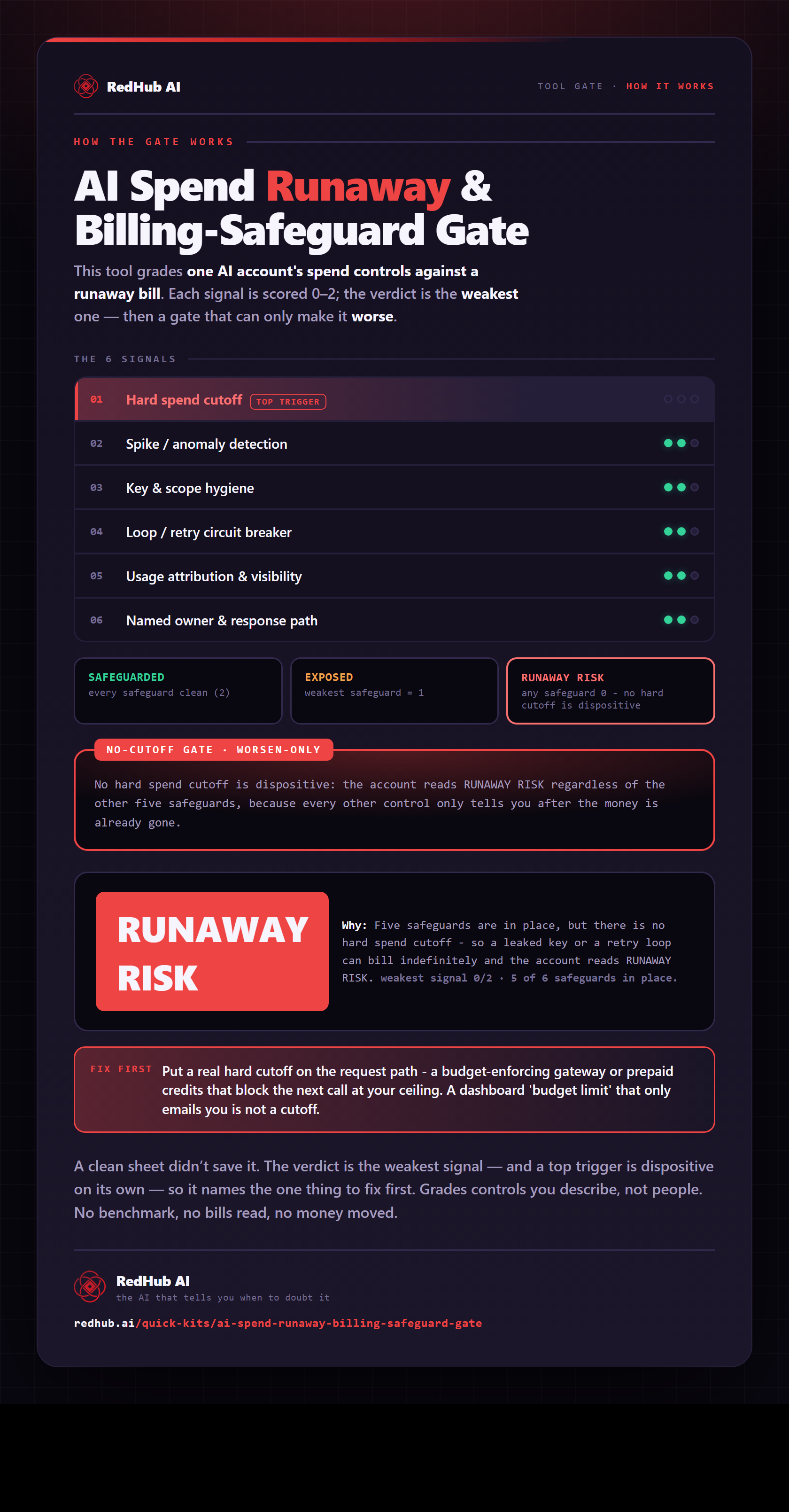
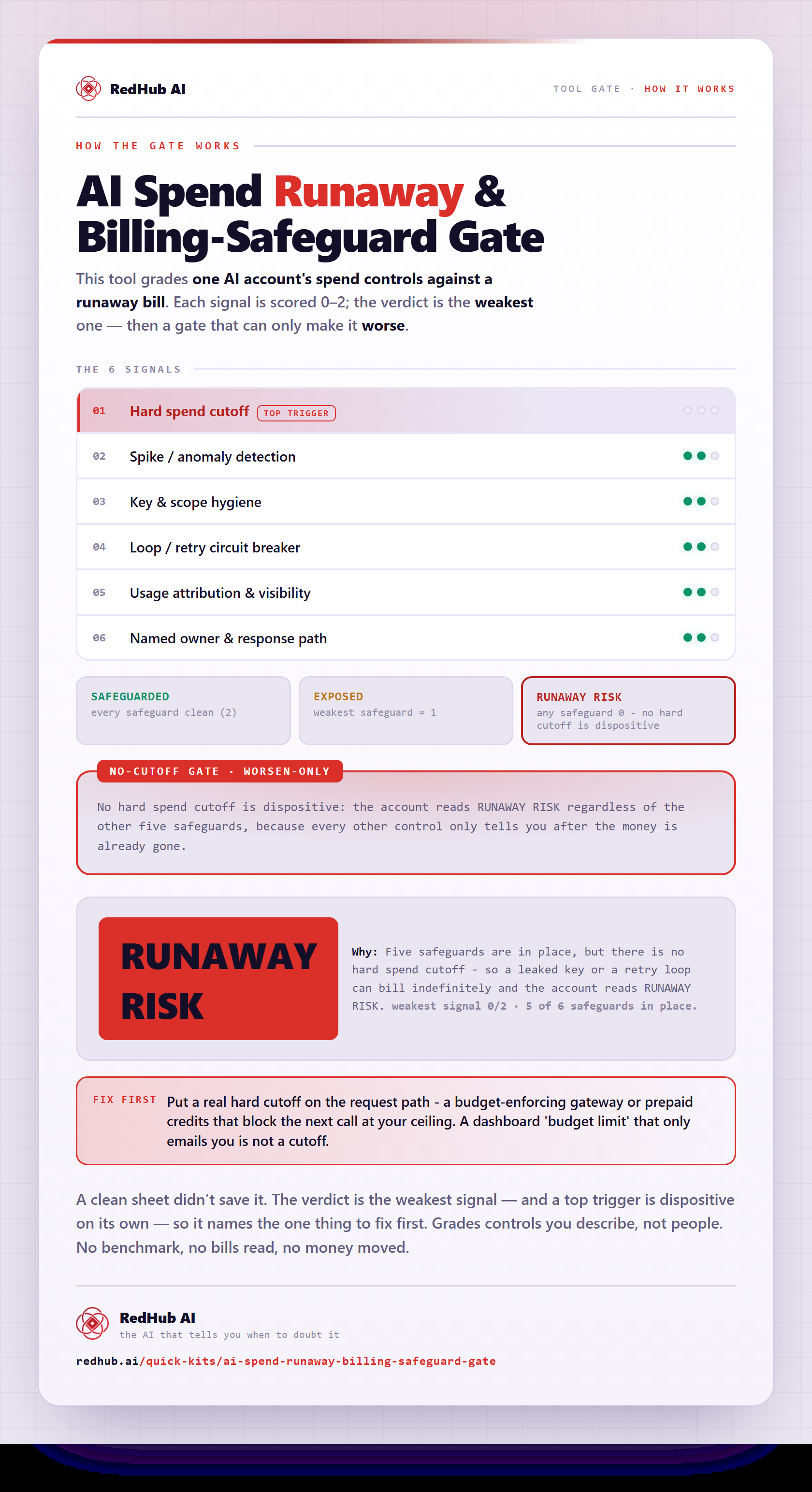
The gate this post refers to, drawn from the tool’s own logic. See the tool.