How to Cut SaaS Costs: A 30-Minute Audit That Works
RedHub AI Editorial7 min read

Jump to a section12
How to Cut SaaS Costs Without Breaking What Works
TL;DR
- What it is: Cutting SaaS costs means finding the software and AI subscriptions you pay for but don't fully use — and making a decision on each one.
- Who it's for: Founders, ops leads, and finance people at small teams paying for 5–25 tools — browse RedHub Quick Kits.
- How it works: One card statement, one list, three checks: unused seats, duplicate tools, and low-value subscriptions. Every tool gets a verdict — keep, right-size, consolidate, or cut.
- Bottom line: Industry research puts typical SaaS waste at 25–30% of spend. You don't need a platform to find yours. You need one honest 30-minute pass.
How do you cut SaaS costs?
You cut SaaS costs by auditing your stack instead of guessing at it. Pull one month's card statement, list every software and AI subscription, and run three checks: seats paid versus seats actually used, categories where you pay for more than one tool, and tools nobody has touched in months. Then give each subscription one of four verdicts — keep, right-size, consolidate, or cut — and act on the verdicts before the next renewal date.
Best for: teams paying for 5–25 tools with no one clearly watching the total — the AI & SaaS Subscription Auditor runs this exact pass in a spreadsheet.
Nobody decides to overspend on software. It happens one card-swipe at a time. A tool gets added for a project that ended. Seats outlast the people who used them. Two teams buy two apps for the same job. Then AI tools land on top — per-seat assistants, consumption pricing, trials nobody canceled — and the monthly total quietly creeps past anything someone actually signed off on. If you're searching for how to cut SaaS costs, the honest answer is not a negotiation trick or a cheaper vendor. It's a decision process, and it takes about 30 minutes.
Those figures come from industry research — Gartner's waste estimates, Zylo's SaaS Management Index, and recent AI-spend surveys. They aren't a claim about your stack. But if nobody at your company has run an audit in the last year, they're a reasonable guess at what's hiding in it.
Where the money actually goes
SaaS waste isn't one problem. It's three, and each hides differently.
Leak one: seats nobody uses
You pay for 10 seats. Six people log in. The other four seats belong to people who left, changed roles, or tried the tool once. Per-seat pricing makes this the most common leak, and the easiest to fix — you downgrade the plan and keep the tool. Nothing breaks. We cover the hunt in how to find and cancel unused subscriptions.
Leak two: two tools, one job
Marketing has a project tracker. Engineering has a different one. Someone pays for three AI assistants doing roughly the same work. Duplicate categories are the quietest leak, because each tool has a real owner who really uses it — so no single tool looks wasteful. The waste is in the overlap. The fix is consolidation, covered in how to consolidate SaaS tools.
Leak three: zombie subscriptions
The trial that converted to paid and was never canceled. The tool from a project that shipped last year. The annual plan that auto-renewed while everyone was busy. These are the subscriptions nobody defends because nobody remembers them — until the statement line jogs a memory.
| The leak | What it feels like | What fixes it |
|---|---|---|
| Unused seats | "We need that tool" (true — but not 10 seats of it) | Right-size: drop to the seats actually used |
| Duplicate tools | "Both teams swear by theirs" | Consolidate: pick one, migrate, cancel the other |
| Zombie subscriptions | "Wait, we still pay for that?" | Cut: cancel before the next renewal |
| AI spend creep | "The AI line doubled and nobody's sure why" | Audit AI seats and overlap like any other tool |
The four verdicts
The mistake most teams make is treating the audit as a cancellation hunt. It isn't. Canceling a tool the team relies on costs more than the subscription ever did. A good audit separates real waste from tools that earn their keep — which is why every subscription should end with one of exactly four verdicts:
- Keep — right seats, real usage, clear value. Leave it alone.
- Right-size — the tool stays, the unused seats go. Recovers the wasted-seat cost.
- Consolidate — the job folds into a tool you already pay for. Recovers its full cost.
- Cut — idle or low value. Cancel it. Recovers its full cost.
Key insight: "used" is not the same as "useful." A tool can have daily logins and still duplicate a job another tool already does. That's why the audit checks usage and category overlap, not just last-login dates.
The 30-minute audit, step by step
- Pull one card statement. Every recurring software and AI charge is on it. That's your complete list — no integrations, no discovery tools needed at this size.
- Log each tool with five facts. Category, monthly cost, seats paid, seats actually used, and honest usage. This takes the bulk of the 30 minutes. The full field list is in the SaaS audit checklist.
- Run the three checks. Seat gaps (paid minus used), category overlap (more than one tool per job), and value ("if this disappeared tomorrow, who would notice?").
- Assign the verdicts. Keep, right-size, consolidate, or cut — every tool gets one. Total the recoverable dollars from everything that isn't "keep."
- Act before renewal. Cancel the cuts, downgrade the right-sizes, and put every renewal date on a watch-list so nothing auto-renews on you again.
Put a number on it first
Before you run the full audit, get a rough size of the prize. Enter your monthly software and AI spend and an estimated waste share — research typically puts it at 25–30% for teams that have never audited.
Estimate your recoverable SaaS spend
An estimate, not a measurement — the audit itself replaces the guess with your real number. For scale: the worked example that ships inside the Subscription Auditor covers a 10-tool, $1,344-a-month stack and finds $508 a month recoverable — 38% of spend, or $6,096 a year.
From the kit's built-in example stack — not a promise about yours. Your number might be smaller. It might not be.
Run the audit on your own stack this afternoon
The AI & SaaS Subscription Auditor ($49, one-time) is a 4-tab spreadsheet that does this whole pass: a subscription register that computes recoverable dollars per tool, an automatic overlap check, a live dashboard, and copy-paste scripts to cancel, downgrade, and negotiate. No bank connection, no account — nothing leaves your computer.
Get the Subscription Auditor — $49 →Don't forget the AI line
AI subscriptions deserve their own look, because they break the usual patterns: assistants stack per person across teams, consumption pricing produces surprise overages, and trials convert quietly. That's why 63% of enterprises report blowing past their AI budgets in year one. The AI-specific audit is in how to audit your AI subscription costs.
Where this fits in defending your money
Killing the recurring bleed is one win in a bigger job. Once the subscription waste is gone, the Profit Leak Finder flags the customers and accounts that quietly lose you money, and the Cash-Flow Sentinel keeps an ongoing watch on your cash position so a creeping expense line never blindsides you again. Cut the waste first — it's the fastest dollar you'll recover this quarter.
Where to go deeper
This pillar is the map. Each leak has its own guide:
- How to find and cancel unused subscriptions — the dead-tool hunt, the renewal watch-list, and canceling without breaking things.
- The SaaS audit checklist — every field to log and every check to run, in order.
- How to consolidate SaaS tools — picking the survivor when two tools do one job.
- AI subscription costs — why AI spend creeps faster than SaaS, and how to audit it.
Decision Guide
Run the audit if: you pay for 5–25 software and AI tools, the monthly bill has crept up, and no one can say from memory what every line on the statement is.
Skip it if: you only pay for one or two tools, or you're an enterprise that needs SSO discovery across hundreds of apps — that's a platform job, not a spreadsheet job.
Best first step: pull last month's card statement and count the recurring software charges. If the count surprises you, the total will too.
FAQ
How do I cut SaaS costs without canceling tools we need?
Use four verdicts instead of a cancel list: keep, right-size, consolidate, or cut. Most recovered dollars come from right-sizing seats and consolidating duplicates — not from canceling tools the team relies on.
How much does the average company waste on SaaS?
Industry research typically puts it at 25–30% of SaaS spend, mostly unused or underused licenses. Teams that have never audited often find more, because waste compounds quietly.
How long does a SaaS audit take for a small business?
About 30 minutes for a stack of 5–25 tools. The list comes from one card statement; the slow part is honestly answering "how many seats do we actually use?" for each tool.
Do I need a SaaS management platform?
At enterprise scale, maybe — they auto-discover apps through SSO across hundreds of tools. For 5–25 tools, a one-time spreadsheet pass finds the same waste without adding another subscription to manage your subscriptions.
How often should I audit software spend?
Once now, then a light pass each quarter. The first audit clears the backlog; the quarterly pass plus a renewal watch-list keeps new waste from accumulating.
Are AI subscriptions different from regular SaaS?
Same audit, faster creep. AI assistants stack per person across teams, consumption pricing adds overages, and trials convert quietly — so check the AI line items first, not last.
What does the AI & SaaS Subscription Auditor actually do?
It's a one-time $49 spreadsheet (Excel, Google Sheets, or Numbers) with a subscription register, an automatic overlap check, a live savings dashboard, and copy-paste scripts to cancel, downgrade seats, and negotiate. It ships with a worked example and a 30-day guarantee. See the kit here.
Find the waste this afternoon
One honest pass: every tool, what it costs, whether it's used, and a decision on each. Most teams find more than the kit costs on the first run.
Get the AI & SaaS Subscription Auditor — $49 →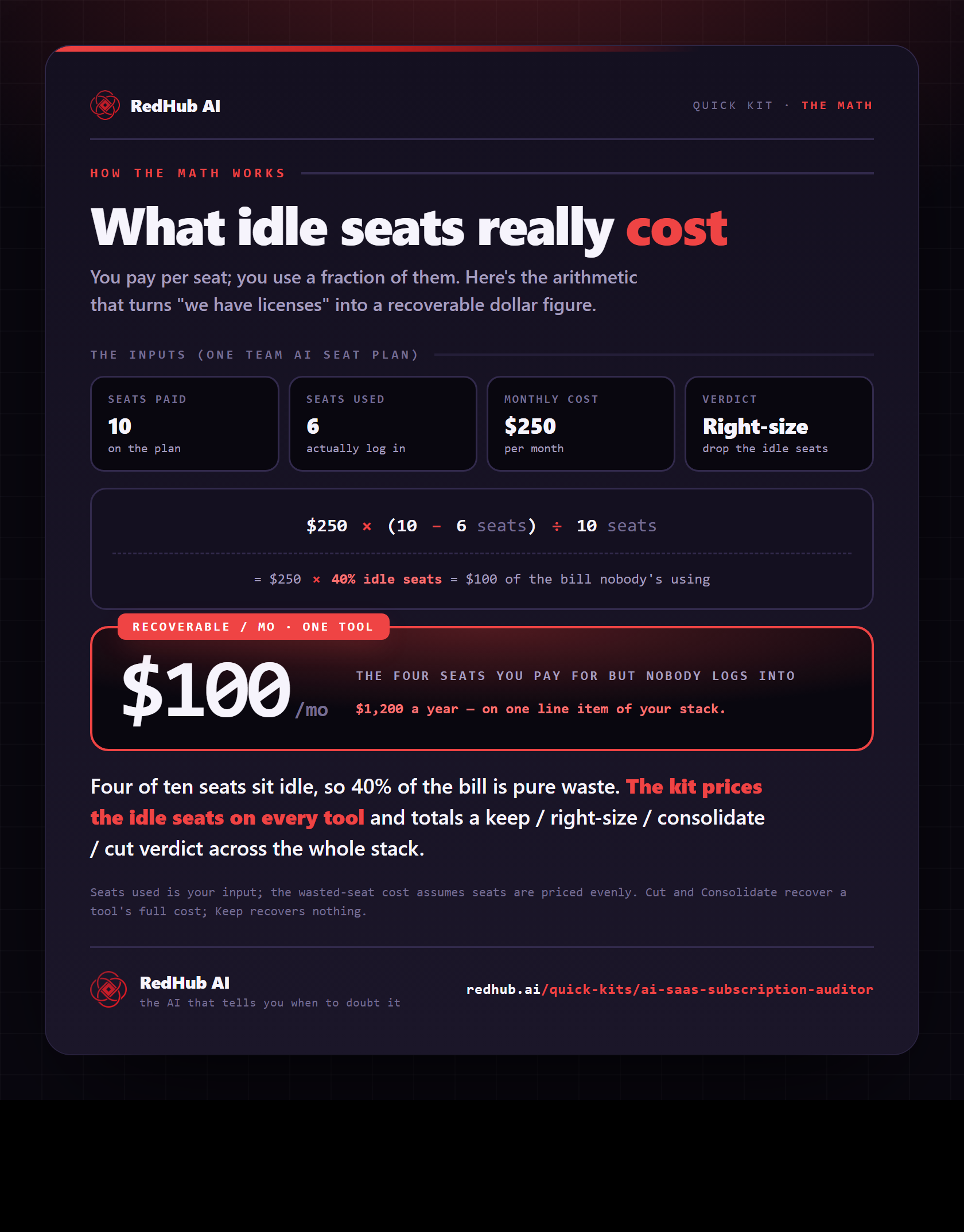
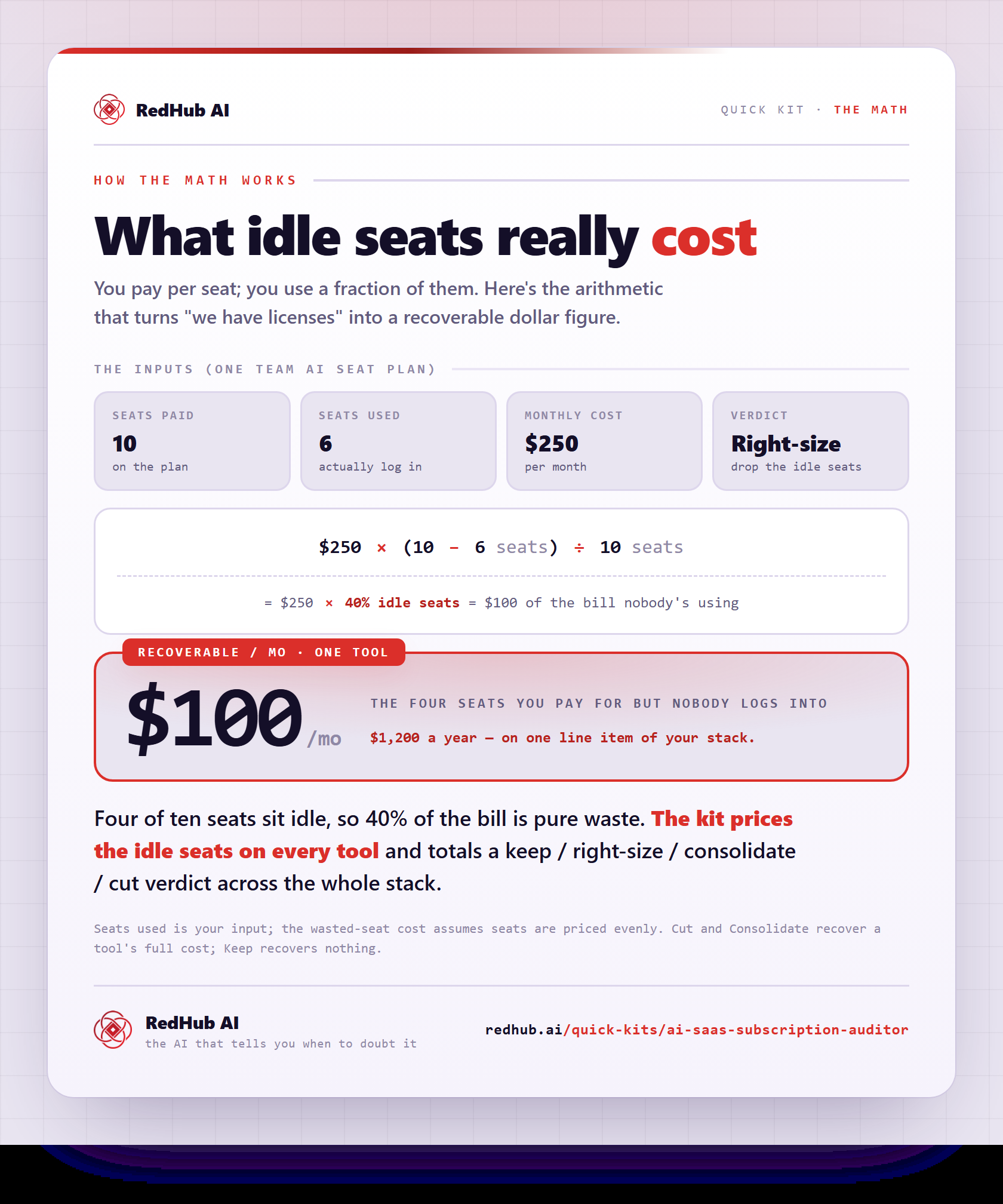
The gate this post refers to, drawn from the tool’s own logic. See the tool.