DMARC Explained: What It Is and How to Set It Up
RedHub AI Editorialupdated August 18, 20265 min read

Jump to a section8
TL;DR
- What it is: DMARC is a DNS record that tells mailbox providers what to do when a message fails SPF or DKIM, and sends you reports on who's sending mail as your domain.
- Who it's for: anyone who already has SPF and DKIM set up (or is about to) — see SPF and DKIM explained.
- How it works: three policies, always in order — monitor, quarantine, reject. Never jump straight to reject.
- Bottom line: a DMARC record without an enforcement policy is just a listening post. Enforcement is what actually stops spoofing.
What is DMARC?
DMARC (Domain-based Message Authentication, Reporting & Conformance) is a DNS TXT record that builds on SPF and DKIM. It checks that one of those two lines up with the domain in your visible "From" address, then tells the receiving mail server what to do if it doesn't — do nothing, send it to spam, or reject it outright — and sends you a report either way. DMARC is what turns "SPF and DKIM exist" into "SPF and DKIM are actually enforced."
Best for: anyone who's published SPF and DKIM but never checked what their DMARC record actually enforces — grade it with the Email Deliverability & DMARC Enforcement Readiness Gate.
DMARC gets confused with SPF and DKIM constantly, but it does a different job. SPF and DKIM authenticate a message. DMARC decides what happens next — and without it, a message that fails SPF and DKIM can still land in someone's inbox, because nothing told the receiving server to do anything about the failure.
Why DMARC matters
Without a DMARC record, anyone can send a message that claims to be from your domain, and mailbox providers have no instruction on what to do about it. DMARC closes that gap. It's also one of the four requirements in the Google and Yahoo bulk-sender rules — see the bulk-sender requirements guide — so if you send real volume, you need at least a basic DMARC record regardless.
How DMARC actually works
DMARC checks one thing: does the domain in your message's visible "From" address match, or align with, the domain that passed SPF or DKIM? If it aligns and one of the checks passed, the message is DMARC-compliant. If it doesn't align, or both checks failed, DMARC applies whatever policy you've published — and reports the result back to an email address you specify.
The enforcement ladder: none, quarantine, reject
DMARC has three policy levels, and they're meant to be used in order. Jumping straight to the strictest one is the most common way people accidentally block their own legitimate mail.
- p=none — monitor only. Nothing gets blocked. You just start collecting reports so you can see who's actually sending mail as your domain, including tools and vendors you may have forgotten about.
- p=quarantine — real enforcement begins. Messages that fail DMARC get routed to spam instead of the inbox, instead of being delivered normally.
- p=reject — full enforcement. Failing messages are blocked outright. This is the only stage that fully stops a spoofed message from a fake version of your domain from reaching anyone.
| Policy | What happens to a failing message | When to use it |
|---|---|---|
p=none | Nothing blocked; reports only | Always start here, for at least a few weeks |
p=quarantine | Routed to spam | Once reports confirm your own legitimate senders align |
p=reject | Blocked outright | Once quarantine has run clean for a few weeks |
Don't skip straight to reject. If a legitimate tool — your invoicing platform, your CRM, your help desk — sends mail as your domain and isn't properly aligned yet, jumping to p=reject on day one blocks that mail too. Read the reports at p=none first.
Common DMARC mistakes
- Publishing p=reject immediately. Without a monitoring period first, you have no idea what you're about to block.
- Forgetting third-party senders. Your invoicing tool, marketing platform, or help desk may send mail as your domain and needs to be included in SPF/DKIM before you enforce.
- Never reading the reports. DMARC's aggregate reports (the
rua=tag) are the only way to know what enforcement will actually do before you turn it on.
DMARC only grades what SPF and DKIM tell it. If those records are wrong or incomplete, DMARC has nothing solid to check — see SPF and DKIM explained for the piece that has to come first.
This matters beyond marketing email, too. A Lead-to-Meeting Engine reply or a CRM Win-Back System sequence both depend on the sending domain being properly enforced — a spoofed look-alike domain undermines trust in the real one.
Know exactly where your DMARC policy stands
The Email Deliverability & DMARC Enforcement Readiness Gate grades your DMARC policy, alignment, SPF, DKIM, unsubscribe, and complaint headroom — ENFORCING, AT RISK, or FAILING, per domain.
Get the Readiness Gate — $79 →DMARC is one piece of the bigger picture — see the full breakdown in email deliverability, explained.
Decision Guide
Set up DMARC now if: you have SPF and DKIM published but have never checked whether your DMARC policy actually enforces anything.
Wait if: you haven't set up SPF and DKIM yet — do those first, or DMARC has nothing to check.
Best first step: look up your domain's DMARC record and see whether it says p=none, p=quarantine, or p=reject.
Common Questions
What is DMARC?
DMARC is a DNS record that tells mailbox providers what to do when a message fails SPF or DKIM, and reports the results back to you. It builds on both records rather than replacing them.
Do I need DMARC if I already have SPF and DKIM?
Yes. SPF and DKIM authenticate a message, but without DMARC there's no instruction for what to do when authentication fails, and no reporting to tell you who's sending as your domain.
What's the difference between p=none, quarantine, and reject?
None just monitors and reports. Quarantine routes failing mail to spam. Reject blocks failing mail outright. Move through them in that order.
Can I jump straight to p=reject?
You can, but it's risky. Any legitimate sender you forgot to authenticate gets blocked too. Monitor first with p=none and read the reports.
Does DMARC stop all spam?
No. DMARC stops spoofed messages that claim to be from your domain. It doesn't grade general spam signals like content or reputation — those are separate factors covered in why emails go to spam.
Is DMARC required by Google and Yahoo?
Yes, for bulk senders. Since February 2024, sending 5,000 or more messages a day to personal Gmail or Yahoo addresses requires at least a DMARC record at p=none.
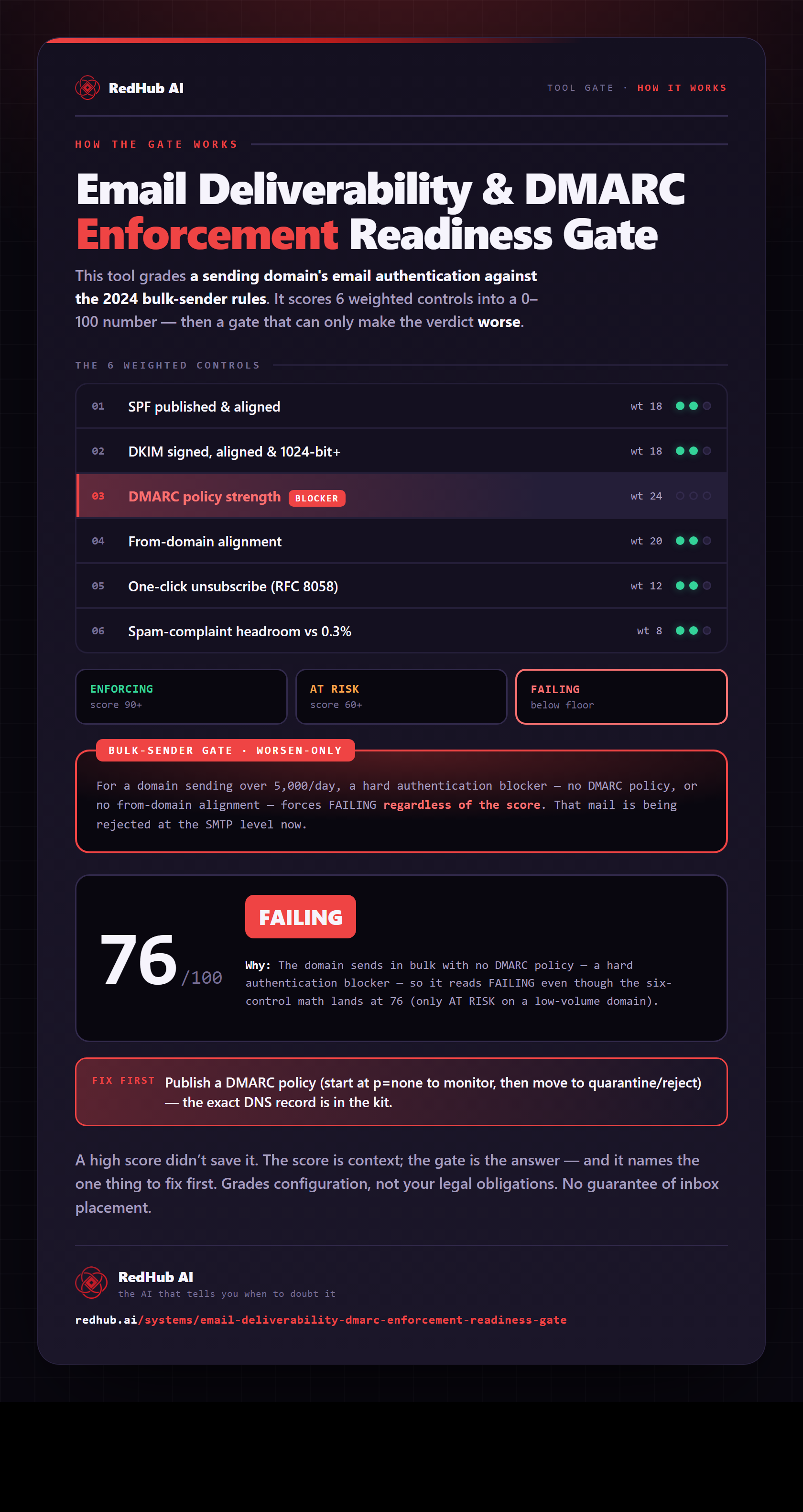
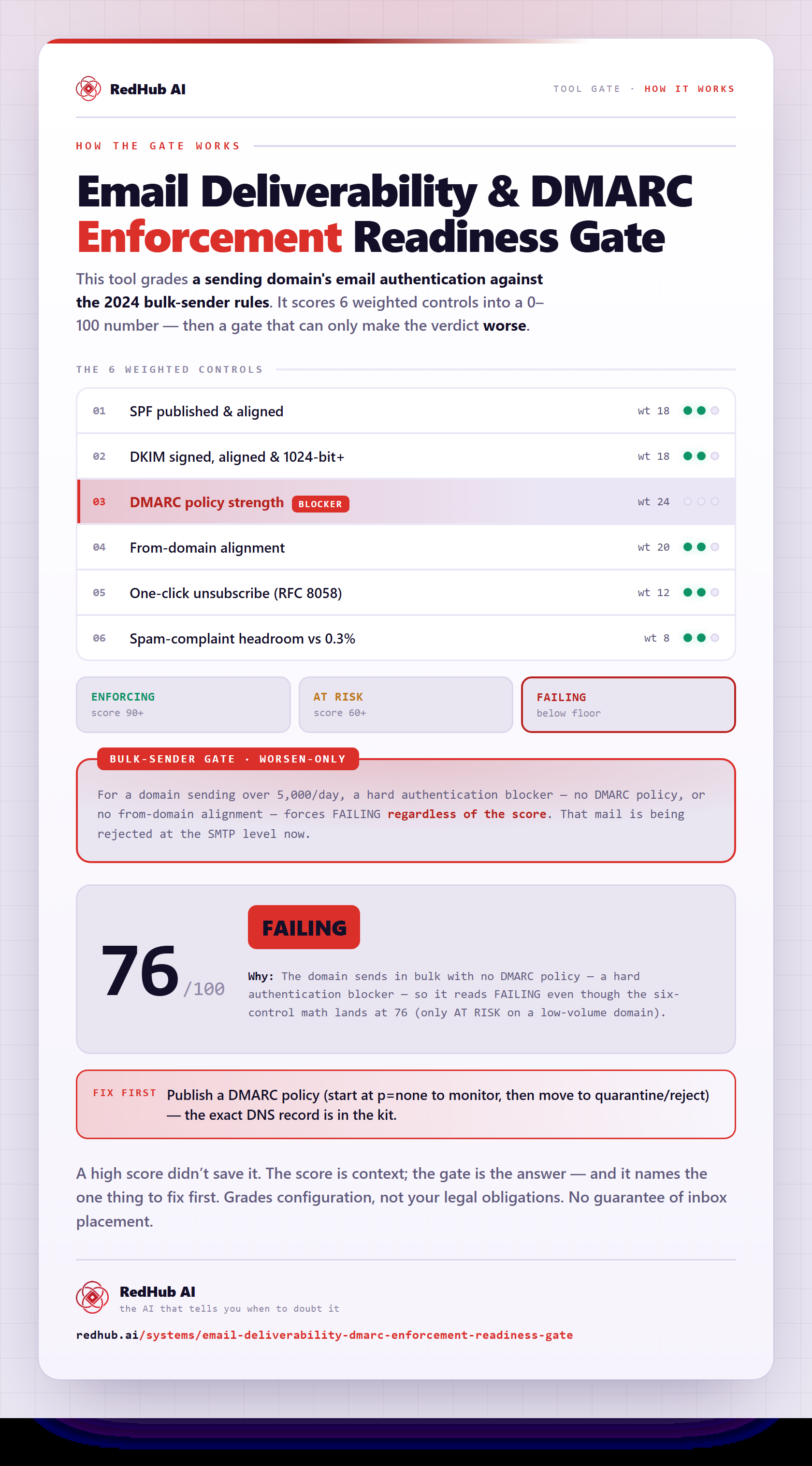
The gate this post refers to, drawn from the tool’s own logic. See the tool.