Why Emails Go to Spam (and How to Fix It)
RedHub AI Editorialupdated August 18, 20264 min read

Jump to a section7
TL;DR
- What it is: a rundown of the real reasons legitimate email lands in spam — almost never the reason people assume.
- Who it's for: anyone whose open or reply rates dropped and the copy hasn't changed.
- How it works: fix order matters — authentication first, then reputation and list hygiene, then content. See the full email deliverability guide.
- Bottom line: a perfectly written email from an unauthenticated or complained-about domain still goes to spam.
Why do emails go to spam?
Emails go to spam mainly because of three things, roughly in order of how much they matter: missing or broken authentication (SPF, DKIM, DMARC), poor sender reputation (a high spam-complaint rate, no easy unsubscribe, a sudden spike in volume), and only after those, content that reads as spammy to a filter. Most senders chase the third cause first and never check the other two — which is why rewriting a subject line rarely fixes anything.
Best for: anyone whose delivery quietly dropped with no obvious cause — check the real cause with the Email Deliverability & DMARC Enforcement Readiness Gate.
When email starts landing in spam, the first instinct is almost always to blame the message itself — the subject line, a word that sounds "salesy," a link that looks suspicious. Sometimes content matters. But it's rarely the first domino. Mailbox providers check who you are and how you've behaved before they ever read what you wrote.
The real order of causes
Here's the cause list mailbox providers actually check, and roughly the order they weigh it in.
| Cause | What it signals | The fix |
|---|---|---|
| Broken or missing authentication | Can't confirm you're really who you say you are | Fix SPF, DKIM, and DMARC — see the deliverability guide |
| High spam-complaint rate | Recipients don't want this mail | Better targeting, and an easier way to leave |
| No easy unsubscribe | Recipients have no option but to hit "report spam" | A one-click List-Unsubscribe header |
| Sudden volume spike | Looks like a compromised account or a fresh spam operation | Warm up new domains and IPs gradually |
| Spammy content signals | Phrasing or formatting patterns filters flag | Last on the list — fix everything above first |
The fix order that actually works
- Authenticate first. Confirm SPF, DKIM, and DMARC are all correctly set up and enforcing. This is the foundation everything else sits on.
- Clean up reputation signals. Make unsubscribing one click, keep your list current, and stop sending to addresses that never engage.
- Warm up volume gradually. A brand-new domain or a sudden jump in send volume looks suspicious even with clean content.
- Only then, look at copy. Subject lines and phrasing matter least of the five, and they're the easiest to fix last.
A quick self-diagnosis
Before you touch a single word of copy, run three checks: look up your DMARC record and see what policy is actually published, check your spam-complaint rate in your sending platform's dashboard, and confirm every commercial email you send includes a one-click unsubscribe link. The self-check widget in the deliverability pillar walks through the same four signals.
Fixing this improves your odds — it doesn't guarantee anything. Mailbox providers weigh signals no outside tool can fully see. Authentication and reputation fixes reliably help. They don't promise every message lands in the inbox, and no one honestly can.
This shows up hardest in high-stakes sends. A CRM Win-Back System re-engagement email or a Lead-to-Meeting Engine first reply only works if it reaches the inbox in the first place — spam-folder delivery quietly kills both before the copy even gets read.
Find your real cause, not a guess
The Email Deliverability & DMARC Enforcement Readiness Gate grades SPF, DKIM, DMARC, alignment, one-click unsubscribe, and complaint headroom — ENFORCING, AT RISK, or FAILING, per domain.
Get the Readiness Gate — $79 →Decision Guide
Look here first if: your delivery dropped and you haven't checked SPF, DKIM, or DMARC in months.
Skip straight to content if: authentication and reputation are already confirmed clean — content is a real, but distant, third cause.
Best first step: check your spam-complaint rate and your DMARC policy before you rewrite a single subject line.
Common Questions
Why do emails go to spam even with good copy?
Content usually isn't the main cause. Broken authentication, a high complaint rate, and a hard-to-find unsubscribe link matter more, and filters weigh those first.
Is it the subject line?
Rarely the real cause. Spammy-sounding phrasing is a real, but distant, factor — it matters far less than authentication and reputation.
What matters most for landing in the inbox?
Authentication (SPF, DKIM, DMARC) first, then sender reputation (complaint rate, easy unsubscribe, steady volume), then content.
How do I fix a high spam-complaint rate?
Make unsubscribing one click, target more precisely, and stop sending to addresses that never open or engage. A lower complaint rate is one of the fastest levers you control.
Does fixing authentication guarantee delivery to the inbox?
No. It removes the most common and most fixable blockers. Reputation, content, and recipient behavior still matter, and no honest source can promise inbox placement.
Where do I start?
Check your SPF, DKIM, and DMARC status and your complaint rate before anything else. See the full breakdown in email deliverability, explained.
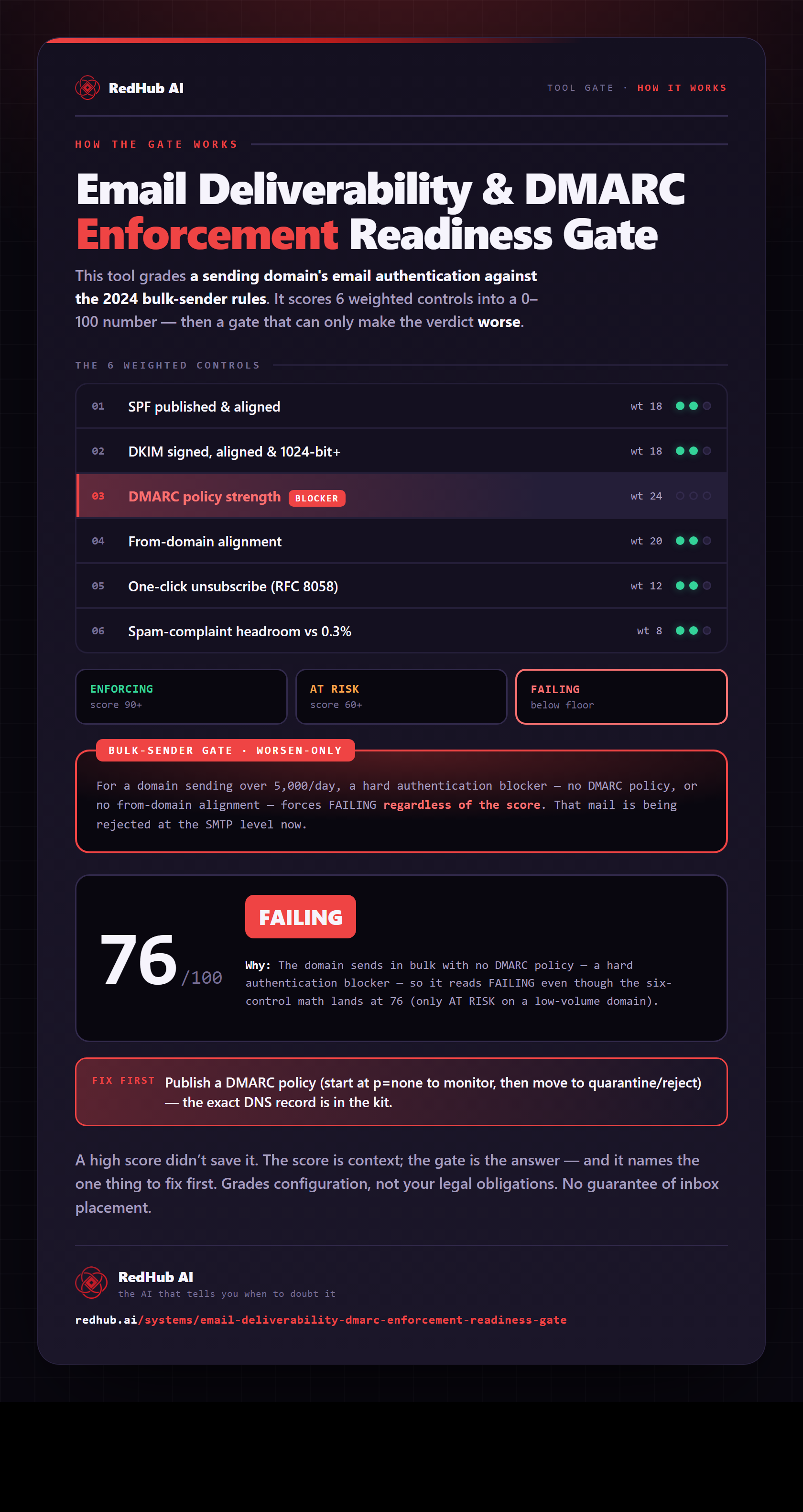
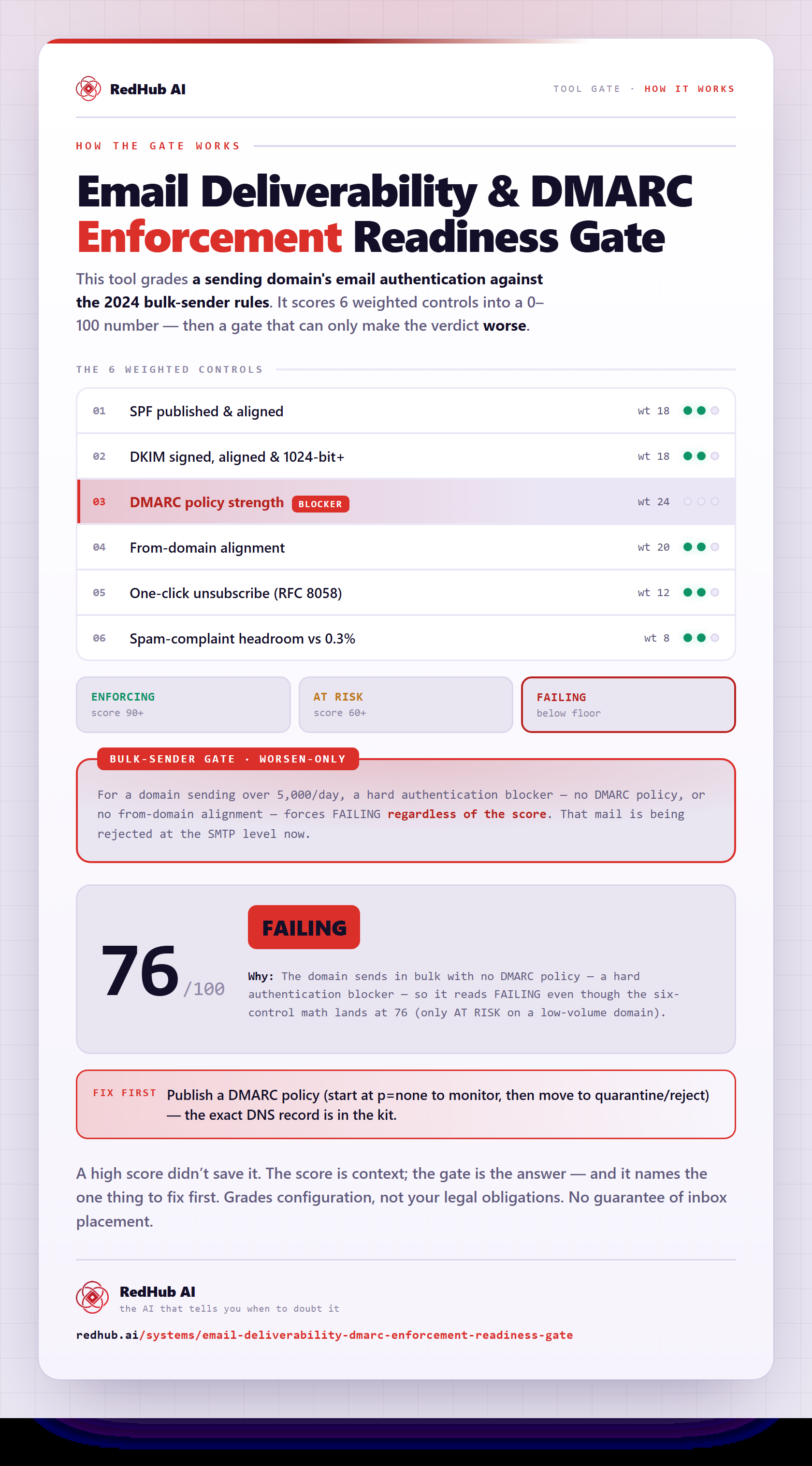
The gate this post refers to, drawn from the tool’s own logic. See the tool.