Loom Screen Recording: Teach, Sell, Build Trust
Todd Brooks, Founderupdated July 23, 20268 min read
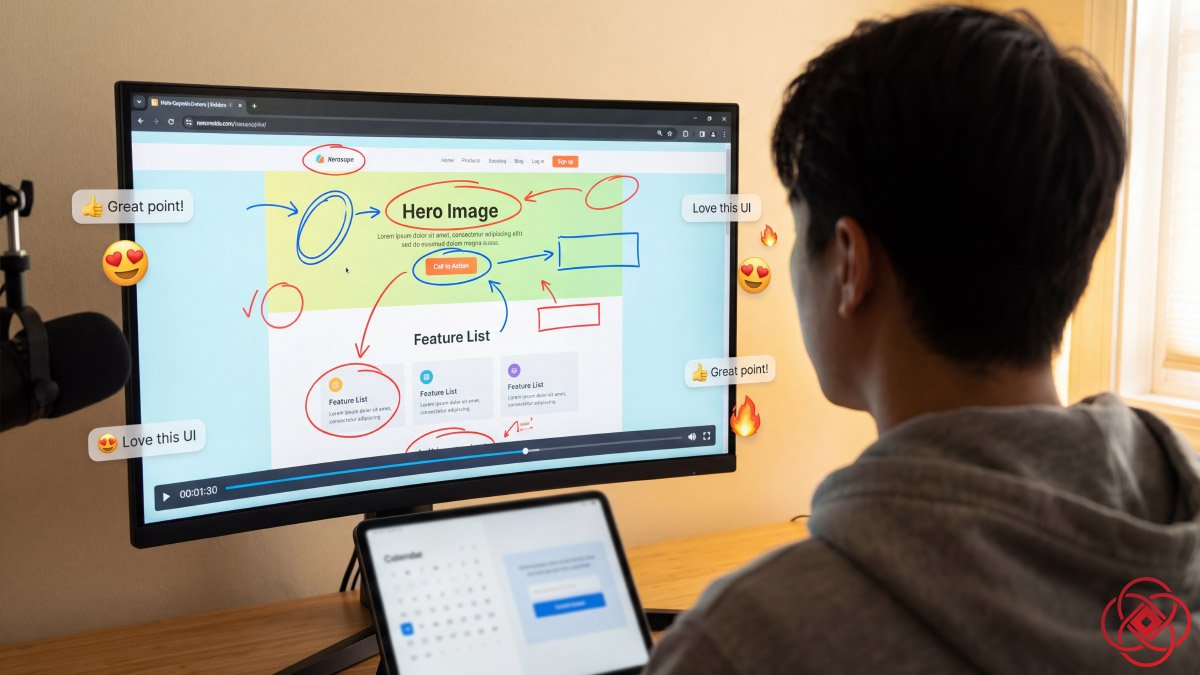
In short
Loom records your screen and voice into a shareable link, which replaces a meeting for anything that is a demonstration rather than a discussion. This covers the features that matter for founders and teams, plus the consent side of recording — including what should never go into an async video.
Jump to a section6
Loom (opens in a new tab) is a video messaging and screen recording platform that lets you capture your screen, camera, and microphone in a few clicks, then instantly share a link that plays beautifully on any device. For creators, founders, and entrepreneurs, it becomes a frictionless way to teach, sell, and build trust at scale without living on live calls.
What Loom (opens in a new tab) Is
Loom (opens in a new tab) is a cross-platform screen recorder and video messaging tool available on Mac, Windows, Chrome, iOS, and Android, with a free tier so anyone can start recording in minutes. It captures your screen, your face in a small "cam bubble," and system audio so you can narrate walkthroughs, sales pitches, content reviews, and tutorials as if you were shoulder‑to‑shoulder with your viewer.
For busy builders, Loom (opens in a new tab) replaces long email threads and repetitive Zoom demos with short, focused videos that people can watch on their own time, complete with timestamps, comments, and emoji reactions. Those videos live in your online library, so you are quietly building an evergreen asset bank every time you hit record.
Key Features for Creators
Loom (opens in a new tab)'s free Starter plan includes screen and camera recording with a five‑minute limit per video, up to 25 stored videos per person, viewer insights, comments, and captions, which is enough to validate workflows before upgrading. As you grow, the Business plan unlocks unlimited recordings and length, higher‑resolution video (up to 4K), advanced editing, Loom (opens in a new tab) AI, and deeper analytics so you can refine content like a pro.
For YouTubers and course creators, Loom (opens in a new tab) supports trimming, stitching clips, custom recording dimensions, and easy download or embed codes so your raw idea can quickly become a polished tutorial or evergreen webinar. Creators also benefit from automatic transcriptions in dozens of languages and closed captions that support accessibility and SEO‑friendly workflows when repurposing scripts into blog posts, descriptions, or lead magnets.
Power for Founders and Teams
For founders and agencies, Loom (opens in a new tab) shines in sales, onboarding, and internal communication use cases where nuance and tone matter. You can record over‑the‑shoulder process videos, high‑touch proposal walkthroughs, or async "standups," then let prospects or teammates respond with their own Loom (opens in a new tab) replies instead of booking another meeting.
Business and Enterprise plans add shared team workspaces, advanced admin controls, SSO, and richer analytics, making it easier to standardize video workflows across sales, support, and product. This is particularly relevant in lead generation, where personalized video prospecting can sit on landing pages, in outbound campaigns, or inside email nurture flows to increase replies and booked calls.
Safety, Privacy, and Ethics
Loom (opens in a new tab) uses industry‑standard encryption for data in transit and at rest, applies strict access controls, and aligns with frameworks like GDPR through Atlassian's broader compliance program. Creators retain granular privacy controls on each video, including password protection, restricted sharing, and workspace permissions so sensitive client or team content stays where it should.
From an ethical standpoint, Loom (opens in a new tab) is best used transparently: disclose when you are recording, respect consent, and avoid sharing confidential or personally identifiable information in publicly accessible videos. For teams handling regulated data, reviewing Loom (opens in a new tab)'s Data Processing Addendum and internal security documentation helps ensure alignment with your own privacy policies and risk standards before rollout.
AEO/SEO Narrative for Your Audience
There is a moment in every creative business where text stops being enough. Your Notion docs (opens in a new tab) multiply, your inbox stacks up with "quick questions," and prospects keep asking for "just one more walkthrough" before they decide. Loom (opens in a new tab) steps into that moment like a quiet, always‑on cofounder.
Imagine mapping out a new YouTube funnel. Instead of a 20‑page SOP, you open Loom (opens in a new tab), hit record, and walk through the actual ad account, landing page, and CRM in real time, your face in the corner anchoring the explanation. The video saves automatically to your library, complete with transcript, captions, and a simple link you can drop into Slack (opens in a new tab), email, or your project management tool.
Now picture prospecting. Rather than a generic cold email, you send a 90‑second Loom (opens in a new tab) breaking down your recipient's current website, pointing to missed conversion opportunities and naming exactly what you would change. They watch when it fits their day, leave a time stamped comment with a question, and your calendar link—embedded right under the video as a call‑to‑action—quietly converts attention into a booked call.
For YouTubers and educators, Loom (opens in a new tab) becomes the sketchbook. You draft course modules, record over‑the‑shoulder editing sessions, or capture rough thought pieces that later become scripts, community posts, and lead magnets. Because videos are easy to trim, stitch, and export, your workflow shifts from "production event" to "daily practice," which is where the best channels and brands are actually built.
And under all of this, security and control keep pace with your growth. As your team expands, you add shared workspaces, tighten permissions, and lean on enterprise‑grade protections so confidential briefs, client audits, and internal reviews never leak beyond your chosen circle. Loom (opens in a new tab) is not just a screen recorder; it is an async communication layer that helps creatives, founders, and entrepreneurs trade more in clarity and less in meetings, while keeping trust and privacy front and center.
Frequently Asked Questions
What is Loom and how does it work?
Loom is a video messaging and screen recording platform that lets you capture your screen, camera, and microphone with a few clicks, then instantly share a link. It's available on Mac, Windows, Chrome, iOS, and Android. Loom captures your screen, shows your face in a small 'cam bubble,' and records system audio so you can narrate walkthroughs, demos, tutorials, and pitches. Videos are automatically saved to your online library with timestamps, comments, emoji reactions, and automatic transcriptions. The result is an evergreen asset bank you can share via simple links that play on any device.
What are Loom's key features for creators and entrepreneurs?
Loom offers a free Starter plan with screen and camera recording (five-minute limit, up to 25 videos), viewer insights, comments, and captions. The Business plan unlocks unlimited recordings and length, higher-resolution video (up to 4K), advanced editing, Loom AI, and deeper analytics. Key features include trimming and stitching clips, custom recording dimensions, easy download and embed codes, automatic transcriptions in dozens of languages, closed captions for accessibility and SEO, and viewer analytics. For teams, Business and Enterprise plans add shared workspaces, admin controls, SSO, and advanced analytics.
How can founders use Loom for sales and lead generation?
Founders and agencies use Loom for personalized video prospecting, high-touch proposal walkthroughs, and async communication that replaces repetitive meetings. Instead of generic cold emails, you can send a 90-second Loom breaking down a prospect's website, pointing to missed opportunities, and explaining exactly what you would change. Videos can sit on landing pages, in outbound campaigns, or inside email nurture flows to increase replies and booked calls. Prospects can watch on their own time, leave timestamped comments, and click embedded CTAs (like calendar links) to convert attention into meetings. This approach adds nuance, tone, and trust at scale.
How does Loom benefit YouTubers and course creators?
YouTubers and course creators use Loom as a sketchbook and production tool. You can draft course modules, record over-the-shoulder editing sessions, capture rough thought pieces that become scripts, community posts, and lead magnets. Loom supports trimming, stitching clips, custom recording dimensions, and easy download or embed codes so your raw idea quickly becomes a polished tutorial or evergreen webinar. Automatic transcriptions and closed captions support accessibility and SEO-friendly workflows when repurposing scripts into blog posts, video descriptions, or downloadable resources. The workflow shifts from 'production event' to 'daily practice,' enabling consistent content creation.
Is Loom secure and compliant with privacy regulations?
Yes. Loom uses industry-standard encryption for data in transit and at rest, applies strict access controls, and aligns with frameworks like GDPR through Atlassian's broader compliance program. Creators retain granular privacy controls on each video, including password protection, restricted sharing, and workspace permissions so sensitive client or team content stays secure. For teams handling regulated data, reviewing Loom's Data Processing Addendum and internal security documentation helps ensure alignment with your own privacy policies and risk standards before rollout. Ethical use includes disclosing when you're recording, respecting consent, and avoiding sharing confidential or personally identifiable information in publicly accessible videos.
What pricing plans does Loom offer?
Loom offers a free Starter plan with screen and camera recording (five-minute limit per video, up to 25 stored videos per person), viewer insights, comments, and captions—enough to validate workflows before upgrading. The Business plan unlocks unlimited recordings and length, higher-resolution video (up to 4K), advanced editing, Loom AI, and deeper analytics. Business and Enterprise plans add shared team workspaces, advanced admin controls, SSO, and richer analytics for standardizing video workflows across sales, support, and product teams. Pricing scales with your needs as your team and use cases grow.
How does Loom replace meetings and email threads?
Loom replaces long email threads and repetitive Zoom demos with short, focused videos that people can watch on their own time. Instead of booking another meeting, you record over-the-shoulder process videos, proposal walkthroughs, or async 'standups,' then let prospects or teammates respond with their own Loom replies. Videos include timestamps, comments, and emoji reactions, making async communication richer and more nuanced than text. This approach trades meetings for clarity, letting teams and clients engage when it fits their schedule while building an evergreen library of reusable content.
Can Loom integrate with other tools and workflows?
Yes. Loom videos save automatically to your online library and can be shared via simple links you can drop into Slack, email, project management tools, CRMs, landing pages, and email campaigns. You can embed Loom videos in blog posts, course platforms, and websites using embed codes. For teams, shared workspaces and integrations with tools like Notion, Asana, and Gmail streamline async workflows. Loom becomes an async communication layer that fits into your existing stack, enabling video-first communication without disrupting your current tools.
What makes Loom different from traditional screen recorders?
Unlike traditional screen recorders that produce large files requiring manual editing and hosting, Loom instantly uploads your video to the cloud, generates a shareable link, provides automatic transcriptions and captions, and offers built-in engagement features like comments, timestamps, and emoji reactions. Your face appears in a 'cam bubble' to humanize the message. Videos are organized in an online library for easy retrieval and sharing. Loom is designed for async communication and scale—replacing meetings, reducing email, and building trust—not just recording. It's a video messaging platform, not just a recording tool.
How can Loom help build trust with prospects and clients?
Loom builds trust by adding human tone, nuance, and face-to-face presence to async communication. When prospects see your face in the cam bubble, hear your voice explaining a solution, and watch you navigate their actual website or challenge in real time, it creates connection and credibility that text cannot match. Personalized video prospecting, proposal walkthroughs, and client onboarding videos demonstrate care, expertise, and transparency. Prospects can watch, rewatch, and respond on their own time, reducing pressure and increasing clarity. This approach quietly converts attention into trust and trust into booked calls and closed deals.