Month-End Close: How to Run a Faster, Repeatable Process
RedHub AI Editorialupdated September 7, 20265 min read

Jump to a section8
TL;DR
- What it is: month-end close is the full checklist of steps to finish a period's books — reconcile, review, finalize, and sign off.
- Who it's for: anyone who owns the books at a small or growing business — see RedHub Systems for the full finance lineup.
- How it works: the same order, every month, written down as an SOP, with the reconciliation step made self-checking so it doesn't rely on memory.
- Bottom line: a close is slow when it's reinvented every month — writing it down and automating the checking step is what makes it fast and repeatable.
What Is Month-End Close?
Month-end close is the set of steps a business runs at the end of every accounting period to finalize its books — reconciling accounts, reviewing variances against budget, correcting anything that doesn't tie out, and producing a finished report that gets signed off on. It's a process, not a single task, and it repeats every month whether the business is ready for it or not.
Best for: bookkeepers, controllers, and founders who close their own books and want the process to stop taking longer than it should. See the Finance & Reporting Automation Kit.
A slow month-end close usually isn't caused by one hard problem. It's caused by a dozen small ones — a step nobody wrote down, a reconciliation done from memory, a report format rebuilt from scratch each month. Fix the process, and the close gets faster on its own.
Why the Close Takes Longer Than It Should
Three habits stretch out almost every slow close:
- No written order. Without a documented checklist, the person closing the books re-decides what to do next every month — and re-decides differently depending on who's doing it.
- Manual reconciliation. Checking that a sub-ledger matches the general ledger, or that cash matches the bank, by eyeballing spreadsheets is slow and easy to get wrong when you're rushed.
- Late surprises. A variance or a mismatch that should have surfaced on day two of the close instead turns up on day twelve, after half the report is already built around the wrong number.
The Close Checklist: A Repeatable Order
A month-end close doesn't need to be complicated. It needs to happen in the same order every time, so nothing gets skipped and nothing depends on memory:
- Lock the prior period and open the new one — no more entries land in a closed month.
- Gather source figures: bank statements, sub-ledger aging, payroll, and any manual journal entries.
- Run the reconciliations — balance sheet, sub-ledgers vs. GL, cash vs. bank — and label each one clearly instead of eyeballing it.
- Review budget vs. actual and flag anything outside your normal range.
- Resolve anything flagged — fix the cause, never just the number, until every check reads clean or explained.
- Finalize the report and route it for sign-off.
Where Automation Fits — and Where It Doesn't
Automation is a strong fit for step 3 above: running the same reconciliation formulas every month and labeling each result — Ties out, Review, or Does not reconcile — instead of a manual glance. That's the step most likely to be rushed under deadline pressure, and rushing it is exactly when small errors slip through.
Automation is a weaker fit for step 5. Deciding what caused a variance, whether it's a timing issue or a real error, and what to do about it takes judgment a workbook can't supply. The goal is a close where the mechanical checking is automatic and fast, so the human time goes toward the parts that actually need a person.
Key insight: the fastest closes aren't the ones with the fewest steps. They're the ones where every step has a known, written answer — so nobody spends time deciding what to do next.
Turning the Checklist Into an SOP
A checklist in someone's head isn't a process — it's a habit that breaks the day that person is out sick or leaves. A written close SOP fixes that. It should name who does each step, what "done" looks like for each reconciliation, what the tolerance is for calling something a match, and who signs off at the end.
Once the SOP exists, the reconciliation step is the natural place to add a self-checking layer — a workbook that runs the tie-outs and labels the result the same way every month, so the SOP's "run the reconciliation" step doesn't quietly vary in quality depending on how much time is left in the day.
Put the checklist on autopilot
The Finance & Reporting Automation Kit ships a self-checking reconciliation workbook plus a documented Reporting & Close SOP — the checklist above, written down and ready to run.
Get the Finance & Reporting Automation Kit — $129 →Once the close itself is fast and self-checking, two related jobs are worth a look: making sure every individual reconciliation is genuinely self-checking (see account reconciliation), and cutting the specific time-wasters that stretch a manual close (see how to close the books faster). If your data lives across more than two systems that all need to agree, the Multi-Source Data Reconciliation Engine is built for exactly that.
Decision Guide
Use a documented, self-checking close if: your close takes longer than it should, or the quality of the reconciliation depends on who's doing it and how rushed they are.
Skip it if: you're looking for software that automatically files or submits reports — an SOP and a self-checking workbook are a process fix, not a filing system.
Best first step: write down your current close steps in order, exactly as they happen today — the gaps show up the moment it's on paper.
FAQ
What is month-end close?
The full set of steps a business runs to finalize its books each period — reconciling accounts, reviewing variances, resolving anything flagged, and producing a signed-off report.
How long should a month-end close take?
There's no universal number — it depends on the size of the business and how manual the process is. The realistic goal is a close that's documented and repeatable, so it doesn't get slower every time someone new runs it.
What's the fastest way to speed up a close?
Write the steps down in order, then automate the most error-prone manual step — usually reconciliation — so it produces the same quality result every month regardless of how rushed the close is.
Do I need accounting software to run a good close?
No. A documented checklist and a self-checking reconciliation workbook can sit on top of any accounting system — the process improvement doesn't require replacing your existing tools.
What's the difference between a close SOP and a close checklist?
A checklist lists the steps. An SOP adds who does each step, what "done" looks like, the tolerance for calling something reconciled, and who signs off — enough detail that anyone could run it.
Should reconciliation happen before or after the budget review?
Before. You need trustworthy, reconciled numbers before a variance-vs-budget review means anything — reviewing unreconciled figures risks investigating a difference that was really just a tie-out error.
Is this accounting advice?
No. This is process guidance for running a repeatable close, not accounting, tax, or financial advice. You and your accountant own the actual figures and any filings.
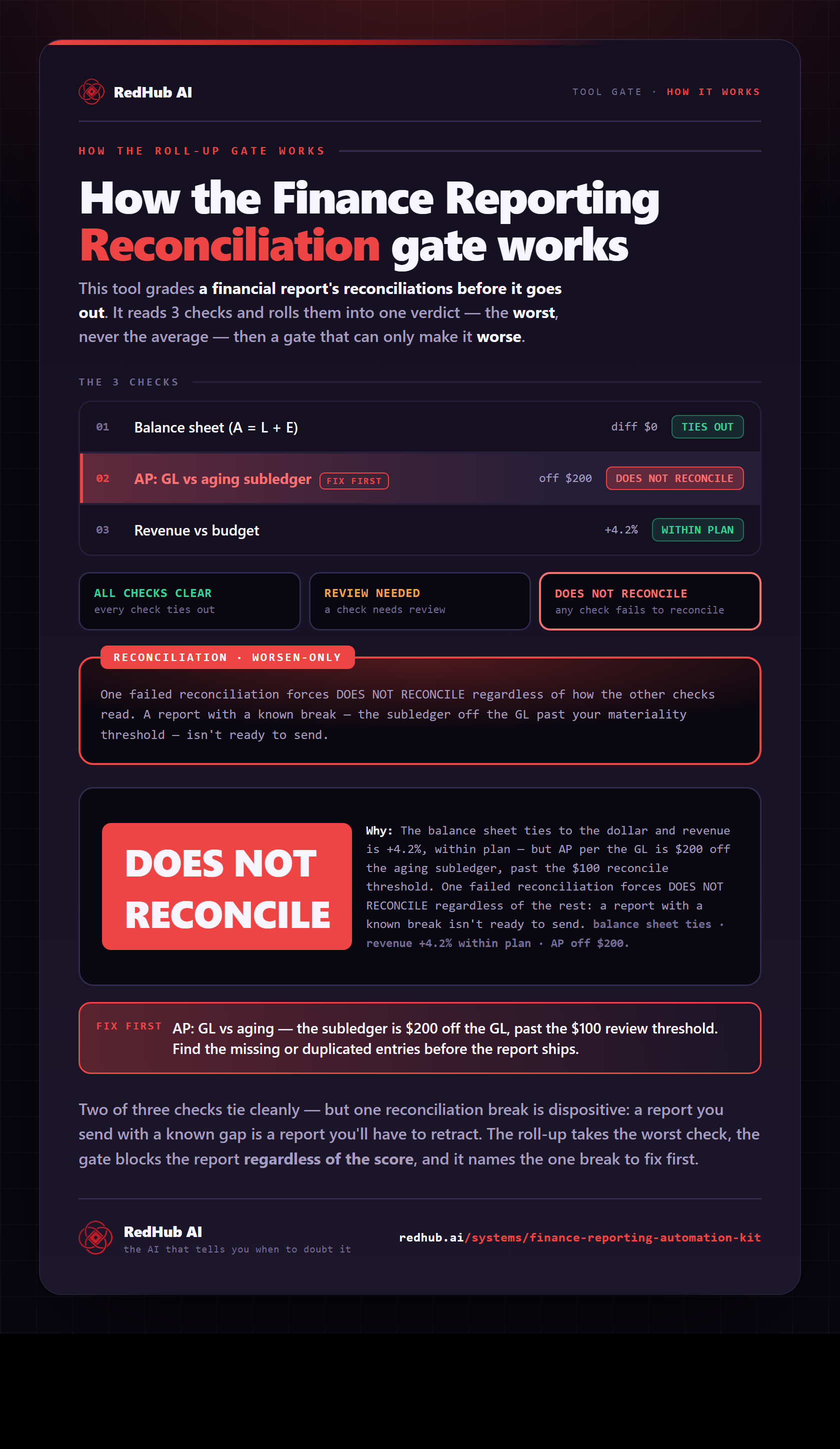
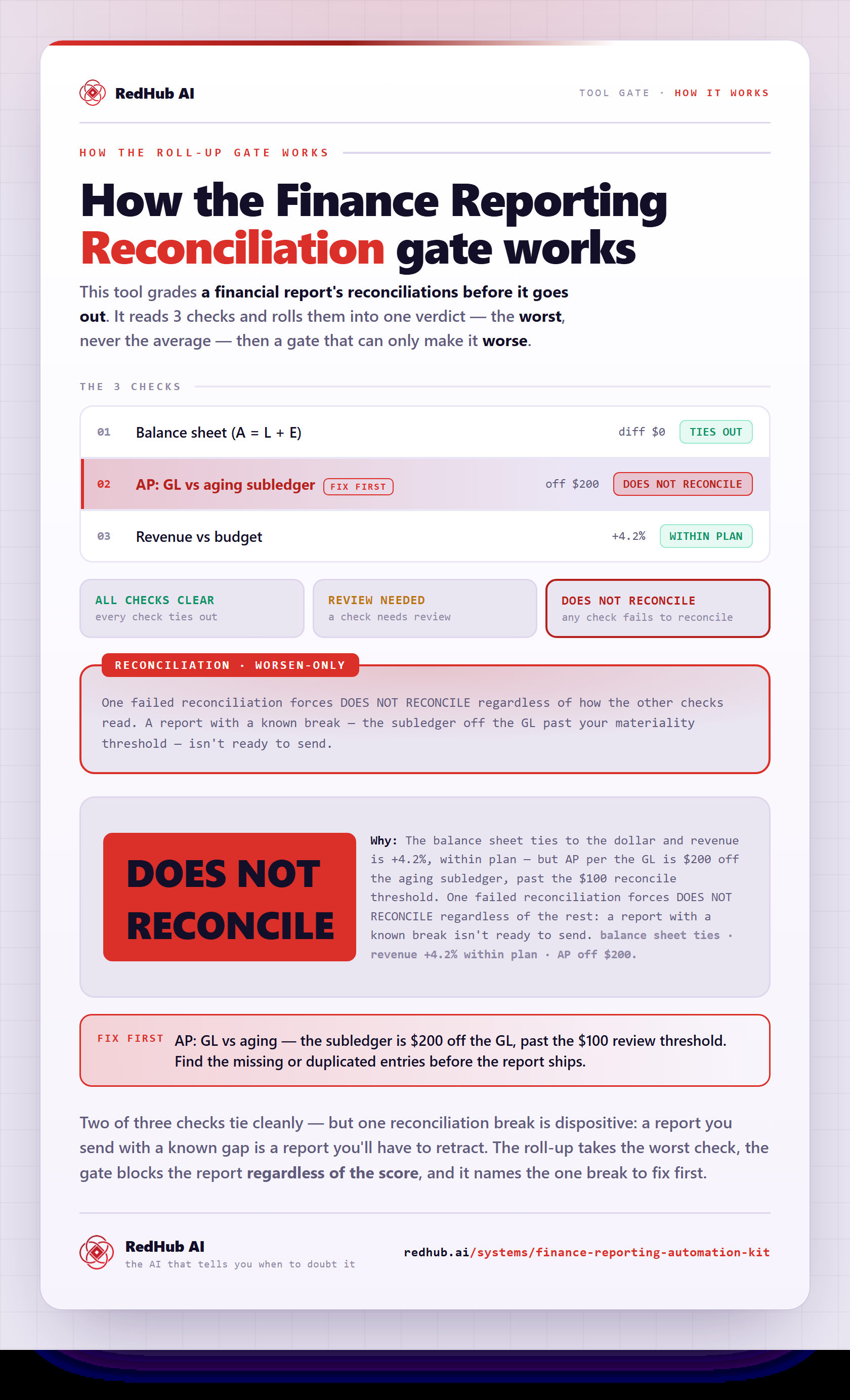
The gate this post refers to, drawn from the tool’s own logic. See the tool.