Your Checkout Works. Does Your Money Path?
RedHub AI Editorialupdated November 5, 20269 min read

Jump to a section10
- Taking a payment is a chain, not a moment
- The four questions to ask of every step
- The redirect is not the receipt
- "Once" is half the job
- An answer you can't find is scored as the worst
- A worked example: ten steps, one verdict
- What this checklist does not cover
- Run the chain on your own flow
- More in this guide
- Frequently asked questions
Your checkout working means a customer can reach a payment screen and submit a card. Your money path working means everything that is supposed to happen after that fires: access granted, the order recorded, a renewal logged, access removed when a subscription ends, a refund reflected. Each of those has to be set off by a confirmed payment event, and each has to happen once. A useful payment integration checklist covers that second part, because it is the part you never watched happen while you were building.
TL;DR: A purchase is a chain of separate steps, and each one was wired on its own or not at all. Ask four questions of every step: is money or access at stake, what tells your app to do it, who decides the amount or outcome, and is it safe to run twice. A step set off by the customer's browser landing on a page can be skipped or faked. A step that runs twice when the same notification arrives twice is broken, even if it worked the first time. And an answer you looked for and could not find should be scored as the worst thing it could be.
Taking a payment is a chain, not a moment
Ask a builder what "payments" means and they will usually describe one screen. The customer types a card number, something spins, a success message appears. That part is real, and an AI builder is good at wiring it, because it has a form on it. But the charge is one link. Every other link was wired separately.
Here are the ten steps most order flows have, with a test for each:
- The amount the customer is charged. Test: trace where the number comes from. Your server's own price is one answer. A value that arrived from the browser is another.
- Access granted after payment. Test: find the code that flips the switch. Does it run when the processor notifies your server, or when the browser reaches your success page?
- The thank-you page shown. Test: confirm it only displays. A page that only shows a message is allowed to be just a page.
- The order recorded in your database. Test: if this step ran a second time for the same payment, would you get a second row?
- A subscription renewal recorded. Test: what tells your app the subscription is still paid a month from now?
- Access revoked when a subscription ends. Test: cancel a test subscription in the processor's dashboard and watch your app. If nothing happens, that is the answer.
- A refund reflected in the customer's account. Test: issue a test refund and look for any change on your side.
- Which plan or quantity the customer gets. Test: is that read from your own price list on the server, or trusted from whatever the browser sent?
- A failed payment retried later. Test: if a declined renewal is tried again and goes through, does your app record it once or twice?
- The order confirmation shown in the app. Test: same as step three. A display, unless it is quietly doing something else.
Delete the steps your product does not have. One-time sales drop the renewal and revoke rows. What is left is still more than the one path you clicked through by hand.
The four questions to ask of every step
Each step gets the same four questions, in the same order. The answers are observations about your build, not opinions about it.
- Is money or access at stake? Either it grants or charges something, or the customer just sees something. A display-only step skips the other three questions.
- What tells your app to do it? The processor notifies your server directly, the customer's browser lands on one of your pages, or nothing does. "I looked and could not tell" is also an answer.
- Who decides the amount or the outcome? Your server, the processor, or a value the browser sent.
- Is it safe to run twice? Yes means running it again changes nothing. No means the customer would be charged twice or granted twice.
The second and third questions are different, and builders often merge them. A step can be triggered correctly by the processor's notification and still take the plan or price from a value the browser sent along. That step happens reliably. It just happens for whatever the browser claimed.
The redirect is not the receipt
A browser reaching a success page proves the browser reached a success page. It does not prove money moved, and it does not happen for a customer whose laptop died mid-payment.
Stripe's own Checkout fulfillment guide says this directly: you can't rely on triggering fulfillment only from your checkout landing page, because it is not guaranteed customers visit that page. Its example is a customer who pays and then loses their internet connection before the page loads. The fix is a notification your processor sends to your server when the payment is recorded, commonly called a webhook. It does not travel through the customer's device, so a closed tab cannot stop it.
There is a wrinkle worth knowing. The same guide also suggests running fulfillment from the landing page as well, so a customer who is present gets access immediately, with your server looking up the payment with the processor before acting. So the rule is not "never touch the redirect." It is that the redirect can never be the only trigger, and the browser's word can never be the proof. Why the Redirect Isn't the Receipt goes through what each signal proves.
"Once" is half the job
A step that fires twice is as broken as a step that never fires. It is the same kind of bug from the other side.
Processors can send the same notification more than once. Stripe's webhook documentation tells developers their endpoint might occasionally receive the same event more than once, and suggests logging the event IDs you have processed so you can skip repeats. If "record the order" runs a second time and writes a second row, your sales figures are wrong. If "grant access" runs twice in a system that counts seats, a customer has two licenses for one purchase. Nobody attacked anything. Charged Twice, Delivered Twice covers how to make a step safe to repeat.
An answer you can't find is scored as the worst
If you go looking for what triggers a step and cannot tell, score it as the worst answer that question could have had. Not the likely answer. The worst.
That sounds harsh until you see what it prevents. If "can't find" defaulted to fine, looking less hard would always pay. Scored as the worst, it can never beat telling the truth. There is one fair exception. If the unknown could not have changed the result either way, it should not count against you. A step that nothing triggers at all is broken whatever its other answers turn out to be.
A worked example: ten steps, one verdict
Here is an ordinary order flow run through those four questions. These are the ten example rows the Money Path Teardown spreadsheet ships with, and the destination its formulas assign each one.
| Step | What tells the app | Who decides | Safe twice | Result |
|---|---|---|---|---|
| Amount charged | the event | my server | yes | CONFIRMED |
| Access granted | the redirect | my server | yes | TAKEN ON TRUST |
| Thank-you page | the redirect | my server | yes | DISPLAY ONLY |
| Order recorded | the event | my server | no | NOT HANDLED |
| Renewal recorded | the event | the processor | yes | CONFIRMED |
| Access revoked on end | neither | can't find | can't find | NOT HANDLED |
| Refund reflected | neither | my server | yes | NOT HANDLED |
| Plan or quantity | the event | the browser | yes | TAKEN ON TRUST |
| Failed payment retried | the event | my server | can't find | NOT HANDLED |
| In-app confirmation | the redirect | the browser | no | DISPLAY ONLY |
That flow has two CONFIRMED steps, two DISPLAY ONLY, two TAKEN ON TRUST and four NOT HANDLED. Six of the ten need work. The overall verdict is PATH BREAKS, because any NOT HANDLED step outranks any TAKEN ON TRUST one.
Look at two rows closely. The revoke row has two unknowns, but nothing triggers it, so the unknowns change nothing and are not counted against it. The retry row is different. Its one unknown is the runs-twice answer, which is scored as unsafe, and that is the row the sheet names to fix first. A missing step comes before a forgeable one, and within that, a row whose result rests on an answer you could not find comes first. Go and find that answer. It may be better than the worst case.
What this checklist does not cover
This is about whether the money event is real and acted on once. Four nearby questions live elsewhere. Whether your test wiring and live wiring are separate setups is The Test Mode vs Live Mode Line-Up. Where your payment keys live, and whether they have ever sat somewhere they should not, is The Keys & Secrets Sorting Drill. Everything on the way to checkout, before a payment completes, belongs to the Checkout Friction & Abandonment Exposure Gate. The wider hardening pass on the app is the Vibe-Coded App Hardening Kit.
How you store or handle card data is a separate question, and so is how you book the revenue. None of this is accounting, tax, or financial advice. Ask a qualified professional for those parts.
Run the chain on your own flow
The Money Path Teardown is the spreadsheet behind the example above. It has 60 rows with dropdowns for the four questions and ships with those ten steps filled in with example answers, which you replace with your own. A Dashboard tab reads back one of three verdicts, MONEY PATH HOLDS, PATH CAN BE FORGED or PATH BREAKS, plus the counts and the one step to fix first. It never sees your payment account. It reads back what you tell it, so its answer is only as good as the looking you did.
More in this guide
Frequently asked questions
What is a payment integration checklist?
It is a list of every step in an order flow that moves money or access, such as charging the card, granting access, recording the order, renewing, revoking and reflecting a refund, with four questions asked of each: is anything at stake, what triggers it, who decides the amount or outcome, and is it safe to run twice. A checklist that stops at "did the charge succeed" covers one step of about ten.
My checkout works and I tested it with a real card. Isn't that enough?
It proves one path through one step. It does not tell you what happens if the customer closes the tab before the success page loads, whether a cancellation removes access, or whether a payment notification that arrives twice gets recorded twice. Those are separate pieces of wiring, and one successful purchase does not exercise any of them.
Do I need to understand webhooks to fix this?
You need the idea, not the wire format. A webhook is a message your payment processor sends to your own server when something happens, independent of the customer's browser. You can ask the AI tool that built your checkout to implement it. The part that matters is knowing which steps should be triggered by that message instead of by a page load.
What does scoring an unfound answer as the worst mean in practice?
If you look for whether a step is safe to run twice and cannot tell, you record it as not safe. That keeps a shallow look from producing a better result than a careful one. If the unknown could not have changed the step's result either way, it is not counted against you.
Is this the same thing as handling card data securely?
No. This is about whether the payment event your processor sends is confirmed and acted on once. How card data is collected, stored and protected is a separate subject. Your provider's documentation is the starting point there, and a qualified professional is the place to take any legal or tax question.
What is in the Money Path Teardown?
One spreadsheet with three tabs. Start Here explains the four questions in plain words. Teardown has 60 rows of dropdowns and live formulas, with ten common order-flow steps filled in as an example. Dashboard shows the verdict, the count of steps in each state, and which step to fix first. It is offline, and never sees your payment account.
What if my app only has one-time purchases, no subscriptions?
Delete the renewal and revoke rows. You are still left with the charge amount, the access grant, the order record, the refund and the plan or quantity, and each of those still needs the same four questions.
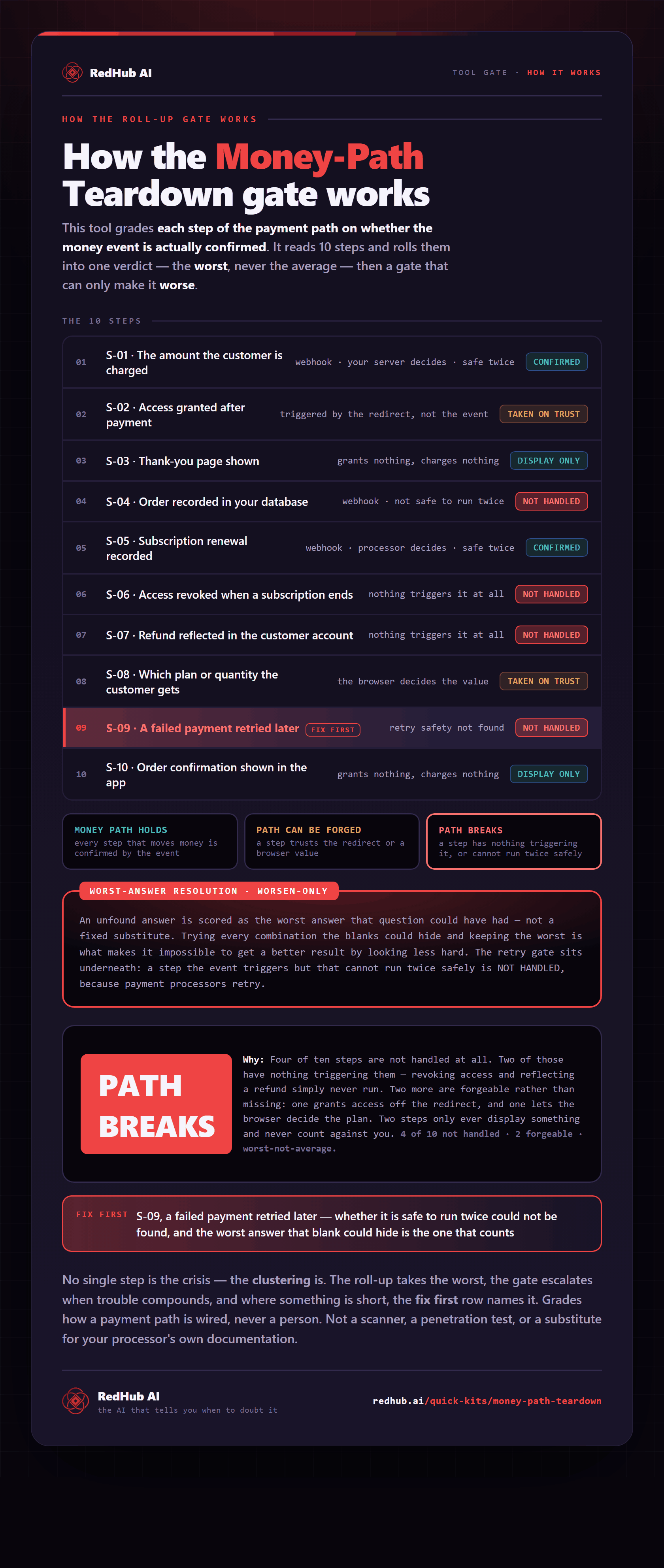
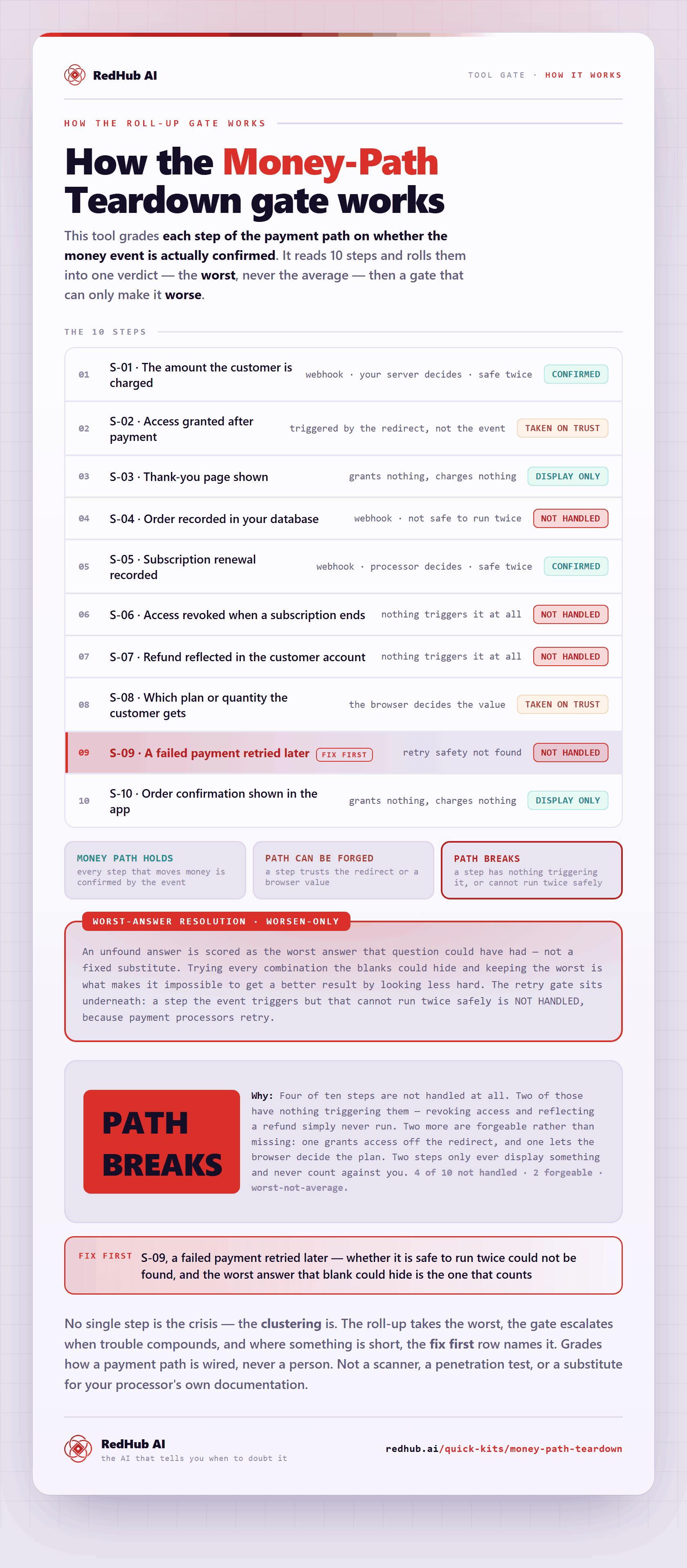
The gate this post refers to, drawn from the tool’s own logic. See the tool.