Prompt Regression Testing: Catch the Change That Broke It
RedHub AI Editorialupdated September 20, 20265 min read

Jump to a section7
You catch a prompt regression by running the same golden dataset through the old and new versions of a prompt, comparing the scores side by side, and blocking the change from shipping if it crosses a threshold you set in advance — before merge, not after a customer complains. That’s different from a one-time evaluation. Regression testing is the automated check that runs on every diff, forever, so a well-meaning prompt tweak or a silent model update can’t quietly break something that was working. This guide covers what a regression check actually compares, how to set a threshold you can trust, and what to do the moment one fires.
TL;DR: Prompt regression testing runs your golden dataset through both the old and new prompt version on every change, compares scores side by side, and blocks the ship if the new version crosses a threshold you set ahead of time. It’s the automated, always-on version of a one-time eval. The Prompt Evaluation & Versioning System ($49) ships the diff format, threshold logic, and CI exit codes to wire this in. Also see how to evaluate prompts, prompt versioning, and the metrics that matter.
A one-time eval isn’t protection — it’s a snapshot
Running an eval once, when a prompt first ships, tells you it worked on that day, against that model version, on that golden set. It says nothing about the next fifteen small edits someone makes over the following six months, or the model update that lands on a random Tuesday and quietly shifts behavior on a segment nobody’s testing by hand. Without a regression check, the only way those changes get noticed is a support ticket — and by then the damage has already reached real users.
Regression testing turns that one-time snapshot into a standing guarantee: every prompt change gets compared against the last known-good baseline, automatically, before it ships.
Anatomy of a regression check
A useful regression report answers one question — did this change make things better, worse, or about the same — and shows the receipts. At minimum, it needs:
| Field | What it shows |
|---|---|
| Baseline vs. candidate | The prompt version (and model) currently live, versus the one being proposed |
| Dataset used | Which golden set ran, and how many cases (small samples produce noisy deltas) |
| Per-metric delta | The change in each metric — accuracy, F1, hallucination flags, cost, latency — not just one headline number |
| Failed categories | Which specific input types got worse, not just an aggregate score |
| Pass/fail verdict | Whether the change crosses your pre-set threshold, stated plainly |
The failed-categories line matters more than people expect. An aggregate score can hold steady while one specific category — refund requests, a particular language, an edge-case format — quietly craters. Averages hide exactly the kind of regression that turns into a support ticket a few weeks later.
Setting a threshold you can actually trust
There’s no universal number that tells you a regression is “bad enough” to block a ship — that depends on your task, your traffic volume, and how costly a wrong answer is for your users. What matters is setting the threshold in writing before you look at any results, not after. A team that eyeballs a borderline score and decides case-by-case whether it’s “probably fine” will drift toward shipping regressions, because every individual case looks small in isolation.
Wiring the check into CI
The check only works if it runs automatically. Trigger it on every pull request that touches a prompt file: pull the current baseline score, run the candidate against the same golden set, diff the results, and fail the build if the threshold is crossed. Generate a short triage doc alongside the failure — which categories failed, what the delta was — so whoever picks it up isn’t starting from a blank screen.
When a regression fires
Pin back to the last known-good version immediately — don’t debug in production. Then open a triage doc with the failed categories and the delta, and treat it the way you’d treat any other broken build: someone owns it, it gets a root cause, and the fix gets its own regression check before it ships again. If prompt regressions are a recurring pattern rather than an occasional event, a lighter setup like this one may not be enough — the Prompt Regression Lab ($89) is built as a dedicated, deeper harness for teams running regression tests at higher volume across more prompts. And if the regression made it through code review in the first place, tightening that layer with the Codex Code-Review & PR-Hygiene Pack ($79) closes a different gap in the same pipeline.
Pairs well with
The Prompt Evaluation & Versioning System ($49) ships the runner, diff format, and CI exit codes to get a regression gate running this week. If regression volume outgrows a lightweight setup, graduate to the Prompt Regression Lab ($89). If the gap is upstream in your review process rather than your eval, pair it with the Codex Code-Review & PR-Hygiene Pack ($79).
More in this guide
What is prompt regression testing?
It’s an automated check that compares a new prompt version against the last known-good baseline on the same golden dataset, every time the prompt changes, and blocks the ship if the score crosses a threshold you set in advance.
How is regression testing different from a one-time eval?
A one-time eval scores a single version once. Regression testing runs automatically on every future change and compares it against the previous baseline, so drift over months of small edits gets caught instead of accumulating unnoticed.
What threshold should trigger a blocked ship?
There’s no universal number — it depends on your task and how costly a wrong answer is. Set it in writing before you see any results, start conservative on your highest-stakes metric, and adjust deliberately as you build a track record.
Can a model provider update cause a regression even if I didn’t change my prompt?
Yes. Model updates can silently shift output on a prompt that hasn’t changed at all. Re-run the regression check whenever a provider ships an update, not just when you edit a prompt.
What should I do the moment a regression check fails?
Pin back to the last known-good version first, then open a triage doc with the failed categories and the delta. Treat it like any other broken build — someone owns it, and the fix gets its own regression check before it ships again.
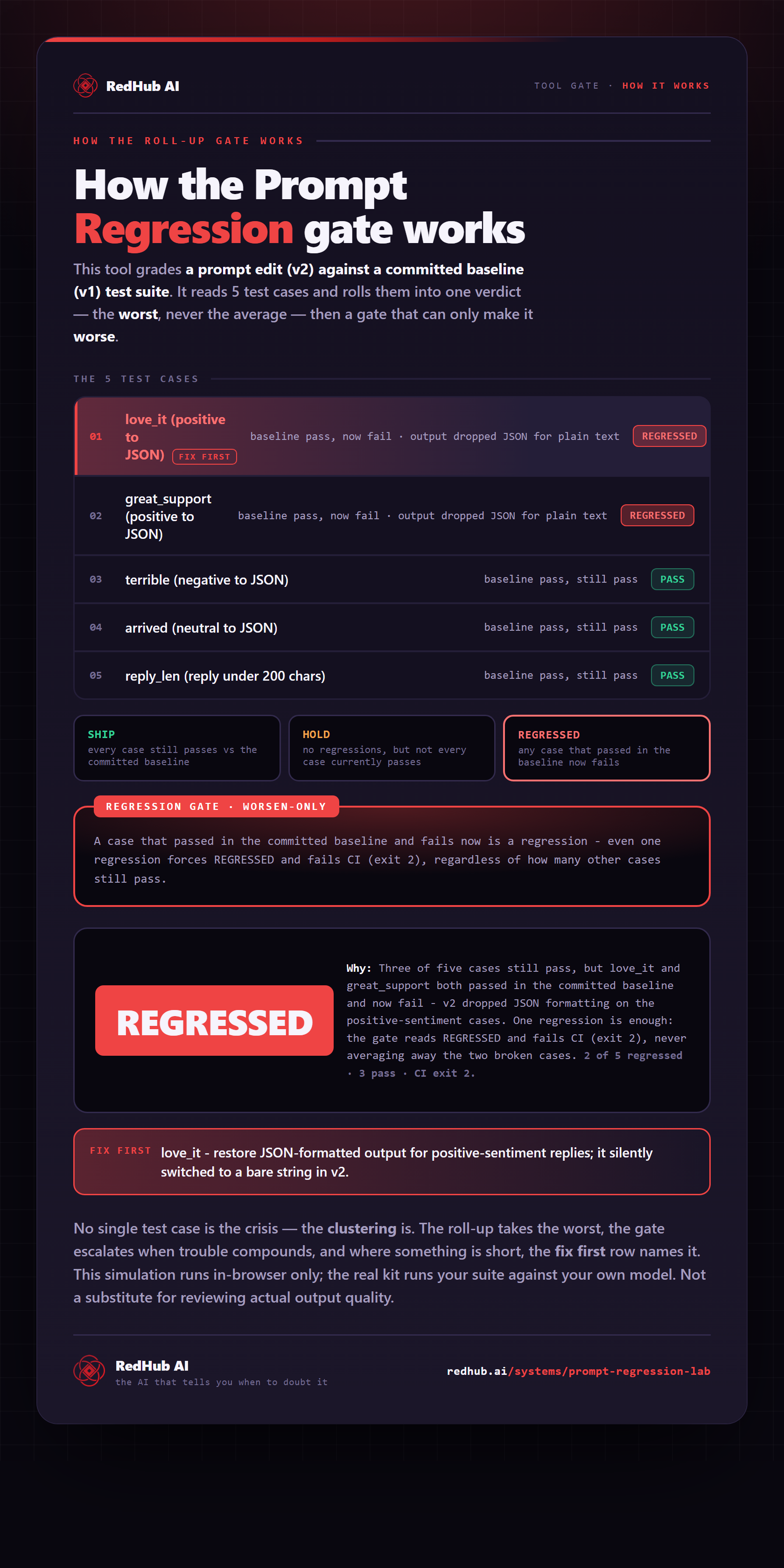
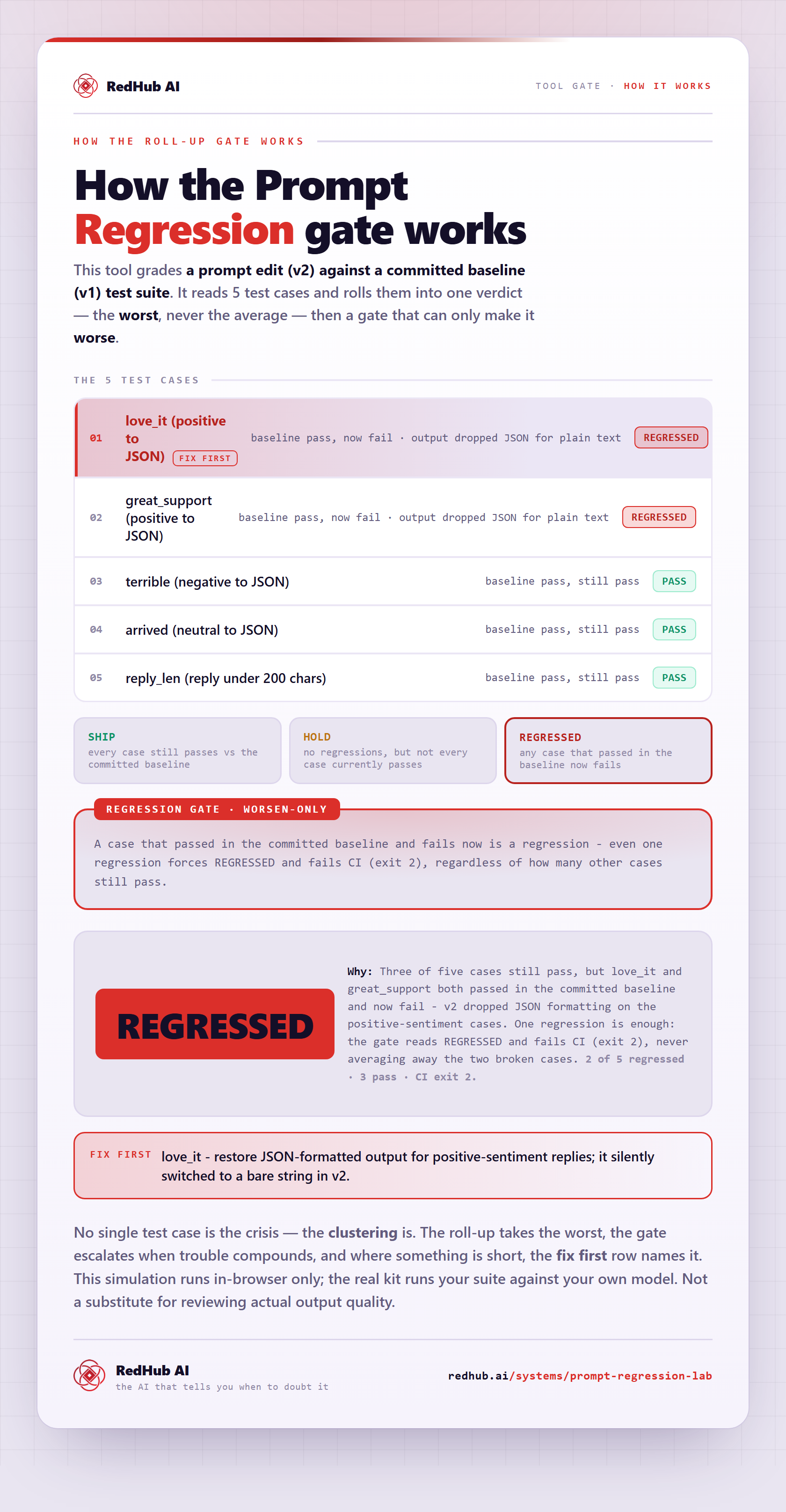
The gate this post refers to, drawn from the tool’s own logic. See the tool.