Backups That Survive Ransomware: The 3-2-1 Rule and Why It Matters
RedHub AI Editorialupdated October 5, 20266 min read

Jump to a section7
CISA's #StopRansomware Guide explains in one sentence why ransomware backups have to sit out of the attacker's reach: "many ransomware variants attempt to find and subsequently delete or encrypt accessible backups to make restoration impossible unless the ransom is paid." A backup survives only if the attack can't touch it. The usual answer is the 3-2-1 rule: keep 3 copies of your data, on 2 different types of media, with 1 copy offsite. Against ransomware, that offsite copy also needs to be offline or immutable. A backup drive plugged into the same network as your main systems can be locked right alongside them.
TL;DR: The 3-2-1 rule means 3 copies, 2 media types, 1 offsite. Ransomware makes the offsite copy the one that matters, because attackers go looking for backups they can reach. The copy that saves you is offline, air-gapped or immutable. A connected backup drive gets encrypted too. Immutable storage has costs of its own, and an untested backup proves nothing until you restore from it. The Ransomware & AI-Outage Recovery Readiness Drill ($79) scores isolated backups as one of six recovery controls. Part of the guide on recovery readiness.
What the 3-2-1 rule means
- 3 copies of your data: the live version plus at least two backups. With one backup, a single failure or a single encryption leaves you at zero.
- 2 different media types: for example, a local copy and a cloud copy, so one failure mode can't wipe every copy at once.
- 1 copy offsite: stored away from your main location and, against ransomware, out of the attacker's reach: offline, air-gapped, or in immutable storage that can't be altered or deleted even with your admin credentials.
Photographer Peter Krogh coined the name while writing the first edition of The DAM Book, a guide to managing digital photo archives. It was written for photographers guarding their work, not for businesses facing an attacker. Ransomware is what moved the weight onto the "1 offsite" part. Backup vendor Veeam now promotes an extended version, 3-2-1-1-0: one more copy that is immutable or air-gapped, and zero errors when recovery is verified.
Why a connected backup isn't protection
This is the mistake that turns a business with backups into a business paying a ransom. A drive plugged into a machine, a network share that's always mounted, a cloud folder that syncs instantly: anything running on your systems can reach all three, including ransomware. When the malware encrypts your files, it encrypts those too. A sync folder can make it worse by copying the encrypted files up and overwriting the good versions.
Convenience and protection pull against each other here. The easier a backup is for your systems to reach automatically, the easier it is for an attacker on those systems to reach. The Readiness Drill's playbook says it plainly: replication alone is not a backup, because it will faithfully copy encrypted or corrupted data forward.
Immutable storage has a price
Immutable storage can sound like the end of the problem. CISA's guide adds a caution: "Use immutable storage with caution as it does not meet compliance criteria for certain regulations and misconfiguration can impose significant cost." A copy nobody can delete is also a copy you can't delete when a retention rule says you should, and a lock set too long keeps billing you for storage you no longer want.
There is a second catch no lock can fix. An immutable copy faithfully preserves whatever was in the system when it was taken, including malware an attacker planted weeks before the encryption started. CISA warns that this leftover malware has to be found before you rebuild from backups. How far back your clean copies need to reach, and how long to keep them, is a judgment call with no universal answer. It depends on your data, your rules and how long an intruder could sit unnoticed.
Backups can fail silently
A backup job that "runs" is not the same as a backup you can restore. Jobs fail quietly: an error nobody reads, the wrong folder backed up for months, a job that stopped when a drive filled, a copy of the files without the database or settings needed to rebuild. Because nobody looks until they need one, the failure stays invisible until the worst possible moment. CISA's guide recommends regularly testing "the availability and integrity of backups in a disaster recovery scenario," and only a restore does that.
Test the restore, not just the backup
A green "backup successful" check tells you data was copied. It doesn't tell you the copy is usable. Rebuild the system from the backup in a safe environment, time it, and confirm it works. That's where you find out the backup was missing something critical, or that restoring takes far longer than you assumed. Do it on a schedule, because a backup that restored fine last quarter can break after a system change nobody accounted for.
The Readiness Drill scores the two halves separately. Immutable, isolated backups carry 18 of its 100 points. A timed end-to-end restore carries 22 and is a trigger: with no timed restore, a system reads WOULD NOT RECOVER whatever its backups look like. This test is the backbone of a real ransomware recovery plan.
Check whether your backups would actually bring you back
Two of the six controls in the Ransomware & AI-Outage Recovery Readiness Drill are about backups: immutable, isolated, offline copies, and a timed end-to-end restore. You mark every control 0, 1 or 2 for each critical system. Each system reads RESILIENT, GAPS or WOULD NOT RECOVER, and where a control is short, the drill names the one to fix first. It scores the posture you describe and connects to nothing.
Get the Recovery Readiness Drill — $79Pairs well with
An isolated backup is only isolated if its credentials are. The Non-Human Identity & Credential Sprawl Gate ($79) grades service accounts, API keys and tokens on six controls, including vaulted secrets and a working revocation path, and returns GOVERNED, SPRAWLING or UNMANAGED from the weakest control. If your backups live with a cloud vendor, the AI Vendor Reliability & Spend-Justification Scorecard ($79) grades AI and SaaS vendors on uptime, incident load and support. After an incident, the AI Incident Postmortem & Readiness Gate ($79) grades the postmortem and keeps it open while any critical action item, such as a backup fix, is unfinished.
More in this guide
What is the 3-2-1 backup rule?
Keep 3 copies of your data, on 2 different media types, with 1 copy offsite. Against ransomware, that offsite copy should also be out of reach: offline, air-gapped or immutable. Then a single failure, or an attack that reaches your network, can't destroy every copy at once.
Can ransomware encrypt my backups?
Yes. CISA's #StopRansomware Guide warns that many ransomware variants try to find and delete or encrypt accessible backups. A drive that's plugged in, an always-mounted share or an instant cloud sync are all reachable. The copy that survives is one the attack can't touch.
What does "air-gapped" or "immutable" backup mean?
Air-gapped means physically disconnected from your network, so malware can't reach it. Immutable means write-once storage that can't be changed or deleted, even with stolen admin credentials. CISA cautions that immutable storage doesn't meet every regulation's criteria and can cost a lot if misconfigured, so set it up deliberately.
Isn't a cloud sync the same as a backup?
No. A live sync mirrors changes instantly, so if it copies your encrypted files, it can overwrite the good versions. A true backup keeps older versions the sync can't overwrite. Versioning or a separate backup, not a sync folder alone, is what protects you.
Why do backups fail without anyone noticing?
Because nobody checks until they need one. A job can error out, back up the wrong folder, stop when a disk fills, or copy files without the database needed to rebuild, all silently. Regular checks and test restores are the way to catch it.
How do I know my backup will actually work?
Restore from it. Rebuild the system in a safe environment, time it, and confirm it produces working data, on a schedule. A "backup successful" message only means data was copied. A test restore is the proof the copy is usable.
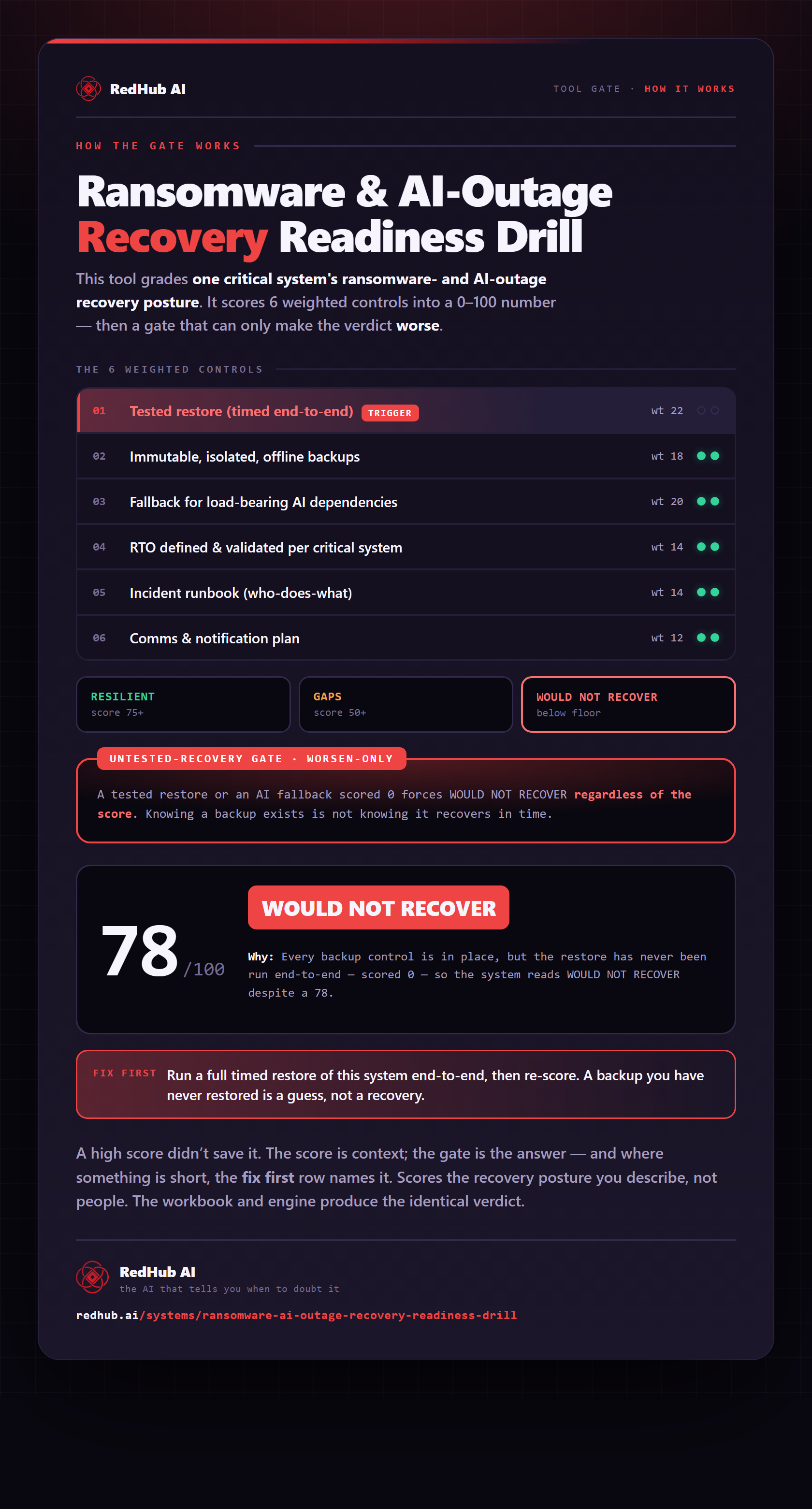
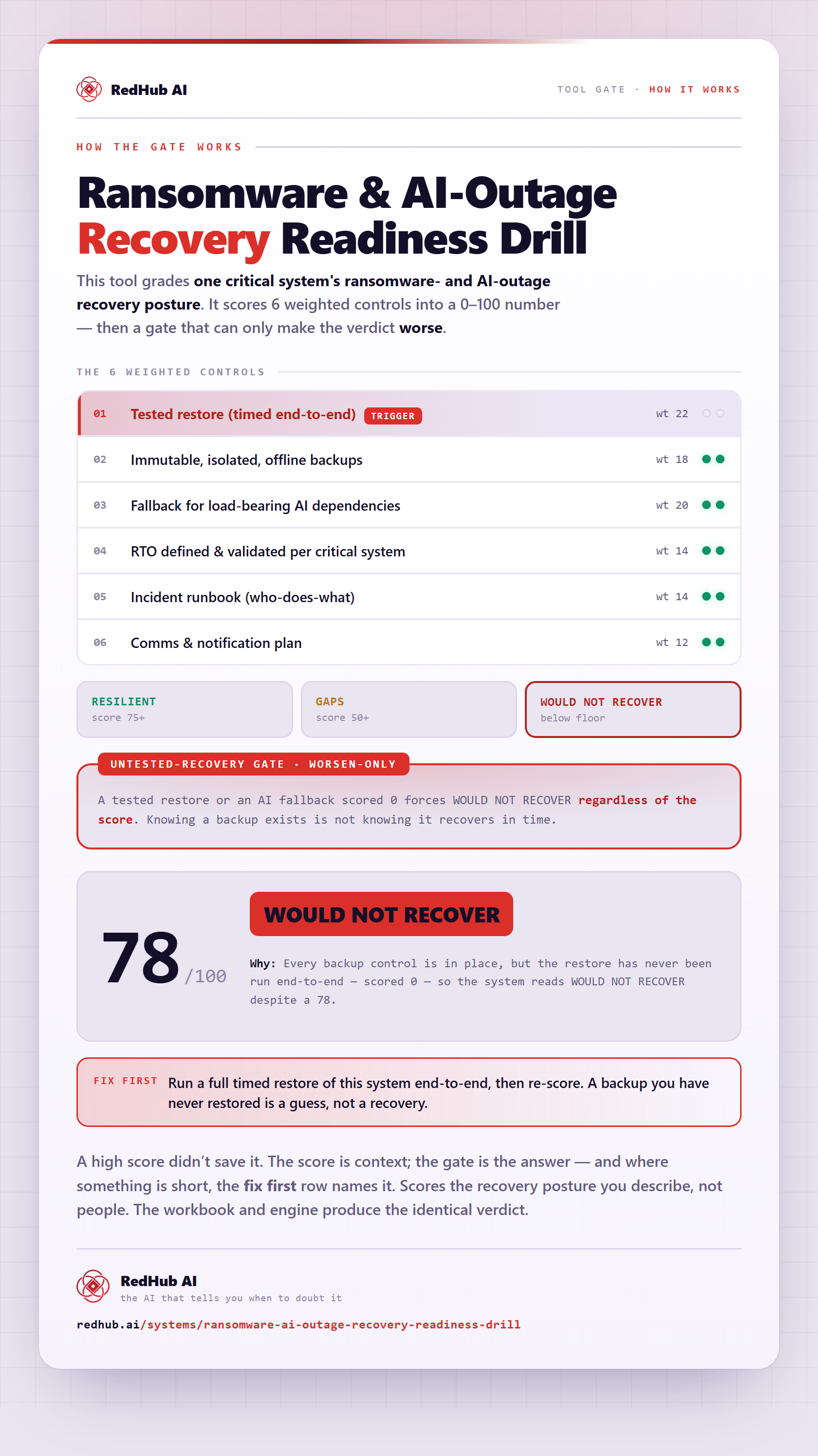
The gate this post refers to, drawn from the tool’s own logic. See the tool.