Bulk Document Generation With AI: Where It Helps and Where to Double-Check
RedHub AI Editorialupdated October 7, 20266 min read

Jump to a section8
An AI model can write a renewal letter in a minute and has no idea what any tenant's rent is. That is the whole shape of AI in bulk document generation: it speeds up the template and the wording, and it cannot vouch for the data that fills them. The names, amounts and dates going out under your business's name still need a check that does not depend on the model.
TL;DR: Use AI to draft template copy, write variants and point out messy formatting in a list. Do not let it write the values, and do not treat its polish as proof the list is right. Fill the documents with an ordinary merge, which copies values exactly, and check the template against the list with a rule-based tool before the run. The Template Merge & Mail-Merge Engine ($69) is that check. It uses no AI and never fills a missing value.
What bulk document generation means
Bulk document generation is one template plus one data list producing many finished documents in a single run: a batch of invoices, a print job of certificates, a round of renewal notices. It is the same mechanic as a mail merge, at whatever size. The basics are in what mail merge is.
Where AI helps
- Drafting the template. A first draft of a letter or reminder, faster than a blank page.
- Writing variants. A first notice, a second notice and a final notice built on one structure, each a little firmer.
- Checking tone and grammar across a long document.
- Spotting messy columns. Given a sample of the list, a model can point out that a date column holds three formats.
- Suggesting fields. For example, splitting one full-name column into first and last so the greeting can use the first name alone.
All five are work on the template or advice about the list. In none of them does the model produce a value that gets sent.
Where the risk sits
A model does not know that the 1,200 in row 40 is what that client owes. It does not know whether 123 Oak St. is still the right address, or whether the John Smith in row 12 and the J. Smith in row 88 are one person. Those are facts about your records. They live outside the document, and no rewrite of the template changes whether they are true.
Should the AI do the merge itself?
You can paste a template and a list into a chat window and ask for 200 finished letters. For a handful of rows this often works. The reason to be careful is how the two methods differ. A merge tool copies a cell into a slot. A language model generates text, and when it writes row 147 it is producing the amount again, not copying it. Most of the time the output will match. You have no cheap way to know which rows did not, short of comparing all 200 letters against the list, which is the labor you were trying to avoid.
This is not a settled question for every case. A model that writes a script to do the merge, and then runs the script, is copying, and that is a different risk from a model typing out letters. Tools change quickly here. The test that holds either way: for any value that matters, can you show it was copied, not composed? If you cannot, check it against the list.
A worked example: where the line falls
This example is made up to show the split.
- A property manager asks an AI model for a lease-renewal letter. The draft is good after one edit.
- Shown twenty sample rows, the model points out that the new-rent column mixes currency-formatted cells and plain numbers. The manager fixes the column.
- A rule-based check of the template against the full list of 200 finds one row with no unit number. The manager fills it in from the lease file.
- The manager test-merges 5 letters and compares each rent figure with the approved schedule. Unit 4B still shows last year's draft number. Every tool passed that row, because the cell was present and well formed.
- The figure is corrected in the list and the batch of 200 runs.
Steps 1 and 2 were AI. Step 3 was a rule. Step 4 was a person holding the list against the source, and it is the only step that could have caught a number that was well formed and wrong.
Splitting the work
Three kinds of checking, three owners. Wording goes to the AI and then to your own read. Structure and presence go to a rule: does every placeholder have a column, does every row have its required values. Truth goes to a person with access to the source records. Skipping the third because the first two went well is how a wrong amount reaches hundreds of people at once.
The mechanics are in how to do a mail merge, step by step, and the list side is in clean data for mail merge.
A check with no AI in it
The Template Merge & Mail-Merge Engine is offline and deterministic: the same template and list give the same verdict every time. It reads {{placeholder}} tokens and a CSV list and returns READY, FIX or BLOCK per row and MERGE READY, FIX ROWS or HOLD per template. It flags a missing or malformed value and stops. It never invents a name or an amount to make a row pass, and it cannot tell you whether a well-formed value is correct. It does not send. Lifetime access, 12 months of updates, 30-day refunds.
Pairs well with
The AI Document Extraction Kit ($99) is the place where AI does touch the values: it turns invoices, receipts and forms into structured data, and it flags low-confidence fields for review instead of guessing. It makes no accuracy guarantee. The Two-List Reconciliation Kit ($49) is one way to do step 4 above at scale: it joins the merge list and the source export on an exact key and marks each key RECONCILED, EXCEPTION or ORPHANED. The File Naming & Organization Engine ($49) checks the output files' names against a four-part convention and marks two files that would share a name as COLLISION.
More in this guide
Can AI run a mail merge for me from start to finish?
It can for a few rows, and it may write a script that does a larger one. The risk is a model retyping values instead of copying them. For any value that matters, use a real merge and check the output against the list.
What is the biggest risk of using AI for bulk document generation?
Treating good wording as proof of good data. A model that wrote the template has not checked the amounts or addresses in your list, and it has no way to know whether they are correct.
Should I let AI write my invoice or letter templates?
Yes, as a first draft. Read it, edit it, and keep every per-recipient value as a placeholder filled from your list. Then test-merge real records before the full run.
Can AI catch data errors in my spreadsheet?
It can point out formatting problems, such as mixed date styles or amounts stored as text. It cannot tell you whether a well-formed value is the right one. That takes a comparison with the source records.
What is the difference between mail merge and bulk document generation?
They are the same mechanic. Mail merge is the older name and usually means letters and emails. Bulk document generation is the broader term and covers invoices, certificates and other batches.
Is it safe to skip the test merge if AI wrote the template?
No. The test merge checks how real data reads in the finished document. Who wrote the template has no bearing on whether the list is complete or correct.
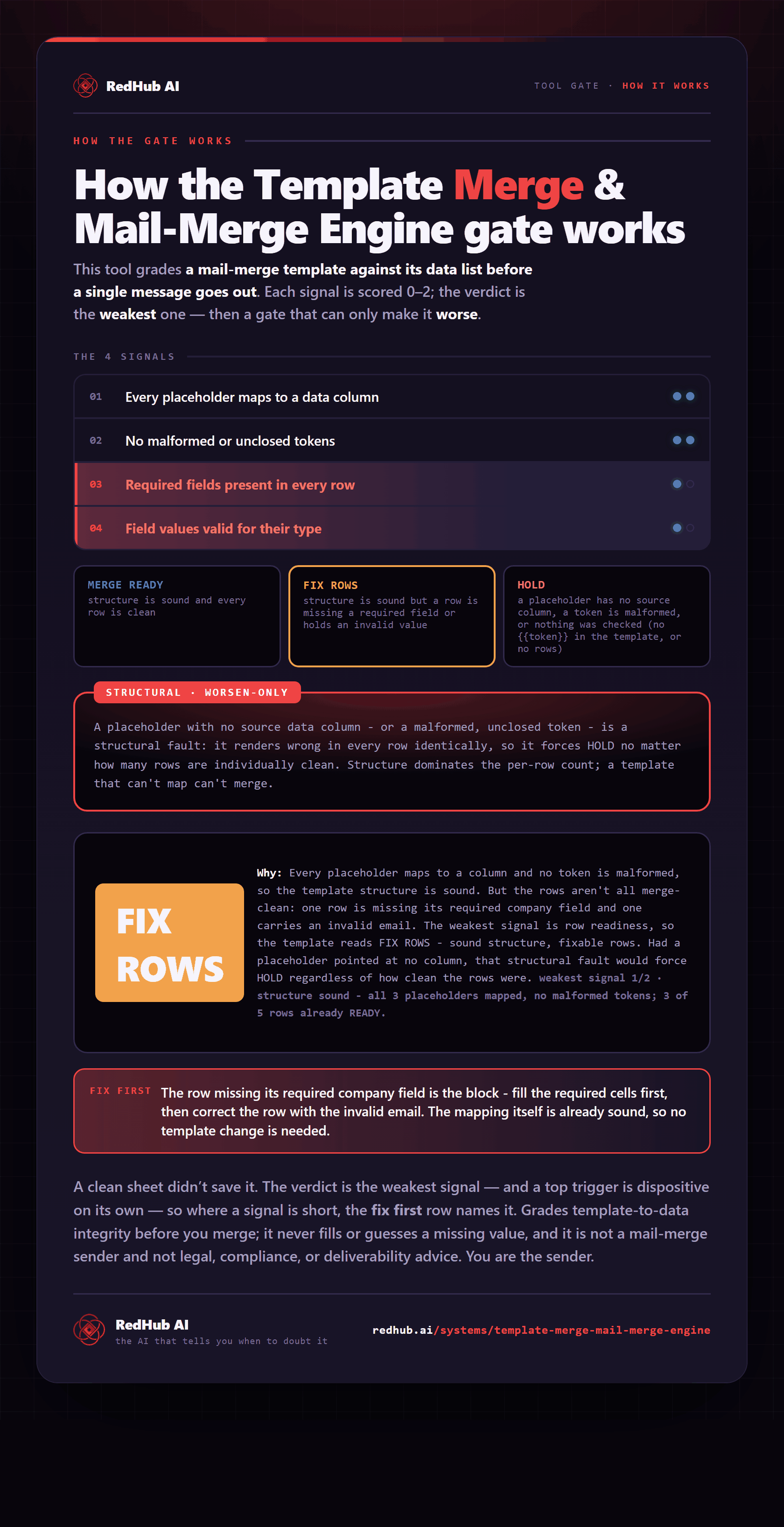
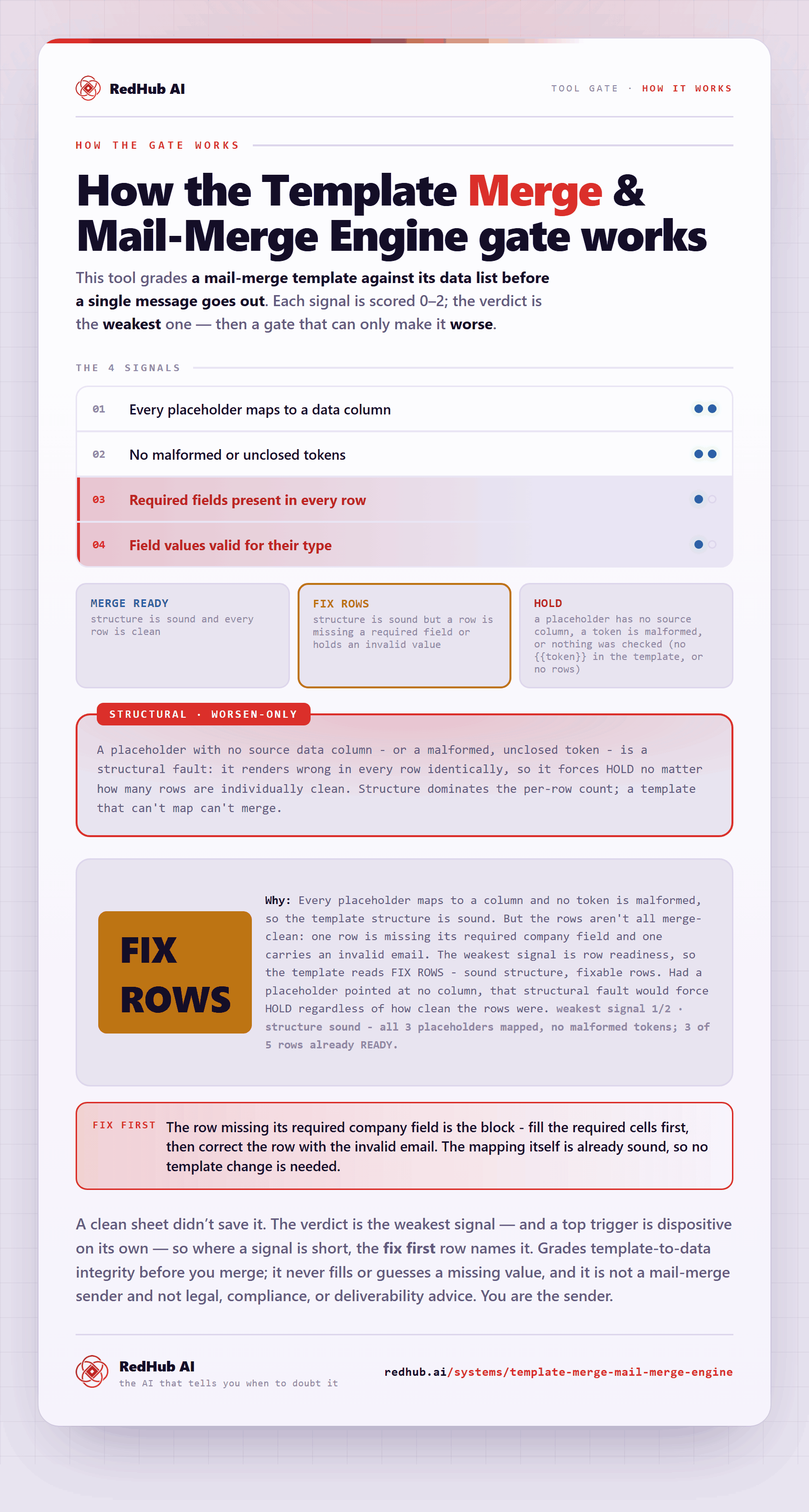
The gate this post refers to, drawn from the tool’s own logic. See the tool.