Automating Reconciliation: What to Automate and What to Keep Human
RedHub AI Editorialupdated November 5, 20266 min read

Jump to a section8
Automate the parts of reconciliation that follow a fixed rule: lining records up on a key, comparing values within a tolerance, and sorting each key into agrees, disagrees or missing. Keep the parts that need knowledge of the business: deciding which system holds the right value, correcting the wrong one, and calling the reconciliation done. A script finds a disagreement in a fraction of a second. It cannot tell you what the disagreement means.
TL;DR: The comparison is the safest thing to automate, because the same rule applied the same way every time beats a person scanning rows late at night. Export and cleanup can be scripted too, but they are your build. Never let automation pick the right value, merge records, write off a difference or sign off. The Multi-Source Data Reconciliation Engine ($89) automates the comparison and the verdict on files you supply. It does not pull, clean or fix data.
The case for automating the comparison
Comparing three exports record by record is rule-following work. Take 500 transactions, each in a bank feed, a processor report and a ledger. That is 1,500 rows to line up by hand, with every amount checked against a tolerance. A person doing that in a spreadsheet gets tired and starts eyeballing. A script applies the same key and the same one-cent tolerance to row 1 and to row 1,500.
A deterministic script has a second advantage over a person or a model: the same inputs always give the same verdict. When someone asks why last month's reconciliation said what it said, you can run the same files again and get the same answer.
Where the line sits, task by task
| Task | Automate it? | Does the Engine do it? |
|---|---|---|
| Exporting records from each system | Yes, with scheduled exports or your own API scripts | No. You supply the files |
| Cleaning formats (IDs, currency symbols, dates) | Yes, if the rules are written down | Partly. It trims and lowercases keys, ignores case in text fields and reads commas in amounts. Nothing else |
| Lining records up on the key | Yes | Yes, exact match after trim and lowercase |
| Comparing values within a tolerance | Yes | Yes, 0.01 for amounts by default, exact for text |
| Sorting keys into agrees, disagrees, missing | Yes | Yes: AGREED, DISPUTED, INCOMPLETE |
| Deciding which system is right | No | No |
| Correcting the wrong value at its source | No | No. It never edits a system |
| Merging duplicate records | No | No. It refuses a file with a repeated key in one source |
| Signing off that the set is reconciled | No | No. It reports RECONCILED, and a person accepts it |
The case for keeping judgment human
Once a key is flagged, someone has to know the business to read it. Is the ledger's amount wrong, or is the bank showing a payout net of fees? Is the missing row late, or was it filtered out of an export? Is the status mismatch a stale export or a refund nobody recorded? A comparison can say the values differ. It cannot say which one is true. Only a person who knows how the systems feed each other can.
What automation should never do silently
- Widen the tolerance. A rule like "differences under $1 are rounding" should be written down and reviewed, not buried in a script. The tolerance should absorb rounding and nothing more.
- Merge suspected duplicates. Flag them for a person. A wrong merge combines two customers' histories, and splitting them again is slow.
- Close the reconciliation. Even a mostly automated process ends with a person accepting the result.
Running the engine on a schedule
The Multi-Source Data Reconciliation Engine is a Python script, so you can run it from your own scheduled job once your exports land as one CSV. Two details matter if you do.
First, read the verdict, not the exit code. A run that finds disputes still exits with status 0. The script exits non-zero only when it refuses a file, which happens when a key repeats inside one source. Run it with --json and check the set_verdict field, which holds RECONCILED, FIX or NOT RECONCILED, and the fix_first field, which names the key to work next and is null when every key agrees.
Second, check the inputs your job built. The script reconciles only the sources that appear in the file. If one export arrives empty, that system drops out of the run and nothing flags it as missing. An empty file reads RECONCILED with zero keys. Have the job confirm that every expected source has rows before trusting a clean verdict.
Also note what the script doesn't keep. It prints its result and stores nothing, so if you want a history of runs, have the job save each dated output. The included Exception Triage Runbook suggests keeping each dated run for your close file.
How this fits the rest of the process
Automation only helps on top of a settled key, a written tolerance and a review step. Automating a bad key gets you wrong answers faster. See the reconciliation process for the five steps, and why your data doesn't match across systems for the cleaning that has to happen before any run. The overview is in the main guide to data reconciliation.
Automate the comparison, keep the judgment
The Multi-Source Data Reconciliation Engine applies one key and one tolerance across three or more exports and returns the same verdict every time for the same files. It reports. It never edits, merges or signs off. Not accounting advice.
Get the Multi-Source Data Reconciliation Engine — $89Pairs well with
Before you automate a run across sources, the Duplicate & Near-Duplicate Finder ($49) flags repeated and near-repeated rows inside one list, and it never merges them for you. For the accounts payable match, the Invoice-PO-Receipt 3-Way Match ($79) runs fixed checks on each invoice line and returns APPROVE, HOLD or BLOCK PAYMENT. When reconciled figures feed a monthly report, the Finance & Reporting Automation Kit ($129) labels each tie-out Ties out, Review or Does not reconcile.
More in this guide
Can reconciliation be fully automated?
The comparison and the sorting can be. Deciding which system holds the right value, correcting the wrong one, and accepting the result should stay with a person who knows how the systems feed each other.
What is safest to automate in reconciliation?
Lining records up on a key and comparing values within a written tolerance. The rule is fixed, and a script applies it the same way to every row, every time.
What's the biggest risk of over-automating reconciliation?
A process that resolves its own exceptions will eventually write off a real difference as rounding or merge two different records. The set then looks clean, so nobody checks it again.
Should a system auto-merge duplicate records?
No. Flag suspected duplicates for a person to confirm. A wrong merge combines two customers' histories, and undoing it is slow.
Can I run the Multi-Source Data Reconciliation Engine on a schedule?
Yes, from your own scheduled job once your exports are combined into one CSV. Read the verdict from the JSON output, because a run that finds disputes still exits with status 0, and confirm every expected source has rows in the file.
Does the engine decide the exceptions for me?
No. It reads each key AGREED, DISPUTED or INCOMPLETE and names the key to fix first. Which value is right and how to correct it is your call, and it never edits, merges or writes back to a system.
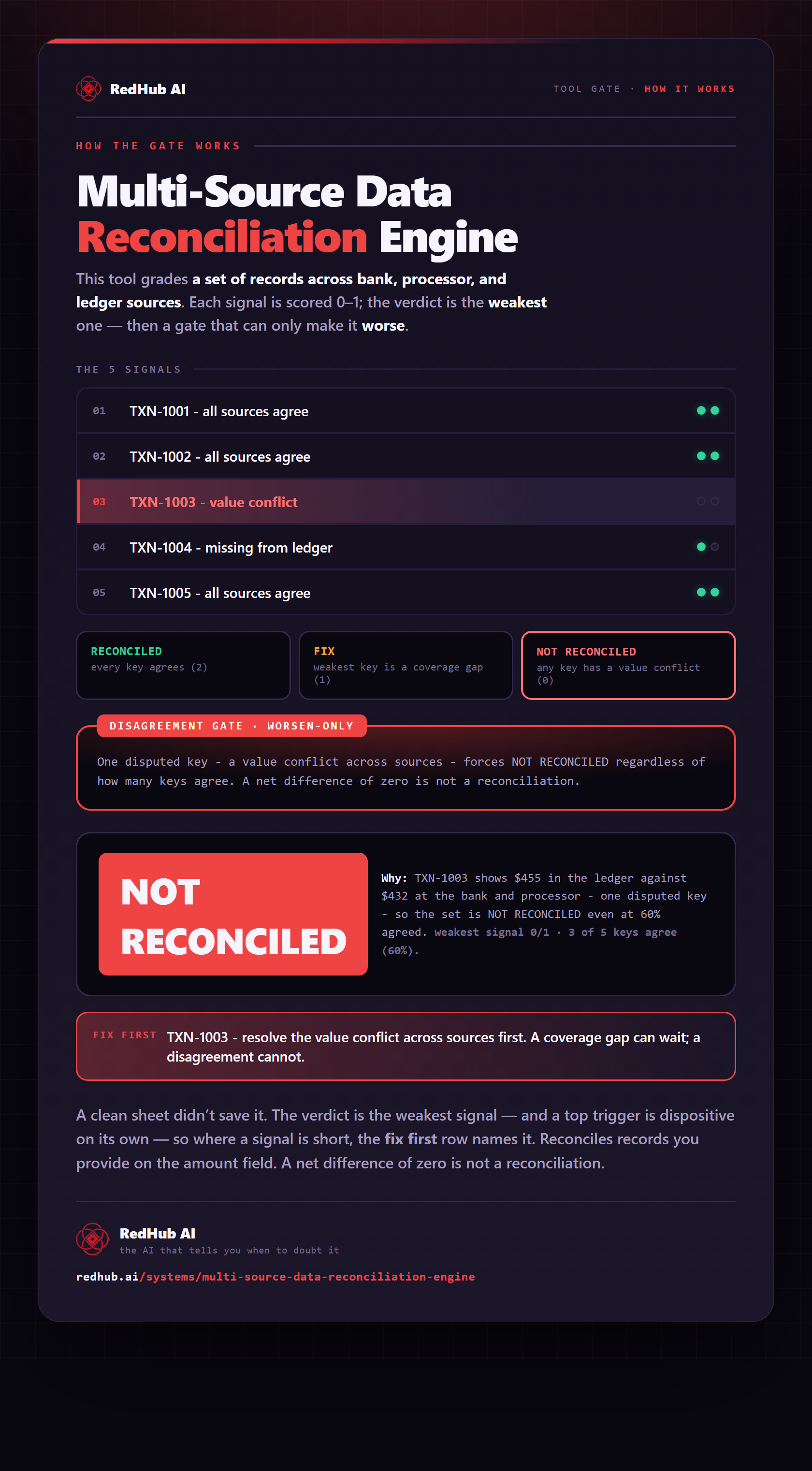
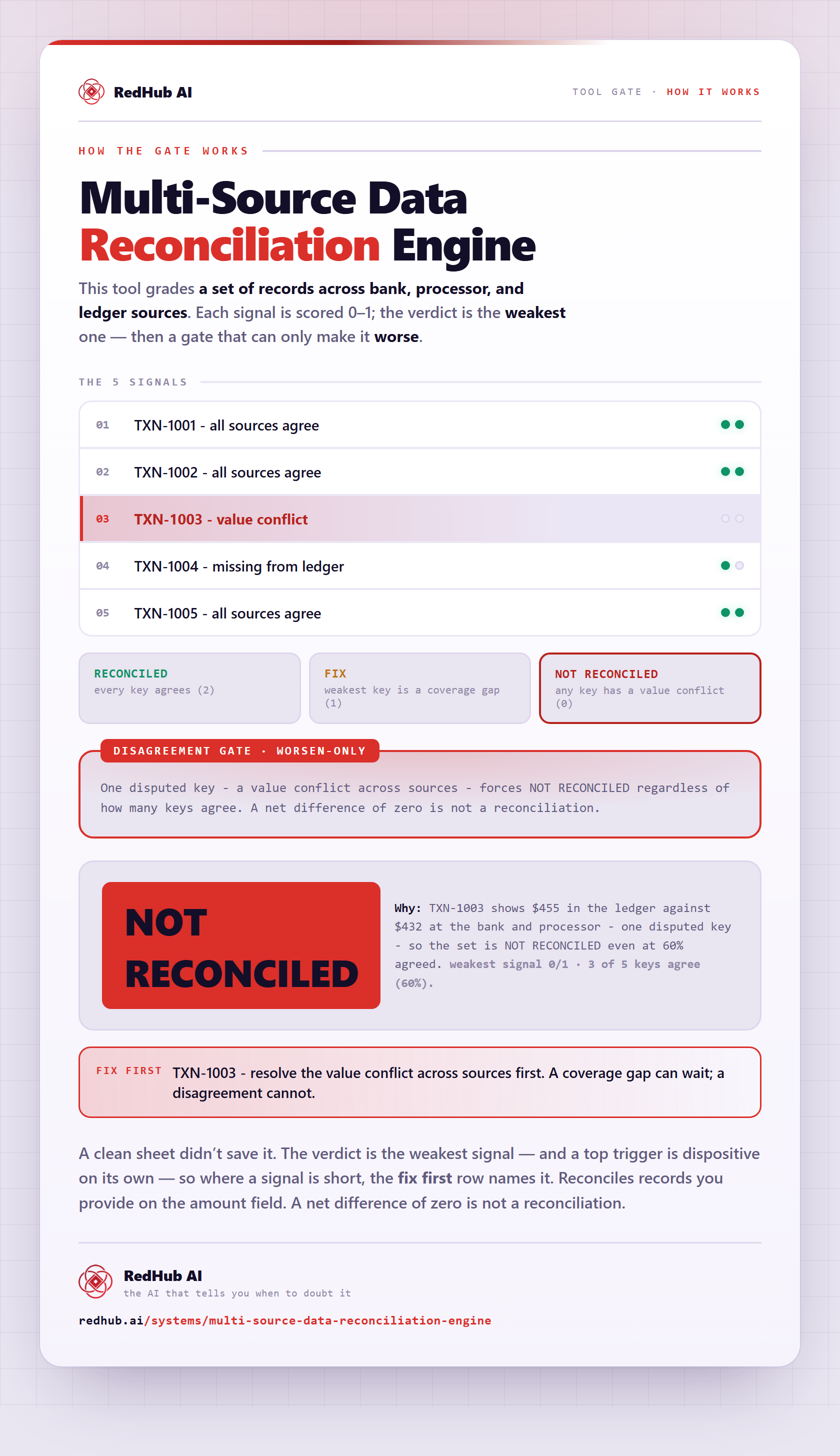
The gate this post refers to, drawn from the tool’s own logic. See the tool.