How to Reconcile Data Across Multiple Systems (CRM, Billing, Payments)
RedHub AI Editorialupdated November 5, 20267 min read

Jump to a section9
- Why these three systems disagree out of the box
- Pick a key that means one thing in every system
- Compare only fields that mean the same thing
- A worked example: a payout that doesn't match the ledger
- Counts don't reconcile anything
- Pairs or all at once?
- What the engine needs from you
- Pairs well with
- More in this guide
To reconcile across systems like a CRM, a billing platform and a payment processor, you need three things settled first. A key that every system stores the same way, usually an order or invoice number. A short list of fields that mean the same thing in every system. And a single table where every source's version of each record sits side by side. The comparing is quick once those are in place. Most failed reconciliations fail on the setup, because each system was built for a different job and describes the same sale in its own terms.
TL;DR: Match on a transaction-level ID that passes through every system, not on a customer's email. Compare gross to gross and net to net, because a payout that has had fees taken out will never match an order total. Only compare a status field if every system uses the same words. Line all three sources up at once so a missing record and a wrong value show up as different problems. The Multi-Source Data Reconciliation Engine ($89) runs that comparison on exports you prepare.
Why these three systems disagree out of the box
A CRM tracks the relationship: the contact, the deal, the stage. A billing system tracks the invoice: amount, terms, due date. A payment processor tracks money moving: the charge, the fee, the payout. Each one assigns its own IDs and stores amounts at a different moment in the sale's life. None of them was designed to agree with the other two, so agreement has to be built, and the place to build it is the match key.
Pick a key that means one thing in every system
The key is the field that lines a record up across sources. It has to hold the same value for the same thing everywhere. In rough order of how well they work:
- Order or invoice number. Best when billing creates it and passes it to the processor as metadata, and the CRM records it on the deal. It breaks when any system issues its own number instead of carrying the original.
- A payout or transfer ID. Right for reconciling the bank against the processor and the ledger, because the bank sees payouts, not individual orders.
- Customer email. Tempting, because all three systems usually have it. It is a person-level key, though. One customer with four orders has four billing rows and one email. If you reconcile on email you are comparing customer totals, which you have to add up yourself first, and an address that changed in one system splits one person into two.
Before you trust a key, test it on 20 or 30 records whose right answer you already know. If it gets those wrong, it gets the rest wrong too, and it does so quietly.
Compare only fields that mean the same thing
An amount field in each system is not automatically the same amount. The CRM may hold the deal value, billing the invoice total with tax, and the processor the charge or the payout net of fees. Pick the version every source can give you, or add a column so you compare like with like.
Status fields are worse. A CRM says "Closed Won," billing says "Paid," the processor says "Succeeded." All three mean the sale went through, and an exact comparison calls them three different values. Either map them to shared words before the run or leave status out and compare amounts only.
A worked example: a payout that doesn't match the ledger
Say the processor's payout for the week of June 7 is $9,843.00 and your ledger booked $10,200.00 of sales against it. The bank received $9,843.00. These numbers are a hypothetical example. Lined up on the payout ID, with two other payouts for comparison:
| Payout | Bank | Processor | Ledger |
|---|---|---|---|
| PO-0607 | 9,843.00 | 9,843.00 | 10,200.00 |
| PO-0614 | 8,120.40 | 8,120.40 | 8,120.40 |
| PO-0621 | (none) | 7,765.10 | 7,765.10 |
PO-0607 is a conflict. The gap is $357.00, which is exactly 3.5% of $10,200, so the likely cause is that the ledger booked gross while the bank saw net. That is a setup problem, not a missing payment: book the fee, or compare gross to gross. If the fee does not explain it, check refunds and chargebacks taken out of the payout next. PO-0621 is a gap. The processor and ledger agree, and the bank has no record yet, which is often a payout still in transit. Wait for it to land, then run the check again.
The Multi-Source Data Reconciliation Engine reads that table the same way. This is its real output on those three rows:
[po-0607]  ->  DISPUTED   conflict on: amount
[po-0614]  ->  AGREED
[po-0621]  ->  INCOMPLETE   missing from: bank
Keys: 1 AGREED / 1 DISPUTED / 1 INCOMPLETE (33% agreed)
Disagreement gate: FIRED on po-0607
SET VERDICT: NOT RECONCILED
Fix first: po-0607
It names the conflict and the gap. It does not know about fees, cutoffs or refunds, and it will not guess. That diagnosis is yours.
Counts don't reconcile anything
"The CRM shows 500 active customers and billing shows 480" is where many of these projects start. The count tells you there is a difference and nothing about which records. Twenty customers could be churned accounts never archived in the CRM, duplicates entered twice, or signups that were never set up to bill. Each has a different fix. Reconcile the records on a key and the count explains itself.
Pairs or all at once?
Checking CRM against billing, then billing against payments, works, and it can be easier to debug one pairing at a time. The cost is that no single pairing tells you which source is the odd one out. If the ledger is missing a payout, both pairings that include the ledger show it and the bank-to-processor pairing does not, so you learn the answer by reading three reports. Lining every source up on the same key puts the answer on one line: "missing from: bank."
If there are only ever two systems in your check, it is a two-list job, and how to reconcile two lists covers it.
What the engine needs from you
The Multi-Source Data Reconciliation Engine takes one long CSV: a source column, a key column, and your compare fields, with one row for each source and key. It does not connect to any of these systems, so the export is your step. Two cautions from its rules:
- One row per key per source. If the same key appears twice in one source, the script refuses the file and names both rows. Customer-level keys run into this constantly, which is another reason to key on the order or payout.
- Clean the amounts. Commas are fine. A dollar sign is not: the amount becomes unreadable, and if another source has an amount for that key, the key reads DISPUTED.
For the steps from setup to sign-off, see the reconciliation process. For the causes behind most mismatches, see why your data doesn't match across systems. The overview is in the main guide to data reconciliation.
Line up CRM, billing and payments on one key
The Multi-Source Data Reconciliation Engine reads every key AGREED, DISPUTED or INCOMPLETE across three or more exports and, when a key falls short, names the one to fix first. You supply the exports, and it changes nothing in your systems.
Get the Multi-Source Data Reconciliation Engine — $89Pairs well with
When the job really is two lists, the Two-List Reconciliation Kit ($49) reads each key RECONCILED, EXCEPTION or ORPHANED in one workbook. If your CRM holds the same customer twice, the Duplicate & Near-Duplicate Finder ($49) flags the repeats before they reach a reconciliation. When the reconciled numbers feed a month-end report, the Finance & Reporting Automation Kit ($129) checks each tie-out and labels it Ties out, Review or Does not reconcile.
More in this guide
What field should I match on between CRM, billing and payments?
Use a transaction-level ID that every system stores the same way, usually an order or invoice number passed from billing to the processor. Email is a customer-level key, so one customer with several orders breaks a one-row-per-record comparison.
Why doesn't my payout match my order total?
Usually because one side is gross and the other is net. Processors take their fee before paying out, so compare gross to gross or net to net. If the fee does not explain the gap, check refunds, chargebacks and orders that settled in the next payout.
My CRM and billing system show different customer counts. What does that mean?
Only that they differ. The gap could be churned accounts not archived, duplicate records, or signups never set up to bill. Match the records on a key to find out which, because each cause has a different fix.
Can I compare status fields across systems?
Only if every system uses the same words. "Closed Won," "Paid" and "Succeeded" can describe the same sale and still fail an exact comparison. Map them to shared values first, or compare amounts only.
Should I reconcile systems in pairs or all at once?
Pairs are easier to debug one at a time, but they cannot show which source is the odd one out without reading every pairing. Lining all sources up on one key shows directly which source is missing a record or holds the different value.
Does the Multi-Source Data Reconciliation Engine pull data from my CRM or processor?
No. You export from each system and combine the exports into one CSV with a source column, a key column and your compare fields. The engine reads that file and reports. It never connects to or changes a system.
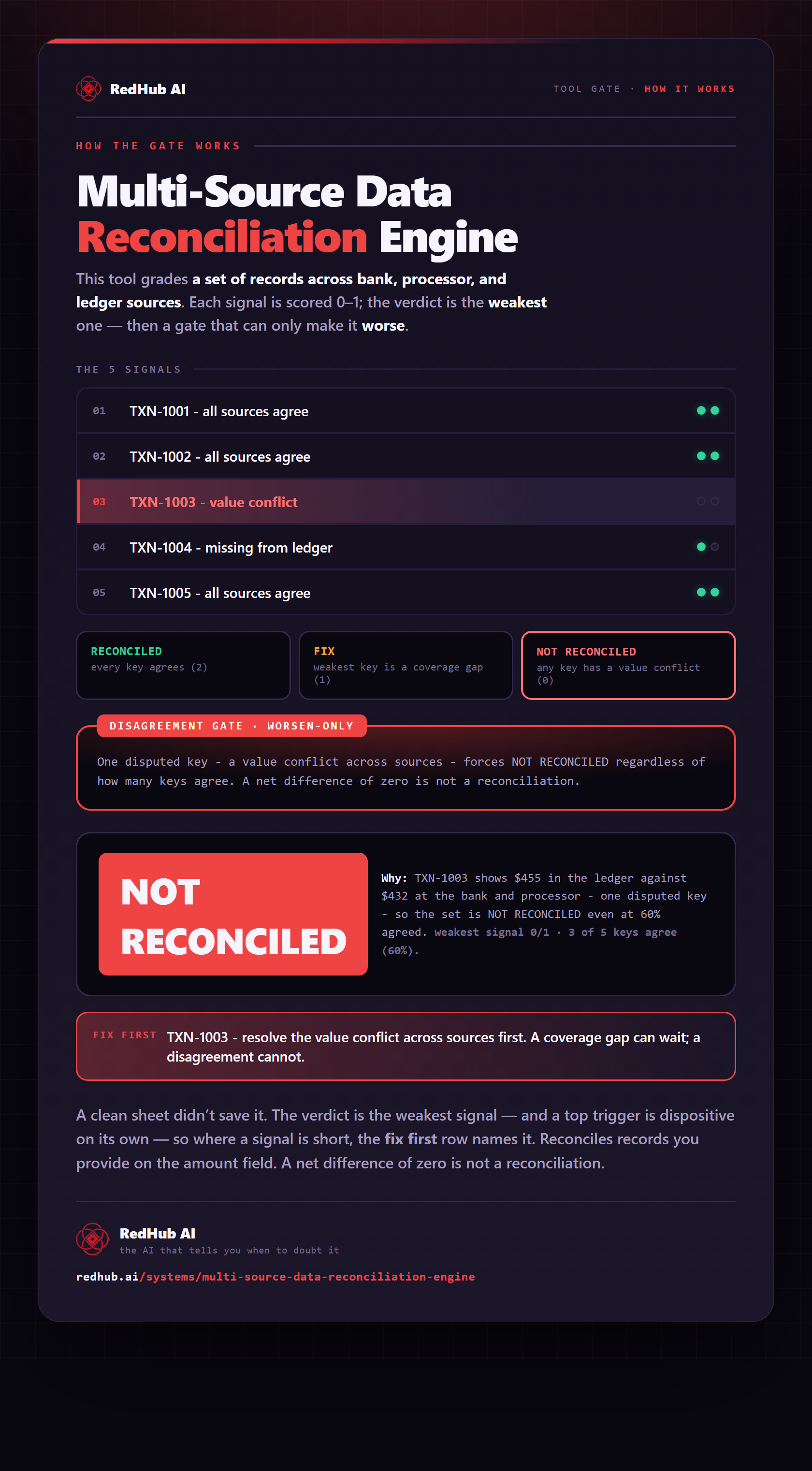
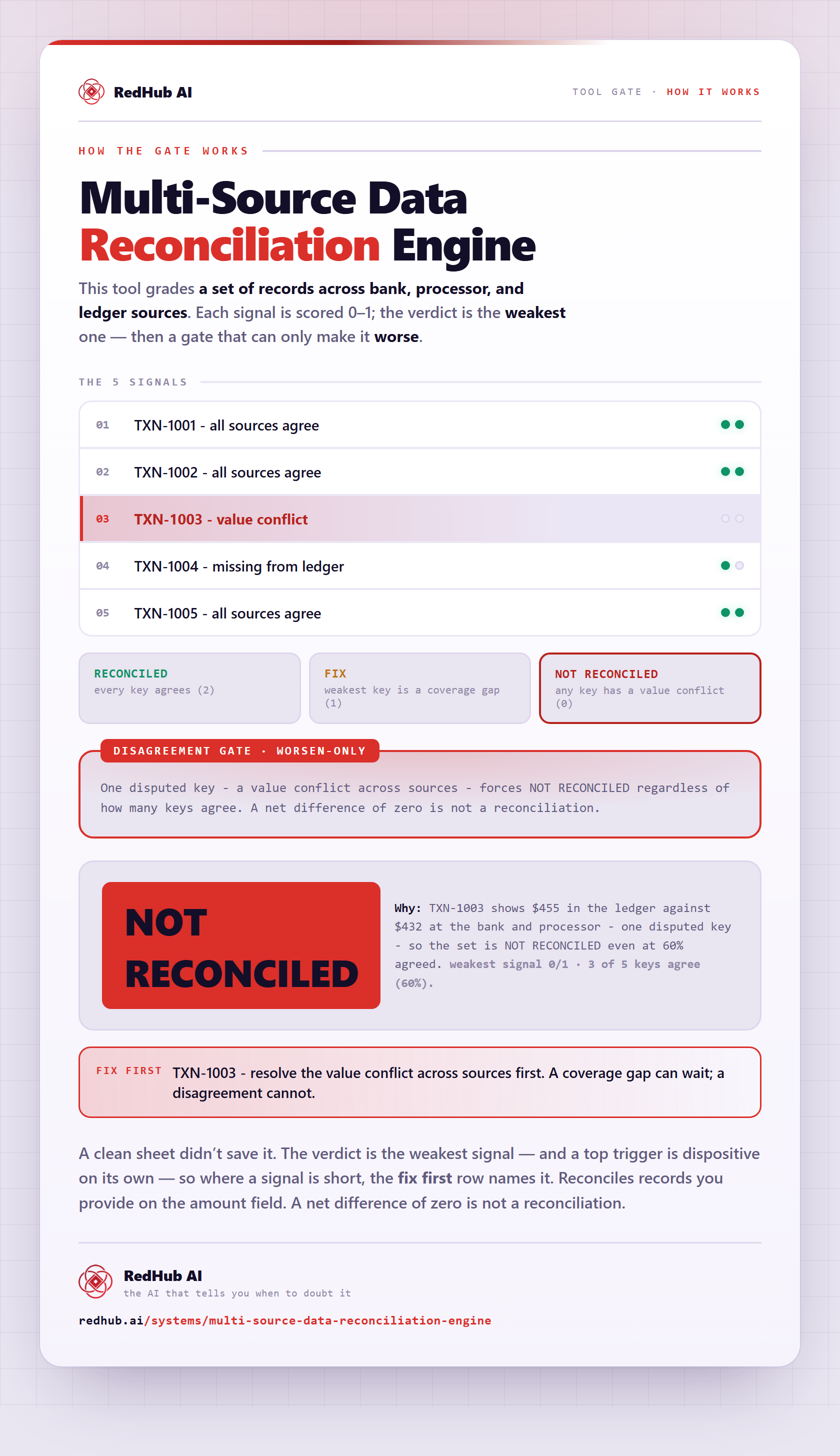
The gate this post refers to, drawn from the tool’s own logic. See the tool.