Multi-Source Data Reconciliation: How to Make Your Systems Agree
RedHub AI Editorialupdated November 5, 20268 min read

Jump to a section9
Data reconciliation is the job of checking that systems which should describe the same things actually do. You take the same records from each system, line them up on one shared key, and look for two kinds of trouble: a value that disagrees between systems, and a record that one system has and another does not. With two systems, those two problems are easy to tell apart. With three or more, they tangle, and telling them apart is most of the work.
TL;DR: Reconciling three or more sources means agreeing on one match key, deciding how close two amounts must be to count as the same, and then sorting every key into "agrees," "disagrees" or "missing somewhere." A disagreement and a gap need different fixes, and one real disagreement means the set is not reconciled, however many other keys agree. The Multi-Source Data Reconciliation Engine ($89) runs that check on exports you supply. If you only ever have two lists, the Two-List Reconciliation Kit ($49) is the better fit.
Two lists are a different, easier job
If you have exactly two lists, say a bank statement and a ledger, every record lands in one of three places. It is on both lists and agrees. It is on both and disagrees. Or it is on one list only. That job has its own guide, how to reconcile two lists, and its own tool. Start there if two lists is all you have.
Add a third source and a new case appears. A transaction can be on the bank feed and the processor report, missing from the ledger, and still agree everywhere it does appear. Another can be on all three with the ledger showing a different amount. Both look like "the numbers don't match." They are different problems. The first is a coverage gap: someone has not posted the row yet, or an export filtered it out. The second is a value conflict: one system holds a wrong number. You chase a gap by finding the missing row. You fix a conflict by deciding which system is right and correcting the wrong one at its source.
Comparing the sources two at a time hides this split. Bank against ledger shows the first transaction as "missing" and the second as "different," and you have to read the third pairing to learn which source is the odd one out. Lining all the sources up at once on the same key answers that in one pass.
Three decisions to make before you compare anything
- The sources. Name every export that is supposed to describe the same set of things. Bank, processor and ledger is the common one. A CRM, a billing system and a fulfillment export keyed on order ID is another. Three regional inventory feeds that must agree on quantity per SKU is a third.
- The match key. One field that holds the same value for the same thing in every source: a transaction ID, an order number, an invoice number, a SKU. If one system writes ORD-0042 and another writes ORD-42, fix that before you start. A key that differs between systems does not match, and no amount of care later puts it back together.
- The compare fields and the tolerance. Which values must agree (amount, status, quantity) and how close two amounts must be to count as equal. A one-cent tolerance absorbs rounding between systems. Anything wider starts hiding real differences.
Write all three down before the first run. A key or tolerance chosen halfway through a review gets bent to fit the results you are looking at.
A worked example: bank, processor and ledger
Here are five transactions as they appear across three exports. The amounts are illustrative.
| Key | Bank | Processor | Ledger | What it is |
|---|---|---|---|---|
| TXN-1001 | 1,250.00 | 1,250.00 | 1,250.00 | Agrees everywhere |
| TXN-1002 | 980.50 | 980.50 | 980.50 | Agrees everywhere |
| TXN-1003 | 432.10 | 432.11 | 455.00 | Bank and processor agree within a cent. The ledger is $22.90 off |
| TXN-1004 | 75.00 | 75.00 | (none) | Missing from the ledger, no conflict |
| TXN-1005 | 610.00 | 610.00 | 610.00 | Agrees everywhere |
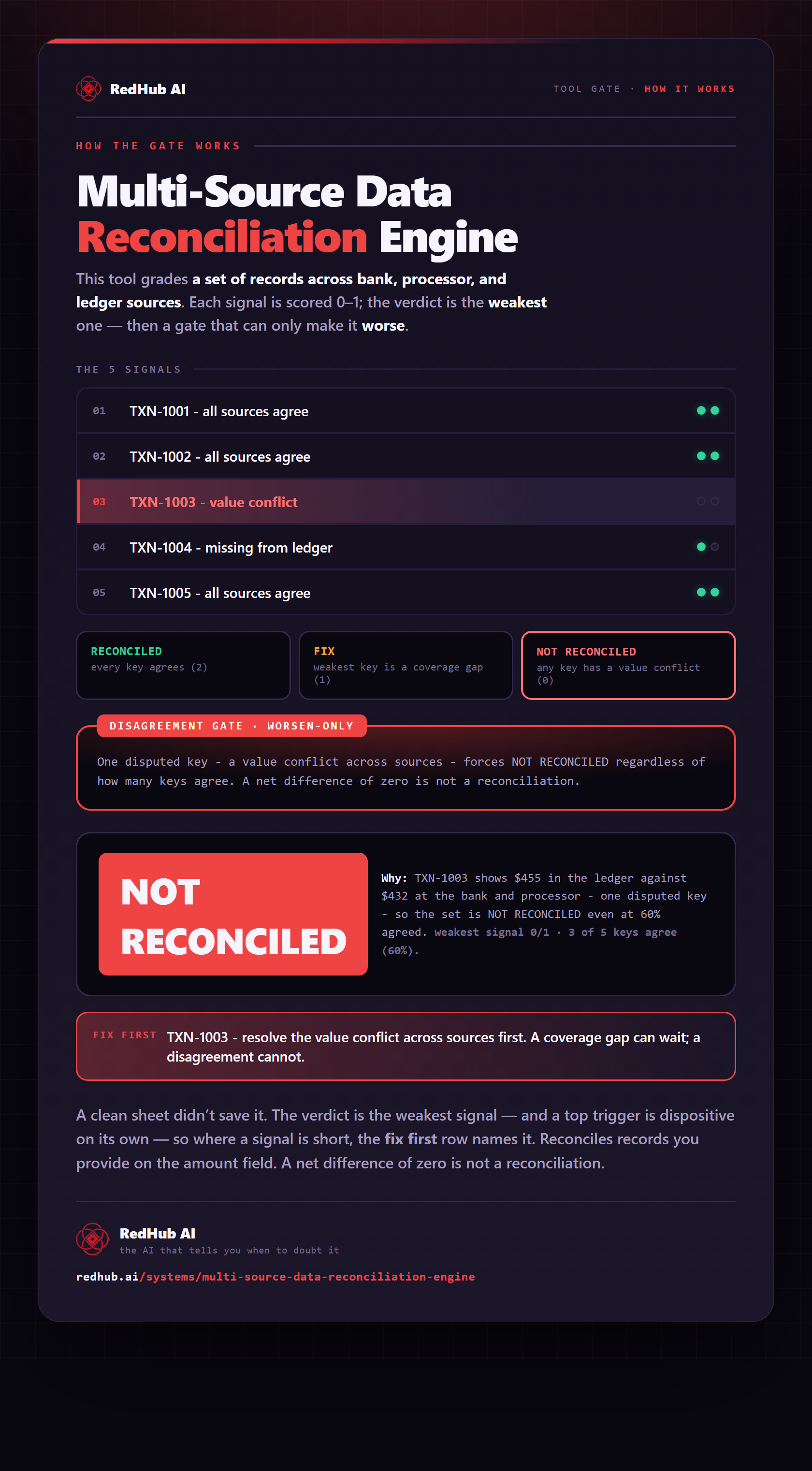
Three of five keys agree, which is 60%. The tempting summary is "mostly reconciled, two to look at." That is the wrong read. TXN-1003 is a value conflict, so the set does not reconcile until somebody decides which amount is right and corrects it. TXN-1004 is a gap, and the fix is to find out why the ledger never got the row. Fix TXN-1003 first, because a wrong number can move money and a late row usually just needs posting.
Notice the cent on TXN-1003. Bank and processor differ by 0.01, inside the tolerance, so that pair is not the problem. Without a tolerance you would chase a rounding difference and might miss that the ledger is the real outlier.
Why "most keys agree" is not a result
An agreed share of 60%, or 99%, says how much of the set lines up. It does not say the set is reconciled. A single conflicting key means at least one system holds a wrong value, and the honest answer to "do these sources agree?" is no. A net difference of zero is not proof either: two errors in opposite directions cancel in the total and both stay wrong.
So treat the share as context and let the worst key set the verdict. A conflict anywhere means not reconciled. Gaps with no conflict mean there is work to finish. Only a set where every key agrees in every source is done.
What the Multi-Source Data Reconciliation Engine does
The Multi-Source Data Reconciliation Engine ($89) is a Python script and an Excel workbook that run this check on files you export yourself. You give it one long table with a row for each source and key, plus the compare-field columns. It trims and lowercases the key and the source name, so "TXN-1001 " and "txn-1001" are the same key. Amounts agree within 0.01. Text fields such as status must match exactly after trimming and ignoring case.
Each key comes back AGREED, DISPUTED or INCOMPLETE. The set comes back RECONCILED (every key AGREED), FIX (gaps only) or NOT RECONCILED (any DISPUTED key), with a "Fix first" line naming the key to work next whenever any key falls short. On the sample above it prints exactly the reading worked out by hand:
[txn-1001]  ->  AGREED
[txn-1002]  ->  AGREED
[txn-1003]  ->  DISPUTED   conflict on: amount
[txn-1004]  ->  INCOMPLETE   missing from: ledger
[txn-1005]  ->  AGREED
Keys: 3 AGREED / 1 DISPUTED / 1 INCOMPLETE (60% agreed)
Disagreement gate: FIRED on txn-1003
SET VERDICT: NOT RECONCILED
Fix first: txn-1003
What it does not do
It also reports and nothing more. It never edits, merges or writes back to a source. You correct the wrong value where it lives and run again. If the same key appears twice inside one source, the script refuses the file and names both rows rather than guessing which to keep. Finding near-duplicates within one list is a different tool's job.
Two habits are worth keeping. First, look at the source list on the first line of the output. Only sources that have rows in the file are counted, so if one export comes through empty, that system is left out and nothing flags it as missing. Second, check for blank cells. The script treats a blank compare cell as "not supplied," so a key can read AGREED while one source has no amount at all. The workbook handles blanks differently from the script, and it holds three sources, an amount and a status, and up to 29 keys you list by hand. Use the script for anything larger.
Where to go from here
The four guides in this set each take one part of the job:
- How to reconcile across systems covers CRM, billing and payment exports, including why a payout rarely matches an order total.
- The reconciliation process lays out the five steps from setup to sign-off.
- Why your data doesn't match across systems diagnoses the four usual causes.
- Automating reconciliation draws the line between what a script should run and what a person should decide.
Separate the conflicts from the gaps
The Multi-Source Data Reconciliation Engine lines up three or more exports on one key and reads every key AGREED, DISPUTED or INCOMPLETE. One dispute keeps the set NOT RECONCILED. Python script, workbook and two guides. Not accounting advice.
Get the Multi-Source Data Reconciliation Engine — $89Pairs well with
If a source has the same customer twice under different emails, clean it first with the Duplicate & Near-Duplicate Finder ($49), which reads every row in one list UNIQUE, REVIEW or DUPLICATE and never merges anything for you. For the accounts payable version, invoice against purchase order against goods receipt, the Invoice-PO-Receipt 3-Way Match ($79) returns APPROVE, HOLD or BLOCK PAYMENT and blocks any line that bills more than was received. When reconciled figures feed your month-end close, the Finance & Reporting Automation Kit ($129) labels each tie-out Ties out, Review or Does not reconcile from figures you enter.
More in this guide
What is data reconciliation?
It is checking that systems which should describe the same records actually do. You line up each system's records on one shared key, then find the values that disagree and the records that some systems have and others do not.
How is reconciling three sources different from comparing two lists?
With two lists a record is matched, different, or on one side only. With three or more, a record can be missing from one source and agree everywhere else, which is a coverage gap, or be present everywhere with one source holding a different value, which is a conflict. They need different fixes.
If 95% of keys agree, is the set reconciled?
No. One key whose values conflict means at least one system holds a wrong number. The agreed share shows how much lines up. It does not make the set reconciled. A net difference of zero is not proof either, because opposite errors cancel in a total.
What amount tolerance should I use?
Use the smallest one that absorbs rounding between your systems, often one cent. A wider tolerance makes real differences disappear. Choose it before you look at results so it is never widened to make a problem go away.
Does the Multi-Source Data Reconciliation Engine do fuzzy matching?
No. It matches keys exactly after trimming spaces and ignoring case, and compares text fields the same way. Make IDs, prefixes and leading zeros consistent across your exports before you run it.
Does the engine connect to my CRM, bank or billing system?
No. You export from each system and give the engine one table with a row per source and key. It reads that file, prints a verdict per key and for the set, and changes nothing in any system.
Do I need the Multi-Source Engine or the Two-List Kit?
If you only ever reconcile two lists, the Two-List Reconciliation Kit ($49) is built for that. The Multi-Source Data Reconciliation Engine ($89) is for three or more sources that must agree on the same keys.
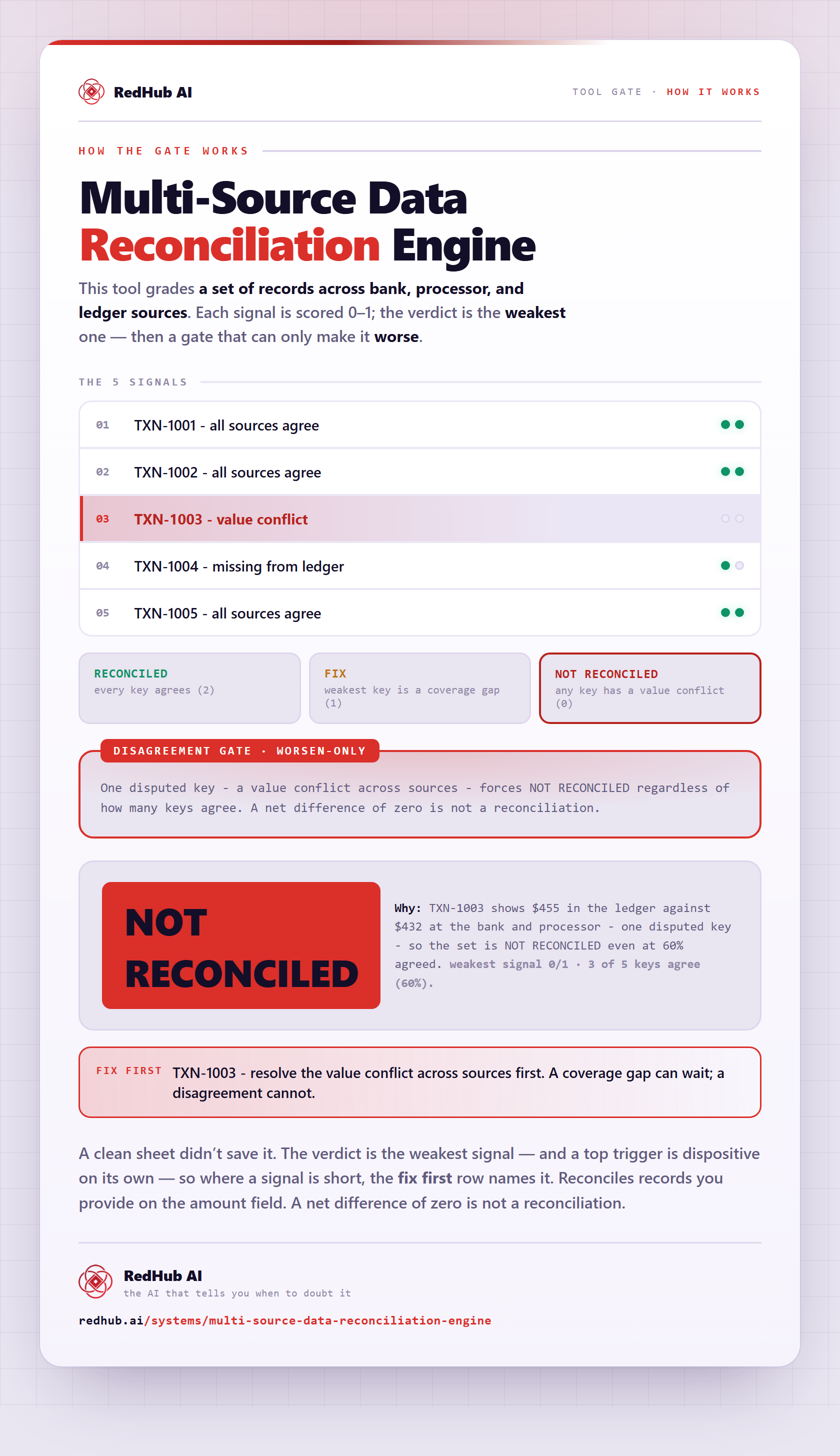
The gate this post refers to, drawn from the tool’s own logic. See the tool.