Checkout Friction: The Small Frictions That Kill Conversions
RedHub AI Editorialupdated October 4, 20265 min read

Jump to a section6
Checkout friction is any effort, doubt or surprise between a full cart and a placed order that gives a shopper a reason to stop. It might be a field they have to fill in, a login they did not ask for, or a shipping fee that appears on the last screen. Each one looks minor on its own. Together they add up: Baymard Institute's (opens in a new tab) checkout benchmark found the average US checkout shows 23.48 form elements by default, where its testing suggests 12 to 14 can be enough. Friction works on people who already decided to buy, so removing it unblocks demand you already earned instead of trying to create new demand.
TL;DR: Checkout friction comes in three kinds: effort, doubt and surprise. They stack, and they act on shoppers who were ready to pay. Baymard Institute counts 23.48 form elements in the average US checkout against 12 to 14 in a lean one. Not every bit of friction should go, because some of it protects the order. Find the source doing the most damage and fix that first. The Checkout Friction & Abandonment Exposure Gate ($79) names it. Part of the guide on cart abandonment.
Effort, doubt and surprise
Telling the three kinds apart tells you where to look, and Baymard's survey of US online shoppers puts a number on each:
- Effort friction is work you make the shopper do: fields, steps, an account to create. 17% of shoppers in Baymard's survey left over a too long or complicated checkout, and 18% because the site wanted them to create an account.
- Doubt friction is a moment of hesitation, such as a payment page that looks unfinished or has no visible return policy. 19% said they didn't trust the site with their card details.
- Surprise friction changes the deal late. 40% left over extra costs such as shipping, tax and fees, and 12% because they couldn't see or work out the total up front.
Those shares exclude shoppers who were just browsing. They also overlap, which is the point: friction stacks. A shopper who would have put up with a long form leaves when a surprise fee lands on top of it.
Count your form fields
Effort is the easiest friction to measure, because you can count it. Baymard's benchmark counted 14.88 form fields in the average US checkout, out of 23.48 form elements shown in total. Its testing suggests an ideal flow can be as short as 7 or 8 fields, and that most checkouts could show 20% to 60% fewer elements by default.
Go through your own checkout and count what shows before anyone clicks. Then question the usual suspects: a second address line shown open by default, a company-name field shown to shoppers who are not companies, a "confirm email" box, a phone number you never call. Each one is a few seconds of work for a shopper who is about to hand you money.
Some friction is there on purpose
Not every step that slows a shopper down is a mistake. A card verification screen from the bank, an address check that catches a typo before the parcel ships, and an age check on restricted products all add effort. They also prevent fraud, a lost parcel or an order you cannot legally ship. Strip them out and the cost shows up later, as chargebacks and returned parcels instead of abandoned carts.
The judgment is telling friction that protects the order from friction that only protects habit, and it is not always clear. A phone number field is pure effort on most orders and a real need when the courier will not deliver without one. That call depends on your carrier, your products and your fraud rate, and no checklist makes it for you.
Find the worst source, then stop
Friction audits go wrong when they turn into a list of fifty tweaks. Usually one source is doing most of the damage, and the rest are noise next to it. In the Gate's worked sample, a flow called Mobile express lane scores 1 out of 2 on five of its seven signals. The Gate reads it LEAKING and names checkout simplicity as the fix to make first, with the note to cut steps and fields and add autofill.
Name the friction source that matters
Seven signals, including checkout simplicity, trust at payment and mobile readiness, go into each verdict from the Checkout Friction & Abandonment Exposure Gate. You describe the flow. It returns SMOOTH, LEAKING or HEMORRHAGING per flow and, where a signal is short, the one to fix first with a fix note. It is a diagnostic, not a recovery tool, and it promises no conversion lift.
Get the Checkout Friction & Abandonment Exposure Gate — $79Pairs well with
Friction starts before checkout. The AI Offer & Landing-Page Conversion Kit ($79) scores a landing page on clarity, proof, relevance, friction and honesty, and its claim linter returns Launch, Tune or Rework. If social is where shoppers find you, the Instagram Profile Conversion Audit ($79) scores a profile on six surfaces and, where one falls short, names the thing to fix first. For shoppers who leave anyway, the Cart-Recovery Sequence Effectiveness Gate ($49) grades the follow-up email flow.
More in this guide
What is checkout friction?
Any effort, doubt or surprise between a full cart and a placed order that gives a ready buyer a reason to stop, such as an extra field, a forced login or a fee shown at the last step. Each is minor alone; together they stack.
What are the types of checkout friction?
Three: effort (fields, steps, forced accounts), doubt (weak trust signals, unclear policies at the payment step) and surprise (costs or terms revealed late). In Baymard Institute's survey, surprise extra costs were the most common reason for abandoning, at 40%.
How many form fields should a checkout have?
Baymard Institute's testing suggests an ideal checkout can be as short as 7 or 8 form fields, or 12 to 14 form elements. Its benchmark found the average US checkout shows 14.88 fields and 23.48 elements by default.
Should I remove all checkout friction?
No. Some steps protect the order, such as card verification, address checks and age checks on restricted products. Remove friction that only exists out of habit, and keep friction that prevents fraud, failed deliveries or orders you cannot ship.
How do I find my checkout's friction?
Buy your own product on a phone as a new customer: logged out, no saved autofill, a card the site has not seen. Note every point where you hesitate, wait or get surprised. Those are the points where real customers leave.
Why do small frictions matter so much?
Because checkout is where a shopper is about to pay, so any reason to pause becomes a reason to leave. Friction also stacks, and it acts on people who already decided to buy, so removing it unblocks demand that already exists.
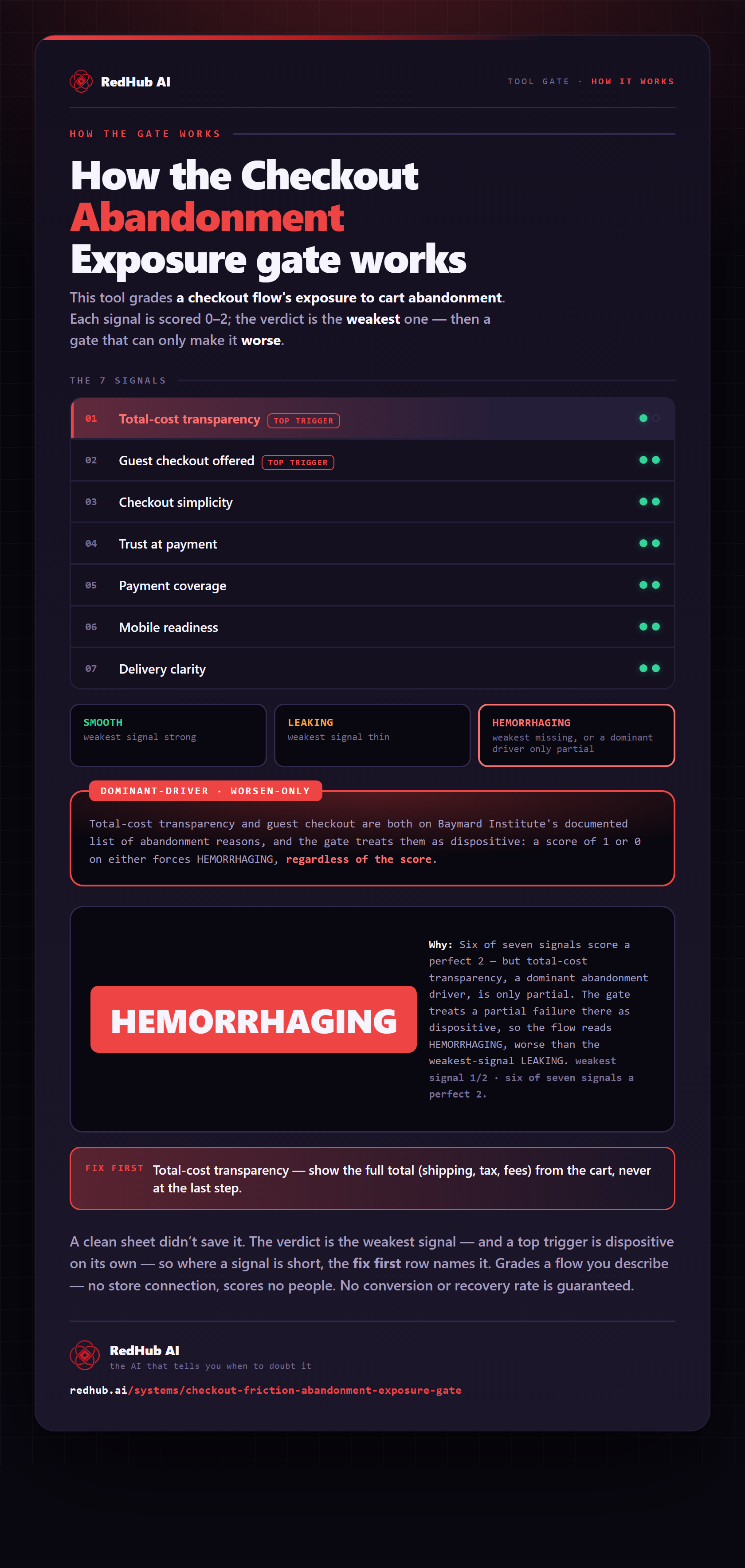
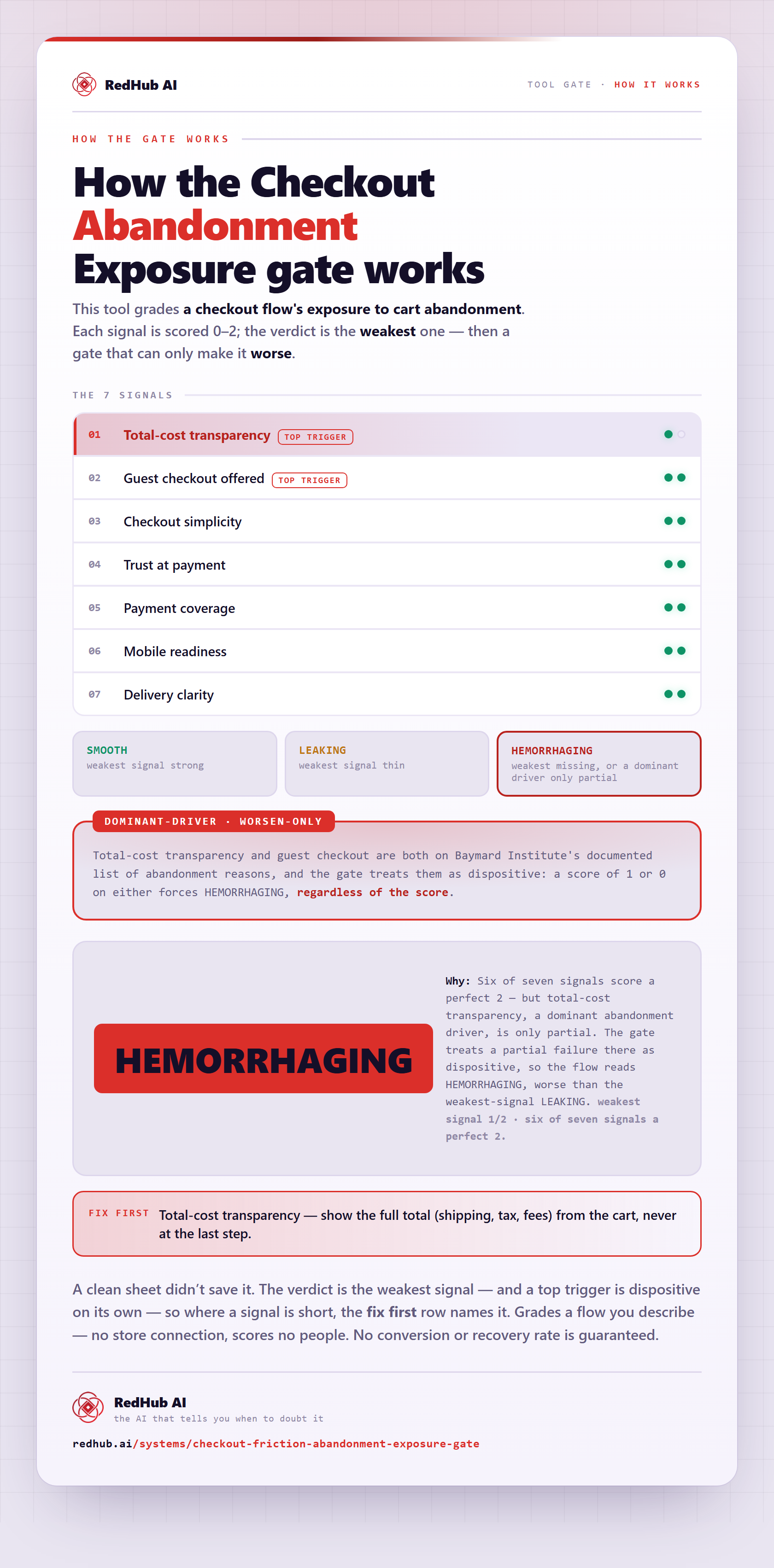
The gate this post refers to, drawn from the tool’s own logic. See the tool.