Checkout Optimization: A Practical Checklist
RedHub AI Editorialupdated October 4, 20265 min read

Jump to a section6
The quickest checkout optimization is an eight-line audit. Show the full total early, allow guest checkout, keep the form short, make the payment step look safe, make it work on a phone, offer the payment methods your buyers use, say when the order will arrive, and confirm the order clearly. Score your checkout against each line, fix the weakest line first, then score it again. The list is a standard to measure against, not a sprint to finish this week. Two stores using the same list will find different gaps, and the gap that matters is yours.
TL;DR: Audit your checkout against eight lines: transparent total, guest checkout, minimal form, visible trust, mobile flow, expected payment options, delivery date and a clear confirmation. Some lines pull against each other on a small screen, so you have to choose. Fix the biggest gap first, re-audit after every change, and finish holiday-season changes early enough to re-check them. The Checkout Friction & Abandonment Exposure Gate ($79) turns the list into a scored priority. Part of the guide on cart abandonment.
The checklist
- Show the true total early. Shipping, tax and fees appear in the cart, or are built into the price. Nothing new appears on the last screen.
- Offer guest checkout. No account wall before payment. Invite signup on the confirmation page.
- Minimize the form. Ask only for what you need to deliver and charge. Use fields that work with browser autofill, and hide optional ones until asked for.
- Make trust visible. A secure-payment note, accepted payment logos and the return policy sit where the card number is entered.
- Be fast, and work on a phone. Quick loads, large tap targets, the right keyboard for each field (numbers for card and ZIP code), and no pinch-zooming to read the total.
- Offer expected payment options. Cards, plus an express wallet such as Apple Pay, Google Pay or PayPal, which lets a shopper who has one set up skip typing card details.
- Say when it will arrive. An estimated delivery date early in the flow. Baymard Institute's (opens in a new tab) survey of US online shoppers found 20% abandoned over slow delivery, the second most common reason after extra costs.
- Confirm clearly. A final review of exactly what is charged and shipped, then a confirmation page and email that leave no doubt the order went through.
When two lines pull against each other
A checklist reads as if every line can be met at once. On a phone screen, they compete for the same space. Four wallet buttons above the form help shoppers who use wallets and push the form below the fold for those who do not. Trust badges and a returns note reassure, and they also make the page longer. An accurate delivery date usually needs the shopper's ZIP code, which means asking for it earlier than a short form would like.
There is no single right answer to these trade-offs. The checklist cannot make the choice. Your own customers can, if you change one thing at a time and watch what happens to completed orders.
Optimize in priority order, then re-check
Work worst gap first. Score your checkout against each line, fix the one doing the most damage, then re-audit and move down. Fixing the easy items because they are easy leaves the biggest leak running. A store can also run more than one flow, and they need not leak in the same place. The Gate's worked sample grades five flows: three read HEMORRHAGING, one LEAKING and one SMOOTH, so the portfolio reads HEMORRHAGING, with Main store checkout named as the worst. The fixes differ by flow, from total-cost transparency on one to checkout simplicity on another.
Re-check before the holiday rush
Checkout is not a set-and-forget page. A new payment app, a theme update, a new shipping rate or a shift toward mobile buyers can reopen a gap you closed. Re-audit after any change to the flow, and on a schedule even when nothing seems to have changed.
If you plan checkout changes for the holiday season, finish them early, so you can re-score the flow and see a few ordinary weeks of orders before traffic peaks. A change made in late November leaves little time to notice it broke something. A change freeze during your busiest weeks keeps a bad deploy from landing at the worst moment.
Make the checklist a ranked plan
Run every flow you have through the Checkout Friction & Abandonment Exposure Gate. It scores each one on seven signals, from total-cost transparency to delivery clarity, and returns SMOOTH, LEAKING or HEMORRHAGING per flow, with a portfolio rollup and the signal to fix first where one is short. It is deterministic and offline, and it promises no specific lift: you make the fix and re-score.
Get the Checkout Friction & Abandonment Exposure Gate — $79Pairs well with
Once the checkout holds, the gains move upstream. The AI Offer & Landing-Page Conversion Kit ($79) scores the landing page on clarity, proof, relevance, friction and honesty, with a Launch, Tune or Rework verdict from its claim linter. The Instagram Profile Conversion Audit ($79) scores a profile on six surfaces and, where one falls short, names the thing to fix first. After the sale, the Returns & Refund Profit Analyzer ($39) shows true profit per SKU once returns come back.
More in this guide
What is checkout optimization?
The work of removing every avoidable reason a ready buyer stops before paying, measured against a standard: transparent costs, guest checkout, a minimal form, visible trust, a phone-friendly flow, expected payment options, a clear delivery date and a clear confirmation.
What belongs on a checkout checklist?
Show the true total early, offer guest checkout, minimize the form, make trust visible at the payment step, work well on a phone, offer the payment methods your buyers use, show a delivery date and confirm the order clearly. Use it as a standard to audit against.
In what order should I optimize?
Worst gap first. Score your checkout against each item, fix the one doing the most damage, then re-audit and move down. Fixing easy items because they are easy leaves your biggest leak running.
What if two checklist items conflict?
On a phone they often do: wallet buttons, trust badges and a delivery estimate all take space, and some need information earlier than a short form would ask. Change one thing at a time and judge it by completed orders.
Should I change my checkout before the holidays?
Only early enough to re-check it. Finish changes in time to re-score the flow and watch a few ordinary weeks of orders before traffic peaks, so a broken change does not surface during your busiest days.
How is a diagnostic better than just using the checklist?
A checklist is a flat list; a diagnostic ranks it for your flow. The Checkout Friction & Abandonment Exposure Gate scores each flow you describe on seven signals and, where a signal is short, names the one to fix first.
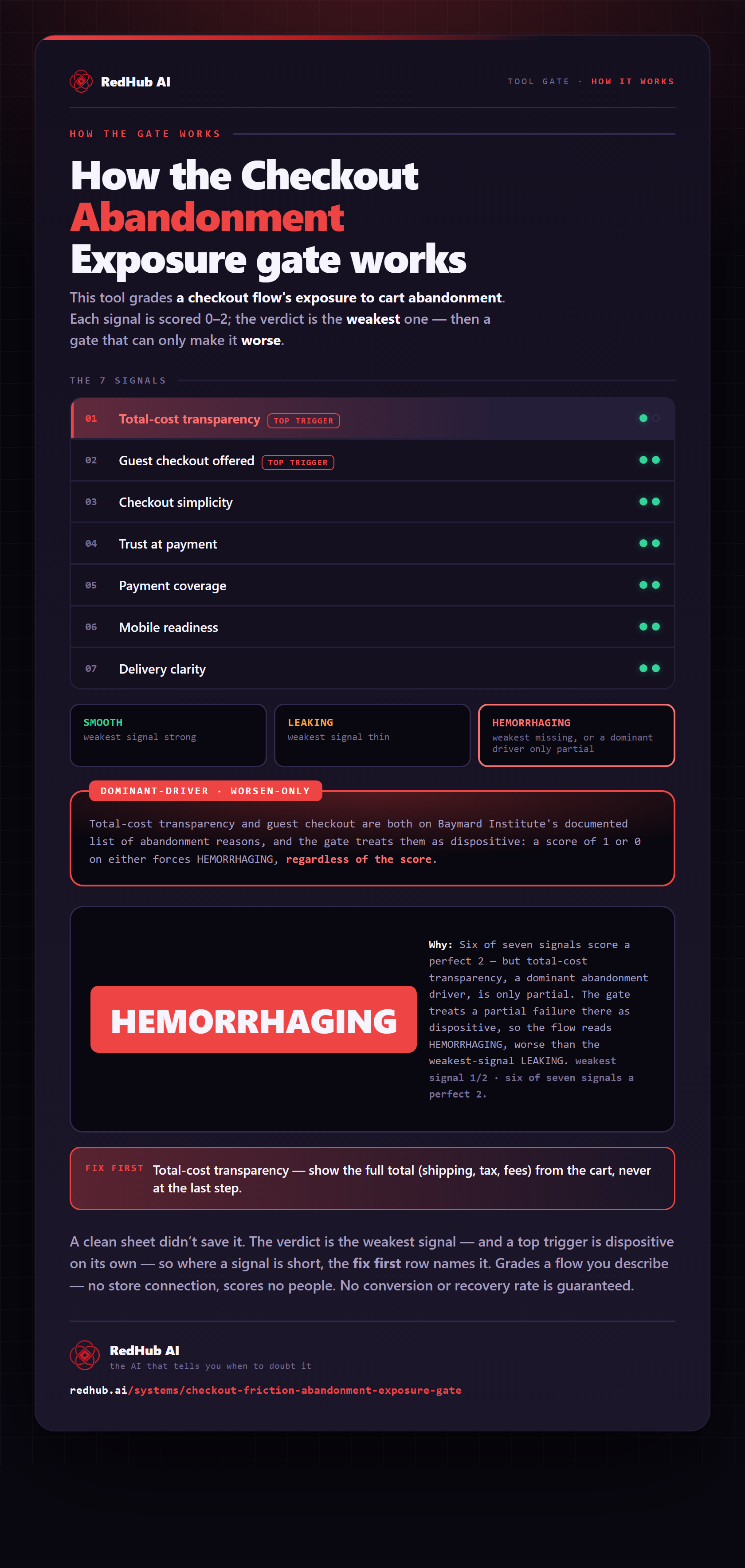
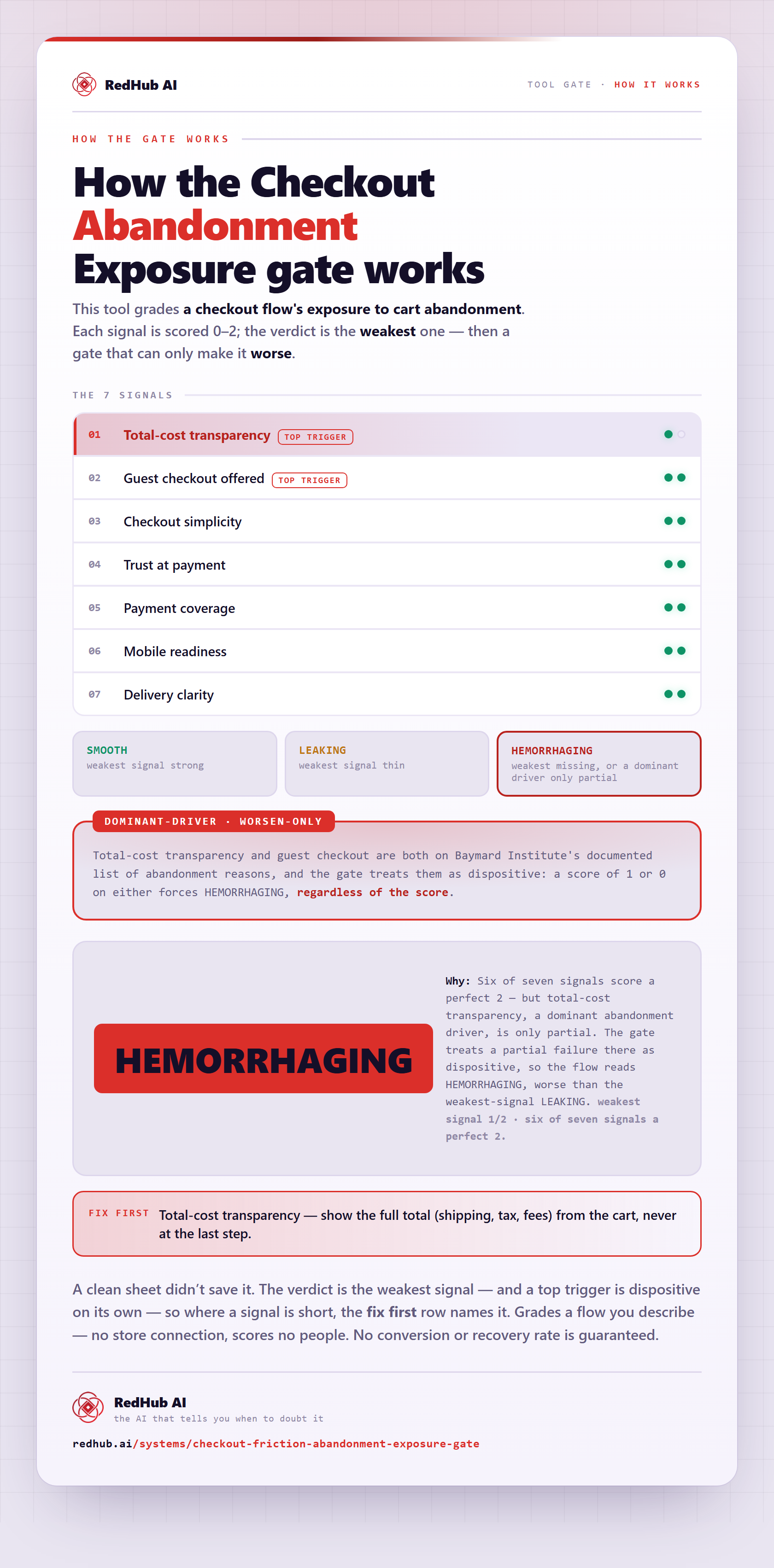
The gate this post refers to, drawn from the tool’s own logic. See the tool.