Client-Side vs Server-Side Validation: Which of Your App's Checks Are Real
RedHub AI Editorialupdated October 7, 20269 min read

Jump to a section10
- Anything the browser decides, your user decides
- Front-end checks do a different job
- The half most advice leaves out
- Three questions per check
- "I can't find it" counts against you
- Why one bad check sets the verdict
- Where to start in your own app
- What sorting your checks won't tell you
- Pairs well with
- More in this guide
The difference in client side vs server side validation is who controls the computer the check runs on. A client-side check runs in the browser, on your user's machine, so they can change it or skip it. A server-side check runs on a machine they can't reach. There is a second half that gets less attention. Server code that decides from a value the browser sent is still letting the browser decide.
TL;DR: Anything the browser decides, your user decides. Front-end checks help the person filling in the form, and they enforce nothing. Moving a check to the server helps only if the server also stops taking the browser's word for the value it checks. To sort your own app, ask three things of each check: what it guards, where it runs, and where the value it decides from came from. The Browser Line Read-Off ($59) is a spreadsheet that holds those answers and returns a verdict.
Anything the browser decides, your user decides
The browser is a program running on someone else's computer. They can open the developer tools that come with it, read your code, change a value, and press continue. They can also skip your page and send a request to your server from a command line. Your form, your buttons and your disabled Submit are not on the path a request has to take.
This is hard to accept the first time, because you built the app and you can see the check. It is right there in the code. You watched it run. But it runs for people who load your page, and nobody is required to load your page.
Front-end checks do a different job
None of this means you should delete your client-side validation. A check in the browser tells someone their email is missing an @ before they wait for a round trip. It grays out a button that isn't ready. It saves a person thirty seconds on a form that was never going to go through.
That job is helpfulness. The other job is enforcement. Trouble starts when an app has only browser checks and its builder believes the second job is covered because the first one is.
| Check runs in | Good at | What happens if a user removes it |
|---|---|---|
| The browser | Instant feedback, fewer wasted round trips, a calmer form | They see a worse form. Nothing else changes. |
| The server | Deciding what is allowed to happen | They can't remove it. It isn't on their computer. |
The right-hand column is the test. If removing a check only makes the form worse for the person who removed it, the check can stay in the browser. If removing it lets them do something you didn't intend, it was never a browser's job.
The half most advice leaves out
"Validate on the server" is good advice, and it stops one step early.
Take two checks in the same app. Both guard money, and both run on the server. The first receives an order, looks up the price of each item in its own database, adds them up, and charges that. The second receives an order that includes a total field, and charges the total.
The second check runs, confirms that the number it was handed is a number, and then charges whatever the request said. Nobody had to break your server. They typed a different number on the way in.
The same pattern shows up outside checkout. A request carries a role field, and the server reads it. A request carries user_id, and the server updates that user. A request carries is_admin: false, which is polite of it. Each one is a server-side check that a user can steer from their own keyboard.
Three questions per check
You can sort any single check with three questions, in order. None of them asks for an opinion. You read something off a screen and write it down.
- What does this check guard? Money, someone else's data, or the user's own convenience. Ask what a person could do if the check weren't there. If the answer only affects them, such as a tidier form or a hidden button they didn't need, that is convenience.
- Where does it run? The browser, your server, or the database. Look at which file the check is in and whether that file ships to the visitor.
- Where did its deciding value come from? Either the server looked it up, or the browser sent it. Look at the request. If the number, the id, the role or the permission arrived in the request body, the server is checking a value the user chose.
The three answers sort a check into one of three places. A check that guards money or other people's data, runs on the server or in the database, and decides from something the server looked up is enforced. A check that guards only convenience and runs in the browser is fine where it is. A check that guards something real and either runs in the browser or decides from a browser-supplied value trusts the browser.
"I can't find it" counts against you
Some checks won't resolve when you go looking. You won't be able to tell where the code runs, or you can't trace where a value came from. The instinct is to leave the row blank and come back to it. Mark it unsafe instead.
A gap you wrote down gets checked, and a blank gets forgotten. Scoring the unknown on the worse side has a cost you should know about: your result will look worse than your app may be. Two of the four exposed checks in the read-off's worked example are exposed only because the builder couldn't find the answer. They may turn out to be fine. Until someone looks, nobody knows, and the sheet says so.
Why one bad check sets the verdict
It is tempting to grade this like a report card: eight good checks, two bad ones, mostly fine. Someone probing your app doesn't sample it at random and average the results. They look for the one thing that gives way.
Nine enforced checks and one that takes the price from the page add up to an app where the price comes from the page. So the roll-up is worst, not average. Your verdict is the state of your weakest check, and it stays there until that check is fixed.
Where to start in your own app
Start with money. Anywhere a price, a quantity, a discount, a plan or a credit balance is decided, ask the three questions and write down the answers. A browser-supplied value on a money check costs you on the first request that uses it.
Then take other people's data: anywhere a request names a record and your app hands it over. Then everything else, most of which will be convenience.
The worked example in the read-off shows what a first pass tends to look like. It lists ten checks from a typical first app. Three read ENFORCED, four read TRUSTS THE BROWSER, and three read FINE IN THE BROWSER. Two of the ten are money checks that both run on the server: the amount charged at checkout, and whether a discount code is valid and unused. The first takes its number from the request and the second looks it up. That one row is enough to put the whole example at NO LINE.
What sorting your checks won't tell you
A list can only grade what is on it. If your app makes a check you never thought to write down, no row exists for it, and a clean result says nothing about it. The same goes for an answer you got wrong. The sorting reads back what you told it.
It also answers one question only. Who is allowed to do what, what your database lets a stranger reach, and how your app handles keys, rate limits and errors are separate questions. A penetration test or a code audit is a different job again, done by a person with access to your app.
The tool you built with did what you asked. You asked for a checkout and got one that works. A checkout that holds up when a stranger opens developer tools is a second request, and most people don't know to make it until someone tells them.
Sort every check in your app on one sheet
The Browser Line Read-Off is one .xlsx with three tabs: Start Here, Dashboard and Read-Off. You list up to 30 checks and answer the three questions from dropdowns. Each row reads ENFORCED, TRUSTS THE BROWSER or FINE IN THE BROWSER, and the Dashboard rolls them up to LINE HOLDS, LINE LEAKS or NO LINE by a rule printed on the sheet. Where a check trusts the browser, it names one row to fix first. It connects to nothing and uploads nothing. It is not a scanner, a penetration test or a code audit.
Get the Browser Line Read-Off — $59Pairs well with
Logged-In Is Not Allowed ($59) covers the next question: a login answers who you are, not whether this record is yours. It takes four observations per route and rolls up to PERMISSIONS HOLD, SIGNED IN IS DOING TOO MUCH or ANYONE CAN WALK IN. The Supabase RLS Read-Off ($69) reads your row-level security one table and one operation at a time, and rolls up to TABLES LOCKED, GAPS IN THE POLICIES or PROJECT OPEN. The Vibe-Coded App Hardening Kit ($79) is the wider pass: a production-readiness audit, a 10-antipattern catalog, a 6-layer checklist and a monitoring template.
More in this guide
What is the difference between client-side and server-side validation?
Client-side validation runs in the visitor's browser, on their own computer, so they can inspect it, change it or go around it. Server-side validation runs on a machine they don't control. Use client-side checks for fast feedback and a better form. Use server-side checks to decide what is allowed to happen.
Should I remove my client-side validation?
No. It catches a missing @ before a round trip and disables a button that isn't ready. The risk is relying on it alone. Keep the browser check for the experience and add a server check for the decision. If removing a check only gives that person a worse form, it belongs in the browser.
My check runs on the server. Does that make it safe?
Not by itself. If the server decides from a value the browser sent, such as a total, a user id, a role or a permission flag in the request body, then the user still chose the answer. A server-side check enforces something only when the value it decides from is one the server looked up.
How do I tell which of my checks are real?
Ask three questions per check. What does it guard: money, other people's data, or the user's own convenience? Where does it run: browser, server, or database? Where did the value it decides from come from: a server lookup, or the request? A check that guards something real, runs server-side and decides from a looked-up value is enforced.
What if I can't tell where a check runs?
Score it as unsafe. A gap you wrote down gets checked, and a blank gets forgotten. Your result may look worse than your app is, so go and find the answer, then change the row.
Nine of my ten checks are fine. Is that a good result?
Your result is the state of the tenth. Someone probing an app looks for the one check that gives way, so the roll-up is worst, not average. If one money check takes its number from the page, the app takes its number from the page.
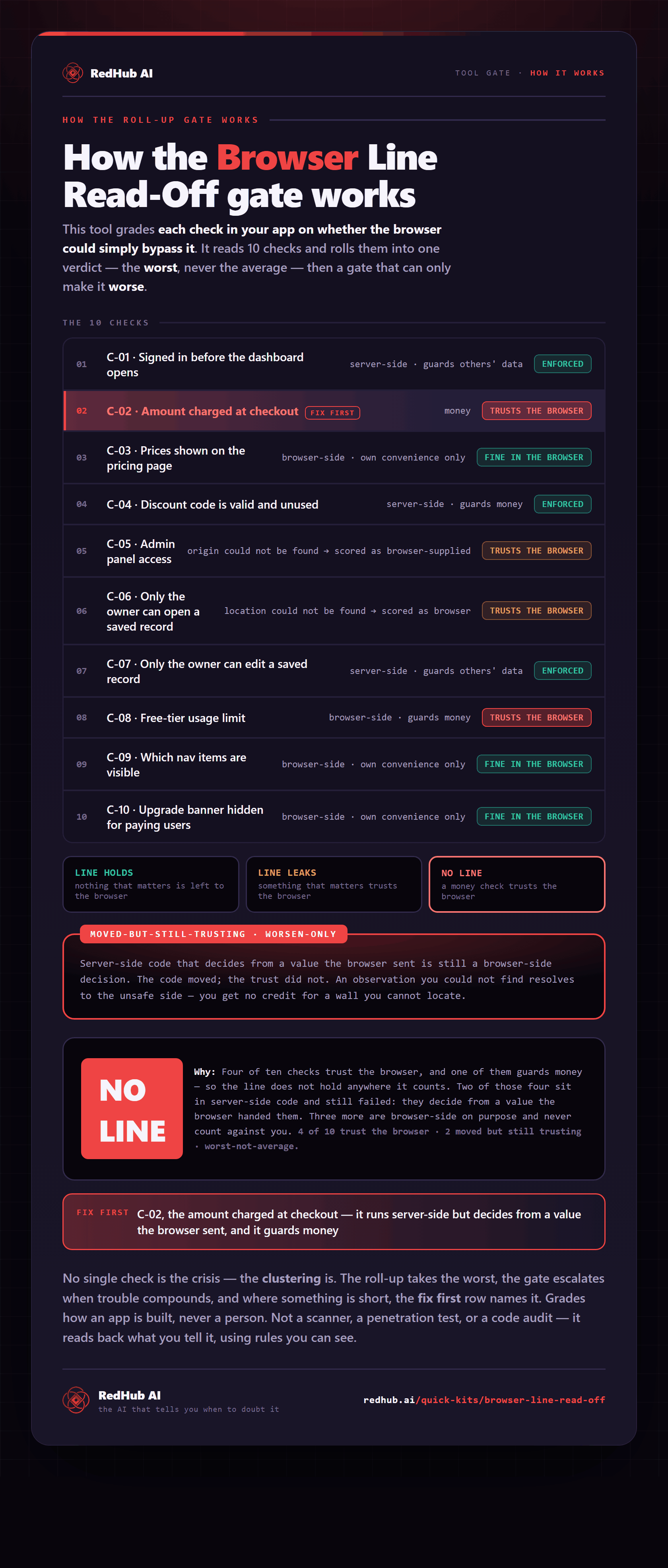
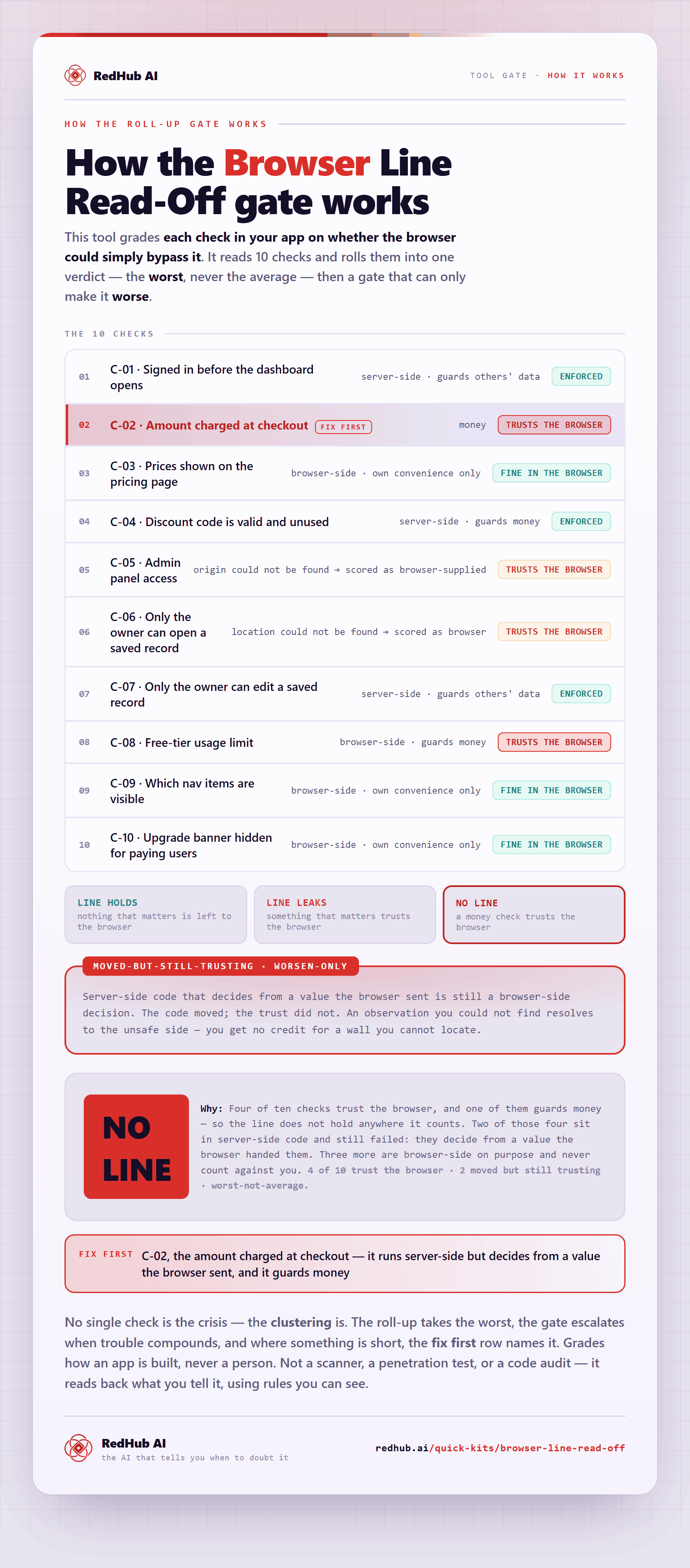
The gate this post refers to, drawn from the tool’s own logic. See the tool.