Content Decay: Why Your Best Posts Slowly Lose Traffic
RedHub AI Editorialupdated September 7, 20265 min read

Jump to a section8
TL;DR
- What it is: content decay is the slow, silent loss of traffic and rankings on posts that used to perform.
- Who it's for: anyone with a content library more than a year or two old. See the refresh engine.
- How it works: facts age, competitors publish fresher takes, and search shifts — so a page slips a little at a time.
- Bottom line: decay is normal and gradual, which is why it hides. Spot it early and you can reverse it. No tool guarantees rankings.
What is content decay?
Content decay is the gradual decline in traffic and rankings that healthy, previously-successful pages experience over time. It's not a penalty or a mistake — it's the natural result of the web moving on: your facts and examples age, competitors publish newer and more thorough takes, search intent shifts, and engines increasingly favor fresh content. Because it happens slowly, one position and a few visitors at a time, it rarely triggers an alarm — which is exactly what makes it dangerous. Left alone, it compounds across a whole library into a large, quiet traffic leak.
Best for: teams whose older posts are quietly sliding — the Content Refresh & Publishing Engine flags what's decaying and worth saving. It reads and drafts; you publish.
Content decay is the traffic loss you don't notice until you go looking. A post that drove steady visits for a year starts slipping — a position this month, a couple more next quarter — and because nothing breaks, nothing flags it. By the time it shows up in your totals, months of compounding decline have already happened. Understanding why it happens is how you catch it early.
Why good posts decay
Decay isn't one problem; it's four forces working together:
| Force | What happens |
|---|---|
| Facts age | Stats, tools, screenshots, and examples go out of date, and the page reads as stale |
| Competition catches up | Newer posts cover the topic more thoroughly, and they outrank you |
| Intent shifts | What people mean by a query changes, and your page answers the old question |
| Freshness favored | Search and AI answer engines increasingly surface recently-updated pages |
Key insight: decay is gradual by nature, which is why it hides. A page rarely falls off a cliff — it erodes. The teams that stay ahead of it are the ones watching the trend, not waiting for the drop to show up in the monthly total.
How to spot decay early
You catch decay by watching the direction of travel, not the absolute number. The tells:
- A page's organic traffic is trending down month over month, even slightly.
- Its ranking position is slipping for the terms it used to own.
- The content contains dates, stats, or tools that are visibly out of date.
- Newer competing pages now sit above it in the results.
Any one of these on a page that still matters to your business is a candidate for a refresh — before the decline compounds.
Find what's decaying before it costs you
The Content Refresh & Publishing Engine reads your library and scores each post — flagging what's decaying and salvageable versus what's low-priority — plus a re-score between sprints so you see what newly slipped.
Get the Content Refresh Engine — $129 →Not everything that decays is worth saving
Here's the honest part: some decaying posts should be allowed to fade. A page losing traffic on a topic you no longer care about, or one that was thin to begin with, isn't worth the refresh effort — chasing every decline is its own kind of waste. Decay is a signal to evaluate, not an automatic order to refresh. The pages worth rescuing are the ones with real business value that are decaying but still fundamentally sound. The rest are candidates to leave alone, rewrite properly, or retire.
Decay is also an AI-visibility problem
It's not just classic search rankings anymore. AI answer engines pull from current, well-structured pages, so a stale post is less likely to get cited in an AI answer even when it once ranked. That makes keeping key pages fresh part of staying visible in AI results, not only in the blue links — a reason refresh has moved up the priority list.
For the full method, read the pillar on content refresh, and turn the signal into a plan with a content audit. To see how a refreshed page gets cited by AI engines, the GEO / AI Visibility Playbook covers that layer.
Decision Guide
Use it if: you have older posts and want to catch traffic loss while it's still reversible.
Skip it if: your content is all recent and still climbing — there's nothing decayed to catch yet.
Best first step: pull your top pages by past traffic and check which are trending down; those are your decay watchlist.
FAQ
What causes content decay?
Four forces together: facts and examples age, competitors publish fresher and more thorough content, search intent shifts, and engines increasingly favor recently-updated pages. None of them is a penalty — it's the web moving on while your page stays still.
How do I know if a post is decaying?
Watch the trend, not the total: organic traffic sliding month over month, ranking position slipping for terms it used to own, visibly out-of-date facts or tools, and newer competing pages now ranking above it. Any of these on a page that still matters is a refresh candidate.
Is content decay a penalty from Google?
No. It's not a penalty or a mistake you made — it's the natural erosion that happens as the web moves forward. That's why it's gradual and quiet, and why the fix is refreshing the page rather than trying to "recover" from a punishment.
Should I try to save every decaying post?
No. Some pages — thin ones, or ones on topics you no longer pursue — aren't worth the effort. Decay is a signal to evaluate, not an automatic order to refresh. Save the high-value, still-sound pages; leave, rewrite, or retire the rest.
Does content decay affect AI search too?
Yes. AI answer engines tend to pull from current, well-structured pages, so a stale post is less likely to be cited in an AI answer even if it once ranked. Keeping key pages fresh is now part of staying visible in AI results, not just classic search.
How often should I check for decay?
Reviewing your key pages every quarter is a reasonable cadence for most sites — often enough to catch slides while they're reversible, without turning it into constant busywork. Re-scoring the library on that rhythm is how the effort compounds instead of resetting.
Catch decay while it's still reversible
Watch the trend, refresh the high-value decayers, and let the thin ones go. It reads and drafts; you publish.
Get the Content Refresh Engine — $129 →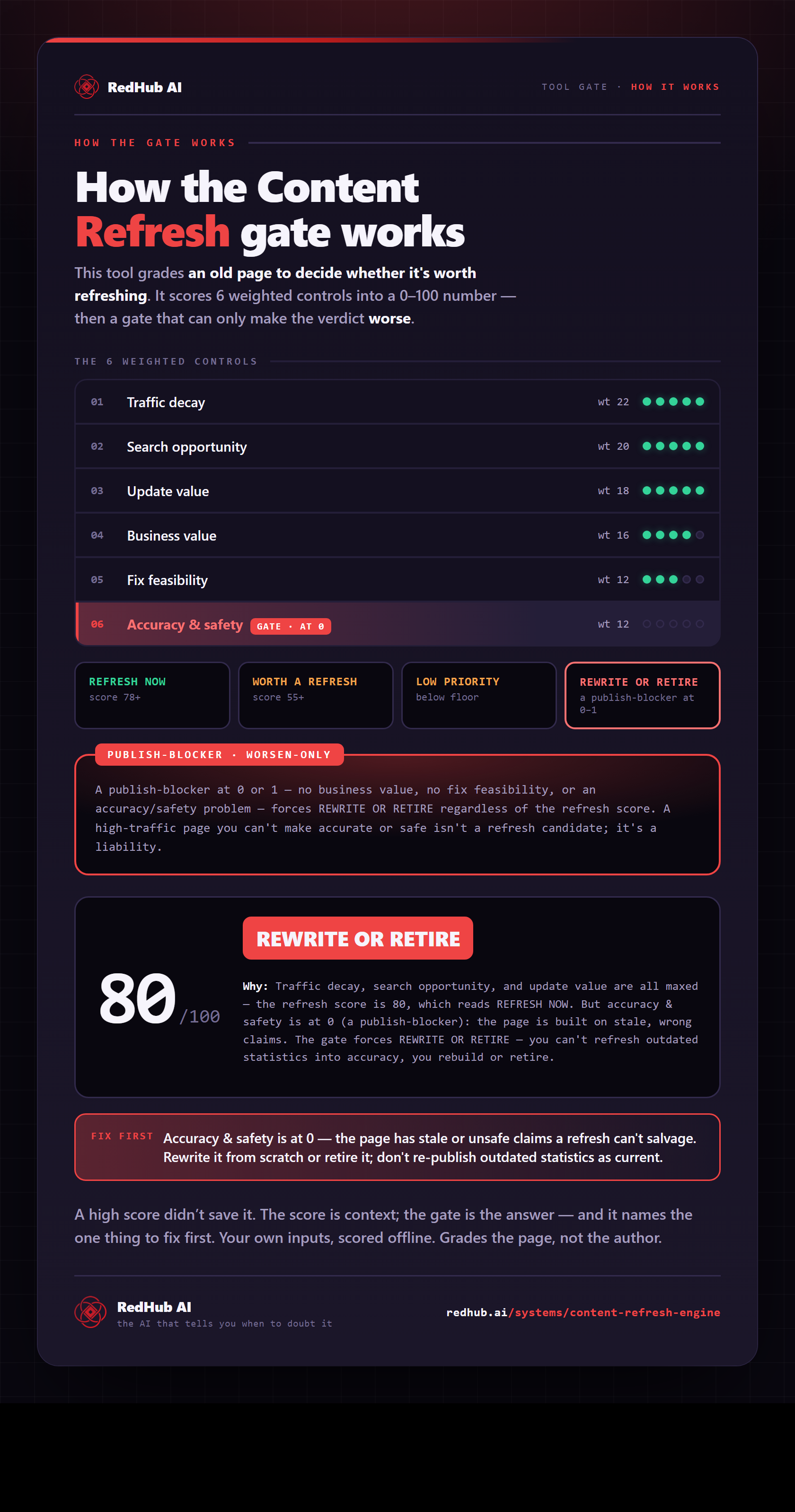
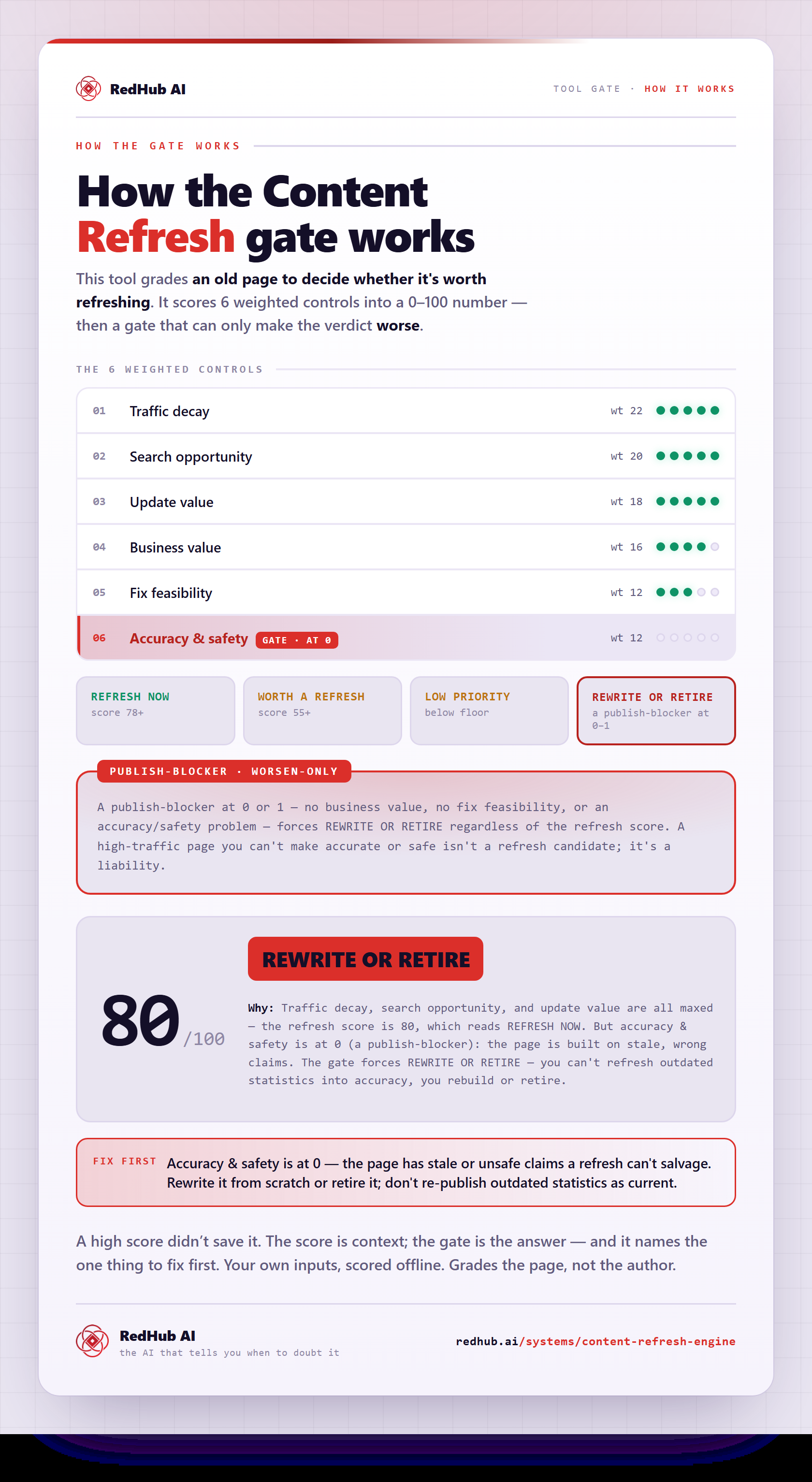
The gate this post refers to, drawn from the tool’s own logic. See the tool.