When Your Development Setup Is Writing to Real Data
RedHub AI Editorialupdated November 5, 20267 min read

Jump to a section8
Development pointing at production database means your local work, a test script, or an AI coding assistant can reach the data your live app uses. It happens three ways: the connection points straight at the real thing, both sides share one account behind two mode settings, or nobody has checked. All three are the expensive direction of a test-and-live mix-up. A command that runs against real data has already run, and changing the setting afterward does not undo it.
TL;DR: Development reaches production directly, through a shared account, or through a connection you cannot confirm. Treat all three as the same finding: your work can touch real data. Fix these before a live app that is stuck on a sandbox, because that one can be undone and this one may not. Where you cannot find the answer, assume the worst until you look. Check before you let an agent run anything that writes or deletes.
The direct version: pointed straight at the real thing
The plain case is a service where your development setup has no test destination at all. It was wired once, to the real thing, and nobody came back to it. Every local run talks to the live side.
Email is the everyday example. If your local app sends through the live sending service, every test run is a real email landing in a real inbox. Run the password-reset flow ten times while you debug it and ten real messages go out, to whichever addresses happen to be in the data you are testing against.
This version is easy to find once you ask the question. Does my development work have its own destination for this service, or is there only the one? If there is only the one, and it is the real one, that is your answer.
The quiet version: two modes, one account
The harder case has a test mode and a live mode, both filled in, both correct, and both inside the same account, project, or workspace. It looks like two worlds. It is one account with a setting deciding which side a request lands on.
Why that counts as development on live: whoever can reach the account can reach both sides. Your development environment holds credentials for that account. So does any agent you hand your environment to. A rushed test, a copied config line, or an instruction like "use the live key for this one check" is all it takes to cross over, and nothing at the account level stops it. A label is not a wall.
How strongly a given provider walls off its modes inside one account varies, and it is worth reading that provider's own documentation. The safe reading, until you have done that, is to treat a shared account as no separation.
This is the row that catches people who did the responsible thing, turned on a test mode, and stopped there. If a test run has already put a real charge on a card, that is a question for your payment provider and whoever keeps your books. Nothing in this post is accounting, tax, or financial advice.
The invisible version: you cannot tell
The third shape is the one people underrate. A background job, a queue, or the AI provider your app calls was wired months ago, maybe by someone else. You go looking for where it points and cannot find the answer.
The instinct is to assume it is fine because most things are. Do not take it. An answer you cannot produce is not evidence the wiring is safe. It is evidence you do not know. Score it the worst way: if you cannot find where your work points, score it as the real one. If you cannot tell whether two sides share an account, score them as shared.
Why AI coding tools make this direction more likely
When an AI coding assistant runs a migration, a seed script, or a cleanup command for you, it uses whatever connection is loaded at that moment. Not the one you assumed, and not the one you meant. That is not a flaw in the assistant. It did what you asked, against whatever it could reach.
The appeal of building with these tools is moving fast without checking every connection by hand. Moving fast is fine. Handing an agent an environment that can reach real data, without knowing it can, is the part to fix. Check the target before the command, because afterward is too late for anything destructive.
Signs it might already be true for you
- You ran something locally and were not sure afterward which database it touched.
- An agent ran a migration, a seed, or a cleanup, and nobody confirmed the target first.
- Your payment processor has a test mode you use, and you have never checked whether test and live sit in one account.
- You cannot say right now whether your local setup could delete a real customer record.
Any one of those is a reason to go and check. It is not a sign anyone was careless. Wiring services one at a time, over weeks, while shipping, is how this drift happens to everyone who works alone.
What to fix first
All three shapes are the same finding, so all three come before any live app stuck on a sandbox. Among them, there is a judgment call. A confirmed crossing, like email pointed at the live sender, is known damage waiting for the next test run. An unfound one may turn out to be fine once you look, and looking is cheap.
The Test Mode vs Live Mode Line-Up makes that call one way. It puts an unfound development-on-live row ahead of a confirmed one, so your first job is to go and find the missing answer. In its worked example of ten services, the row it names first is the AI provider, whose development setting could not be found. You can reasonably start with the confirmed one instead. The workbook names one row. You can fix as many as you like.
See which of your services can reach real data
The Test Mode vs Live Mode Line-Up asks four questions per service, answered from dropdowns. A row reads DEV ON LIVE when your work points at the real one, when both sides share an account, or when either of those answers could not be found. The Dashboard counts each kind separately, including "separate in name only" for rows where the settings say separate and the account is shared. When a row is crossed, it names one to fix first. It is one .xlsx that only reads back what you type.
Get The Test Mode vs Live Mode Line-Up — $49This post does not check whether your payment flow charges exactly once. That is The Money Path Teardown ($69), which walks an order flow step by step. Whether a key has leaked is a separate question too: The Keys & Secrets Sorting Drill ($49) sorts keys into the ones meant to be public and the ones that never should be seen.
More in this guide
Frequently asked questions
How do I know if my development setup can reach production?
For each service you have wired in, check what your development environment is connected to right now, not what you remember setting. If there is no separate development destination, or there is one but it sits in the same account, project, or workspace as the live side, your development setup can reach production.
Is this a security breach?
No. Nobody broke in. It is a wiring problem: a connection set up once and never revisited, or two mode settings that turned out to sit in one account. The risk is that an ordinary test run does something real, which can still cost you data or money even though no attacker was involved.
An AI coding assistant ran a script for me. Could it have touched production?
Yes, if the connection loaded at that moment pointed at production. The assistant runs against whatever it can reach, which is true of any automated command, not one particular tool. Confirm the target before you let an agent run anything that writes or deletes.
What if I can't tell whether two modes share an account?
Treat them as shared until you confirm otherwise. Not being able to find the answer is not a neutral result. It is the condition that lets this kind of drift go unnoticed. Then go and check the account itself, because the real answer may be better than the assumption.
Do I need to connect a tool to my accounts to check this?
No. You can check it by opening your own settings pages and writing down what each side points at. The Test Mode vs Live Mode Line-Up works the same way: it holds no credentials, and only organizes the answers you give it.
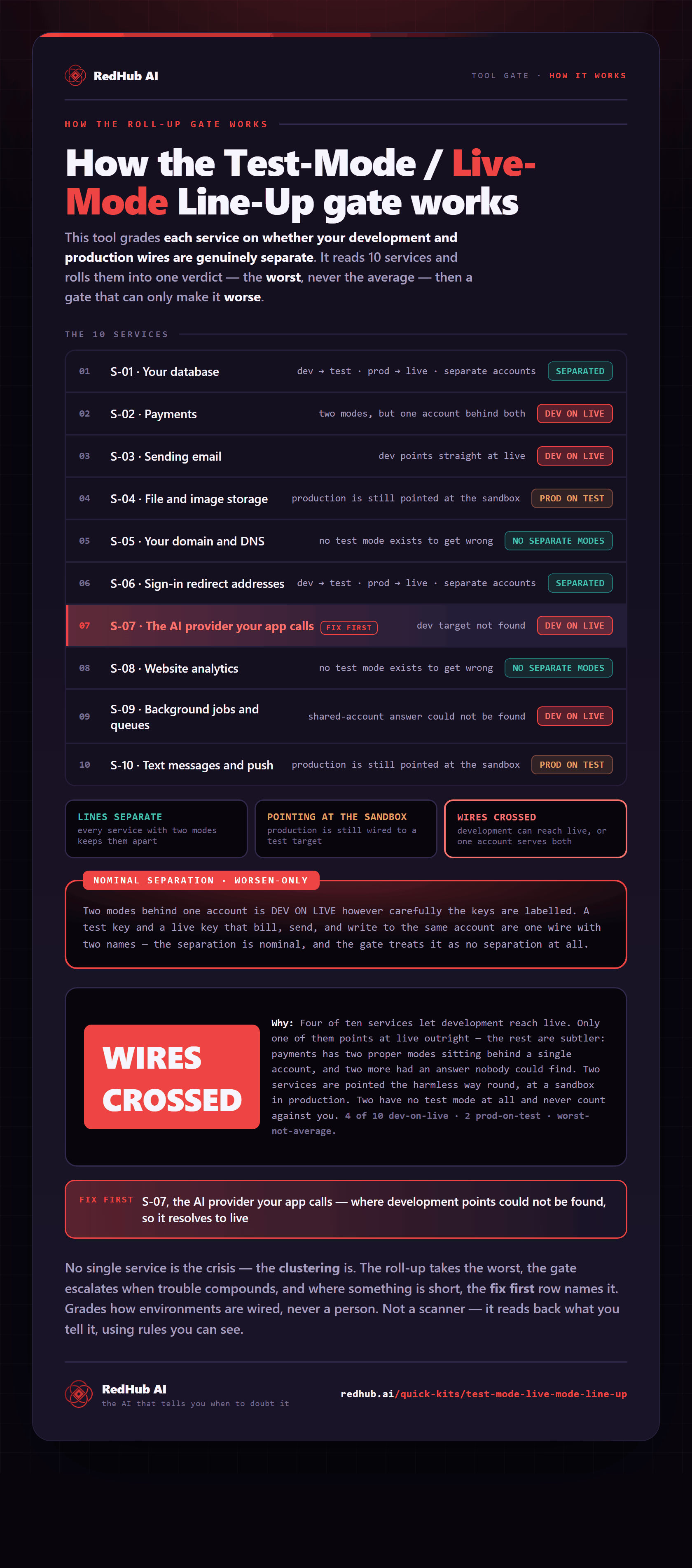
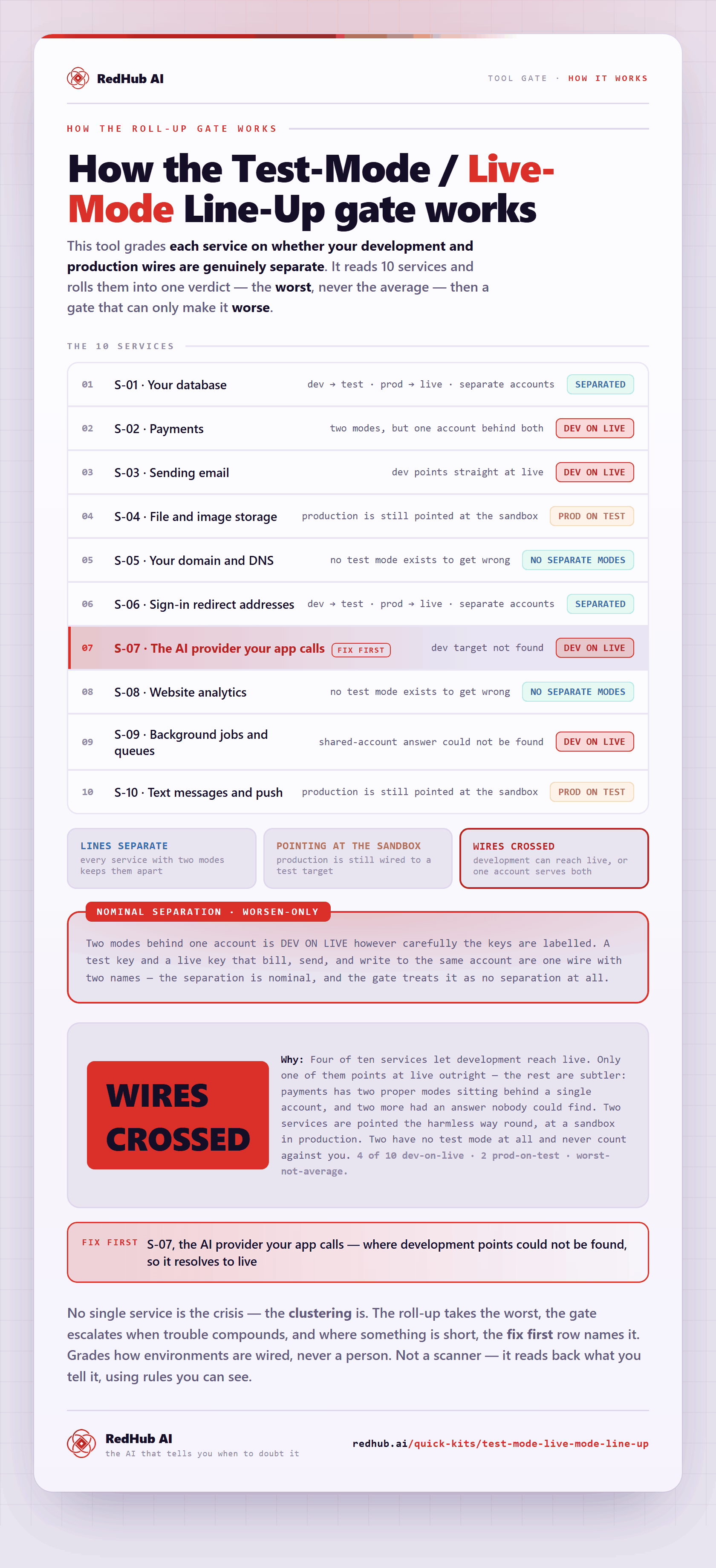
The gate this post refers to, drawn from the tool’s own logic. See the tool.