Test Mode, Live Mode, and the Two Crossed Wires
RedHub AI Editorialupdated November 5, 202610 min read

Jump to a section9
Test mode vs live mode is a question about every service your app plugs into, not just payments. Most of them come in two copies: a sandbox you are meant to break, and the real one your customers touch. Your development work should reach the sandbox and your live app should reach the real one. They get crossed in two directions, and the two are not the same mistake. Development reaching the real side can change real data, and fixing the setting afterward does not undo it. A live app reaching the sandbox does nothing real, quietly, until someone notices. Point it back and you have lost a day.
TL;DR: For each service, ask four things: does it have two modes, where does your work point, where does your live app point, and do both sides share one account. Work on the real side is the crossing to fix first, because it can do something you cannot take back. A live app on the sandbox is broken and recoverable. Two mode settings on one shared account count as no separation. An answer you cannot find gets scored as the worst answer that question could have had. Some services only have one copy, and that is not a gap.
What test mode and live mode mean
A sandbox is a parallel copy of a service that behaves like the real one without touching anything real. A test database holds rows nobody depends on. A payment sandbox takes card numbers that were never issued to a person. A test email goes nowhere a customer will read it. You can delete everything in a sandbox and the only thing you lose is time.
Not everything has one. Your domain has one copy. So does a public status page, and so do some analytics setups. That is not a gap in your setup. A service with one copy has nothing to cross, and the honest reading is that there is nothing here to fix.
Providers name and place these settings differently, and they change them. Nothing in this post describes how any one provider's dashboard works today. Check each provider's own documentation for where its mode setting lives.
The two crossed wires cost different things
A live app still pointed at a sandbox is broken in a boring way. Orders come in and nothing charges. Sign-ups happen and no welcome email arrives. It is a real problem, and the cost is the orders and messages you missed while it was wrong. Once you find it, you point it back. That is the recoverable direction.
Development that can reach the real side is a different kind of problem. You run a cleanup script against what you thought was a test database, and it was the real one. You let an AI coding assistant run a migration with whatever connection happened to be loaded. It does exactly what you asked, against whatever it was pointed at. The setting was wrong before the command ran. Changing it afterward does not bring the rows back or unsend the emails.
The trap that looks like separation
A service can have a test mode and a live mode, both filled in correctly, and still not be separated. That happens when your work and your app use the same account, project, or workspace. Two config files that point at one thing are not two things. Whoever holds access to that account holds access to both sides, and the only thing between them is a setting. A setting can be flipped by a person in a hurry or by an agent following instructions.
So the account question comes before the mode question. If both sides share one account, treat the service as development on live, however carefully the modes are labeled. This is the row people are most surprised by, because on paper it looks perfectly separated.
One boundary worth stating. Whether a key has leaked or needs rotating is a related question with a different answer. A key nobody has ever seen can still be aimed at the live account. This set only asks where each key is pointed.
An answer you cannot find is the worst one
Sometimes you go looking and cannot tell. The setting is not where you expected, nobody wrote it down, or someone else wired it. The temptation is to assume it is probably fine. Do not. An answer you cannot produce is not evidence, so score it as the worst answer that question could have had.
"Worst" depends on the question, which is easy to get wrong:
- Cannot find where your work points? Score it as the real one.
- Cannot find where your live app points? Score it as the sandbox.
- Cannot tell whether the two sides share an account? Score it as shared.
- Cannot tell whether the service has a sandbox at all? Score it as having one, so the other three questions still get asked.
Scored this way, "I could not find it" can never earn a better result than the truth would have. There is one fair exception. If an unfound answer could not have changed the result either way, it should not count against you. Your work already points at the real one, for example, so it hardly matters where the live app points. That row is already the dangerous kind.
Ten services, side by side
Here is the exercise as a table. These ten rows are the worked example that ships in The Test Mode vs Live Mode Line-Up. They are an illustration of a typical first app, not a description of any provider. The last column is the result the workbook gives each row.
| Service | Two modes? | Your work points at | Live app points at | Same account? | Result |
|---|---|---|---|---|---|
| Your database | yes | test | live | no | SEPARATED |
| Payments | yes | test | live | yes | DEV ON LIVE: the settings say separate, one account says otherwise |
| Sending email | yes | live | live | no | DEV ON LIVE: every test run sends a real email |
| File and image storage | yes | test | test | no | PROD ON TEST: uploads land in the sandbox |
| Your domain and DNS | no | — | — | — | NO SEPARATE MODES |
| Sign-in redirect addresses | yes | test | live | no | SEPARATED |
| The AI provider your app calls | yes | cant_find | live | no | DEV ON LIVE: unfound, scored as the real one |
| Website analytics | no | — | — | — | NO SEPARATE MODES |
| Background jobs and queues | yes | test | live | cant_find | DEV ON LIVE: unfound, scored as shared |
| Text messages and push | yes | test | test | no | PROD ON TEST: messages never reach a phone |
Count it up. Four rows are development on live: one direct (email), one shared account (payments), and two that are there because an answer could not be found. Two rows have the live app on a sandbox. Two are separated. Two only have one copy and are left alone. That is six of ten services needing work, and the workbook's verdict for the list is WIRES CROSSED, because at least one row is development on live.
When any row is crossed, the workbook names one row to fix first, and in this example it is the AI provider (row S-07). That surprises people, because the email row is a confirmed crossing. The ranking puts every development-on-live row ahead of every live-app-on-sandbox row. Within the same kind, it puts a row that is crossed only because an answer was missing ahead of a confirmed one. The reasoning: the first step on that row is to go and look, and the real answer may be better. If you prefer to start with the confirmed crossing, that is a fair call. The workbook names one row. It does not stop you fixing three.
Doing it for your own app
You do not need a tool to start. Open the settings for everything you have wired in: database, payments, email, storage, sign-in, the AI provider, anything that sends a text. For each one, write down four answers.
- Does this service offer a sandbox at all? If not, the row is done.
- What does your development work reach today: the sandbox or the real one?
- What does your live app reach?
- Do both sides use the same account, project, or workspace?
Where you cannot tell, write that down and score it the worst way for that question. Then fix the development-on-live rows first. The live-app-on-sandbox rows are real and are costing you orders, but they can be undone.
A complication, left honestly open: some services offer no sandbox and still carry real risk when you test. A messaging service with no test mode will text a real phone. The usual fallbacks are a second account used only for testing, a hard cap on what the live account can send or spend, or a person who checks before anything goes out. None of those is a sandbox, and which one fits depends on the service.
If a test run has already put a real charge on a real card, that is a conversation with your payment provider and whoever keeps your books. Nothing here is accounting, tax, or financial advice.
Line up every service in one sheet
The Test Mode vs Live Mode Line-Up is one .xlsx with three tabs: Start Here, Line-Up and Dashboard. You answer the four questions per service from dropdowns, for up to 60 services, starting from the ten above. Each row reads SEPARATED, NO SEPARATE MODES, PROD ON TEST or DEV ON LIVE. The Dashboard returns WIRES CROSSED, POINTING AT THE SANDBOX or LINES SEPARATE, plus counts. When at least one row is crossed, it names one service to fix first. When every row is separate, it says so and names nothing. It reads back only what you type.
Get The Test Mode vs Live Mode Line-Up — $49Pairs well with
The Keys & Secrets Sorting Drill ($49) sorts the keys themselves: which are meant to be public and which never should be seen, four questions per key, without ever asking for a key value. The Money Path Teardown ($69) walks your order flow step by step and catches a step that quietly does its work twice. The Vibe-Coded App Hardening Kit ($79) is the wider pre-launch pass across auth, rate limits, error handling, secrets and cost ceilings.
More in this guide
Frequently asked questions
What's the actual difference between test mode and live mode?
Test mode is a parallel copy of a service that behaves like the real one without touching anything real: no real card is charged, no real message is sent, no real customer record changes. Live mode is the copy your customers use. Your development work should reach test mode and your live app should reach live mode, and the only way to know they do is to check each service instead of assuming it.
Which is worse: development reaching live, or a live app reaching the sandbox?
Development reaching live. It can charge, send, or delete something real, and fixing the setting afterward does not undo it. A live app on a sandbox does nothing real, which costs you the orders and messages missed while it was wrong, but pointing it back ends the problem. Fix development-on-live rows first.
My mode settings look correct on both sides. Can I still have this problem?
Yes. If your development work and your live app use the same account, project, or workspace, the mode setting is a label on one thing, not a wall between two. Whoever has access to that account can reach both sides. Treat that service as development on live until the two sides are on separate accounts.
What if a service doesn't have a sandbox at all?
Plenty don't: a domain, a public status page, some analytics setups. A service with only one copy has nothing to cross, so it is not a gap. If testing against it still carries real risk, the usual fallbacks are a separate test account, a hard cap on what the live account can do, or a person who checks before anything real goes out.
What should I do if I can't tell where a service points?
Score it as the worst answer that question could have had. If you cannot find where your development work points, treat it as the real one. If you cannot find where your live app points, treat it as the sandbox. If you cannot tell whether two sides share an account, treat them as shared. Then go and look, because the real answer may be better.
Does the Test Mode vs Live Mode Line-Up connect to my accounts?
No. It is a spreadsheet that uploads nothing, and never asks for a key or a password. You read your own settings pages and pick four answers per service from dropdowns. It is not a scanner, a penetration test, or a security audit, and its verdict is only as accurate as the answers you give it.
I already use test mode on my payment processor. Is that the same thing?
It is one row of it. Using test mode while you build is good practice, but it covers one service, and it does not tell you whether test and live sit in one shared account. Most small apps plug into several services that each have their own two sides, and each one can be crossed separately.
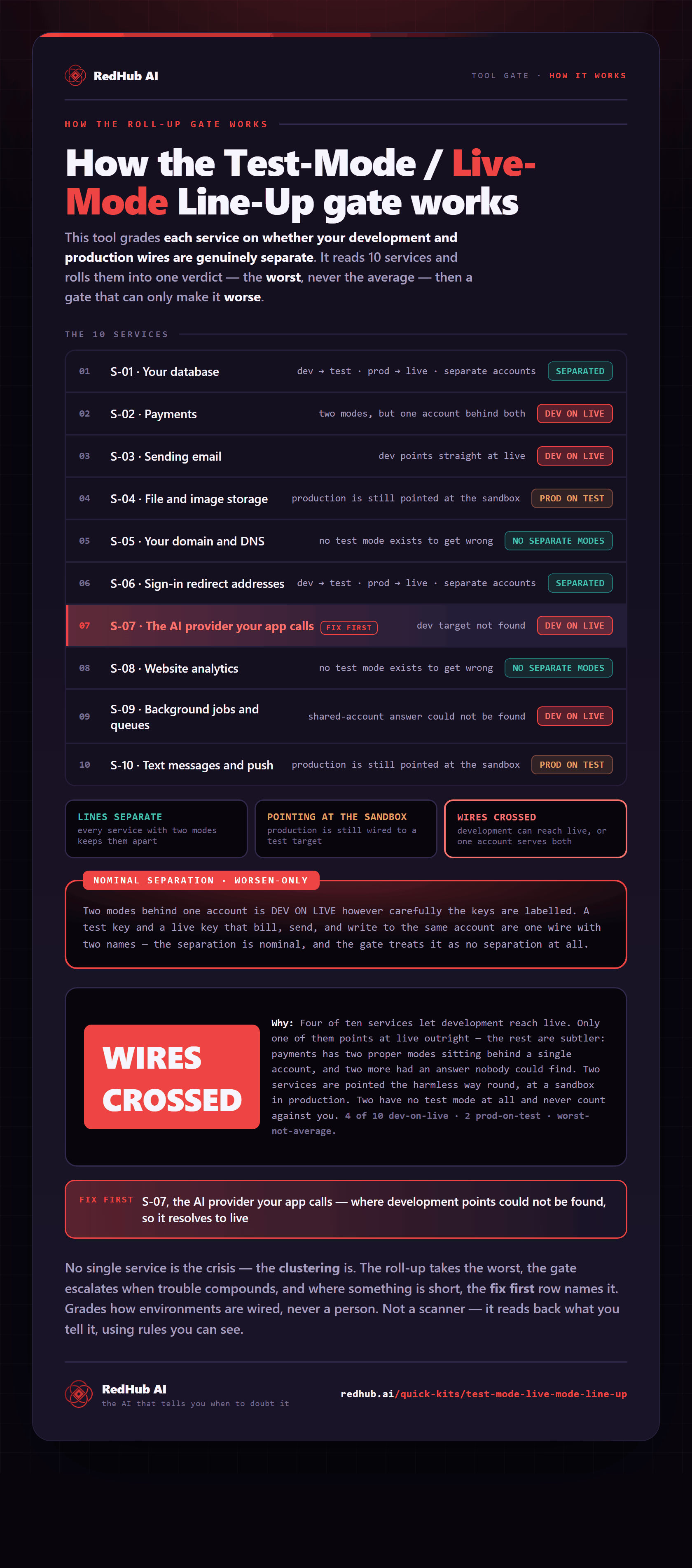
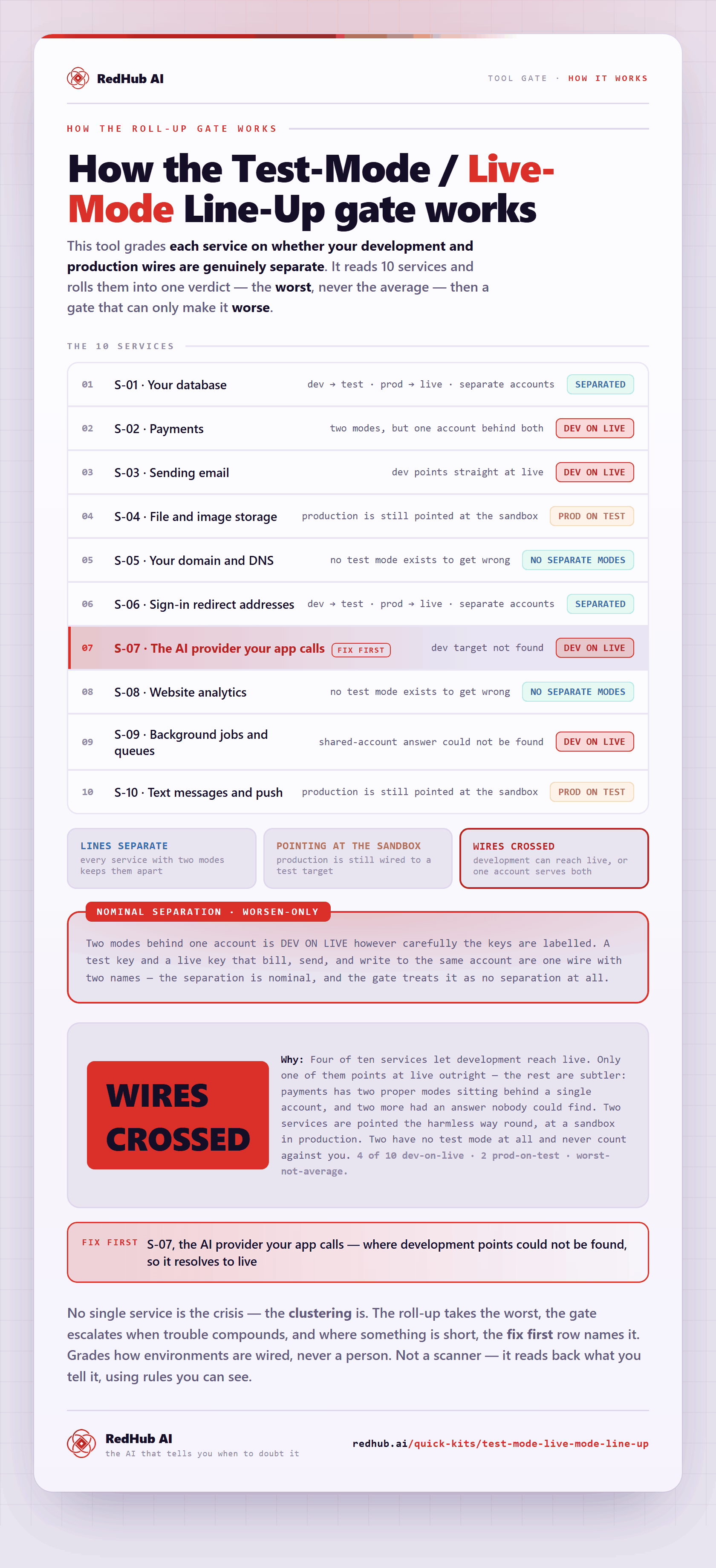
The gate this post refers to, drawn from the tool’s own logic. See the tool.