Test Orders, Real Customers: Untangling Mixed Data
RedHub AI Editorialupdated November 5, 20266 min read

Jump to a section5
Test data in production database is what a crossed wire leaves behind. Development pointed at live data writes test orders, fake sign-ups, and test messages into the same tables as your real customers. A live app pointed at a sandbox does the opposite: real customers' orders get recorded, and the payments behind them happen only in the sandbox. Either way, nothing in the table says which rows are which. Untangling it means stopping the flow first, finding a marker that holds, setting rows aside instead of deleting them, and checking the money against your payment provider's own records.
TL;DR: Fix the crossed wire before you start sorting, or new mixed rows keep arriving. Do not sort by how a row looks. Find a field that differs every time between rows you know are test and rows you know are real. Move suspects somewhere recoverable before deleting anything. Compare orders with your payment provider's records, remembering that a real customer's order may have no charge behind it because the live app was on a sandbox. Tell the real people who were affected.
How the mess gets there
The two crossed wires leave different messes, and it helps to know which one you have.
Development on live leaves extra rows. Test runs, seed scripts, and an agent working against what it thought was a sandbox all write into real tables. You end up with orders nobody placed, accounts nobody owns, and real customers who may have received a test email.
A live app on a sandbox leaves rows that are real but unpaid or undelivered. The customer exists and the order is genuine. The charge, the upload, or the confirmation happened only in the sandbox. Deleting these as "test data" would delete real customers.
Some apps have both at once. That is the case where guessing does the most damage.
Why you can't just eyeball it
The instinct is to sort by appearance: obviously fake email addresses, round amounts, your own name on a test account. That catches the rows you would have caught anyway. It misses the ones that matter. A test run that used a real-looking address because you were testing the actual sign-up flow. A real order that never charged because it came in while the live app was on the sandbox. Sorting by appearance gets the easy rows and leaves the expensive ones in the table.
- Fix the wire first. Point every service back where it belongs before you sort, or new mixed rows keep arriving while you clean the old ones. Test: make one new test transaction from your development setup and confirm it lands in the sandbox and nowhere else.
- Find a marker, not a guess. Look for a field that differs between test and real rows every single time: a flag your app sets at creation, an environment value you stored with each record, or a test indicator your provider attaches if it offers one (check its documentation). Test: pull ten rows you are certain are test and ten you are certain are real, and confirm one field separates all twenty before you trust it on the rest.
- Set aside before you delete. Copy suspected test rows into a holding table, or mark them with a status, instead of removing them. Test: could you restore exactly what you are about to remove if the marker turns out wrong on one row?
- Check the money against the provider, both ways. Compare your orders with your payment provider's live transaction history, not with a field inside your own database. An order with no live charge is either a test order or a real customer who was never charged. The marker from step 2 tells you which. Test: for every order you are unsure about, can you say whether a live charge exists and whether a real person placed it?
- Tell the real people who were affected. If a real customer got a test email, missed a confirmation, or has an order in limbo, say so plainly instead of quietly fixing the row. Whether you owe anyone more than that is a separate legal question. Test: can you name which real customers were touched, not just how many rows changed?
What sorting does not fix
Sorting cleans up what already happened. It does not tell you whether another service is crossed the same way. If the database was crossed, check the email sender, the storage, and everything else too. Each service was usually wired on its own day, so one being right tells you nothing about the next.
A complication: step 2 assumes a marker exists. Sometimes nothing in the row separates test from real, because nobody stored the environment when the record was created. Then the payment provider's records and the customers themselves are your only outside check, and some rows will stay uncertain. Keep those set aside instead of forcing a call. Storing the environment with every new record from now on is the cheap fix for next time.
Find which services crossed before you sort the data
The Test Mode vs Live Mode Line-Up is a worksheet for the wiring, not for the data. You answer four questions per service, and each row reads SEPARATED, NO SEPARATE MODES, PROD ON TEST or DEV ON LIVE. That tells you which kind of mess to expect in which tables: extra test rows from DEV ON LIVE services, unpaid or undelivered real rows from PROD ON TEST ones. It does not open your database or clean anything. It reads back only what you type.
Get The Test Mode vs Live Mode Line-Up — $49If the mixed rows include personal details sitting somewhere they should not be, that is a different question. What You Now Hold ($59) is an inventory of the personal information a small app ends up holding, four questions per field, without ever asking for a value. It is an inventory, not a compliance check.
More in this guide
Frequently asked questions
How do I tell test rows apart from real ones after the fact?
Find a field that differs every time, such as a flag your app set at creation or an environment value stored with each record. Confirm it on rows you already know are test and rows you already know are real before trusting it on the rest. Sorting by how a row looks misses the ones that matter.
Is every order without a real charge a test order?
No. If your live app was pointed at a payment sandbox, real customers placed real orders that were only charged in the sandbox. Those rows are genuine customers who were never charged. Use a reliable marker, not the missing charge alone, to tell them apart from test orders.
What if a real customer got an email or a charge meant for a test?
Tell them plainly what happened instead of quietly correcting the record. For anything involving a real charge or refund, talk to your payment provider and whoever keeps your books before deciding what to do about the money.
Should I just delete anything that looks like test data?
No. Move suspected test rows somewhere recoverable first. A marker that looks reliable on ten rows can still be wrong on the eleventh, and a deleted real customer is much harder to put back than a test row is to remove later.
Does fixing the wiring clean up the old rows?
No. Pointing development and the live app at the right places stops new rows from mixing. Rows already in your tables from before the fix still have to be found and sorted separately, which is why the wiring comes first and the sorting second.
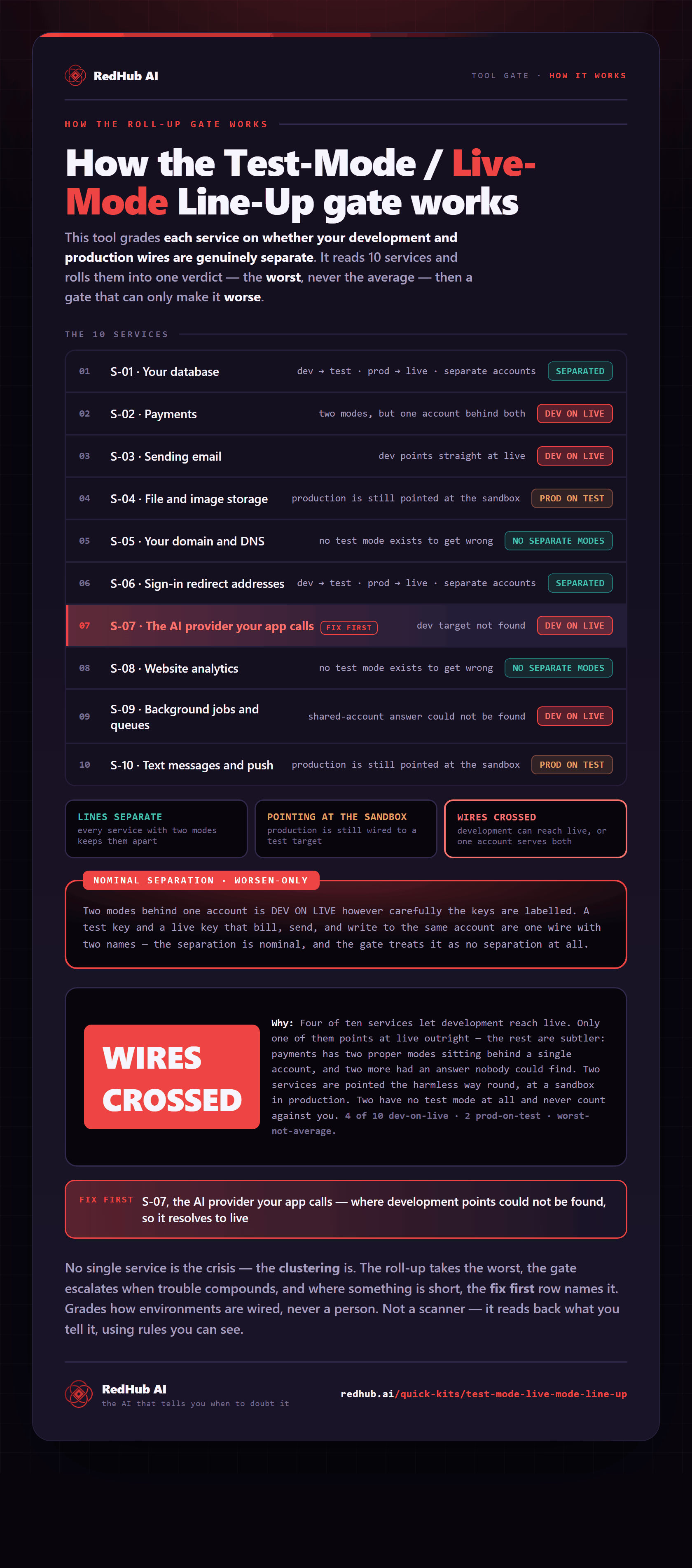
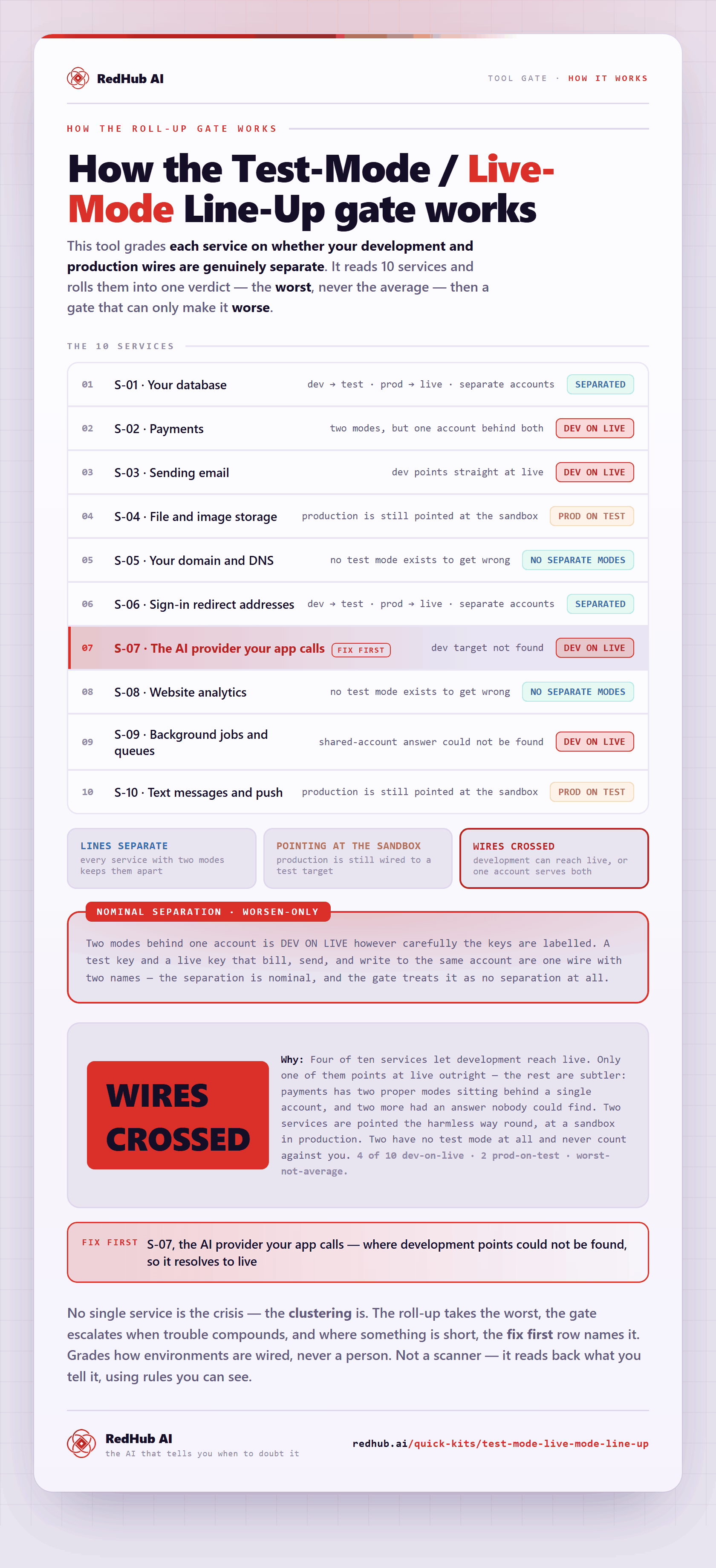
The gate this post refers to, drawn from the tool’s own logic. See the tool.