The .env File Did Not Make It Private
RedHub AI Editorialupdated October 7, 20267 min read

Jump to a section6
The honest answer to "is my .env file secure" depends on where the file has been, and the file name can't tell you that. A .env file is a place your project reads settings from. It can still be committed before an ignore rule existed, zipped up for a contractor, synced to a cloud drive, or shown on a shared screen. A secret key that has been through any of those needs a new value, however private the file is today.
TL;DR: A .env file is a location, not a lock. The name says the file is meant to hold environment-specific settings, secrets included. It doesn't say the file has stayed private for its whole life. A misplaced key that has never been reachable needs to move. A key that has ever been reachable needs a new value, and moving it into a .env file afterward doesn't change that.
Getting a key into a .env file brings a specific kind of relief. It feels like the correct, grown-up place for it: out of the visible code, in a file whose purpose is holding this sort of thing. A .env file is a convention, a place your project is set up to read settings from at startup. It carries no protection by itself. Whether it is private depends on what has happened to it since it was created.
Where the file location stops helping
A .env file keeps a key out of the source code your team reads and reviews day to day. That separation is useful. It is a narrower promise than the file having only ever been where you alone could see it, and it is narrower than most people assume in one more way.
A .env file does not keep every value out of the browser. Some build tools copy any setting whose name carries a public prefix straight into the code your visitors download. The Next.js documentation is explicit about its own: a variable prefixed NEXT_PUBLIC_ "will be inlined into any JavaScript sent to the browser." Vite's documentation says the same of variables prefixed VITE_. Put a secret key under a name like that and the build publishes it, from inside the file you trusted to hide it.
The worked example in the Keys & Secrets Sorting Drill has a quieter case. K-06 is a deployment token that ended up in .env.example, the template file meant to show which settings a project needs without real values filled in. The file is committed to a private repository and the token has never been reachable from outside. The sheet reads it MOVE IT. The token doesn't need a new value yet. It needs to leave that file today, because an example file exists to be copied and shared, and the next person to copy it won't check what's inside.
Change one fact and the answer changes. Suppose the same token sat in a proper .env file that got swept into a whole-project commit before anyone added a rule to exclude it, and that commit reached people outside the team. The file is correctly excluded now. The copy that got out is unaffected, and that token reads ROTATE NOW.
The ordinary ways a "private" file stops being private
None of these takes anything dramatic. The file gets included in a project export or a zipped folder handed to a contractor, and nobody thinks about what's inside. It syncs to a personal cloud storage account because the whole project folder syncs. It appears, fully readable, during a screen-share while someone shows a teammate their local setup. It gets pasted whole into a chat with an AI coding tool because pasting the file was faster than picking out the one line that mattered.
Every one of those can happen to a file that has never once been committed. They are the routine mechanics of working on a project with other people and other tools, which is why "is it in a .env file" can't be the test. The test is whether this file, or this value, has ever been somewhere someone outside could read it.
Move it or rotate it
For every key in a .env file there are two separate things to check. First: is this the right kind of file for the key, or did it end up in something meant to be shared, like a template or example file? Second: has this value ever been anywhere reachable, whether committed, exported, synced, shown, or pasted, at any point in its life? The first answer tells you whether to move something. The second tells you whether to rotate something, and the two can disagree for the same key.
When the second answer is yes, plan the swap. A key in active use breaks whatever depends on it as soon as the old value is retired, so map where it is wired before you reissue it.
The Drill handles the second question directly and the first one by proxy. It has no column for file names. It asks where the value lives now, from a list of six answers, and a real token in a committed example file is answered "committed in a private repository." It then asks whether the value has ever been reachable and whether it has been rotated since. A zipped folder sent to a contractor or a synced cloud drive belongs under that third question. The sheet doesn't list them as places, so counting them is up to you.
If your project keeps one set of keys for testing and another for the live app, check that the two sets are kept apart and not mixed in the same file. That is a different question from this one, and it is the subject of the Test Mode vs Live Mode Line-Up.
MOVE IT or ROTATE NOW, one row per key
The Keys & Secrets Sorting Drill takes a name and four answers for each key in your .env files and returns one of four destinations: SAFE WHERE IT IS, MEANT TO BE PUBLIC, MOVE IT or ROTATE NOW. It never asks you to paste in a value. It answers one question only; it is not an audit of your project and it declares nothing safe.
Get the Keys & Secrets Sorting Drill — $49Pairs well with
The Test Mode vs Live Mode Line-Up ($49) reads which world each service is wired to and routes it SEPARATED, NO SEPARATE MODES, PROD ON TEST or DEV ON LIVE. The Vibe-Coded App Pre-Launch Security Gate ($79) is the go/no-go before a launch; secrets out of the client bundle and the repository is the first of its six controls. Before You Take Money ($129) bundles the Drill with the Line-Up and the Money Path Teardown, for an app about to charge a card.
More in this guide
Frequently asked questions
Doesn't putting a key in a .env file keep it private?
It keeps the key out of your visible source code, which is useful. It says nothing about whether the file, or the value inside it, has ever been committed, exported, synced, or shown to someone else. And a build tool can still ship a value from that file to the browser if its name carries a public prefix. Privacy depends on the file's history and on how the value is used, not on the file's name.
My .env file is properly excluded from version control now. Am I safe?
Only going forward, and only if it was always excluded. If the file, or an earlier version of your project that included it, was committed before the exclusion rule existed, the values from that earlier commit are still in the history whatever today's settings say.
What's the difference between a key that needs to move and one that needs to rotate?
A key in the wrong kind of file, such as a template or example file, that has never been reachable from outside needs to move to the right place. A key that has ever been reachable, in any file, needs a new value. Being in the right file today doesn't answer the second question.
Can I check my own .env files myself without buying anything?
Yes. Open each one, list what's in it, and ask the two questions in this post about every value: is this the right kind of file for it, and has it ever been anywhere reachable. A worksheet holds the answers and applies the same rules to each; the checking is something you can do on your own.
Is a .env.example file the same risk as a real .env file?
Only if a real value ends up inside it by mistake. An example file with placeholder text is meant to be shared as a template and carries no risk. A real secret pasted into that file carries the file-location risk described here, on top of whatever exposure history the value itself has.
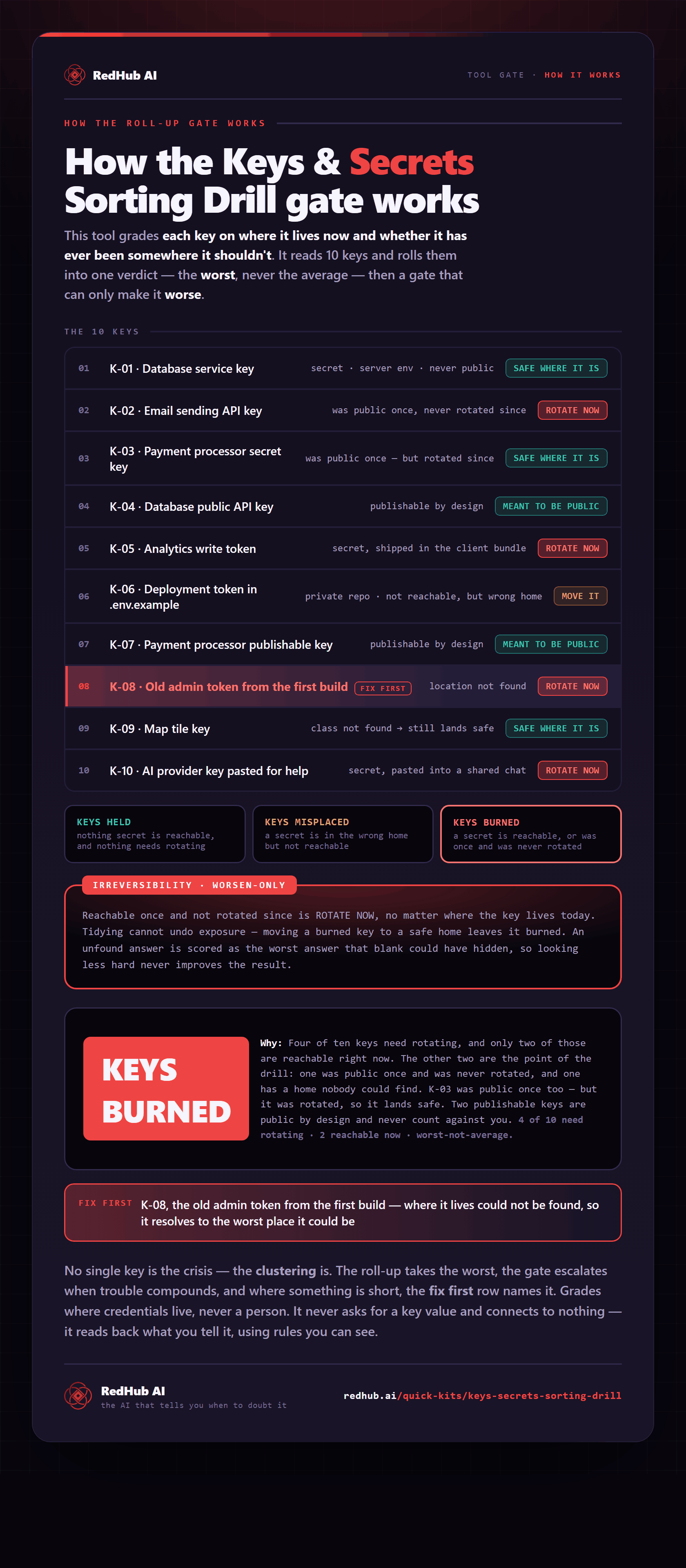
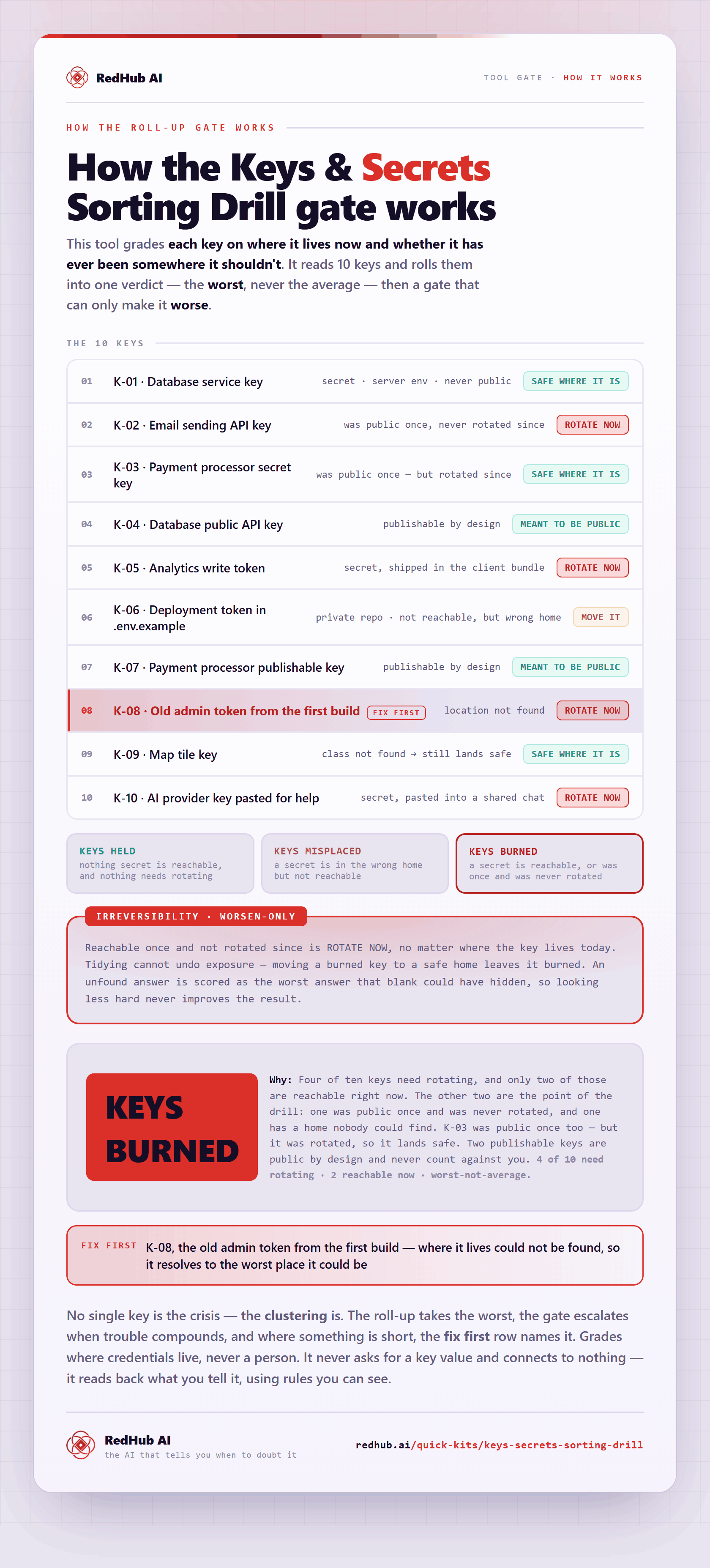
The gate this post refers to, drawn from the tool’s own logic. See the tool.