How to Audit a Spreadsheet You Didn't Build
RedHub AI Editorialupdated October 4, 20266 min read

Jump to a section6
Read the formulas before you read the numbers. That is how to audit a spreadsheet you didn't build: turn on formula view, scan for hardcoded values inside formulas, compare each formula with the rest of its row or column, and trace every link to another file, in that order. Only then check whether the totals make sense. An inherited file carries someone else's shortcuts, and the totals will not show you where they are.
TL;DR: When you inherit a spreadsheet, review formulas before outputs. Hunt hardcodes, error values, row and column inconsistencies and external links first, then check what each range covers, because a range that stops short looks like a correct one. The Spreadsheet Formula & Model Integrity Auditor ($69) grades every formula cell in your real file. For the wider picture, see the pillar guide: Spreadsheet Errors: How to Find Them Before They Cost You.
An inherited file has no history attached
When you build a spreadsheet yourself, you know where the shortcuts are because you took them. When you inherit one, none of that travels with the file. The person who typed a number over a formula in a rush last quarter left no note. A row copied from an older template looks like every other row.
A tab you never open counts too. A hidden sheet named "Old" can still feed the summary. When we hid a sheet with =A1*1.07 on it and ran the auditor, it graded that cell anyway and flagged the 1.07. Excel does not show you a hidden tab unless you go looking for it.
The order to audit in
- Formula view first, output view second. In Excel for Windows, press Ctrl+` to show formulas instead of results. If you read the outputs first, you anchor on them and start looking for reasons they are right.
- Scan for hardcoded numbers inside formulas. A formula like
=B4*C4+50mixes a calculation with a typed constant. Nobody can tell from the result what the 50 is for, or when it stopped being true. - Compare each formula with its neighbors. Read across the row and down the column. If a range should follow one pattern and one cell breaks it, that is either a documented exception or an error. Find out which before you sum the column.
- Trace external and volatile links. Any formula that pulls from another workbook, or uses functions like
INDIRECTorOFFSETthat resolve at run time, needs a check that it still points where it should. - Check what each total covers. Click into the key sums and averages and confirm the range reaches the last row it should.
- Only then, sanity-check the outputs against what you would expect from the business.
An average that stopped five rows short
Step five matters because of a well-known case. In April 2013, three economists at the University of Massachusetts Amherst, Thomas Herndon, Michael Ash and Robert Pollin, tried to replicate Carmen Reinhart and Kenneth Rogoff's widely cited 2010 research on public debt and growth. Reinhart and Rogoff gave them the working spreadsheet. In it, the UMass team found a coding error that left five countries out entirely: Australia, Austria, Belgium, Canada and Denmark. Their paper's footnote gives the mechanism: the average covered lines 30 to 44 of the sheet instead of 30 to 49. The spreadsheet error was one of three problems the paper named, alongside excluded years of data and an unusual weighting method.
That kind of error is uncomfortable for anyone selling a mechanical check, us included. A range that stops early has the same shape as a correct range. When we shortened a SUM in a test file so it skipped the last two rows, the auditor's report did not change. Excel has an error-checking rule called "Formulas which omit cells in a region" that can catch some of these, but only when the skipped cells sit right next to the range. The reliable check is still a person asking what each total is supposed to include.
What a clean audit tells you
A clean formula layer means the model is built the way it appears to be built: no stray constants, no error values, consistent formulas across each block. It does not tell you whether the growth assumption in B4 is realistic, or whether the categories the last owner chose still fit the business.
So a clean result narrows what you still have to check. You still need to confirm what each key total covers, and you still need to ask the person who built the file why they modeled it this way.
On a small file, you can do all six steps by hand. On a workbook with a few thousand formulas across a dozen tabs, nobody holds every row in their head long enough to compare it with its neighbors. That is the job a tool reading the actual .xlsx does the same way every time.
Audit the formula layer of a file you inherited
The Spreadsheet Formula & Model Integrity Auditor reads every sheet of a real .xlsx, hidden ones included, and grades each formula cell SOUND, REVIEW or BROKEN, with one model verdict and, where a cell falls short, the cell to fix first. It flags hardcoded constants, formulas that differ from their block, volatile or external dependencies, and error values. It never edits your file.
Get the Spreadsheet Formula & Model Integrity Auditor — $69Pairs well with
If the inherited file imports a CSV from another system, grade that export first with the CSV / Data-Export Schema & Quality Gate ($69), which returns READY, FIX or BLOCK for the whole file. If part of the confusion is that this spreadsheet disagrees with two other systems, the Multi-Source Data Reconciliation Engine ($89) separates a value conflict from a record that is missing. And if the file you inherited is the monthly close, the Finance & Reporting Automation Kit ($129) replaces it with a workbook that labels every tie-out Ties out, Review or Does not reconcile.
More in this guide
What should I check first in a spreadsheet I didn't build?
Turn on formula view before you trust any output, then scan for constants typed inside formulas. They return plausible numbers, so nothing on screen marks them.
How do I know if a formula was overwritten with a number?
Select the cell and read the formula bar. If its neighbors hold formulas and this cell holds a plain number, it was typed over. To check a whole sheet, use Go To Special and select Constants.
Should I fix errors as I find them during an audit?
Note them and keep going. Fixing mid-review can hide a broader pattern, like a whole section copied from an outdated template, that only shows once you have seen the whole file.
Can a formula audit catch a SUM that stops too early?
Usually not. A shortened range has the same structure as a correct one. Excel's "Formulas which omit cells in a region" rule catches some cases where the skipped cells are adjacent. Otherwise, check what each key total covers by hand.
Is auditing formulas the same as checking the business logic?
No. A formula audit confirms the model is mechanically sound. Whether the assumptions behind it are right for the business is a separate judgment.
Does this replace talking to whoever built the spreadsheet?
No. A clean audit tells you the formulas are consistent and free of errors, not that the modeling choices are the right ones. If the original owner is reachable, their reasons are still worth hearing.
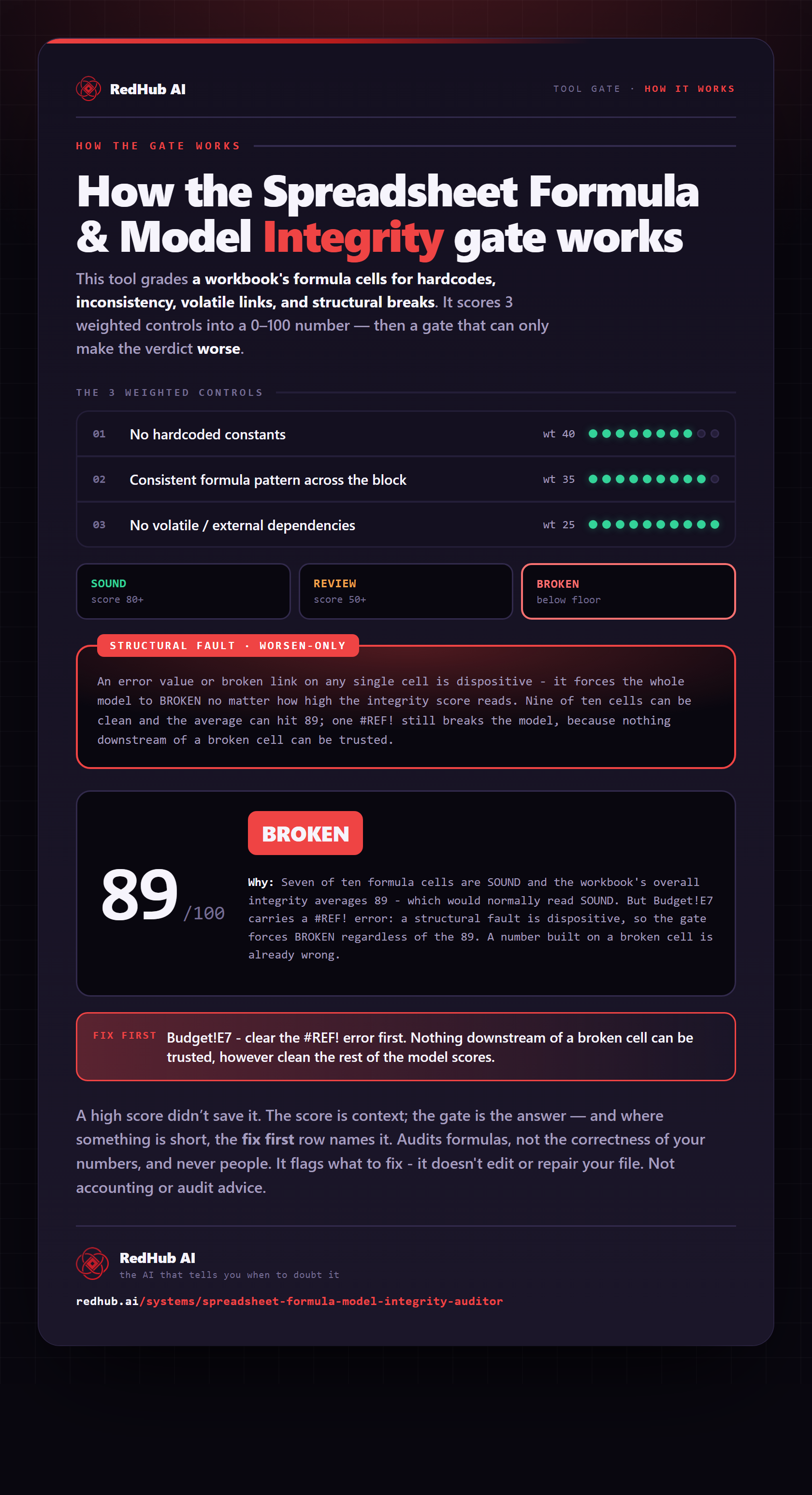
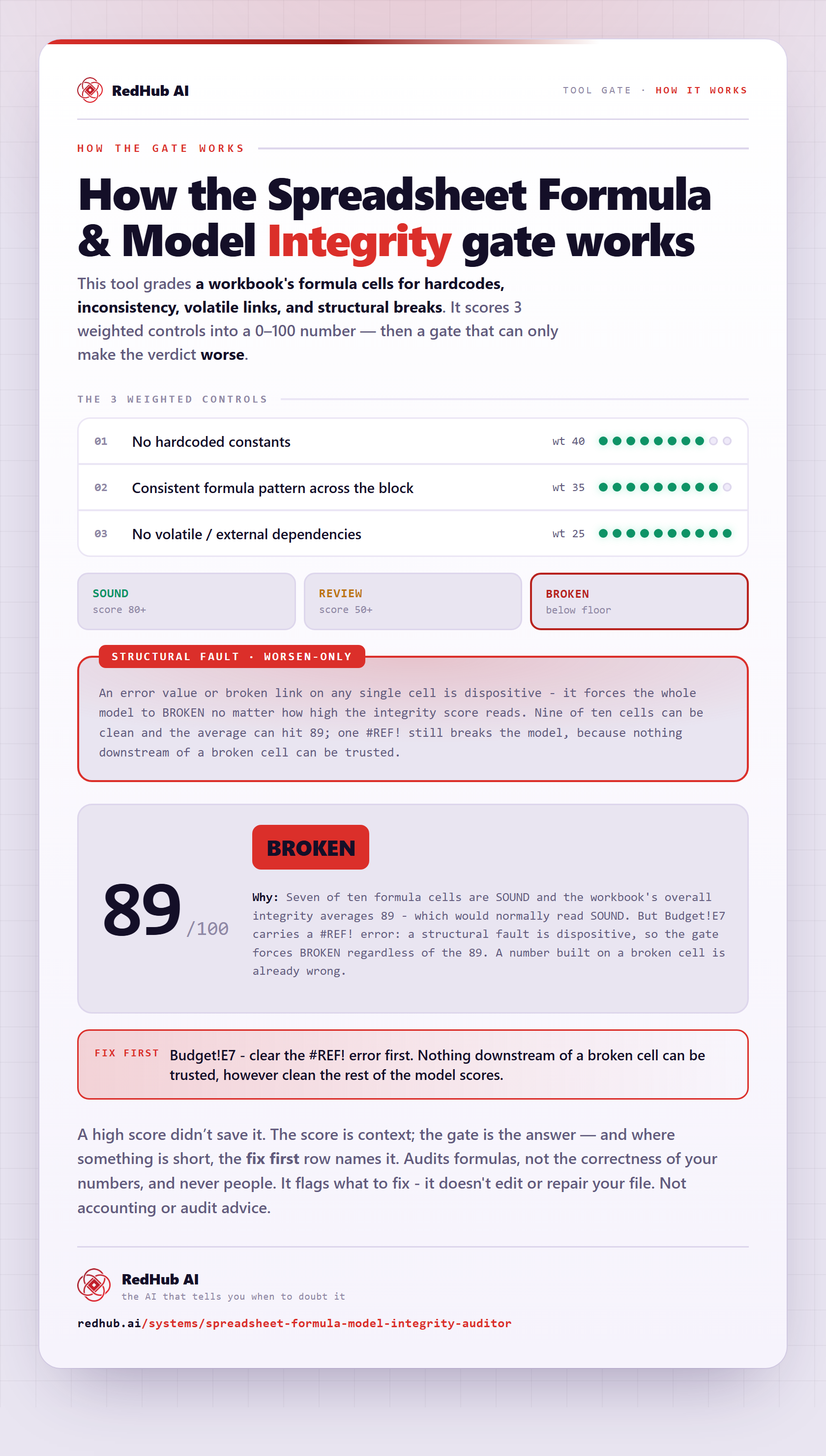
The gate this post refers to, drawn from the tool’s own logic. See the tool.