Spreadsheet Best Practices That Prevent Silent Mistakes
RedHub AI Editorialupdated October 4, 20265 min read

Jump to a section6
The spreadsheet best practices that prevent silent mistakes are the ones that keep formulas visible and consistent as a file passes between people. Put assumptions in their own cells instead of typing them into formulas, keep one formula pattern across each row or column, and check links to other workbooks on a schedule. The mistakes they prevent are small: a typed-over cell, a moved source file, a row copied from last year's template. Each one is added at a handoff, and they pile up.
TL;DR: Separate inputs from calculations, keep formulas consistent across a range, use Excel Tables where you can, check workbook links on a schedule and note every intended exception. Do not take "never hardcode" literally: some constants belong in the formula, and the job is to decide which. The Spreadsheet Formula & Model Integrity Auditor ($69) checks the formula side of these habits on a real file. Start from the pillar guide: Spreadsheet Errors: How to Find Them Before They Cost You.
Habits cut what an audit finds, not the need for one
Good habits reduce how much an audit turns up. They do not remove the need for one, because a file that more than one person edits will drift from even a careful team's standards. The aim is fewer things to find, not nothing to check.
The core habits
- Separate inputs from calculations. Give assumptions, actuals and rates their own labeled section, and make every formula reference those cells. A formula block with a plain number in it then stands out on sight, which is why this habit makes every other one easier to check.
- One formula pattern per row. The same goes for columns. If eleven of twelve months use the same formula, the twelfth should too, unless there is a written reason. A single odd formula is only visible when the rest of the range is uniform.
- Use Excel Tables for repeated calculations. In a Table's calculated column, Excel flags a cell typed over with a value under its error-checking rule "Inconsistent calculated column formula in tables." In an ordinary range, Microsoft's list of rules has nothing that catches it.
- Check workbook links on a schedule. Open Data > Queries and Connections > Workbook Links to see the source workbooks this file links to. Microsoft's own guidance warns that if links are set not to refresh and not to prompt, "users of the workbook will not know that the data is out of date."
- Write down exceptions where they happen. If a formula has to differ from its row, a short note in the next cell saves the next reviewer from working out whether it is a mistake.
When "never hardcode" goes too far
The usual rule says never type a number into a formula. Followed to the letter, it makes some models worse. A formula like =B2*12 that turns a monthly figure into an annual one has a constant in it, and the auditor flags it: we ran it, and the cell came back REVIEW with "hardcoded 12 in formula." The engine only lets 0, 1, 2 and 100 pass without a flag.
The by-the-book fix is an input cell labeled "Months per year." That cell now sits beside the growth rate and the tax rate, looking like an assumption someone is allowed to change. A year will not change length. A tax rate will. Moving both into inputs treats them as the same kind of number, and they are not.
We do not have a clean rule for this. A REVIEW flag means "decide," not "wrong." Our working line: a number that could change when the business changes belongs in an input cell, and a number that is true by definition can stay, with a note. Expect a few REVIEW cells on a good model, and be able to say why each one is there.
Building the habits into a handoff
- Label the input section clearly before the file goes to someone else, so the next owner knows where to change assumptions without touching formulas.
- Note every intended exception in the file itself, since the next owner will not have your context.
- List links outside cell formulas. Microsoft says there is "no automatic way to find all workbook links" and points to defined names, shapes, chart titles and chart data series as other places they hide.
- Run a formula-layer check before every handoff, not only when the file is first built. The handoff is where small deviations get introduced.
Check that the habits held before the file changes hands
The Spreadsheet Formula & Model Integrity Auditor reads a real .xlsx and grades each formula cell SOUND, REVIEW or BROKEN. It flags constants inside formulas, formulas that differ from their block, volatile or external dependencies, and error values, and where a cell falls short it names the one to fix first. It reads cell formulas, so links hiding in defined names or charts still need the manual check. It never edits your file.
Get the Spreadsheet Formula & Model Integrity Auditor — $69Pairs well with
If the spreadsheet's inputs come from a recurring CSV export, the CSV / Data-Export Schema & Quality Gate ($69) applies the same discipline to that file: a single ragged row is enough to BLOCK it. If fields are keyed from invoices or forms, the Document Field Validator ($79) returns PASS, REVIEW or REJECT for each record before it lands in a cell. And for the monthly close, the Finance & Reporting Automation Kit ($129) is built around a workbook that checks its own math, labeling every tie-out Ties out, Review or Does not reconcile.
More in this guide
What's the single best habit for preventing spreadsheet errors?
Separating inputs from formulas. Keep assumptions in their own labeled section and reference them from formulas, so a typed number inside a block of calculations stands out.
Should every number in a formula move to an input cell?
No. A number that can change with the business, like a rate or a price, belongs in an input cell. A number that is true by definition, like 12 months in a year, can stay in the formula with a short note.
How often should I check external links in a spreadsheet?
On a schedule, not only when a number looks wrong. A link to a moved or renamed file can keep showing its last stored value instead of an error, so waiting for something to look broken misses it.
Do Excel Tables help prevent errors?
They help with one common one. In a Table's calculated column, Excel flags a cell where someone typed a value over the column's formula. Outside a Table, Excel has no rule for that.
Do good habits eliminate the need to audit a spreadsheet?
No. They reduce how often problems get introduced, but any file touched by more than one person will drift. Habits shrink what an audit finds.
When should I check a spreadsheet's formula layer?
When it is built and before every handoff. The handoff matters most, because the new owner does not have the file's history.
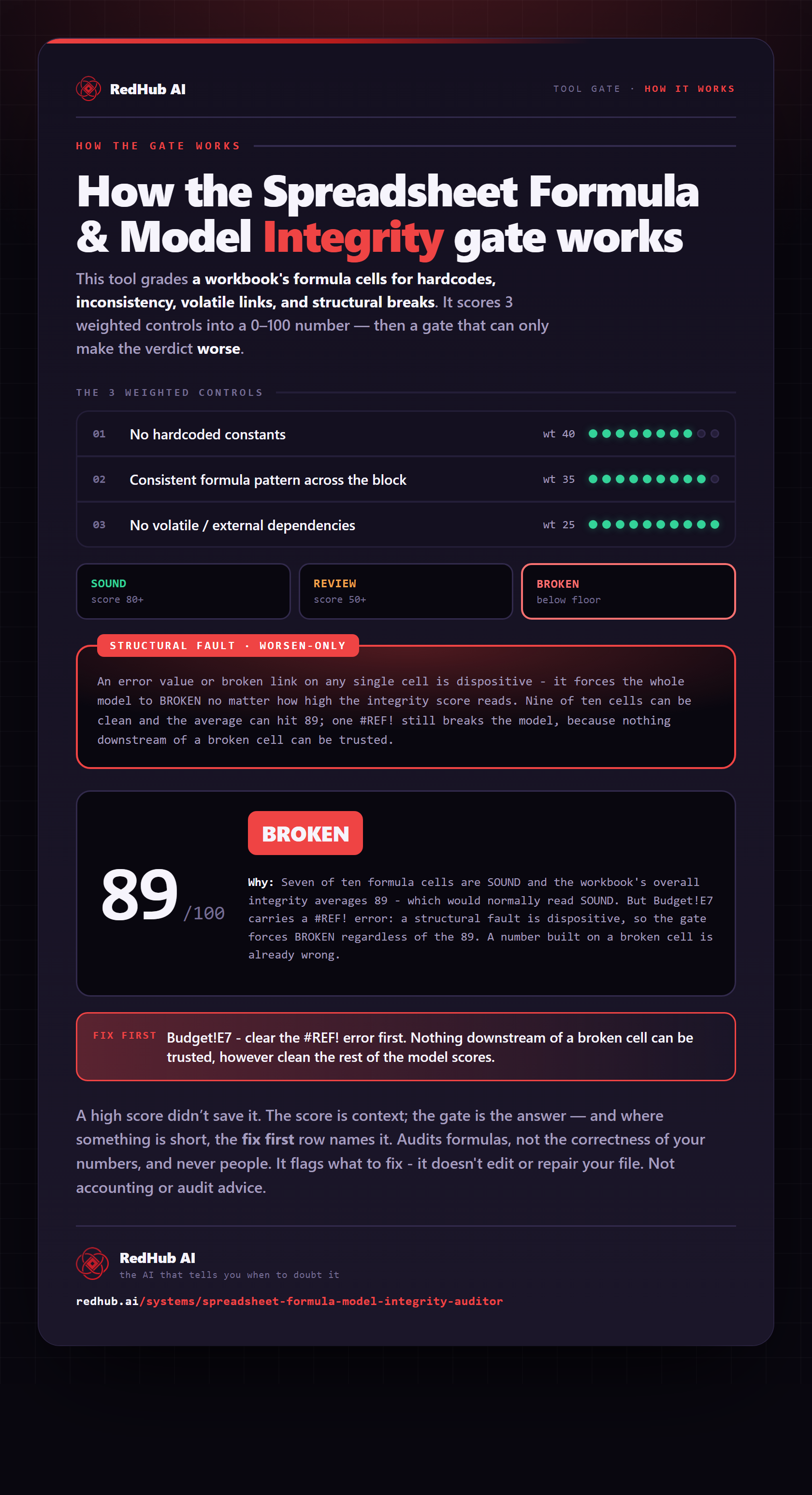
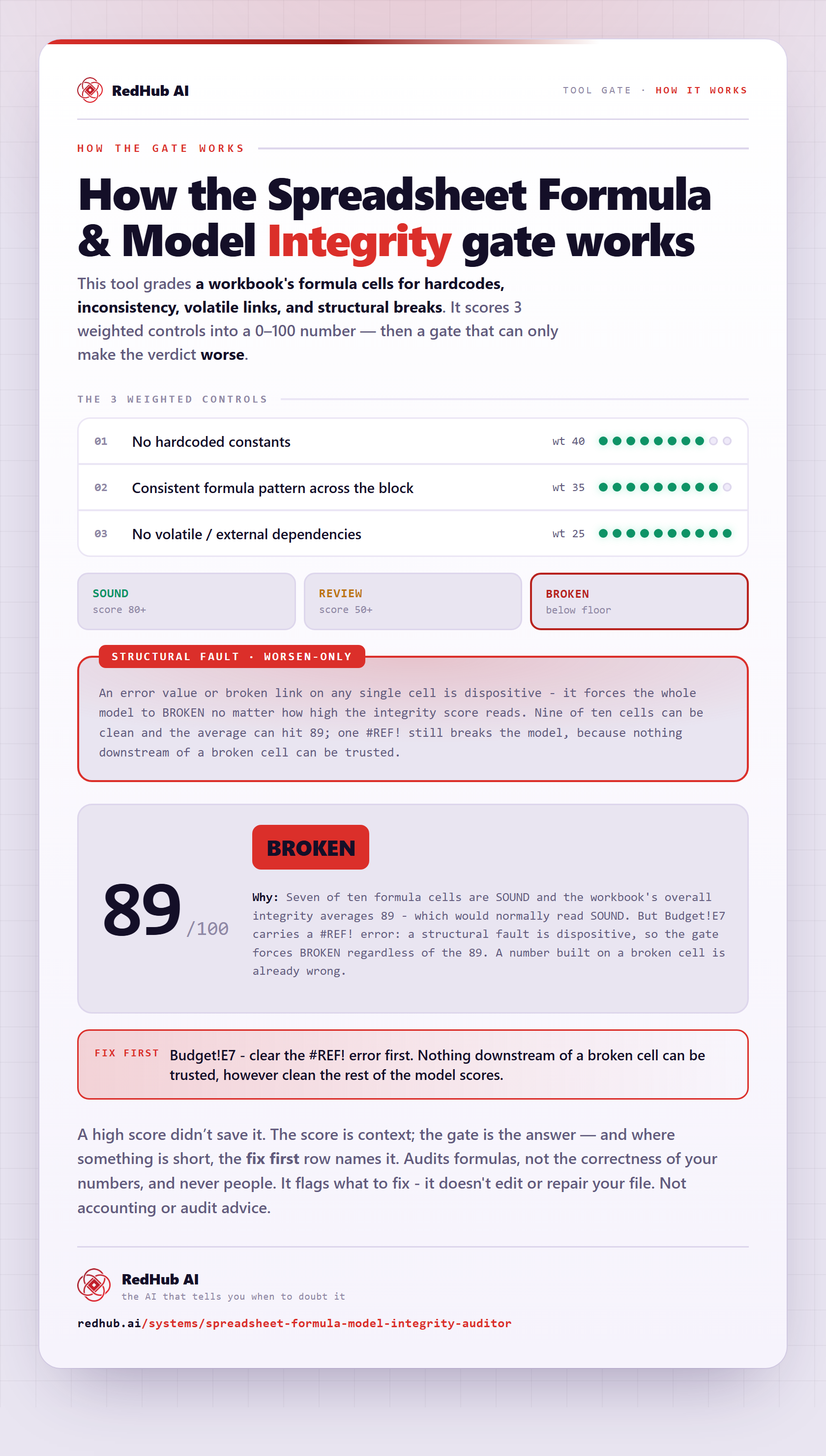
The gate this post refers to, drawn from the tool’s own logic. See the tool.