How to Improve Your Core Web Vitals (Without a Developer for Everything)
RedHub AI Editorialupdated October 5, 20266 min read

Jump to a section9
To improve Core Web Vitals on a small business site, start with the biggest image on your most visited page, then work through scripts, caching and reserved space. Most failures come from a few repeat offenders: oversized images, too many scripts and plugins, and no caching. None of those needs a computer science degree. A developer becomes necessary for a smaller set of deeper problems, such as a layout shift built into a theme's code or render-blocking JavaScript that has to be restructured, not just deleted.
TL;DR: Compress and resize images, lazy-load what sits below the fold, cut plugin and script bloat, turn on caching, and reserve space for images and embeds so the page stops jumping. Change one thing at a time so you know what worked. For what LCP, INP and CLS measure before you start, see What Are Core Web Vitals?
Fix 1: Compress and resize your images
This is usually the biggest single LCP fix, and the first thing to check. A hero image straight from a phone camera or a stock site can run to several megabytes, and the browser must download it before it can paint it. Run images through a compression tool such as Squoosh (opens in a new tab), TinyPNG or your platform's built-in optimizer. Then resize them to the size they display at, not the camera's original resolution. Modern formats like WebP and AVIF cut file size further.
On Shopify, check your product template for images served at full size and shrunk with CSS. The page looks fine, but the browser still downloads the full-size file.
Fix 2: Lazy-load what's below the fold
Lazy loading tells the browser to skip images and videos until the visitor scrolls near them. Most modern themes support it natively through the loading="lazy" attribute on images, or through one setting in a performance plugin. There is one exception. Google's web.dev guide on lazy loading warns: "Don't lazy-load images that are likely to be in-viewport when the page loads, especially LCP images." Lazy-loading the hero image delays the exact element LCP is timing.
Fix 3: Cut plugin and script bloat
This is the fix that moves INP the most. Every chat widget, review embed, popup script, A/B testing tool and marketing pixel competes for the browser's main thread each time someone clicks. On a plugin-heavy WordPress site, it is rarely obvious which script is the problem until you test one at a time.
- List every plugin, app and embedded script installed, and ask whether each one still earns its place.
- Disable anything unused, duplicated (two SEO plugins, two popup tools) or covered by a built-in platform feature.
- For scripts you keep, check whether they can load with
deferorasyncinstead of blocking the page. Most tag managers and analytics tools allow this. - Re-test INP after each removal, so you see which change mattered.
This step comes with a real trade-off. The heaviest script on a store is often the one that sells: the review widget, the live chat, the upsell app. Removing it can fix INP and cost conversions in the same move. No checklist settles that for you. Measure both numbers before deciding which script goes.
Fix 4: Turn on caching and a CDN
Caching stores a ready-made copy of each page, so the server does not rebuild it on every visit. That mostly helps server response time, which feeds directly into LCP. A content delivery network (CDN) keeps copies of your files on servers closer to each visitor, so someone across the country is not waiting on a round trip to your host. Many hosted platforms and managed WordPress hosts include one or both, so check your settings before you add a plugin for it.
Fix 5: Switch to a lighter theme, if yours is the floor
Some themes, especially the "do everything" multipurpose WordPress themes, load a large stack of CSS and JavaScript on every page whether you use those features or not. If you have fixed images, scripts and caching and LCP still sits above 2.5 seconds, the theme may be the floor you can't get under. Switching is a bigger job than the fixes above. It is still a configuration change, not custom development.
Fix 6: Reserve space to fix layout shift
CLS comes down to the browser not knowing how much space an element needs before it loads. Set explicit width and height attributes, or a CSS aspect-ratio, on every image, video and ad slot. The browser then holds the space instead of shoving content down when the element arrives. The same goes for any banner, cookie notice or promo bar that appears after the first paint: give it a fixed slot.
When you need a developer
Hand it to a developer when the fix means touching a theme's code instead of its settings. That covers restructuring how JavaScript loads across the whole site, breaking up long JavaScript tasks that block clicks, fixing a layout shift in a custom template, and moving off an outdated platform or host. If you have done the six fixes above and a metric still reads poor, that is the sign of a code-level problem, not a settings-level one.
Fix the page that costs the most first
The Core Web Vitals Revenue-Impact Gate grades each page you paste in as PASSING, NEEDS WORK or BLEEDING, names the metric to fix first where a page falls short, and estimates revenue at risk from your own conversion numbers and your own sensitivity assumption.
Get the Core Web Vitals Revenue-Impact Gate — $49Pairs well with
A faster page only pays if the rest of the path works. The Website Lead-Leak & Form-Failure Gate ($49) tests whether your forms deliver leads at all, with a no-delivery gate. The Checkout Friction & Abandonment Exposure Gate ($79) scores a checkout flow on seven friction signals, from total-cost transparency to guest checkout. The Cart-Recovery Sequence Effectiveness Gate ($49) grades the emails that chase the carts that still slip away.
More in this guide
What's the fastest way to improve LCP without a developer?
Compress and resize your hero image or largest above-the-fold element. It is usually the biggest single lever, and on most platforms it is a settings change, not a code change.
Can I fix INP without touching code?
Often, yes. Removing unused plugins, chat widgets and marketing scripts, and deferring the ones you keep, is the main INP fix that needs no custom development. Long JavaScript tasks inside your own code need a developer.
How do I fix CLS on a WordPress or Shopify site?
Give every image, video, ad and banner slot a fixed width and height, or an aspect ratio, so the browser reserves its space before it loads. This is usually a theme or app setting.
Will lazy-loading hurt my LCP score?
Only if you lazy-load the element LCP measures. Google's web.dev says not to lazy-load images likely to be on screen when the page loads, especially the LCP image. Lazy-load what sits below the fold.
How long until a fix shows up in Search Console?
Search Console's Core Web Vitals report is built on the last 28 days of real visits, so a fix shows up gradually over about four weeks, not overnight.
When should I hire a developer for Core Web Vitals?
When the fix means restructuring how code loads across the site, breaking up long JavaScript tasks, or changing a custom template. Image, plugin, caching and reserved-space fixes don't need one.
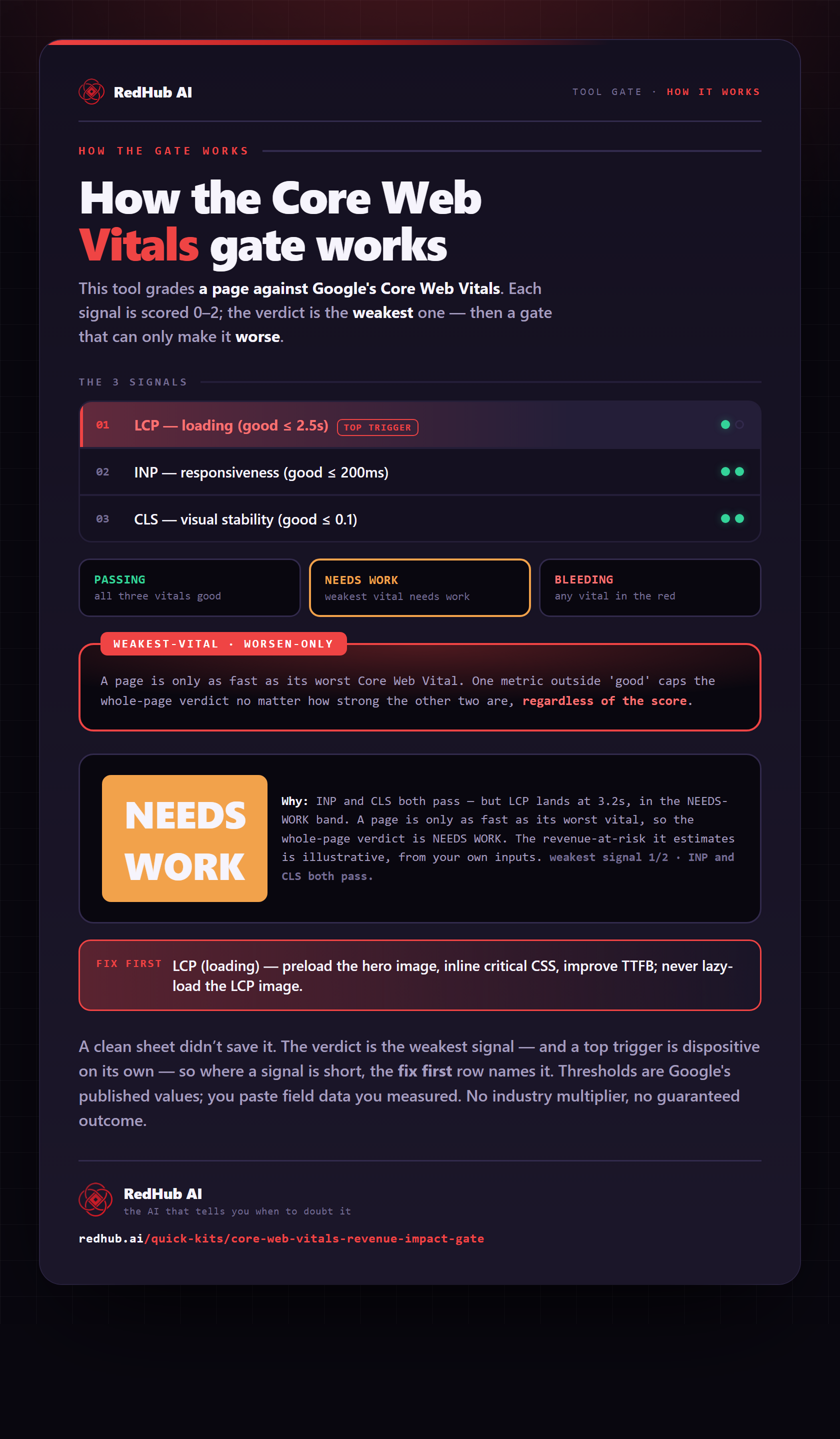
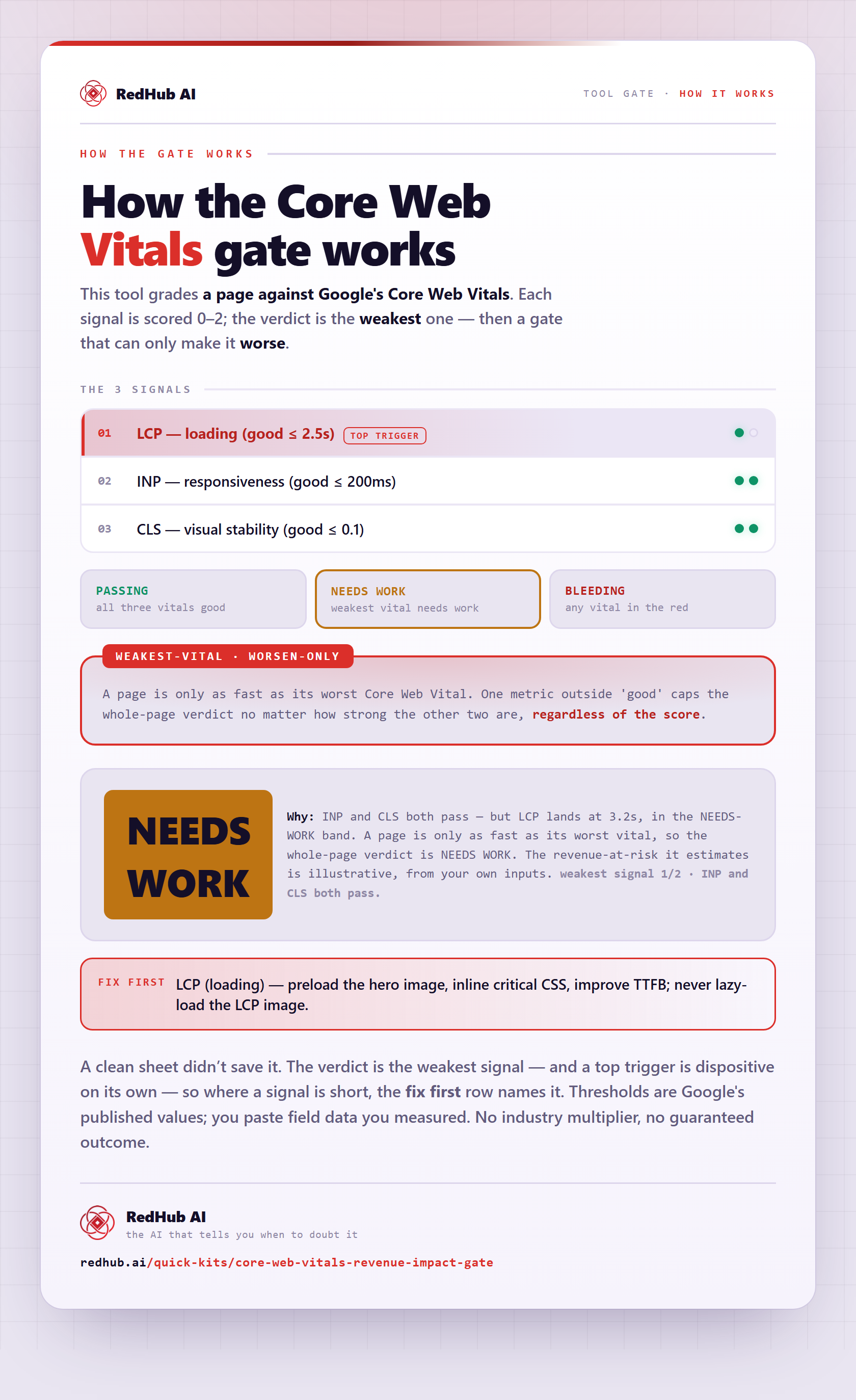
The gate this post refers to, drawn from the tool’s own logic. See the tool.