How to Measure the Revenue Impact of a Slow Website
RedHub AI Editorialupdated October 5, 20266 min read

Jump to a section8
A store ships a faster product page on a Monday, and sales rise that week. Nothing in that sentence measures website speed revenue impact. Traffic, promotions and the calendar all moved too. The measurement that holds up is narrower: record your conversion rate, change one thing, then compare conversion rate before and after over matching windows. Nobody can hand you a generic dollar figure in advance. You can build an honest before-and-after number from your own data.
TL;DR: Baseline your conversion rate and field Core Web Vitals, ship one fix, then compare conversion rate, not traffic, over a window of the same length. Multiply the change by visitors and average order value to get a dollar figure. Check the sample is big enough to trust. The Core Web Vitals Revenue-Impact Gate ($49) helps you decide which page to fix first.
Step 1: Baseline your numbers before you touch anything
You can't measure a change without a starting point. Before any fix, write down your field LCP, INP and CLS from Search Console. Add your conversion rate over a recent, representative period of at least a few weeks, ideally a full month. Then add monthly visitors and your average order value or lead value. This is your control group of one. Everything after the fix gets compared back to it.
Step 2: Pick one fix and ship it alone
Resist the urge to overhaul everything in one week. If you compress images, switch caching plugins and remove six plugins at once, and conversion rate rises, you won't know which change mattered, or which one to protect when a future update breaks something. Ship the biggest likely win first, usually image compression for LCP or plugin cleanup for INP, and let it run long enough to compare.
- Record baseline LCP, INP, CLS, conversion rate, visitors and average order value.
- Ship one fix. Note the date.
- Let it run for the same length as your baseline window, ideally with the same mix of weekdays.
- Re-measure Core Web Vitals and conversion rate over the new window.
- Compare the two conversion rates, then move to the next fix.
One catch on step four. Search Console's Core Web Vitals report covers the last 28 days of real visits, per Google's help page, so a fix shipped today is blended with old data for about four weeks. Your conversion window should start after the fix, but the Search Console grade will lag behind it. Lab tests in PageSpeed Insights can confirm the fix landed while the field data catches up.
Step 3: Compare conversion rate, not traffic
The most common mistake is watching total sales rise and crediting the speed fix. Traffic moves for many reasons that have nothing to do with Core Web Vitals: a seasonal spike, a new ad campaign, a mention somewhere, a holiday. Conversion rate, sales divided by visitors, takes volume out of the picture and shows whether the visitors who arrive are completing the action. If conversion rate moved while your traffic sources and device mix held steady, that is a real signal. If conversion rate held flat while traffic grew, that is not a speed win.
Step 4: Turn the change into a dollar number
Once you have a before-and-after conversion rate, the math is short. It is the same math behind the calculator in the pillar guide:
- Extra conversions per month = monthly visitors × (new conversion rate − old conversion rate)
- Extra revenue per month = extra conversions × average order value
Say your baseline conversion rate was 1.8%, and after fixing LCP on product pages it settled at 2.1% over a matching window. On 25,000 monthly visitors, that is 25,000 × 0.3% = 75 extra conversions a month. At an $80 average order value, that is $6,000 a month. The number is real because it came from your own before-and-after data, not a borrowed industry stat.
Common measurement mistakes to avoid
- Changing several things at once. You get a result, but you can't tell what caused it.
- Comparing mismatched windows. A holiday week against a normal week, or a weekday-heavy sample against a weekend-heavy one, spoils the comparison before it starts.
- Crediting traffic changes to speed. An ad campaign or seasonal spike can lift sales the same week you ship a fix. Isolate conversion rate.
- Ignoring device and source mix. If mobile's share of traffic shifted between windows, the comparison is off, because mobile and desktop convert differently.
- Treating a small sample as certain. Run the significance check above before you call a win.
Where a structured tool helps
You can build all of this in a spreadsheet by hand. The Core Web Vitals Revenue-Impact Gate covers the step before the test: choosing which page to fix. You paste each page's field LCP, INP and CLS with its monthly sessions, conversion rate and value per conversion. It grades each page PASSING, NEEDS WORK or BLEEDING by its worst metric, names the metric to fix first where a metric is short, and estimates revenue at risk from your own per-100ms sensitivity setting. That estimate is a prioritizing figure built on your assumption. The before-and-after test above is still how you learn what a fix actually earned.
Decide which page to test first
One spreadsheet: Start Here, Dashboard and CWV Calculator, with Google's thresholds built in and a worked five-page example you overwrite with your own.
Get the Core Web Vitals Revenue-Impact Gate — $49Pairs well with
If conversion rate stays flat after a real speed fix, the bottleneck has moved to the page's pitch. The AI Offer & Landing-Page Conversion Kit ($79) scores landing copy for clarity, proof and honesty. The Checkout Friction & Abandonment Exposure Gate ($79) finds the dominant abandonment driver in a checkout flow. The Cart-Recovery Sequence Effectiveness Gate ($49) grades your abandoned-cart emails on seven levers and, where a lever is short, names the fix to make first.
More in this guide
How do I measure whether a speed fix increased sales?
Baseline your conversion rate before the fix, ship one change at a time, then compare conversion rate, not raw traffic or sales, over a window of the same length afterward.
Why compare conversion rate instead of total sales?
Total sales move with traffic, which changes for reasons unrelated to speed, such as seasons, ad spend and mentions. Conversion rate shows whether the visitors who arrive are buying.
What's the formula for the revenue impact of a speed fix?
Extra conversions per month equal monthly visitors times the change in conversion rate. Multiply that by average order value. For example, 25,000 visitors moving from 1.8% to 2.1% is 75 extra conversions, or $6,000 a month at $80 each.
How long should I test a speed fix?
Long enough to match your baseline window and reach a sample you can trust. A few weeks suits most sites, and low-traffic sites need longer. Search Console's Core Web Vitals report covers the last 28 days, so its grade lags a new fix.
What if my conversion rate doesn't change after a speed fix?
That is useful too. It suggests speed wasn't your bottleneck, and the next place to look is your offer, copy or checkout, not more speed work.
Does the Core Web Vitals Revenue-Impact Gate measure my actual results?
No. It grades the field values you paste in and estimates revenue at risk from your own conversion numbers and your own sensitivity assumption. The actual result of a fix has to be measured in your analytics afterward.
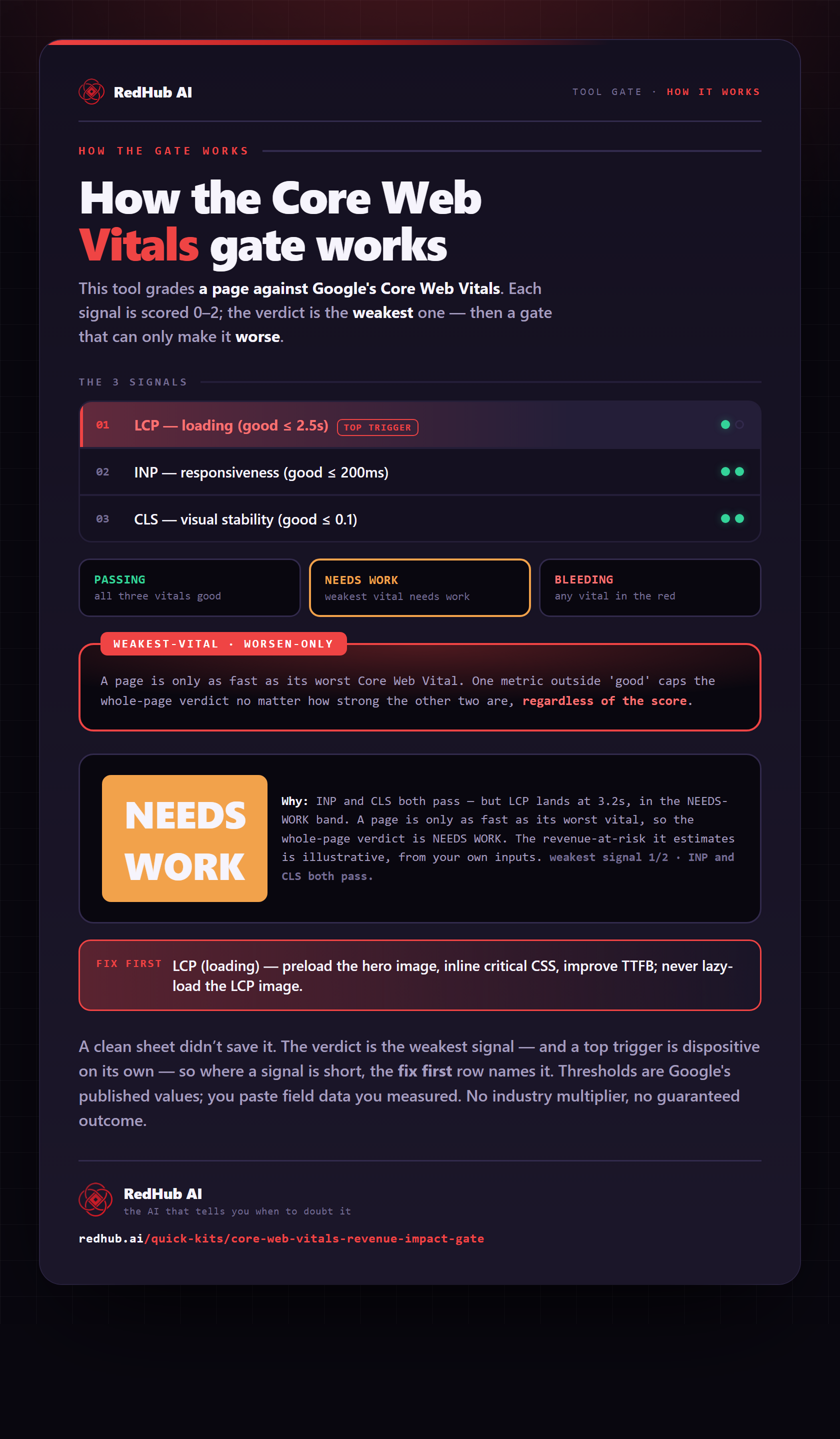
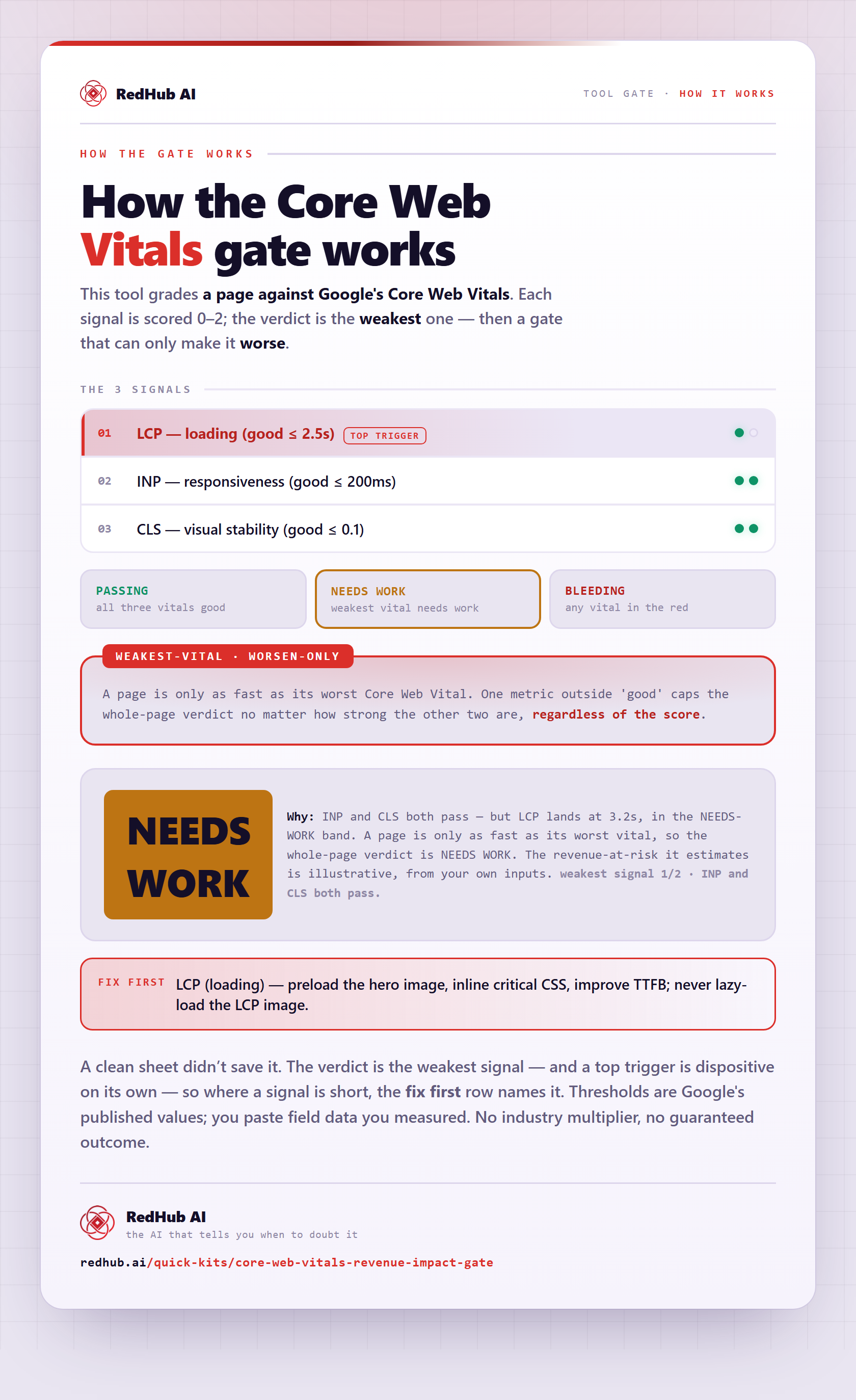
The gate this post refers to, drawn from the tool’s own logic. See the tool.