Is AI Actually Saving Your Team Time? How to Tell
RedHub AI Editorialupdated October 7, 20265 min read

Jump to a section7
Ask "is AI saving time?" about one workflow at a time, and the answer is a subtraction: hours saved drafting, minus hours spent verifying, fixing and redoing what got drafted. A team that counts only the first number will see a win every time, because the fast part is the visible part. The second number sits in reviewers' calendars and nobody totals it. Run both for a single workflow and the net can come out positive, negative, or too close to call from memory.
TL;DR: Net time is time saved drafting minus time spent verifying and redoing. In the illustrative report below, the same workflow saves 50 minutes a week or loses 10, and drafting time is identical in both. Measure one workflow, not the company. Your "before" figure is the shakiest input, so a small net either way proves little. The Workslop Cost & Verification-Tax Calculator ($49) prices the rework side per team; the time-saved side you bring yourself. Background: the AI verification tax.
The half of the question that gets answered
The usual evidence that AI is saving time is how fast a first draft appears. A draft that appears in seconds says nothing about whether it was usable, how long it took to check, or how many rounds it needed. The question worth asking is narrower. Across the full workflow, from prompt to output someone trusts, did total hours go down?
A ledger for one workflow
Take a weekly client report that used to take three hours by hand, or 180 minutes. The numbers here are invented to show the arithmetic.
With AI, the writer spends 40 minutes prompting and assembling. A reviewer spends 50 minutes checking the figures. One week in three, a section comes back wrong and takes two hours to redo, which averages 40 minutes a week. That is 40 + 50 + 40 = 130 minutes. The workflow saves 50 minutes a week.
Now change two numbers and leave drafting alone. Reviewers have been burned twice, so the check grows to 70 minutes. The redo happens two weeks in three, averaging 80 minutes a week. That is 40 + 70 + 80 = 190 minutes. The same workflow now loses 10 minutes a week, and the draft still appears just as fast.
| Minutes per week | Version A | Version B |
|---|---|---|
| Prompting and assembling | 40 | 40 |
| Review | 50 | 70 |
| Redo, averaged | 40 | 80 |
| Total with AI | 130 | 190 |
| By hand | 180 | 180 |
| Net | 50 saved | 10 lost |
Signs the review side is growing
None of these proves a negative net. Each is a reason to run the ledger on that workflow.
- The same output keeps coming back. One type of AI-assisted work returns for a second or third pass, and it has stopped being unusual.
- Review time grows faster than output. The team produces more, and the people checking it report spending more time per piece.
- Experienced people re-verify everything. They check AI output as closely as they would check a new hire's first week of work, which uses up most of the time the draft saved.
The "before" number is the weak one
The ledger compares today against how long the task took before AI, and that figure usually comes from memory. Nobody timed the old weekly report. People remember it as three hours because it felt like a whole morning. If it was closer to two and a half, Version A's saving drops from 50 minutes to 20, and nothing about the workflow changed.
You can time one run by hand to firm it up, though few teams will give up a morning to do that. What you can do is hold the result loosely. A net of an hour a week or more will survive a bad memory. A net of ten minutes either way sits inside the error of the estimate, and it should not decide anything.
A negative net is about one workflow
If the client report loses time, that tells you about the client report. The same team's first-draft meeting agendas may be well ahead. A negative result means that workflow needs a change: better instructions, a defined check, or a different split of the work. How to reduce AI rework covers the two fixes and the case where the right call is to stop using AI for that one task.
Price the rework side of the ledger
The Workslop Cost & Verification-Tax Calculator totals what your teams spend verifying and redoing hollow AI output. You enter headcount, the share of people receiving workslop, incidents per receiver per month, rework hours per incident, and a loaded hourly rate. It returns monthly and annual cost and a CONTAINED, LEAKING or EPIDEMIC verdict per team. It does not estimate the time AI saved; that side stays with you.
Get the Workslop Cost & Verification-Tax Calculator — $49Pairs well with
When redos are the growing line, the Internal AI Handoff QA Gate ($79) checks an AI-assisted memo, analysis or summary on six signals before it goes to a colleague and returns HAND OFF, REWORK or DO NOT HAND OFF. When review is the growing line, the AI Over-Reliance & Critical-Thinking Check ($69) shows how well a reviewer catches planted errors in AI text, with a result of INDEPENDENT, ASSISTED or RELIANT. It is for individual development and training only. Time is one AI cost and the bill is another: the AI Spend Runaway & Billing-Safeguard Gate ($49) grades whether a runaway API bill would be stopped, per account, as SAFEGUARDED, EXPOSED or RUNAWAY RISK.
More in this guide
How do I know if AI is saving my team time?
Compare hours saved drafting against hours spent verifying, fixing and redoing, for one workflow at a time. If you track only the drafting side, AI will look like a win every time.
What does net time mean here?
Net time is time saved drafting minus time spent on verification and rework. Gross time counts only the drafting speed-up and ignores what it costs to trust the result.
Can AI save time on one workflow and lose it on another?
Yes. A company-wide average can hide a workflow that saves an hour a week and one that loses an hour, which is why the comparison is run per workflow.
What are the warning signs that AI is not saving time on a task?
The same type of output keeps coming back for another pass, review time grows faster than output, and experienced people re-verify everything regardless of the tool's track record.
Does a negative net mean we should stop using AI for that task?
Not right away. It means that workflow needs a change, such as better instructions or a defined check before handoff. If checking costs as much as doing the work by hand, stopping for that one task is a reasonable call.
How accurate is the comparison?
Only as accurate as your estimate of how long the task took before AI, which usually comes from memory. A large net survives a rough estimate. A net of a few minutes either way does not.
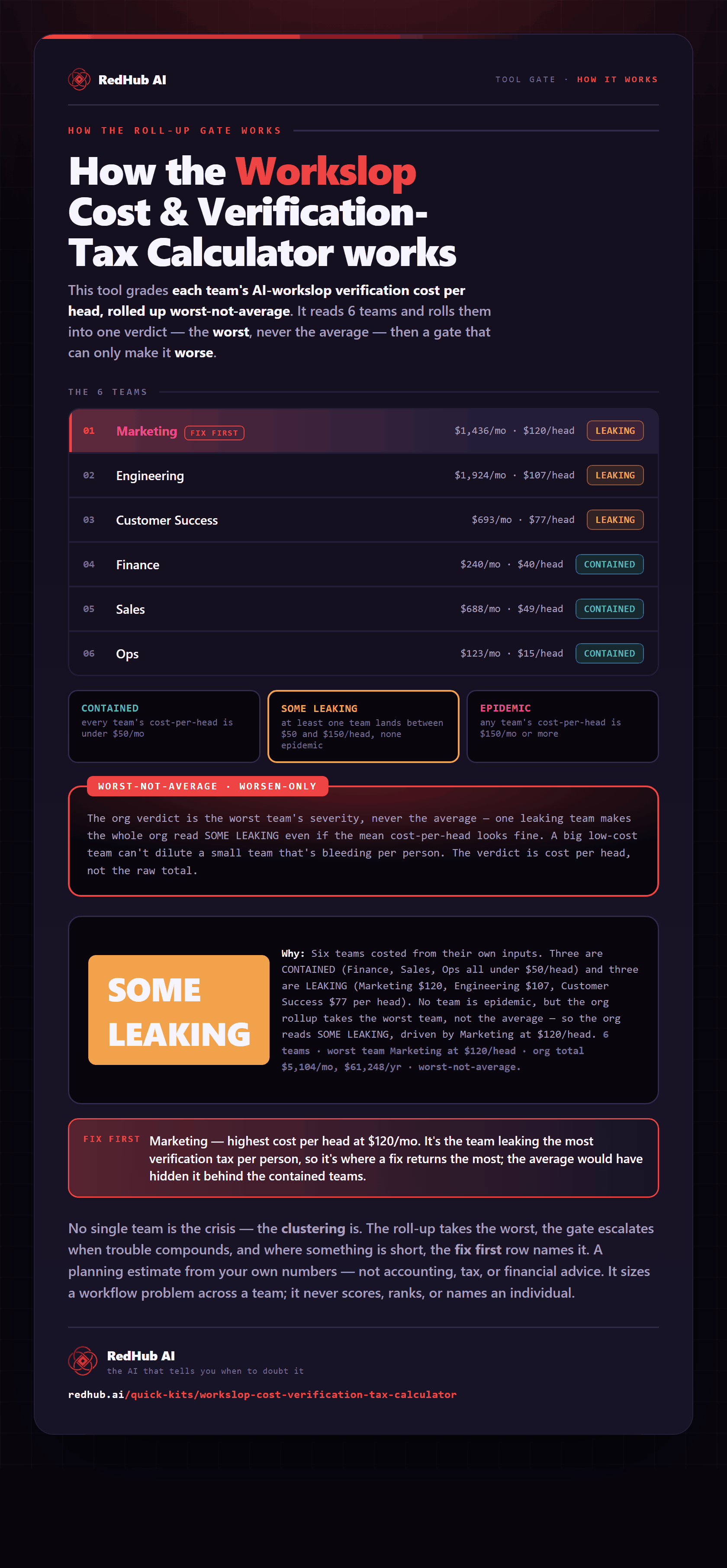
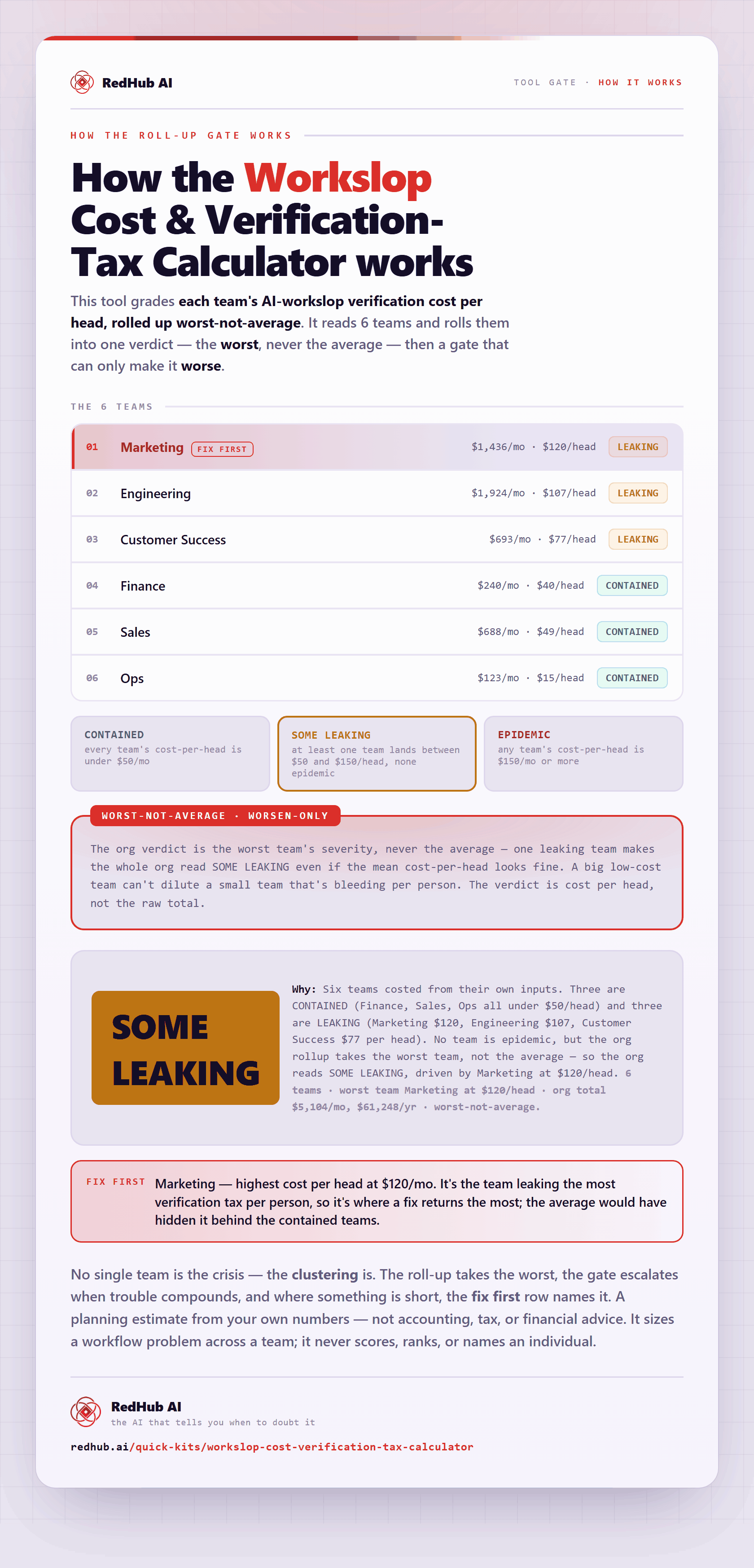
The gate this post refers to, drawn from the tool’s own logic. See the tool.