Reconciling Payments, Orders, or Contacts: A Practical Two-List Workflow
RedHub AI Editorialupdated October 7, 20266 min read

Jump to a section8
Payments against invoices, orders against shipments, a signup sheet against a CRM export: they look like three jobs. As list reconciliation they are one. Pick the shared key, set the tolerance, run the compare, then check the matches by hand before you close it out. What changes from one job to the next is which key and which tolerance.
TL;DR: Payments reconcile on a transaction ID with a tight dollar tolerance. Orders reconcile on an order number with the status matched exactly. Contacts reconcile on email, with a hand-reviewed name check as the fallback. The method is the same each time: matched, only in A, only in B, mismatched. The Two-List Reconciliation Kit ($49) runs that method on an exact key with an amount column and a status column.
Payments: transaction ID plus a tight tolerance
A payment-processor export against your ledger matches on the transaction ID or reference number. The amount gets a small numeric tolerance for rounding. Keep it small. A payment mismatch is money, and a wide tolerance waves money through.
Fees are the usual trap. An illustrative case, with made-up numbers: you invoice 100.00. The processor keeps a 3.20 fee and deposits 96.80. If your ledger holds 100.00 and the export holds 96.80, every row fails by its fee. The fix is to compare gross with gross: use the processor's gross amount column, and reconcile the fees as a separate line. Widening the tolerance to 3.20 would pass the fee and anything else of that size.
For the bank side specifically, our post on AI for bank reconciliation covers which parts of the matching a model can take on and which calls stay with the bookkeeper.
Orders: order number plus an exact status
Orders against a fulfillment system match on the order number. The value to compare is the status, and status gets no tolerance. An order marked complete in one system and pending in the other is the finding you ran the job to get.
What status does need is a shared vocabulary. The Two-List Reconciliation Kit compares status text ignoring case and surrounding spaces, so "Shipped" and "shipped " agree. It has no way to know that one system's "shipped" is another system's "fulfilled." Map the two vocabularies in a helper column first, or every order will read as an exception for a reason that has nothing to do with the orders.
Contacts: email first, name as a hand-checked fallback
A signup sheet against a CRM export matches on email. It is the closest thing to a unique key most contact data has, and an exact compare that ignores case handles the Jane@ and jane@ problem.
Names come in only when the email is missing or plainly mistyped, and they come in by hand. Two people can share a name. Merging them is hard to undo later, because the merged record keeps collecting activity from both. The kit does not do fuzzy matching, so a contact with a mistyped email will show as one orphan on each side. Reading those orphans together is the name check.
The three jobs side by side
| Job | Key | Compare rule | Read first |
|---|---|---|---|
| Payments | Transaction ID | Amount within a tight tolerance, gross against gross | Amount mismatches, then ledger-only rows |
| Orders | Order number | Status equal after mapping both vocabularies | Status mismatches |
| Contacts | Exact on email; names reviewed by hand | Signups with no CRM record |
A five-step workflow for all three
- Export both lists to the same format, CSV or a plain spreadsheet.
- Check the key column on both sides. Count the blanks. A key column that is one-third empty has already decided the result.
- Set the rule for this job: tight for payment amounts, exact for order status, exact on email for contacts.
- Run the compare and read the mismatched rows first. Each one is a record both systems hold and disagree about.
- Read a sample of the matched rows against source documents before you call it closed.
When both sides have orphans and nothing is wrong
The step that trips people is the one before step 1: both lists have to cover the same period, cut the same way. A processor export for October by payout date and a ledger for October by invoice date do not hold the same set of payments. Late-October invoices paid in November sit in the ledger only. Early-October payouts for September invoices sit in the export only.
Run that pair through the Two-List Reconciliation Kit and the batch verdict escalates past EXCEPTIONS to ORPHANED, because orphans appear on both sides at once. The workbook's Start Here tab says that pattern usually means a key-format mismatch or the wrong file. Here the keys are fine and the files are right. The cutoff is the problem.
No rule fixes this cleanly. Widen both date ranges and you pull in more strays at the new edges. Cut both by the same date field and one system may not export that field. A common workaround is a known list of timing items carried from month to month, which works as long as someone checks that last month's items cleared.
A workbook sorts keys the same way every time. It does not know that a 45.00 gap is an approved discount, or that two contacts with one name are father and son. It hands a person a short list. What the list means is still that person's call.
One method, three kinds of list
The Two-List Reconciliation Kit takes a key, an amount and a status for each list. It returns RECONCILED, EXCEPTION, ORPHAN A or ORPHAN B per key, and a batch verdict of RECONCILED, EXCEPTIONS or ORPHANED, or CHECK INPUTS when every key agrees but the worksheet flagged a row on the way in. One open key blocks RECONCILED. The workbook ships with a worked bank-versus-ledger example of six keys. Paste over it with up to 500 rows per list, and the Keys panel builds the list of distinct keys itself. Read the Input checks line and check the tallies against your row counts before you rely on the verdict.
Get the Two-List Reconciliation Kit — $49Pairs well with
Paying vendors is a stricter job than a two-list compare: the Invoice-PO-Receipt 3-Way Match ($79) runs seven fixed checks per invoice line against the purchase order and the goods receipt, and returns APPROVE, HOLD or BLOCK PAYMENT. Where the payment or order data starts as scanned invoices, the AI Document Extraction Kit ($99) ships a runnable extractor, editable JSON schemas, a QA tracker and a playbook, with no accuracy guarantee. A bank export, a processor export and a ledger together are a three-source job, and the Multi-Source Data Reconciliation Engine ($89) reconciles three or more sources on one match key.
More in this guide
What key should I use to reconcile payments?
The transaction ID or reference number, with a small dollar tolerance for rounding. Compare gross amounts on both sides and handle processor fees as their own line.
Should order status use a tolerance?
No. Status should match exactly once both systems' wording has been mapped to one vocabulary. A status mismatch is the discrepancy the reconciliation exists to find.
What is the best key for reconciling contact lists?
Email address, compared without regard to upper and lower case. Use names only when the email is missing or mistyped, and confirm each of those pairs by hand.
Which rows should I read first after a reconciliation?
The mismatched ones. Each is a record that both lists hold and disagree about, so there is a specific amount or status to chase.
Why do both lists show unmatched rows when the data looks right?
Often the two exports cover different periods or are cut by different date fields. Payments near the start and end of the month then appear on one side only.
Does a reconciliation workbook replace human review?
No. It sorts keys the same way every time, but it does not know your business context. A person still decides what each discrepancy means before it is closed.
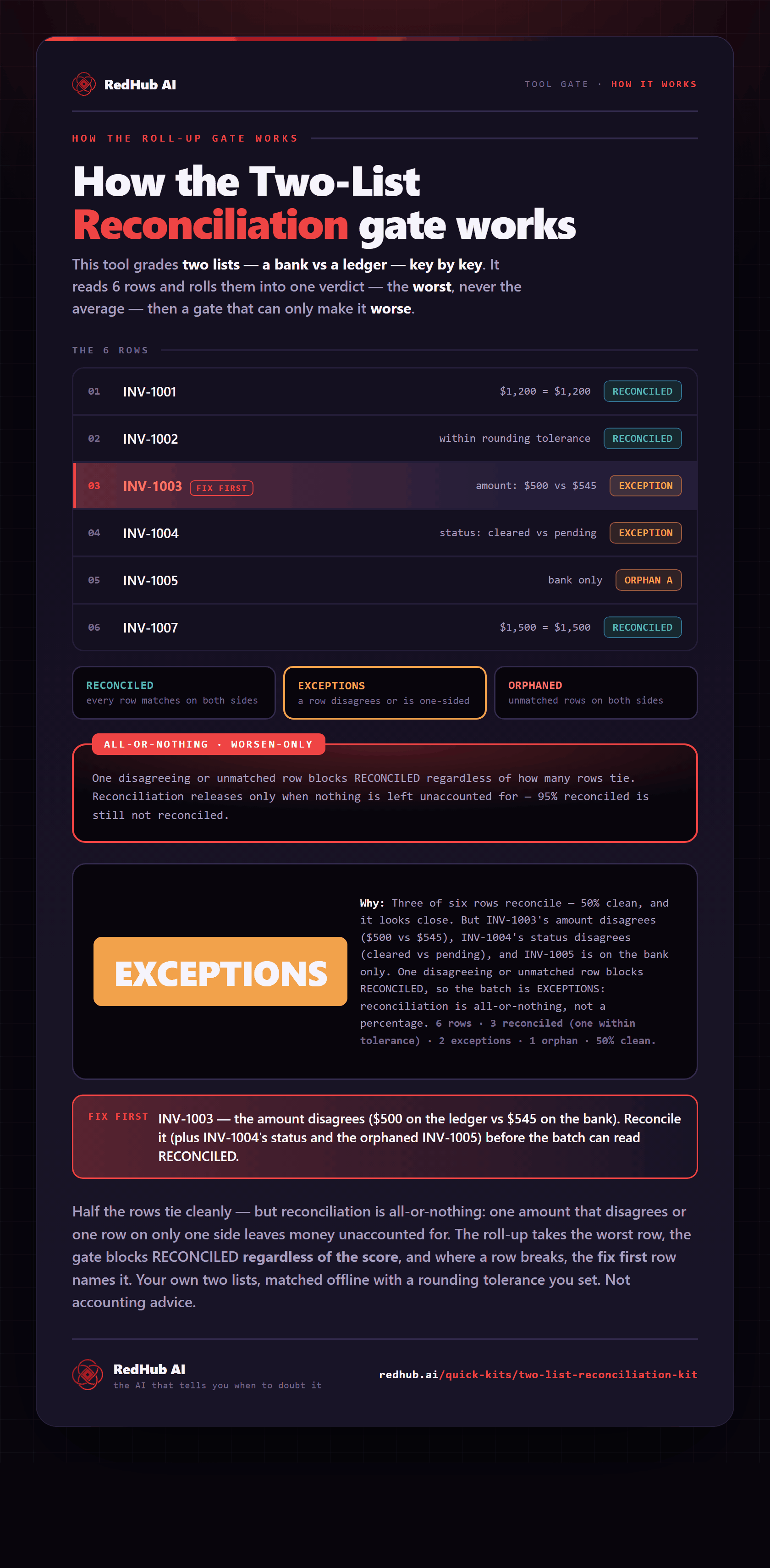
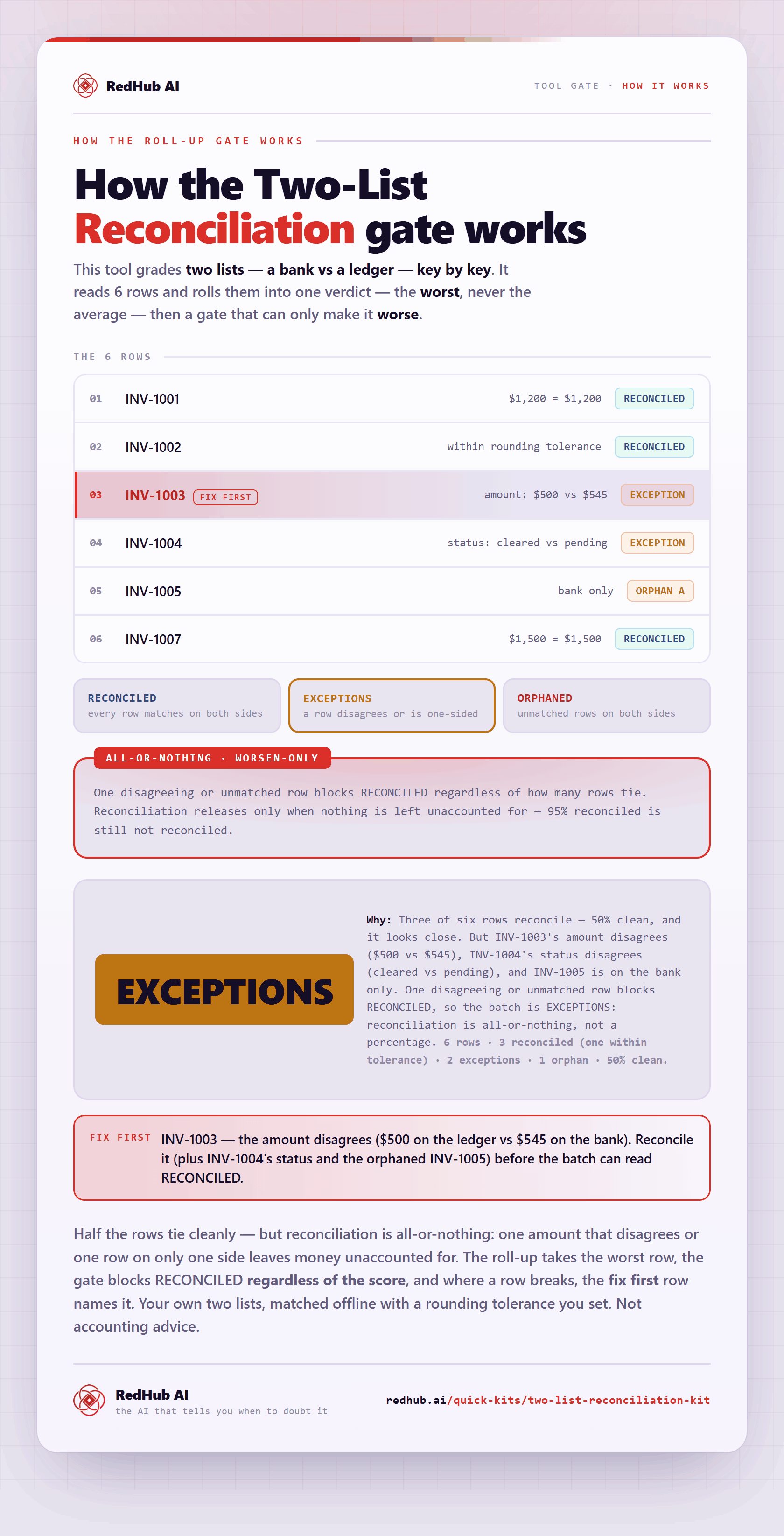
The gate this post refers to, drawn from the tool’s own logic. See the tool.