Action Item Tracking: How to Keep Commitments From Slipping
RedHub AI Editorialupdated October 4, 20266 min read

Jump to a section7
If an item went into your tracker as "the team will look into pricing at some point," no tool will ever chase it. Action item tracking runs on fields: an owner to notify, a date to sort by and flag as late, and a deliverable that says when the item is done. Fill those in at the meeting and almost any tool will surface the item when it comes due, from a shared spreadsheet up. Leave them blank and the most expensive tracker on the market has nothing to sort. Teams that feel their tracking is broken often shop for a new app first, and the new app inherits the same blank fields.
TL;DR: A tracker can only sort, filter and remind on what it was given, so make each item trackable at the source: owner, verb, deliverable, date. Then run a short weekly review from due dates, check in with each owner by name, and re-date slipping items out loud. Watch for items that get re-dated again and again. The Meeting-to-Action Handoff Gate ($49) checks each item before it reaches your tracker. Start with the pillar: How to Actually Get Meeting Action Items Done.
A tracker sorts the fields it was given
Every task tracker, from a shared sheet to an enterprise project suite, works the same basic way. It sorts and surfaces items by fields like owner and due date. Enter "look into pricing" with no owner and no date and there is nothing for the tool to act on. The item sits at the bottom of an unsorted list until someone deletes it in the next cleanup pass.
The tool is doing its job correctly with input that was never structured enough to track. Switching to another tool doesn't change that, because the next one needs the same two fields. Garbage in, garbage tracked.
What makes an item trackable
A trackable item fits one shape: [Owner] will [verb] [deliverable] by [date]. Each part does work the tracker relies on. The owner is who it assigns and notifies. The verb and deliverable are what shows up on that person's list, so they know what "done" looks like. The date is what the tool sorts by and flags when it passes.
Two more things decide whether the item survives. The owner has to have accepted it, or the tracker is assigning work to someone who never agreed. And the item has to live in the system everyone checks, not in a side document. The Meeting-to-Action Handoff Gate scores those as two of its five checks, alongside owner, date and definition of done, at the end of the meeting and before anything is typed into the tracker.
A weekly review run from due dates
Tracking needs a trigger more reliable than memory, and due dates are that trigger. A short review, run the same way every week, keeps the list honest.
- Pull what's due in seven days. Not the whole backlog. Only what is coming due, so the review stays short enough to happen every week.
- Ask each owner directly. "Is this still on track for Thursday?" takes five seconds and surfaces a slipping item while there is still time to react.
- Re-date out loud, with the owner. A silently overdue item makes people trust the whole tracker less. A new date agreed to openly keeps the list credible.
None of this requires new software. The habit is the expensive part. Clean input from the meeting is what keeps the review short, because every item already says who to ask and when it was due.
When re-dating hides a dead item
Re-dating is the right move for an item that is slipping for a real reason. It is the wrong move for an item that no longer matters, and the review can't tell the two apart. "Draft the partner FAQ" moves from October 30 to November 6 to November 13, each time with a reasonable excuse, and the list stays green the whole way. The item has quietly died while every check said it was on track.
A second re-date is a fair point to stop and ask whether the item still deserves an owner at all. Our post on leadership team meeting rhythm calls the same pattern a carried problem: a flag that shows up four weeks running means the item is circling instead of rising. There's also a cost in the other direction. A weekly "is this on track?" can start to feel like surveillance to the people being asked. Keep the question about the item and its date, never about the person, and accept that some teams will still find it heavy. We haven't found a wording that removes that entirely.
Tracking one item is not running the week
Tracking answers one question: is this specific item on schedule? Running a business week asks how every area is doing against its targets at once. The Operating Cadence Engine ($299) works at that level for founders and solo operators. It reads their calendar, inbox, CRM and a metrics source, grades each tracked area against the target and floor they set, and delivers a one-page report every Monday. A team can track action items well and still lack a weekly rhythm, and the reverse happens too.
Make every item trackable before it reaches the tracker
Run it as the meeting closes. Mark named owner, due date, acceptance, system of record and definition of done for each item in the spreadsheet, and get TRACKED, CHASE or DROPPED per item, plus, where an item falls short, the single item and check to fix first.
Get the Meeting-to-Action Handoff Gate — $49Pairs well with
For a recurring meeting, the Meeting Intelligence System ($49) includes a "What Changed" prompt: give it last meeting's action items and this meeting's transcript, and it sorts the items into Advanced, Slipped / still open, Now overdue, New this time, or Dropped. Items you're waiting on from other people tend to come back by email, where the Inbox-to-Done Engine ($129) keeps a waiting-on tracker that surfaces overdue follow-ups. Founders who want the whole week graded, not only the list, can add the Operating Cadence Engine ($299), which rolls each week up to STEADY, NEEDS ATTENTION or OFF PLAN.
More in this guide
What's the best tool for action item tracking?
The tool matters less than what goes into it. A spreadsheet, a project app or a shared doc will surface an item that has a named owner and a real date. None of them can reliably surface one that doesn't, whatever it costs.
Why do action items slip even with a project management tool?
Usually because they entered the tool without an owner or a date, so the tool has nothing to sort or flag. A new tool has the same requirement, so switching rarely fixes it.
How often should action items be reviewed?
Weekly is a reasonable default, run from what is due in the next seven days, not the whole backlog. That catches slipping items early enough to re-date them openly.
What should happen when an item is going to be late?
Re-date it with the owner, in a conversation. If the same item has been re-dated twice, ask whether it still needs doing before giving it a third date.
Is action item tracking the same as a weekly operating cadence?
No. Tracking asks whether one item is on schedule. A weekly cadence, like the report the Operating Cadence Engine sends founders every Monday, asks how every area of the business is doing against its targets.
How does the Handoff Gate help tracking without adding a tool?
It checks each item at the end of the meeting, before anything goes into your tracker: owner, date, acceptance, system of record and definition of done. Your existing tool then has real fields to sort and flag.
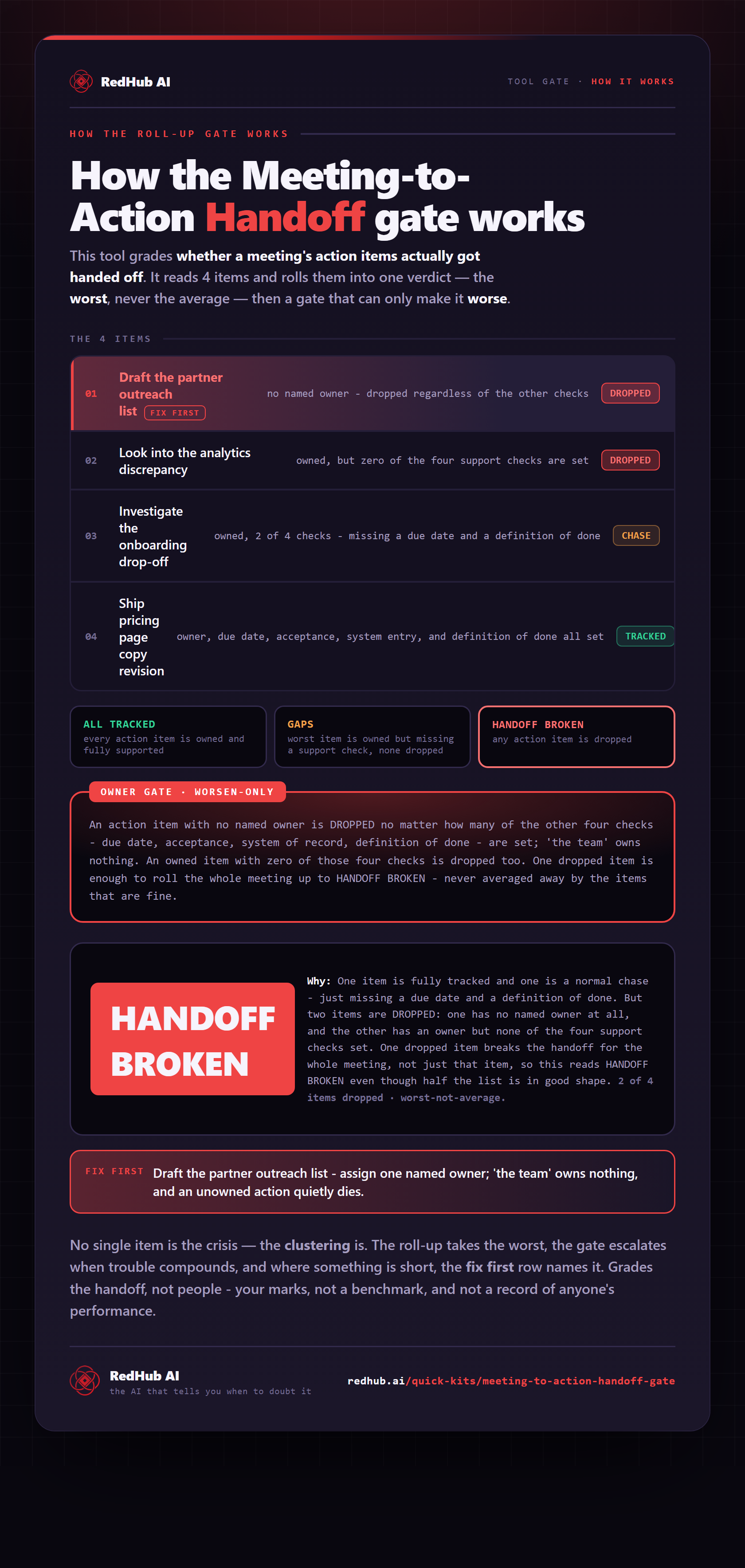
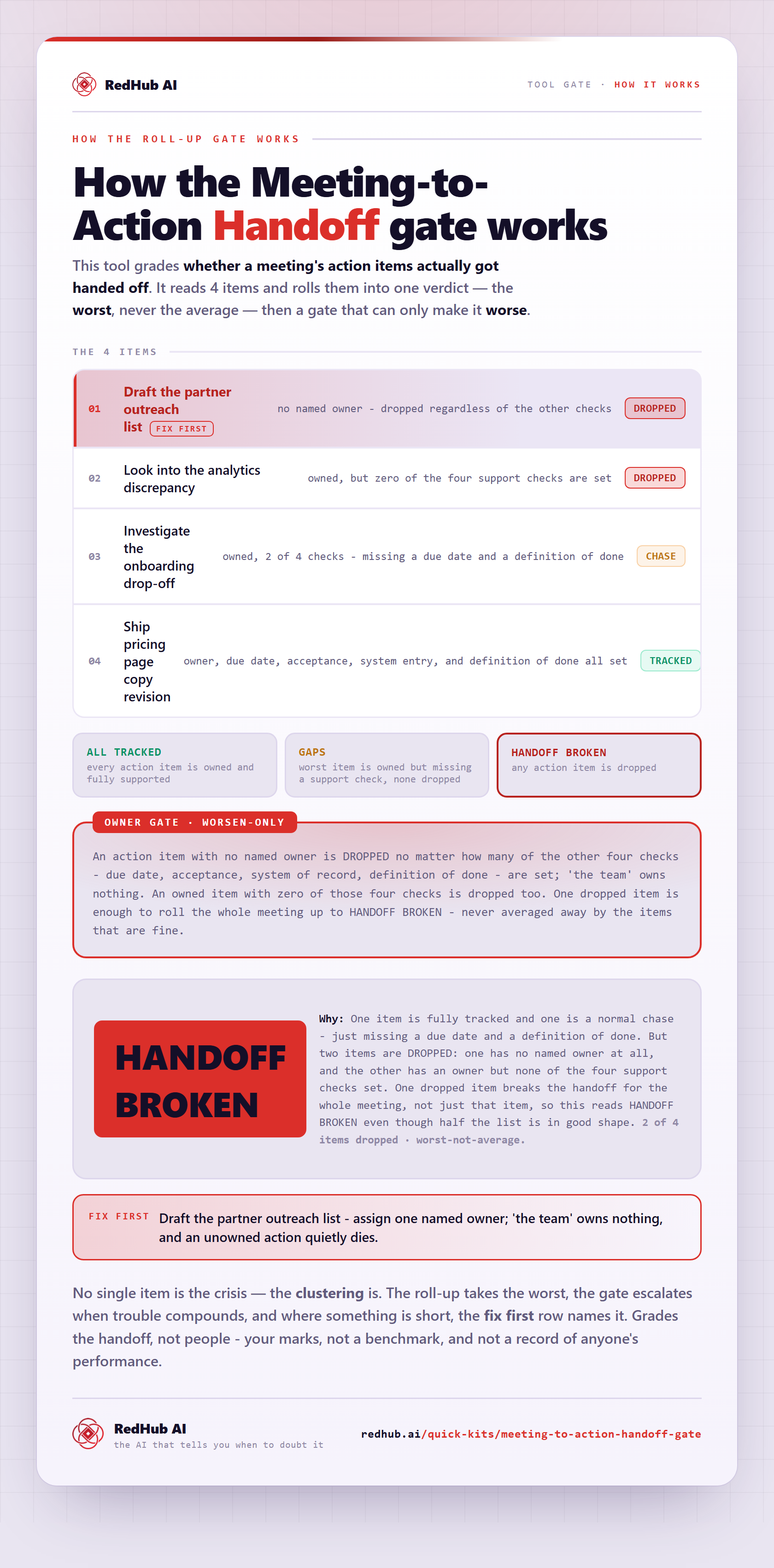
The gate this post refers to, drawn from the tool’s own logic. See the tool.