Back-Catalog Optimization: Turning Old Content Into New Traffic
RedHub AI Editorialupdated September 20, 20265 min read

Jump to a section10
- Why old content is a better traffic lever than new content
- The optimization playbook
- Picking the right lever for the right piece
- A real example: the tutorial with a discovery problem
- What optimization can't do
- How this connects to the rest of the audit process
- Where to send the fix once you've identified it
- Find the near-misses first
- Pairs well with
- More in this guide
Back-catalog optimization means finding the pieces in your existing library that are close to working — near-miss rankings, steady-but-stale search traffic, good content buried under weak packaging — and giving them a targeted push instead of starting from scratch. It's cheaper and faster than making new content, but it only works on pieces that have real underlying demand. It can't manufacture demand that was never there.
TL;DR: Back-catalog optimization is the process of turning already-published content that's close to working into content that actually works — through targeted fixes, not full rewrites. It's high-leverage because the audience-finding work is already done; you're improving conversion, not building demand from zero. Start by identifying which pieces have real upside with the Channel Audit & Back-Catalog Optimizer ($49).
Why old content is a better traffic lever than new content
New content has to prove itself from zero — no watch history, no backlinks, no search ranking, no track record with your audience. Old content that's already getting some traffic has already cleared that first hurdle. It's been indexed, it's been watched, and some algorithm somewhere has decided it's relevant enough to show people. That's a massive head start.
Optimizing that content — fixing the specific thing holding it back — is almost always less work than producing something new and hoping it eventually earns the same traction. The catch: this only works if the underlying piece actually has real, structural demand behind it. Optimization amplifies what's already working. It doesn't create demand that isn't there.
The optimization playbook
Back-catalog optimization isn't one action — it's a set of targeted fixes, applied based on what's actually holding a specific piece back:
- Packaging fixes — a new thumbnail, a sharper title, a stronger opening hook. Right for content with good watch time but weak click-through.
- Information updates — swapping outdated facts, prices, screenshots, or tool recommendations. Right for content that's structurally sound but has gone stale.
- Internal linking and cross-promotion — pointing traffic from your newer, higher-visibility content back to older pieces that are relevant but buried. Right for good content with no discovery path.
- Consolidation — merging two or three thin, overlapping pieces into one stronger one, instead of having three weak entries competing with each other.
- Repackaging into a new format — turning a strong written post into a video, or a strong video into a short-form clip, to reach a different part of your audience with content that's already proven.
Picking the right lever for the right piece
The mistake most creators make is applying the same fix to every flagged piece — usually a packaging refresh, because it's the easiest lever to pull. But packaging only fixes a click-through problem. If the real issue is stale information, a new thumbnail won't help; viewers will still bounce once they see outdated content. Match the fix to the actual signal:
- Good watch time, weak click-through → packaging fix.
- Good click-through, weak watch time or high early drop-off → the content itself needs updating, not the packaging.
- Decent numbers on a piece, but it's buried three pages deep with no internal links pointing to it → a discovery fix, not a content fix.
- Multiple thin, overlapping pieces each getting small trickles of traffic → a consolidation candidate.
A real example: the tutorial with a discovery problem
Say a two-year-old tutorial has genuinely great watch-time numbers — when people find it, they watch almost the whole thing. But it's only getting a trickle of traffic. On inspection, it turns out nothing else on the channel links to it, and it's buried on page four of the channel's video list. That's not a content problem or a packaging problem. That's a discovery problem, and the fix is cheap: link to it from a few newer, higher-traffic videos and pin it in a relevant playlist.
What optimization can't do
Back-catalog optimization has a ceiling. It can't rescue a piece with no real underlying demand — a topic that was only ever relevant for a week, a video made for an audience that's moved on, a post covering a product that no longer exists in any recognizable form. Trying to optimize those pieces is effort without a return. That's the retire bucket, and forcing an optimization fix onto it just delays the honest call.
How this connects to the rest of the audit process
Back-catalog optimization is the "what to do" half of the process; the channel audit is the "what to look at" half. You can't optimize effectively without first knowing which pieces deserve the effort — otherwise you're guessing which lever to pull on which video, which is exactly the slow, manual process an audit replaces. If you're not sure whether a specific piece is worth optimizing at all versus retiring, read how to find your underperforming content first.
Where to send the fix once you've identified it
- Packaging fixes on video (thumbnail, title, hook) — YouTube Packaging & Retention Engine.
- Content and information updates on written posts — Content Refresh & Publishing Engine.
- Turning your strongest optimized pieces into proof for a sponsorship pitch — Creator Sponsorship & Media-Kit System.
Find the near-misses first
The highest-leverage move in back-catalog optimization is finding the pieces that are actually close to working — not guessing. Score your whole library at once and see exactly where the near-misses are.
Pairs well with
Run the full channel audit first to find your optimization candidates, then apply the YouTube Packaging & Retention Engine for video packaging fixes or the Content Refresh & Publishing Engine for written content updates.
More in this guide
What is back-catalog optimization?
It's the process of applying targeted fixes — packaging, information updates, internal links, consolidation — to already-published content that's close to performing well, instead of creating new content from scratch.
Why is optimizing old content worth doing?
Old content that's already earning some traffic has already been indexed and shown to be relevant. Improving it is usually less work than building new content up from zero traffic and zero track record.
Can back-catalog optimization work on any piece of old content?
No. It only works on pieces with real underlying demand — content close to working. It can't create demand for a topic or piece that never had a real audience.
How do I know which fix to apply — packaging, content update, or discovery?
Match the fix to the signal. Good watch time with weak click-through points to packaging. Weak watch time points to the content itself. Good numbers but buried placement points to a discovery/internal-linking fix.
What's the difference between optimizing and refreshing content?
They overlap. Refreshing usually refers to updating a specific piece's information or packaging; optimization is the broader strategy of finding and applying the right lever — packaging, content, discovery, or consolidation — across your whole catalog.
Should I consolidate multiple old posts or videos into one?
It's worth considering when you have several thin, overlapping pieces each earning small amounts of traffic on the same topic. One stronger consolidated piece often outperforms several competing weak ones.
Does an audit tool tell me which optimization lever to use?
It surfaces the pattern — traffic, watch time, click-through, ranking position — that points toward a lever. Choosing and applying the right fix is still a judgment call based on what you know about the piece.
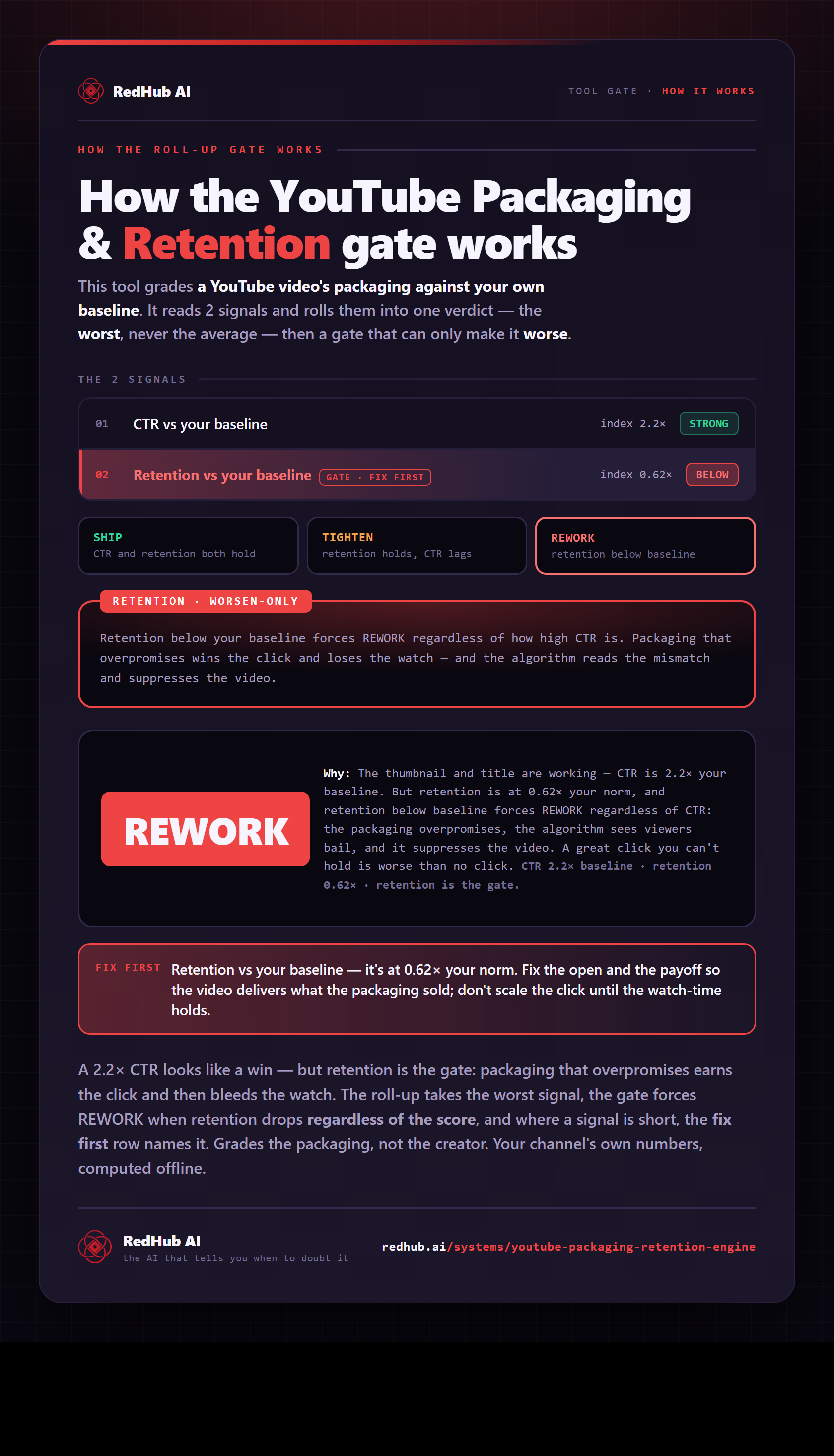
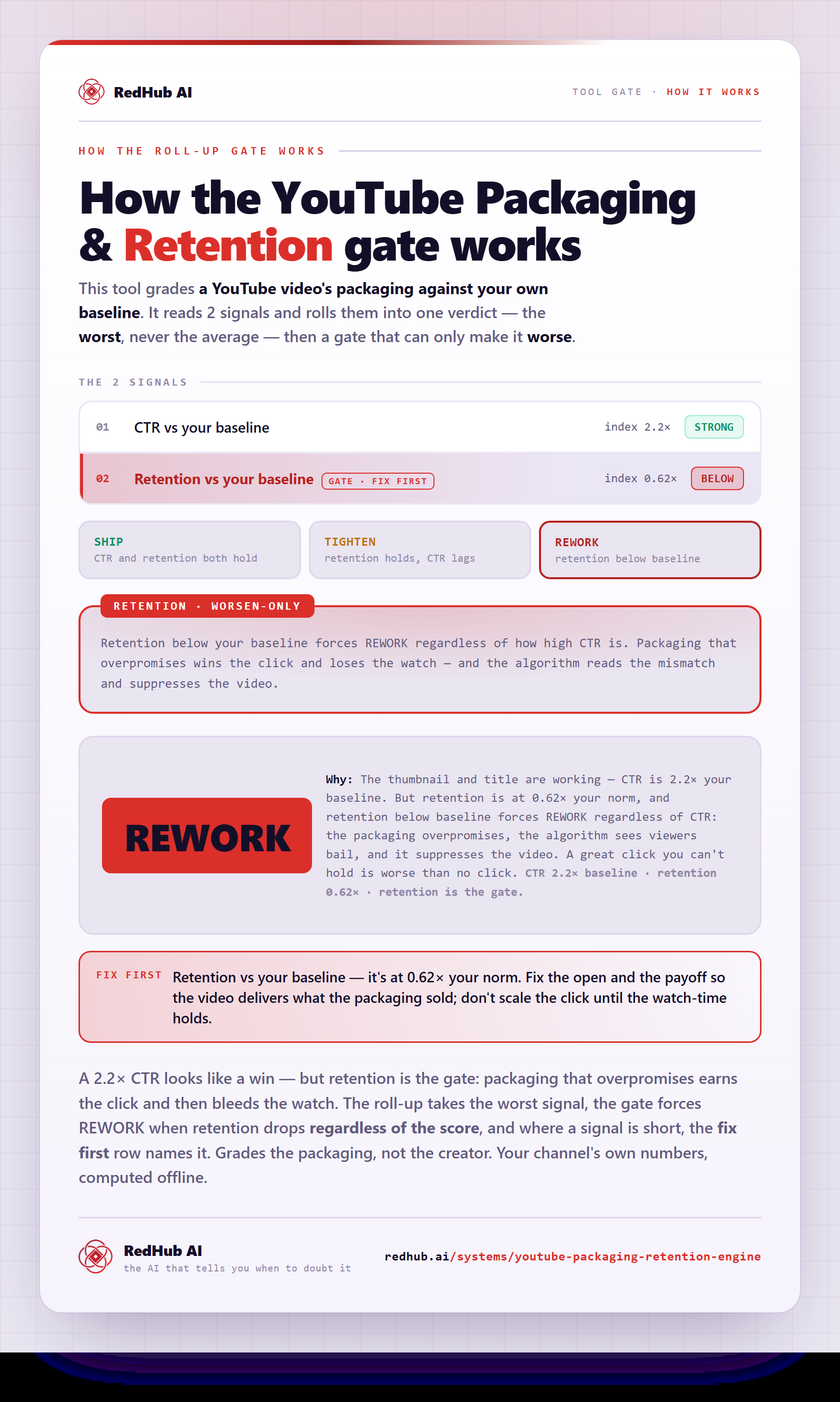
The gate this post refers to, drawn from the tool’s own logic. See the tool.