Claude Blender Connector: One 3D Scene, Many Sales Assets
Todd Brooks, Founderupdated November 12, 20269 min read
Jump to a section12
- TL;DR
- What is the Claude Blender connector?
- What the connector does
- Four jobs it is already good at
- The opportunity nobody is demoing: files you already own
- One approved scene, several uses
- Never print from the marketing scene
- Write the brief like an approver, not a fan
- Work on a copy, every time
- What this will save you
- Getting set up
- The rest of this set
TL;DR
- What it is: a connector, built by the Blender developers, that lets Claude read and change the scene you have open in Blender through Blender's Python API.
- Who can use it: anyone with Claude Desktop, on any plan including Free, and Blender 4.2 or later. It does not work in the browser version of Claude.
- The overlooked use: explaining and cleaning up 3D files you already own, not only making new ones.
- The business case: one approved product scene that feeds sales, training and the website is worth more than a pile of one-off animations.
- The rule to keep: a scene made for marketing should never become the source for a part you print or manufacture.
What is the Claude Blender connector?
The Claude Blender connector links Claude Desktop to an open Blender scene through Blender's Python API. Claude can then explain a complex node setup, rename and clean up objects and materials, apply a change across many objects at once, find what depends on a material, and write new tools for Blender's interface. It was built by the Blender developers, works on any Claude plan, and needs Blender 4.2 or later running on the same computer.
Best for: manufacturers, distributors and agencies that sell physical products and keep paying for product visuals. To see which visual tasks are worth handing to AI, use the AI Cost-Per-Task Calculator.
A product animation is a deliverable. You pay for it, it runs in one campaign, and next year it shows last year's model. An editable product scene is different. It is an asset you can keep changing, rendering and reusing. That difference is the right way to judge the Claude Blender connector, and it is the one most launch-week demos skip.
RedHub is not affiliated with Anthropic, the Blender Foundation, or any creator named here. Setup steps and features are from Anthropic's tutorial as of November 11, 2026, and can change.
This post covers what the connector does, how to set it up, and how a business could use it without creating a mess of files nobody trusts. For the model behind the 3D demos, see our Claude Fable 5.2 guide.
What the connector does
Anthropic's tutorial (opens in a new tab) describes it this way: the connector "gives Claude access to your open Blender scene through Blender's Python API." It was built by the Blender developers and released as part of Claude for Creative Work. It runs on the open Model Context Protocol, so it also works with other clients, including Claude Code.
That design has a consequence worth knowing before you start. Claude is not generating a video file and handing it to you. It is operating your copy of Blender, writing and running Python against whatever scene is open. The tutorial says changes apply to your session and are written to disk when you save in Blender.
You do not need Fable 5.2 for any of this. The tutorial lists any Claude plan, including Free, while Fable 5.2 itself is limited to paid plans. What Fable changes is the quality of harder 3D work. A Unity creative technologist quoted in Anthropic's launch said its clearest gains were "building higher-quality 3D scenes from scratch and rebuilding an experience from a visual reference."
Four jobs it is already good at
The tutorial's examples are more modest than the demos on social media, and more useful. Each one is a job that eats hours in a real studio.
| Job | What you ask | Why it matters |
|---|---|---|
| Clean up names | Rename objects, collections and materials to match what they contain, and flag misleading names | The next person can find things |
| Explain a setup you did not build | Walk through a Geometry Nodes tree and save the notes as labels inside the file | The explanation travels with the file |
| Find what depends on what | List everything using one material and what would break if you removed it | You change things without surprises |
| Find the heavy objects | Report each mesh's polygon count next to how large it appears on camera | Faster renders without visible loss |
The second row is the one I would start with. The notes are written into the node editor itself, so the explanation is saved in the file rather than in a chat window that disappears.
The opportunity nobody is demoing: files you already own
The best-known Blender demo of launch week was a car. Shikhar posted (opens in a new tab) that Fable 5.2 "just built a Bugatti Tourbillon in Blender," modeling every part, including the interior, and rendering a cinematic "from a single prompt and reference images in 2.5 hours." That is his account rather than a measured one, and the reference images were part of the input. It is still a striking result. It is also a model of someone else's product, built from nothing, and most businesses are in the opposite position.
Launch week was about creation: games, cities, animated shorts. But plenty of companies already own 3D files. A product designer made them three years ago, an agency delivered them once, and nobody in the building can open them with confidence. The names are defaults, the materials are tangled, and nobody knows what breaks if you touch anything.
Every one of the four jobs above points at that problem. A "3D file rescue" could deliver an inventory of what is in each file, consistent names, documented dependencies, one approved camera and lighting setup, and a written export procedure. That is a service idea, not something we have tested. It is worth testing because it fixes a problem the customer already has instead of asking them to buy a new creative habit.
One approved scene, several uses
The bigger prize is a single product scene, approved once, that feeds several departments. A pilot could test whether one scene can support:
- Sales: turntable views and close-ups for proposals.
- The website: product images for every color and size.
- Training: an exploded view showing how the parts go together.
- Service: where the filter is, which panel comes off first.
Here is the catch, and it is a real one. One file does not make every use accurate. A scene simplified for an ad may leave out the internal parts a training video needs. A scene that looks right on camera may be useless for anything else. Each use needs its own review, even when every image comes from the same source.
Never print from the marketing scene
A rendered case can look perfect and be impossible to print. Blender's own manual (opens in a new tab) says a mesh must be "watertight" to slice correctly, and that thin geometry "might be missed entirely by the slicer." Marketing scenes routinely have open backs, floating parts and surfaces with no thickness, because the camera never sees those places.
So keep two sources and label them clearly. The engineering geometry is the truth about the product. The presentation scene is a picture of it. Our guide to Claude hardware design covers what printing and building require.
Write the brief like an approver, not a fan
A weak brief asks for a feeling:
Make a great-looking animation of this device.
A useful brief gives the reviewer something to accept or reject:
Build an editable product scene from the supplied model and approved dimensions. Keep the housing, controls, ports and internal assembly as separate named objects. Produce a turntable view, an exploded assembly view and three close-ups. List anything you could not verify from the files. Do not invent internal parts.
The last two sentences do the most work. A model that is told to list what it could not verify will usually tell you. A model that is not told will usually fill the gap with something that looks right.
Work on a copy, every time
The connector can apply a change across many objects in one step. That is the point of it, and it is also the risk. Because changes land in your open session and are saved when you save, a careless batch rename followed by a habitual Ctrl+S is a change you may not be able to undo.
Three habits cover most of it. Open a copy of the approved file, never the original. Ask Claude to show the Python before it runs anything that touches many objects. The tutorial says you can ask to see the code first. And keep the approved version named and stored somewhere separate, so "which file is the real one" always has an answer.
What this will save you
We are not going to give you a figure for hours saved. The launch demos are real, but they were chosen because they were impressive, and none of them measured a business's correction time. The honest test is your own: pick one product, build one approved scene, and time the work.
Getting set up
- Install the basics. Claude Desktop on any plan, and Blender 4.2 or later on the same computer.
- Add the connector. In Claude Desktop, go to Customize, then Connectors, search for Blender and select Add.
- Install the add-on in Blender. Follow the Blender MCP Server page linked from the tutorial. It installs as a Blender extension.
- Start the connection each session. In Blender's add-on preferences, start the MCP server.
- Open a copy, then ask for an explanation first. "Explain this scene" is a safer first request than "change this scene."
Find out which visual tasks are worth handing to AI
The AI Cost-Per-Task Calculator compares the human hours a task takes against the real AI cost and setup cost, then marks each task Automate, Review, or Skip. Run product renders, catalog images and training visuals through it before you commit a team to a new workflow. One spreadsheet, $29.
Get the AI Cost-Per-Task Calculator →The rest of this set
- Claude Fable 5.2: what it changes for your business covers the launch, the price and the cost of long runs.
- Can Claude design hardware? covers circuit boards, printable cases and what the prototypes have not proven.
- Fable 5.2 vibe coding separates a working demo from a product customers can rely on.
- Fable 5.2 business ideas includes legacy asset recovery as a service.
Pairs well with
The free Decision Fit Check tells you whether a task needs a frontier model at all, or something cheaper. Before you let an agent apply one change across a whole file or library, the Agent Side-Effect & Blast-Radius Checkpoint grades that action RUN UNATTENDED, RUN WITH APPROVAL, or DO NOT AUTOMATE, on whether it can be undone and how much it touches.
Keep going: our earlier look at Claude for Creative Work covers the wider set of creative tools this connector belongs to.
Decision Guide
Try the connector now if: you already have 3D files for your products, or you pay for product visuals more than twice a year.
Wait if: you have no reliable product dimensions, or nobody on the team can say whether a render is accurate.
Best first step: open a copy of one existing file and ask Claude to explain it and list what depends on what. Change nothing on day one.
FAQ
What is the Claude Blender connector?
It is a connector that gives Claude access to your open Blender scene through Blender's Python API, so Claude can explain setups, rename and clean up data, apply changes across many objects, and write new interface tools. Anthropic says it was built by the Blender developers and released as part of Claude for Creative Work.
Do I need Claude Fable 5.2 to use the Blender connector?
No. Anthropic's tutorial says it works with Claude Desktop on any plan, including Free. Fable 5.2 is relevant for harder 3D work, where one early tester reported better scenes built from scratch.
Does the Blender connector work in the browser?
No. Anthropic's tutorial says it needs Blender running on the same machine as Claude, so it requires Claude Desktop. It also works with other MCP clients, including Claude Code.
Does Claude edit my .blend file directly?
Claude works on the open scene through Blender's Python API. According to Anthropic's tutorial, changes apply to your session and are written to disk when you save in Blender. Work on a copy so the approved file stays untouched.
Can I 3D print a model Claude made in Blender?
Only after checking it. Blender's manual says a mesh must be watertight to slice correctly and that thin geometry can be missed by the slicer. Scenes built for marketing often fail both checks, so keep engineering geometry separate from presentation scenes.
Do I need to know Python?
No. You describe what you want and Claude writes and runs the Python. You can ask to see the code first, which is a good habit for any change that touches many objects.
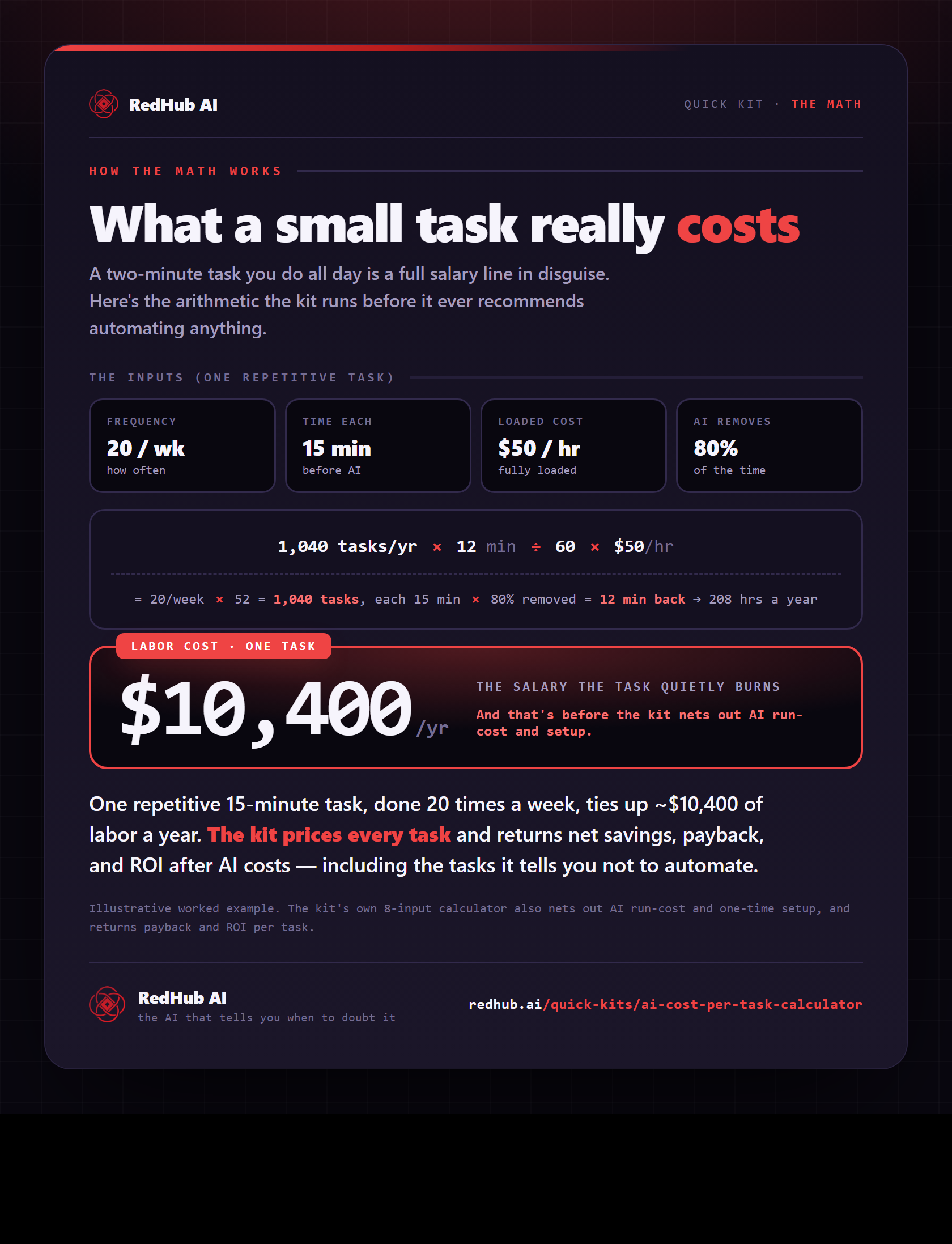
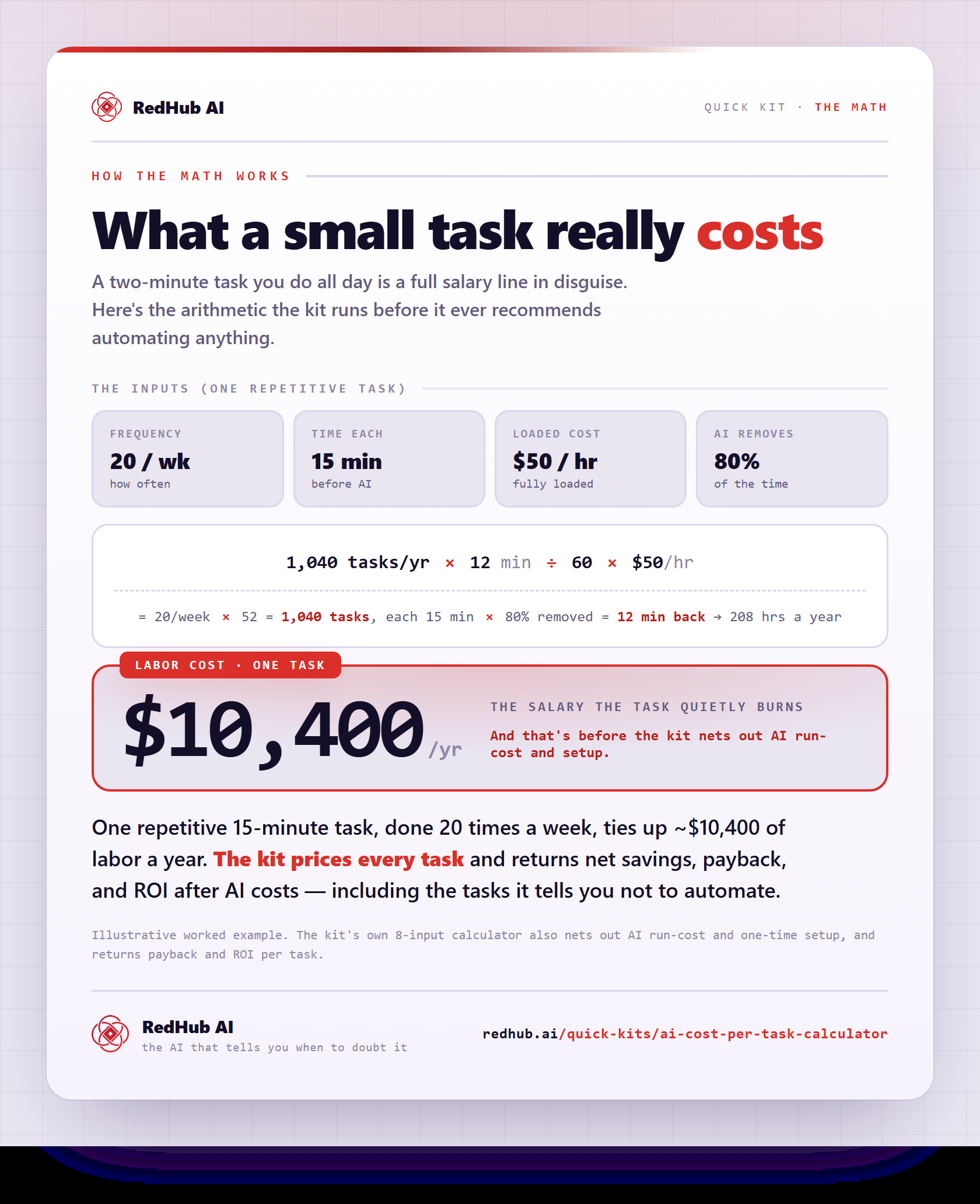
The gate this post refers to, drawn from the tool’s own logic. See the tool.