The Rules You Should Never Delete, Even When They Look Dead
RedHub AI Editorial7 min read

Jump to a section11
- TL;DR
- Which CLAUDE.md rules should you never delete?
- Why the most important rules look the most dead
- Five kinds of line in a skill
- Governance: keep it, even with a perfect score
- Preferences and facts: a smarter model still cannot guess them
- When you cannot tell, treat it as governance
- How to sort a skill in one pass
- Pairs well with
- Decision Guide
- FAQ
TL;DR
- The risk: when you clean out a CLAUDE.md or skill, the rules that fire least often look the most dead. They are often the ones that matter most.
- Keep three kinds of line: governance (safety, permissions, approvals, money, legal, data), preferences (your brand and house format) and facts (names, paths, prices the model cannot know).
- Cut two kinds: method lines that tell the model how to do the work, and workarounds for mistakes an older model made.
- When unsure: treat the line as governance and keep it.
Which CLAUDE.md rules should you never delete?
Never delete governance rules on the strength of a test: safety, permissions, approvals, money, legal and data handling. Keep your preferences and facts too, such as house format, names, paths and prices, because a smarter model cannot work those out. The lines a newer model tends to outgrow are method steps and workarounds for old mistakes. If you cannot tell which kind a line is, keep it.
Best for: anyone trimming a CLAUDE.md, skill or system prompt after a model upgrade. The Skill Ablation Assay never retires a skill that carries governance, preference or fact lines.
Open an old CLAUDE.md and some lines look like fossils. "Ask before deleting files." "Never quote a price without the current list." "Do not send anything to a customer without approval." Nobody can remember the last time the model needed telling. It is tempting to clear them out with the rest.
Those are the lines to leave alone. A rule that rarely fires is not a rule that does nothing. This post sorts the lines in a typical skill into the kinds a newer model outgrows and the kinds it never will. For the wider method, start with why you should ablate your CLAUDE.md instead of just deleting it.
Why the most important rules look the most dead
Many instructions fire every time. "Use the house heading style" shapes every document. If it stops mattering, you see that quickly.
A guardrail is different. It exists for the moment something goes wrong: the request to delete a folder, the refund that needs sign-off, the message to a customer that should not go out. On a normal day that moment never comes, so the rule never visibly does anything. A week without it can pass with no trouble at all. That week proves nothing, because the situation it guards against did not come up.
It is worth noticing what Anthropic kept. At Y Combinator's Startup School, Claude Code creator Boris Cherny said the team regularly removes code from Claude Code itself. Of the code left in its harness today, he said "almost all of it is about safety and permissions and static analysis," plus interface code. He was talking about the harness, not the prompt. But it points the same way: after a lot of cutting, safety and permission code is most of what stayed.
Five kinds of line in a skill
Read a skill line by line and almost every instruction falls into one of five kinds. Three stay. Two are candidates to cut.
| Kind | What it is | Example | Keep it? |
|---|---|---|---|
| Governance | Safety, permissions, approvals, money, legal, data handling | "Never issue a refund without approval." | Always |
| Preference | Your brand, format, voice and house conventions | "Sign off with the house signature, word for word." | Yes |
| Fact | Paths, names, prices and signatures the model cannot know | "Invoices live in the finance/2026 folder." | Yes |
| Method | How to plan, order or carry out the work | "First list the items, then sort them, then total them." | Test it |
| Workaround | A patch for a mistake an earlier model made | "Double-check the date format before replying." | Test it |
The split fits the headline result from Anthropic. Much of what they cut, in Cherny's words, "was correcting for these behaviors that the model should have known." Those read like method and workaround lines. A more capable model needs less telling how to work. It still cannot know your approval rules, your house format or where your files live, however good it gets.
Governance: keep it, even with a perfect score
Governance is the one kind a good test result should never remove. Suppose you run a task with the skill, then without it, and both pass every check. That tells you the model handled the task you tested. It does not tell you what happens on the day the risky request arrives, unless your test included that request.
So the rule is firm. A skill that carries a safety, permission or approval rule cannot be retired. Its method lines may go. The rule stays.
Preferences and facts: a smarter model still cannot guess them
Preferences and facts are easy to mistake for clutter, because they look small. A file path. A sign-off. The name of the person who approves discounts. But no amount of capability lets a model work out your house conventions or the details of your business. Remove one of these lines and the model does something reasonable but wrong.
That is why our own test kept them in every slim copy. When we tested three of our own Claude skills, twice, none of them could be retired. The no-skill run never matched the full skill, and all three carry governance and preference or fact lines, which the Assay never retires.
When you cannot tell, treat it as governance
Some lines are ambiguous. "Check the totals before sending" might be method, or it might be the only thing standing between a customer and a wrong invoice. If you cannot tell, keep it, and label it governance.
That default costs little. The worst case is a few extra lines in a file. The other mistake, deleting a guardrail you misread, can cost a refund, a data leak or a message that should never have gone out. The Assay builds the same default in: an "unsure" answer is scored as protected, and if that answer is the only thing standing between a stage and RETIRE, the dashboard says so, so you can go back and read the lines properly.
How to sort a skill in one pass
- Copy the skill first. Save a dated backup before you mark anything. Every cut should be one step from a rollback.
- Label every line. Governance, preference, fact, method or workaround. Ambiguous lines get governance.
- Build the slim copy. Remove only the method and workaround lines. The other three kinds stay word for word.
- Test the slim copy against the full skill. Same task, same inputs, fresh sessions, checked against the same written list of pass or fail points.
- Cut only what the test licenses. If the slim copy matched, the method lines can go. The governance, preference and fact lines stay either way.
For the full three-way test, including the no-skill run, see how to test a Claude skill.
A verdict that will not remove a guardrail
The Skill Ablation Assay grades your full, slim and no-skill results and returns EARNS ITS PLACE, CUT THE METHOD, RETIRE or NOT TESTED. Any stage that carries governance, preference or fact lines, or that you marked unsure, can reach CUT THE METHOD at most, never RETIRE, however well the no-skill run scored. It is a deterministic, offline engine and workbook. It does not run your skill or call a model.
See the Skill Ablation Assay →Pairs well with
Before a slimmed agent goes live, the AI Agent Go-Live Readiness Gate checks that its approval gate and rollback path still hold. The Prompt Regression Lab snapshots the slimmed version's results as your new baseline and fails any later change that regresses it. The Agent Reliability Harness produces pass and fail marks at the level of tool calls and steps, including a policy check, where a missing permission rule can show up.
Keep going: read the pillar, Don't Just Delete Your CLAUDE.md. Ablate It. Then see what "add back what breaks" cannot see, and how to test a Claude skill three ways.
Decision Guide
Keep the line if: it touches safety, permissions, approvals, money, legal, customer data, or a detail only your business knows.
Test the line if: it tells the model how to do the work, or patches a mistake you remember an older model making.
Best first step: highlight every line in your CLAUDE.md that contains "never", "always", "ask" or "approve", and label each one before you cut anything else.
FAQ
Which CLAUDE.md rules should I never delete?
Governance rules: safety, permissions, approvals, money, legal and data handling. Keep preferences and facts too, such as your house format, file paths, names and prices. A newer model can outgrow method steps, but it cannot know your rules or your business.
What counts as a governance line?
Any instruction about safety, permissions, approvals, money, legal matters or handling data. "Ask before deleting files" and "Never issue a refund without approval" are governance lines.
If the model passes every check without a rule, can I delete it?
Not if it is a governance rule. A passing test shows the model handled the task you tested. A guardrail exists for the request your test probably did not include, so a good score is not evidence it can go.
What is the difference between a method line and a preference?
A method line tells the model how to do the work, such as which step comes first. A preference tells it what you want the result to look like, such as your house format or sign-off. Newer models tend to outgrow method lines. They cannot guess preferences.
What if I cannot tell what kind of line it is?
Treat it as governance and keep it. Keeping an unneeded line costs a few words. Deleting a guardrail you misread can cost far more.
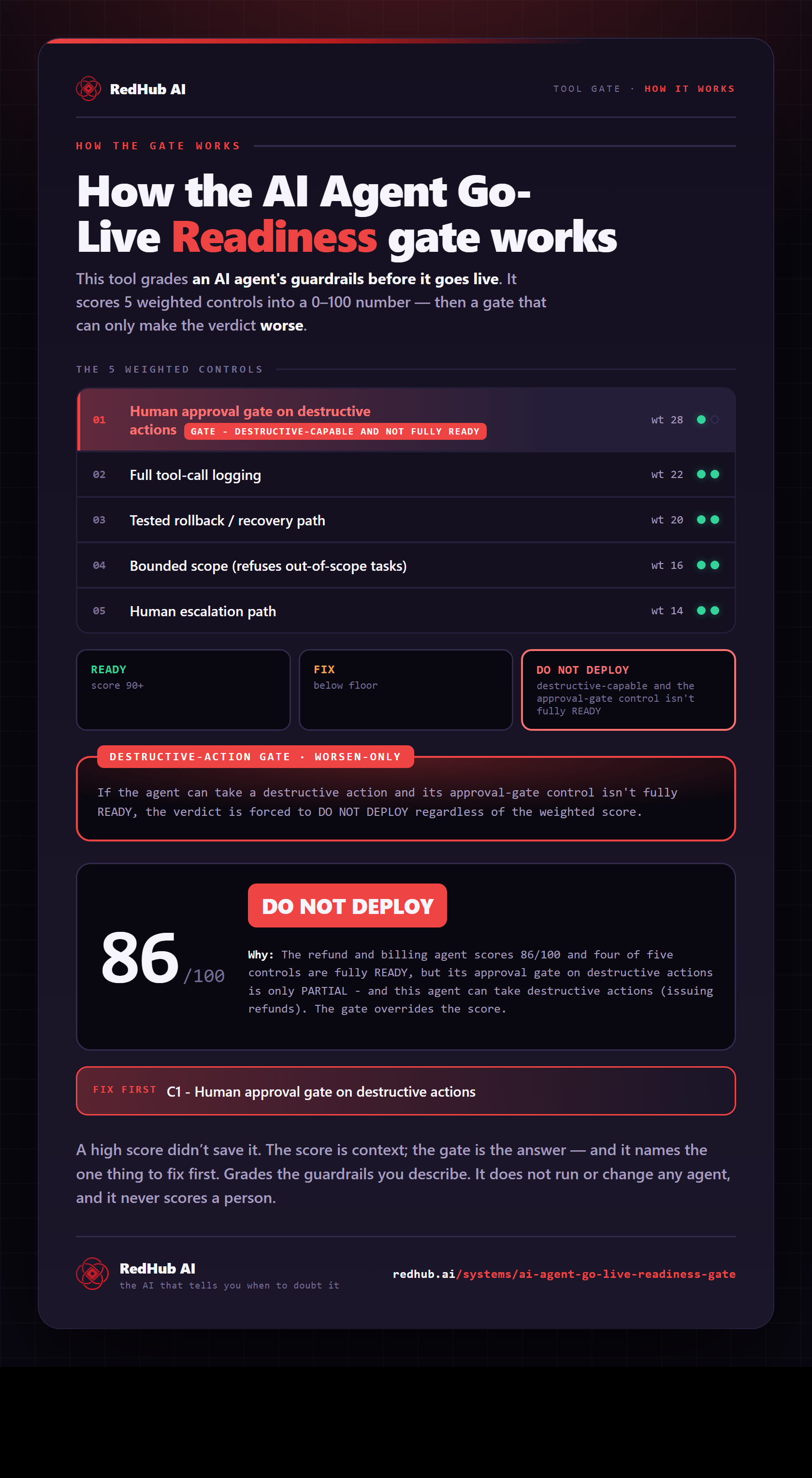
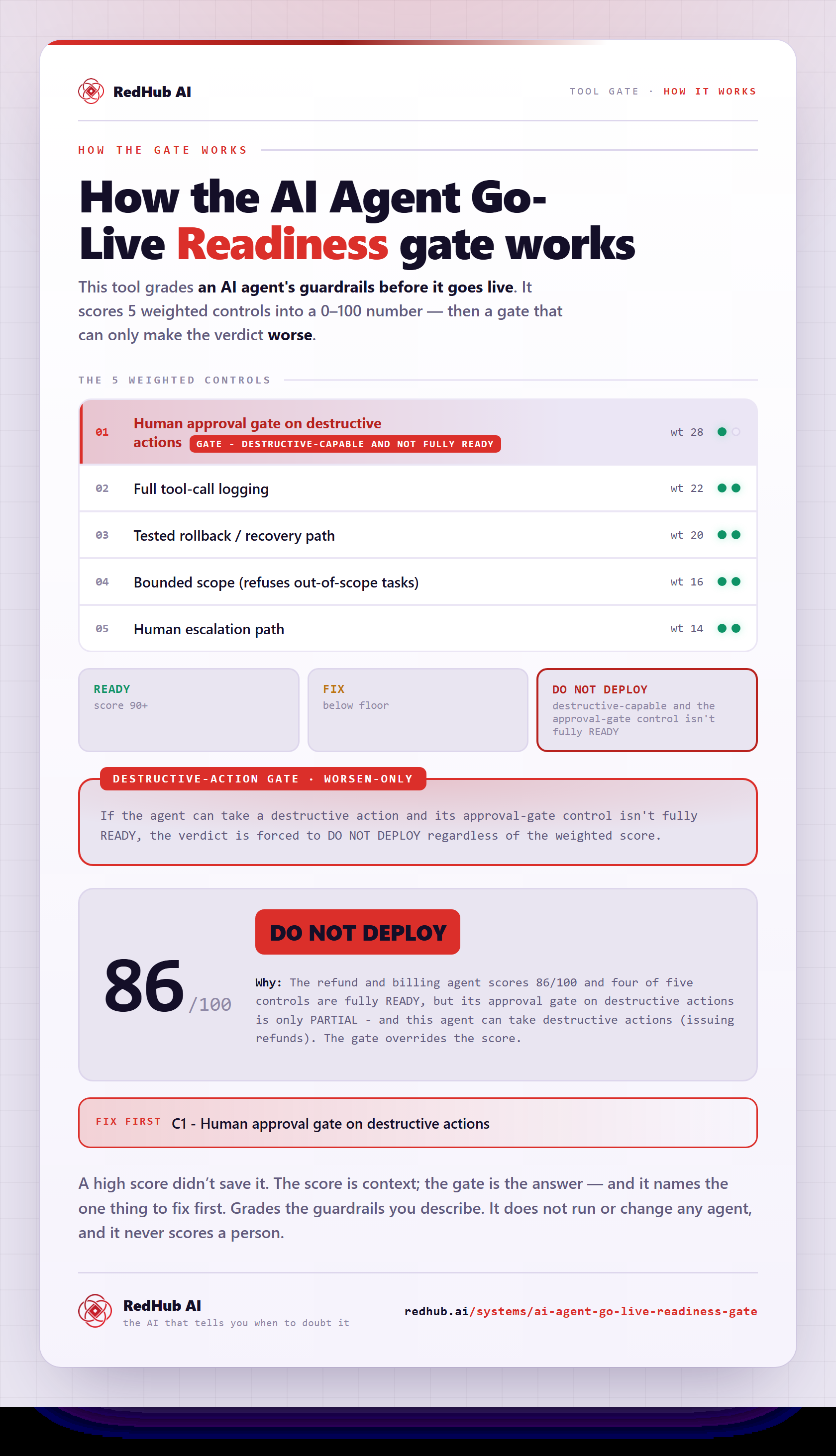
The gate this post refers to, drawn from the tool’s own logic. See the tool.