Document Workflow Automation: Map the Pipeline
RedHub AI Editorialupdated August 18, 20263 min read

Jump to a section7
TL;DR
- What it is: automating the flow of a document across every stage and hand-off, not just one step.
- Who it's for: teams where documents pass through several people before they're done — see intelligent document processing.
- How it works: map the six stages and the hand-offs between them, then automate the weakest hand-off first.
- Bottom line: documents leak at the hand-offs between stages, not inside them. Map the flow before you automate any piece.
What is document workflow automation?
Document workflow automation is automating the entire journey a document takes — from the moment it arrives to the moment its work is done — including the hand-offs between each stage. It's different from automating a single step: a tool that reads invoices fast still leaves a manual workflow if the invoice then waits in someone's inbox for approval. Real workflow automation targets the flow and the hand-offs, which is where documents actually get stuck.
Best for: teams with multi-hand document processes. Diagnose the flow before automating a stage.
The word "automation" tricks people into thinking about steps. But a document doesn't get stuck inside a step — it gets stuck between them, waiting for a hand-off that depends on a person remembering to act. Document workflow automation is about those hand-offs. Here's how to map the whole pipeline and automate the flow, not just a task.
Map the flow before you automate a piece
You can't automate a workflow you haven't drawn. Before buying anything, map the actual path a document takes:
- List every stage a document passes through. Intake, classification, extraction, validation, routing, matching — plus any approval or review steps specific to your process.
- Mark every hand-off. Wherever the document moves from one person or system to the next. These are where it waits.
- Time each wait. Roughly how long a document sits at each hand-off. The longest wait is your real target.
- Automate the worst hand-off first. Not the worst step — the worst wait. That's what's actually slowing the line.
Steps vs. hand-offs: a fast step with a slow hand-off after it is still a slow workflow. Automating the step feels productive and changes nothing. Automate the wait.
Where documents actually leak
Three hand-offs cause most of the delay in a document workflow. Classification-to-routing (a document is read but nobody knows where it goes), validation-to-approval (data is pulled but waits for a human to confirm), and matching-to-close (it reaches the end but reconciliation lags). If your pipeline stalls, it's almost always at one of these, not inside the reading step everyone focuses on.
How AI fits the workflow, not just the task
AI earns its place when it removes a hand-off, not just speeds a task. A classify-and-route step removes the classification-to-routing wait by sending each document where it belongs automatically. A field validator removes the validation-to-approval wait for the clean documents, so people only touch the exceptions. The point isn't a faster reader; it's fewer places the document has to stop. The Pipeline Diagnostic shows which hand-off to remove first.
Find the hand-off that's slowing everything
Score the whole flow and get routed to the one fix that moves the backlog — not the flashiest step.
Get the Pipeline Diagnostic — $79 →Workflow is the frame; the stages are the detail. See the full six-stage picture in the intelligent document processing guide.
Decision Guide
Automate the workflow if: documents pass through several hands and wait at each one.
Map first if: you can't name your longest hand-off wait — you'll automate the wrong thing without it.
Best first step: draw the flow, time each hand-off, and automate the longest wait.
Common Questions
What is document workflow automation?
Automating a document's whole journey — every stage and hand-off from arrival to done — not just one step like reading it. The goal is removing the waits between stages.
How is it different from automating one task?
A fast single task with a slow hand-off after it is still a slow workflow. Workflow automation targets the hand-offs where documents wait, which is where the delay lives.
Where do documents get stuck?
At the hand-offs, not inside the steps — usually classification-to-routing, validation-to-approval, and matching-to-close.
How do I map my document workflow?
List every stage, mark every hand-off, time each wait, and target the longest wait first.
Which hand-off should I automate first?
The one with the longest wait, not the most annoying task. A diagnostic can score this so you don't guess.
Does AI help with the whole workflow?
When it removes a hand-off — like auto-routing classified documents or auto-clearing validated ones — rather than just speeding a single task.
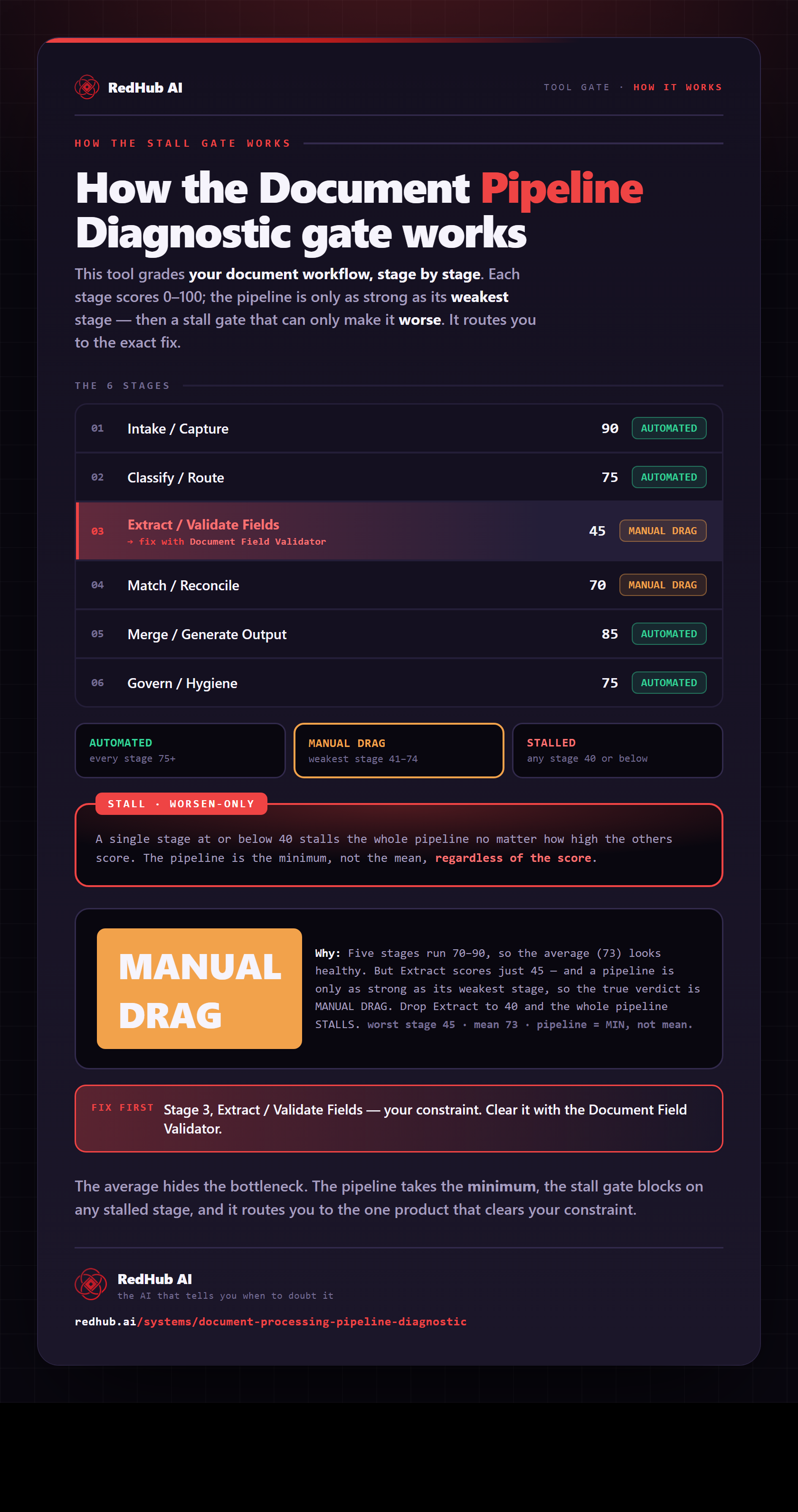
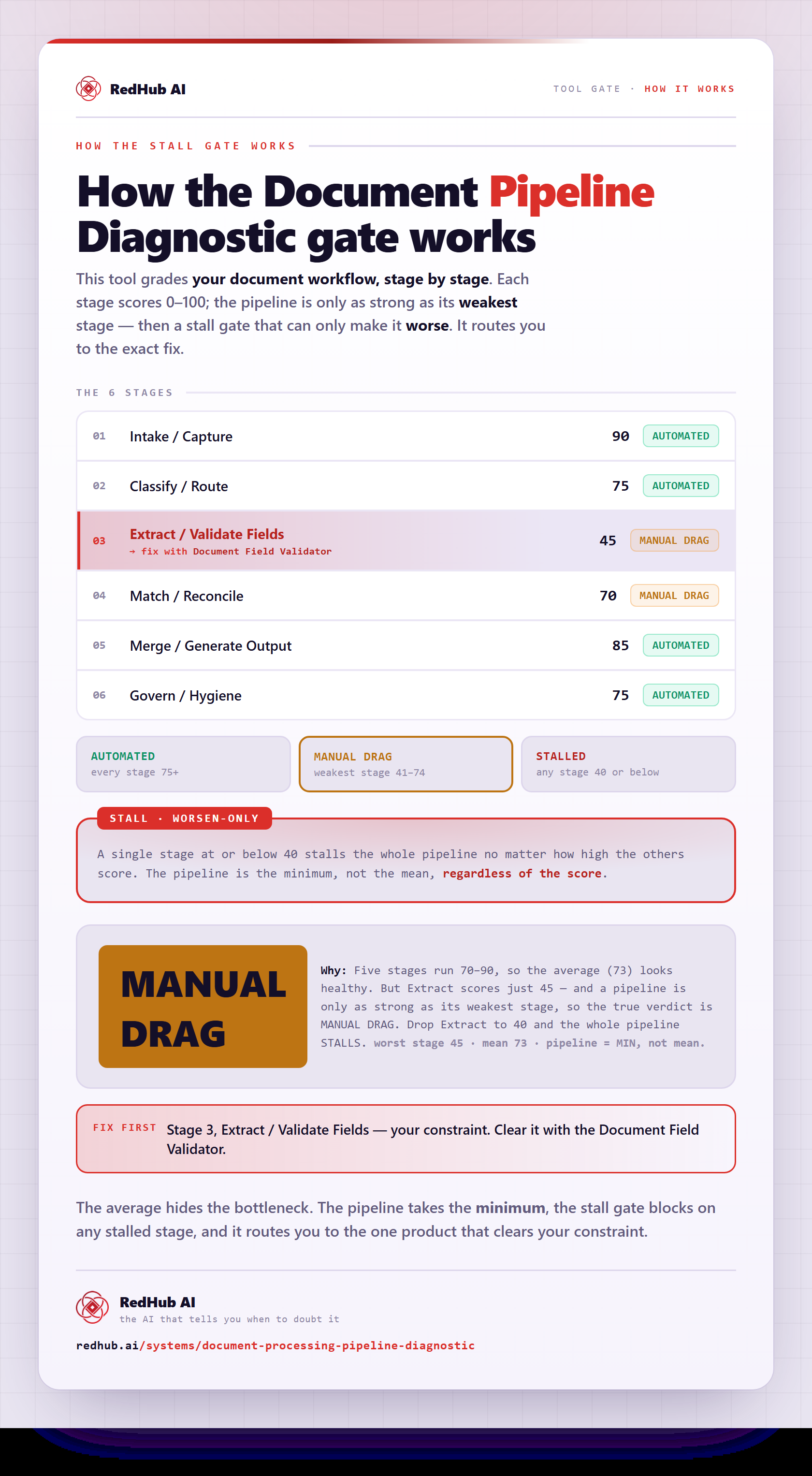
The gate this post refers to, drawn from the tool’s own logic. See the tool.