Intelligent Document Processing: A Practical Guide
RedHub AI Editorialupdated August 18, 20265 min read

Jump to a section10
TL;DR
- What it is: the end-to-end pipeline that turns document-based work — intake, sorting, reading, checking, routing, matching — into an automated workflow.
- Who it's for: ops and finance teams drowning in documents — see the Pipeline Diagnostic.
- How it works: six stages in a line; the weakest stage caps the whole thing, so you fix that one first.
- Bottom line: don't automate the flashiest step — find the bottleneck, fix that, then move up the line.
What is intelligent document processing?
Intelligent document processing (IDP) is the automated pipeline that takes a document from arrival to a finished, usable action — intake, classification, reading, validation, routing, and matching — using AI to handle the reading-and-sorting work that used to be manual. It's bigger than any single step: reading a field off a page is one stage, but IDP is the whole line that turns a pile of PDFs into a workflow. And like any line, it's only as fast as its slowest stage.
Best for: ops/finance teams planning a document-automation project. Score your pipeline first so you fix the stage that actually matters.
Most teams start document automation at the wrong end. They buy a tool for the step that looks impressive — usually reading data off a page — and are surprised when the backlog doesn't move, because the real jam was three stages earlier. Intelligent document processing is a pipeline, and a pipeline is governed by its weakest link. This guide maps the six stages, shows why the bottleneck is the only thing worth fixing first, and how to find yours.
The six stages of a document pipeline
Every document workflow, in any industry, runs the same six stages in order. A document can't advance until the stage before it is done:
| Stage | The job | Fails as |
|---|---|---|
| 1 · Intake | Get documents in, from every channel | Email/scan/upload chaos, nothing centralized |
| 2 · Classification | Know what each document is | Everything lands in one pile, sorted by hand |
| 3 · Extraction | Read the fields that matter | Wrong or unchecked data pulled off the page |
| 4 · Validation | Confirm the data is right | Bad data flows downstream unnoticed |
| 5 · Routing | Send it to the right place/person | Documents sit, waiting on a manual hand-off |
| 6 · Matching | Reconcile against a PO, record, or system | Mismatches caught late, or never |
Why the weakest stage caps the whole line
If your extraction is flawless but everything piles up unsorted at classification, faster extraction buys you nothing — documents still wait at stage two. If routing is instant but the data reaching it is wrong, you just route errors faster. This is why "which tool is best" is the wrong first question. The right one is "where does my pipeline actually break?" Fix the slowest stage and the whole line speeds up; upgrade any other stage and you've spent money to widen a part of the pipe that wasn't the constraint.
The rule: stop automating the wrong step. The stage that feels most annoying isn't always the one capping throughput — measure before you buy.
Score your own pipeline
Rate each stage on how well it works today, 1 (total manual jam) to 5 (smooth). The lowest score is where to start — the rest is spending ahead of the constraint.
Where does your pipeline break?
A directional self-check on your own read of each stage — not the full scored diagnostic. Rate each 1–5.
Fix the stage, don't buy the category
Once you know the weak stage, the fix is specific, not a platform. A classification jam needs a classify-and-route step; unchecked data at validation needs a field validator; the reading stage itself is the extraction kit; and anything with personal data needs a redaction check before it flows on. The Document Processing Pipeline Diagnostic scores all six stages in about 20 minutes and routes you to the one fix that matters — so you spend on the constraint, not the category.
Score your pipeline in 20 minutes
Grade all six stages, find the weakest link, and get routed to the specific fix — before you spend on automation.
Get the Pipeline Diagnostic — $79 →What the diagnostic is not
Be clear on the limit: the diagnostic scores your pipeline and points you at the weakest stage — it doesn't do the automation itself, and a low score is a starting point, not a verdict on your team. It tells you where to look and what to fix first; the building still happens with the fixer kits and your own tools. Honest scoping beats a platform that promises to "automate everything" and quietly stalls on the one stage it never measured.
Decision Guide
Start with IDP if: documents move through several hands and you can't name which stage is the actual jam.
Diagnose first if: you're about to buy an automation tool — score the pipeline before you spend, so you fix the constraint, not the flashy step.
Best first step: score all six stages and fix the lowest one.
More in this guide
Common Questions
What is intelligent document processing?
The automated pipeline that takes a document from arrival to finished action — intake, classification, extraction, validation, routing, matching — using AI for the reading and sorting. It's the whole line, not a single step.
How is IDP different from OCR or data extraction?
Extraction (or OCR) is one stage — reading fields off a page. IDP is the full pipeline around it: getting documents in, sorting them, checking the data, routing, and reconciling. Extraction is a part; IDP is the whole.
Where should I start automating documents?
At the weakest stage, not the flashiest. The slowest stage caps the whole line, so fixing anything else spends money without moving the backlog. Diagnose first.
Why didn't my document automation project help?
Usually because it upgraded a stage that wasn't the constraint. If classification was the jam and you bought faster extraction, documents still wait at stage two.
Do I need one big platform?
Rarely. A specific fix for the weak stage — classification, validation, extraction, redaction — usually beats a platform you'll use a fraction of. Fix the constraint, then move up the line.
How long does it take to find the bottleneck?
The Pipeline Diagnostic scores all six stages in about 20 minutes and routes you to the specific fix, so you're not guessing.
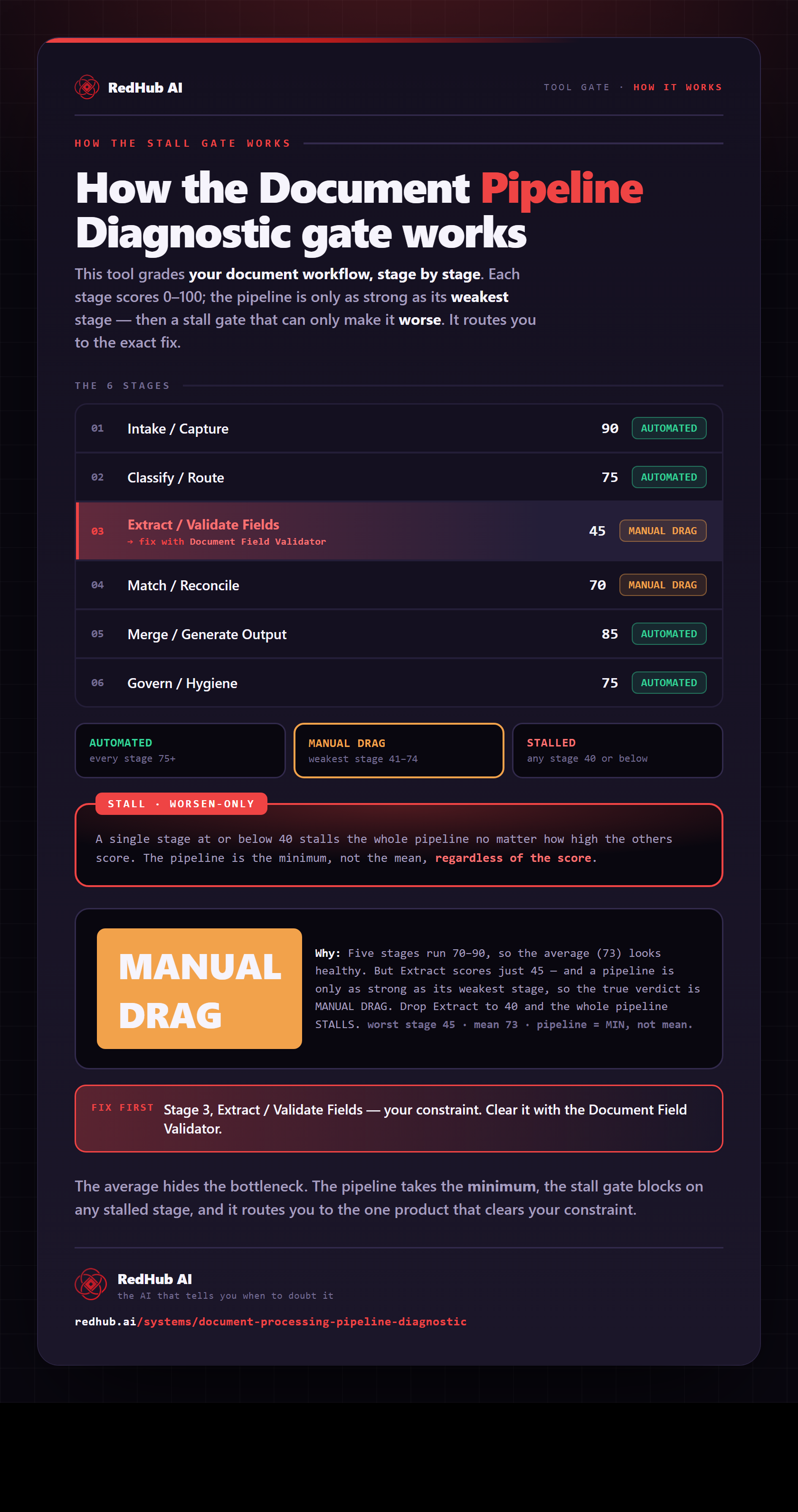
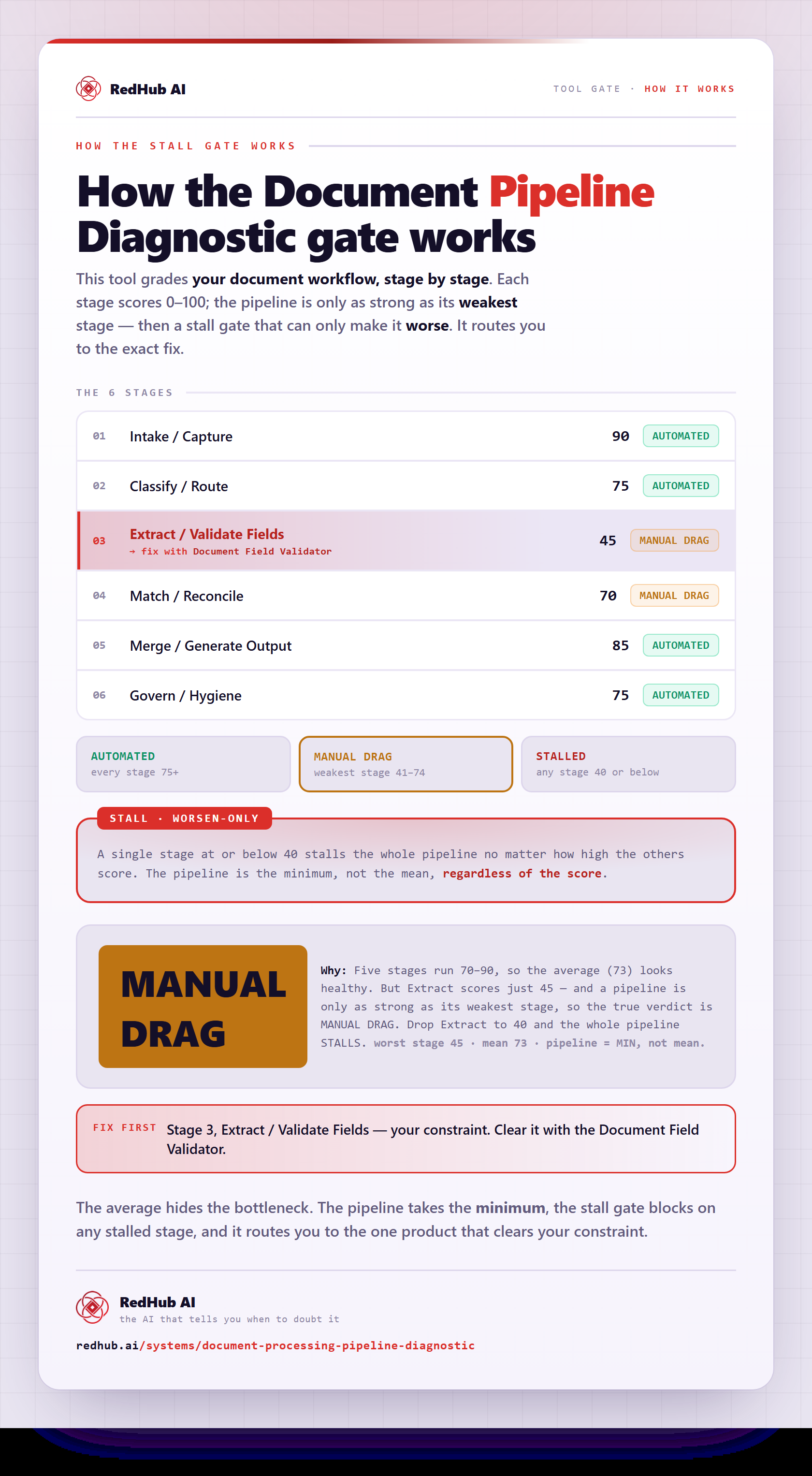
The gate this post refers to, drawn from the tool’s own logic. See the tool.