Unstructured to Structured Data: A Working Pipeline
RedHub AI Editorialupdated August 17, 20266 min read

Jump to a section10
- TL;DR
- How do you turn unstructured data into structured data?
- Step 1: Define the schema — decide what "structured" means
- Step 2: Extract — let the model fill the schema
- Step 3: Validate — check the machine's work mechanically
- Step 4: Flag — make uncertainty visible
- Step 5: Gate — let the exit code decide
- Before and after the pipeline
- Decision Guide
- FAQ
TL;DR
- What it is: A five-step pipeline for turning documents into database-ready rows: schema → extract → validate → flag → gate.
- Who it's for: Ops teams and builders wiring document AI into a real workflow — see the AI Document Extraction Kit.
- How it works: The schema defines what "structured" means; validation and flags decide what's trustworthy; the gate decides what proceeds without a human.
- Bottom line: The model is one step of five. The other four are what make the output safe to use.
How do you turn unstructured data into structured data?
Converting unstructured to structured data takes five steps: define a schema (the fields, types, and required flags that describe your target structure), extract (a language model reads the document and fills the schema), validate (check types, formats, and required fields), flag (mark anything low-confidence, missing, or invalid for review), and gate (only fully-validated, confident results proceed automatically). The model does step two. Steps one, three, four, and five are what make the result trustworthy.
Best for: teams building document workflows — part of our AI document extraction guide.
Most business data starts life unstructured. Invoices arrive as PDFs. Forms come in as scans. Contracts, statements, delivery notes — all documents a human can read and a database can't. Turning unstructured to structured data is the unglamorous conversion underneath almost every ops automation you'd actually want to build.
Language models made the middle of that conversion easy. Point one at an invoice and it will hand you tidy JSON. What the model can't do is tell you whether that JSON is safe to load — and a pipeline that skips that question isn't a pipeline. It's a hope. Here's the full five-step design, in plain English.
Step 1: Define the schema — decide what "structured" means
A schema is a short list: field name, field type, required or optional. It's the contract the rest of the pipeline enforces. For an invoice: invoice number (text, required), date (date, required), vendor (text, required), total (number, required), currency and line items optional.
Three rules make schemas work in practice:
- Start small. Five or six fields you'll actually use beat twenty you might. Every field you add is a field that can flag.
- Be strict about types. "Date" means a value that parses as a date — not whatever text sat near the word "Date" on the page. Types are what let validation do real work.
- Require sparingly. Mark a field required only if its absence should stop the document. Required-everything turns your review queue into a wall.
Key insight: the schema is where most pipelines are actually won or lost. A model with a vague schema returns vague data confidently. A tight schema turns the same model into something checkable.
Step 2: Extract — let the model fill the schema
The document text and the schema go to the model; the model returns its best value for each field. This is the commodity step — any current model can do it. The one non-negotiable: the extraction should return a confidence rating per field (high, medium, low), not just values. Without per-field confidence, every downstream decision is blind.
Step 3: Validate — check the machine's work mechanically
Validation is deterministic — no AI involved, which is exactly why you can trust it:
- Every required field is present.
- Every date parses as a date.
- Every number is actually numeric.
These checks are cheap, fast, and incorruptible. A model can be confidently wrong; a date parser cannot be talked into accepting "N/A" as a date. This is the deterministic backstop that blind-trust pipelines skip. Field-level validation goes much deeper than three checks — cross-field rules, ranges, format patterns — and that deeper layer is the lane of the Document Field Validator ($79).
Step 4: Flag — make uncertainty visible
Anything low-confidence, missing, or invalid gets marked REVIEW. Not corrected silently. Not dropped. Marked, so a human sees exactly which fields need eyes — and only those. The flag is the pipeline's honesty made operational: instead of one confident-looking blob of output, you get a per-field verdict you can route on. How much gets flagged, and how to track whether the flags are working, is covered in document extraction accuracy: what to expect and verify.
Step 5: Gate — let the exit code decide
The last step is the one that makes this a pipeline instead of a script: the extractor's result controls what happens next mechanically. The convention is simple — exit code zero when every field validated and came back confident, non-zero when anything needs review. Whatever runs the extractor branches on that code:
| Exit code | Meaning | What happens |
|---|---|---|
| 0 | All fields validated, all confident | Auto-accept: load the data downstream |
| Non-zero | At least one field flagged, or an error | Route the document to the review queue |
This is how the runnable extractor in the AI Document Extraction Kit is built: extract.py exits non-zero whenever any field needs review, so it drops into a scheduled job, a folder watcher, or an automation platform without any glue logic. The gate means no human forgets to check — because the pipeline physically can't proceed on a flagged document.
The five steps, already built
The AI Document Extraction Kit ($99, one-time) ships the whole pattern: editable JSON schemas (invoice, receipt, generic), a runnable extractor with per-field confidence, deterministic validation, REVIEW flags, and the non-zero exit gate — plus a playbook and QA tracker. Zero dependencies; the demo runs with no API key.
Get the Extraction Kit — $99 →Before and after the pipeline
Extraction converts one document type into rows. A real document operation has stages on either side:
- Before: mixed documents need sorting to the right schema first — the Document Classify & Route Kit ($69) handles classify-and-route ahead of extraction.
- After: structured rows are only the start — the AI Data Analysis Starter Kit ($79) turns clean rows into defensible analysis.
- Across the whole chain: if you're not sure which stage leaks — intake, classification, extraction, validation, or load — the Document Processing Pipeline Diagnostic ($79) scores the full pipeline and, where a stage is short, names the weakest link.
If your first document type is invoices — and for most teams it should be — the AP-specific walkthrough is in invoice data extraction: automate AP without bad data.
Decision Guide
Build this pipeline if: one document type arrives repeatedly and its data needs to land in a system — accounting, CRM, database — reliably.
Skip it if: the documents are one-offs, or the "structured data" you need is a judgment call (summaries and opinions aren't schema fields).
Best first step: write the schema for your highest-volume document on paper — fields, types, required flags. If you can't agree on the schema, no tool can save the pipeline.
FAQ
What does unstructured to structured data mean?
Converting information humans read — PDFs, scans, forms, contracts — into typed fields and rows that software can store, query, and act on. The document is unstructured; the schema-shaped result is structured.
What is a field schema?
A short contract listing each field you want, its type (text, date, number, list), and whether it's required. The schema defines what "structured" means for your pipeline and gives validation something to enforce.
Why validate if the AI is already confident?
Because model confidence isn't correctness. Deterministic checks — dates parse, numbers are numeric, required fields present — are mechanical and can't be fooled. They catch a class of errors confidence ratings miss entirely.
What does "gate on the exit code" mean?
The extractor exits zero only when everything validated and was confident. Any flag produces a non-zero exit, which tells the surrounding workflow to route the document to review instead of loading it. The pipeline can't proceed on a flagged document by design.
Can I run this without engineering support?
Mostly. Editing a JSON schema and running a script is light work; wiring the gate into a scheduler or automation platform takes some scripting comfort. The kit's demo mode runs with no API key, so you can see the whole flow before committing.
What about documents that don't fit any schema?
Sort them out before extraction. Classification and routing is its own pipeline stage — documents that don't match a schema should go to a human lane, not get force-fitted into the wrong one.
Stop hoping. Start gating.
Schema, extractor, validation, flags, and the exit-code gate — the AI Document Extraction Kit ships the working pattern for $99, one-time. Playbook and QA tracker included. 30-day guarantee.
Get the AI Document Extraction Kit — $99 →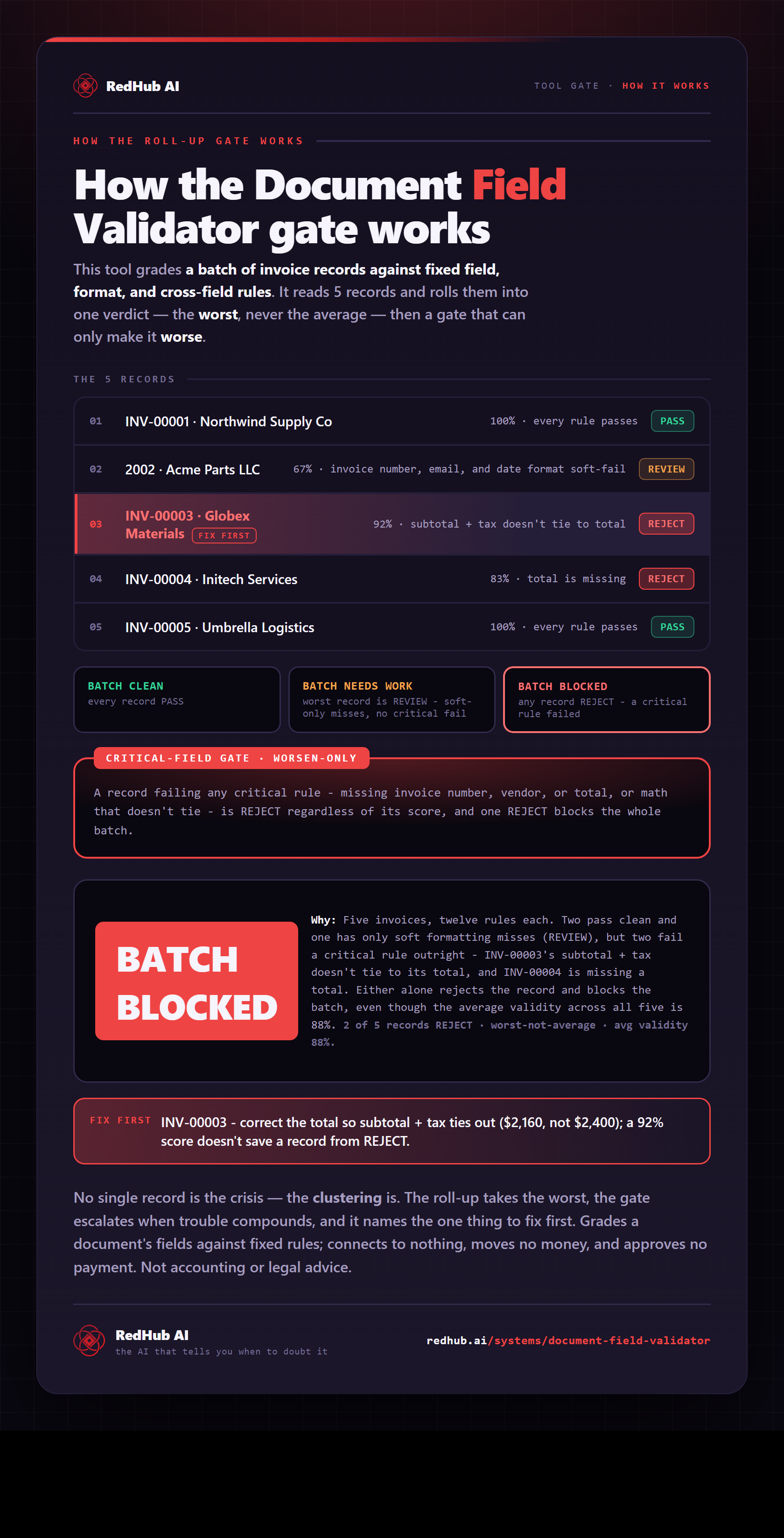
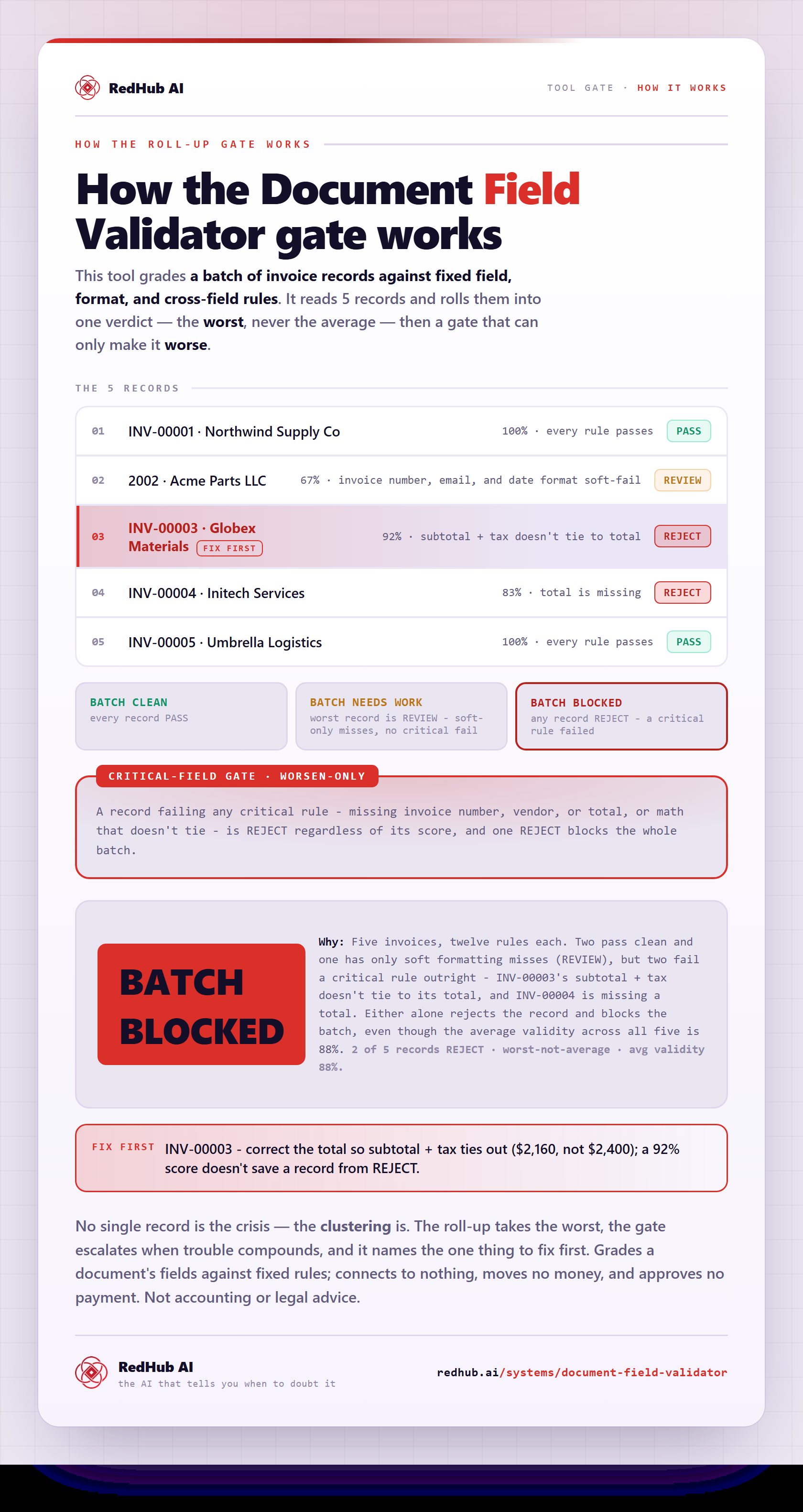
The gate this post refers to, drawn from the tool’s own logic. See the tool.