How to Write a YouTube Title That Gets Clicked
RedHub AI Editorialupdated September 7, 20266 min read

Jump to a section9
TL;DR
- What it is: a YouTube title needs curiosity and clarity at the same time — a promise specific enough to click, honest enough to keep.
- What works: a concrete detail, a clear stake, and a title that says something the thumbnail doesn't already say.
- What kills it: vague topic statements, clickbait that overpromises, and a title that just repeats the thumbnail's message.
- Bottom line: a title's real job is to earn a click that turns into a watch — not just a click.
What makes a good YouTube title?
A good YouTube title pairs curiosity with clarity: specific enough that a viewer knows exactly what they'll get, and open-ended enough to create a reason to click. It avoids vague phrasing ("my thoughts on pricing") and avoids overpromising ("you won't believe this") in equal measure — both fail for different reasons. The strongest titles work as a pair with the thumbnail, each carrying different information instead of repeating the same point twice.
Best for: anyone whose titles either bore viewers or overpromise and lose them fast. The YouTube Packaging & Retention Engine ($99) flags exactly which of those two problems is hurting a given video.
A YouTube title has to do something harder than it looks: create curiosity and deliver clarity, in the same handful of words, without lying about what's inside the video. Most weak titles fail at one end or the other — too vague to earn a click, or too inflated to earn the watch that follows it.
This post is part of our YouTube packaging series — the title is the second half of the packaging pair, alongside the thumbnail.
Curiosity and clarity are both required
A title that's all clarity and no curiosity reads like a menu item: "How I edit my videos." Accurate, but nothing pulls a viewer toward it over the ten other videos in the row. A title that's all curiosity and no clarity reads like clickbait: "You won't believe what happened next." It might earn a click — once — but it tells the viewer nothing true, and a title that lies about its own content is the fastest way to burn trust with your audience and your own click-through rate over time.
The fix is a specific promise: "I edited a video in 20 minutes — here's the exact process." It's concrete (20 minutes, a process), it's curious (how, exactly?), and it doesn't overreach past what the video delivers.
The clickbait tax
Overpromising in a title works exactly like overpromising in a thumbnail: it wins the click and loses the retention. A title that says "this will change everything" on a video that delivers a modest, useful tip creates the same mismatch covered in the packaging pillar — high click-through rate, low retention, and an algorithm that reads the gap as a broken promise. That mismatch is a REWORK verdict, not a SHIP, no matter how good the click-through number looks in isolation.
Pair your title and thumbnail — don't repeat them
The most common title mistake isn't clickbait. It's redundancy. If your thumbnail already shows "$5 microphone" in bold text, a title that also leads with "$5 microphone" wastes the second information slot a viewer scans. Use the title to add the piece the thumbnail can't show — a number, a stake, a specific outcome — so the pair together tells a fuller story than either does alone.
Key insight: the title and thumbnail are read together, almost instantly, as one unit. Treat them as two lines of the same short pitch, not two separate ads competing for the same idea.
Weak title vs. strong title
| Weak title | Why it fails | Stronger version |
|---|---|---|
| "My thoughts on pricing" | Vague topic statement — no stake, no reason to click now | "Why I raised my prices 40% (and lost 3 clients)" |
| "This changes everything!" | Overpromises with no specific content — clickbait | "The one setting that fixed my export times" |
| "Video Update #47" | Communicates nothing to a viewer who's never seen #1–46 | "What I learned filming 47 videos in a row" |
| "Watch this before you buy a camera" | Vague stakes, no concrete detail | "3 camera features nobody tells you are useless" |
How to write a title in five minutes
- Name the one true outcome of the video. Not the topic — the actual thing a viewer walks away with.
- Add one concrete detail: a number, a timeframe, a specific result. Concrete beats vague every time.
- Check it against the thumbnail. If they say the same thing, cut one and add new information to the other.
- Read it back and ask: does the video actually deliver this? If the honest answer is "not quite," rewrite the title down to match the video, not up to sound better.
- Keep a swipe file of titles that worked on your channel, organized by what made them work — not to copy, but to spot your own patterns.
Once you've written a title you believe in, don't assume it works — test it against a real alternative and check whether the gap is statistically real, covered in YouTube A/B testing: how to call a real winner. And if a title's promise doesn't match what the retention graph shows, that's the clickbait tax in action — see audience retention: how to read your retention graph.
Know if it's the title or the video
The YouTube Packaging & Retention Engine ($99, one-time) scores every video's click-through rate and retention against your own baseline — so a title rewrite happens only when the title is genuinely the problem, not the video underneath it.
Get the Engine — $99 →If titles keep stalling because you're not sure what to film next in the first place, the Content Engine for One Person ($39) is a lightweight system for staying consistent as a one-person team.
Decision Guide
Use this approach if: your titles are either too vague to earn a click or too inflated to hold viewers past the first minute.
Skip it if: your titles are already earning solid retention and click-through rate — spend that time testing thumbnails instead.
Best first step: pull your last five titles and check each one for a concrete detail. If most are vague topic statements, rewrite them with a number or a specific outcome before you touch anything else.
FAQ
What makes a good YouTube title?
A specific, honest promise that pairs curiosity with clarity — concrete enough to earn the click, accurate enough that the video delivers on it.
Is clickbait bad for YouTube titles?
Titles that overpromise earn the click but lose the watch, which shows up as low retention — the exact mismatch that gets suppressed in recommendations. A title should create curiosity without exaggerating past what the video delivers.
Should my title repeat what's in the thumbnail?
No. Repeating the same message twice wastes the second information slot a viewer scans. Use the title to add a detail the thumbnail can't show.
How long should a YouTube title be?
Short enough to read in one glance and long enough to include one concrete detail — a number, a timeframe, or a specific outcome. There's no fixed character count that works for every channel.
Should I use numbers in my titles?
Numbers help because they're concrete and bounded — "3 mistakes" promises something specific in a way "some mistakes" doesn't. They're not required, but they're one of the easiest ways to add specificity fast.
Can I test two titles against each other?
Yes, and you should — a title that looks better on paper isn't proven until a real significance check confirms the gap, covered in YouTube A/B testing.
How is a title different from packaging overall?
The title is one half of packaging — the thumbnail is the other. They're read together as one unit: see the full YouTube packaging guide for how the pair works together.
Find out if your titles are the problem
The Engine scores every video against your own baseline and tells you whether it's the packaging or the video underneath it. One-time $99, instant download. 30-day guarantee.
Get the YouTube Packaging & Retention Engine — $99 →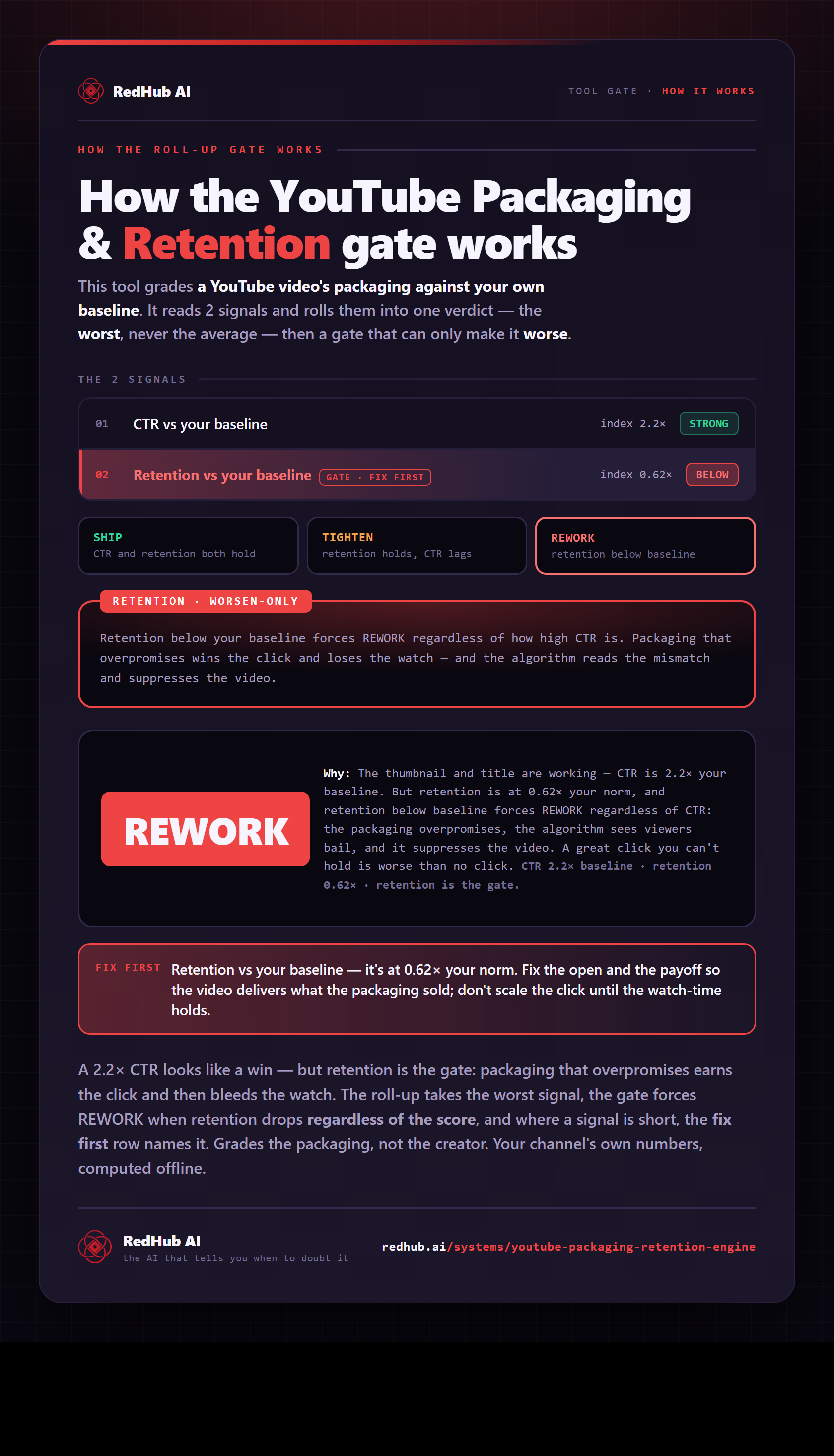
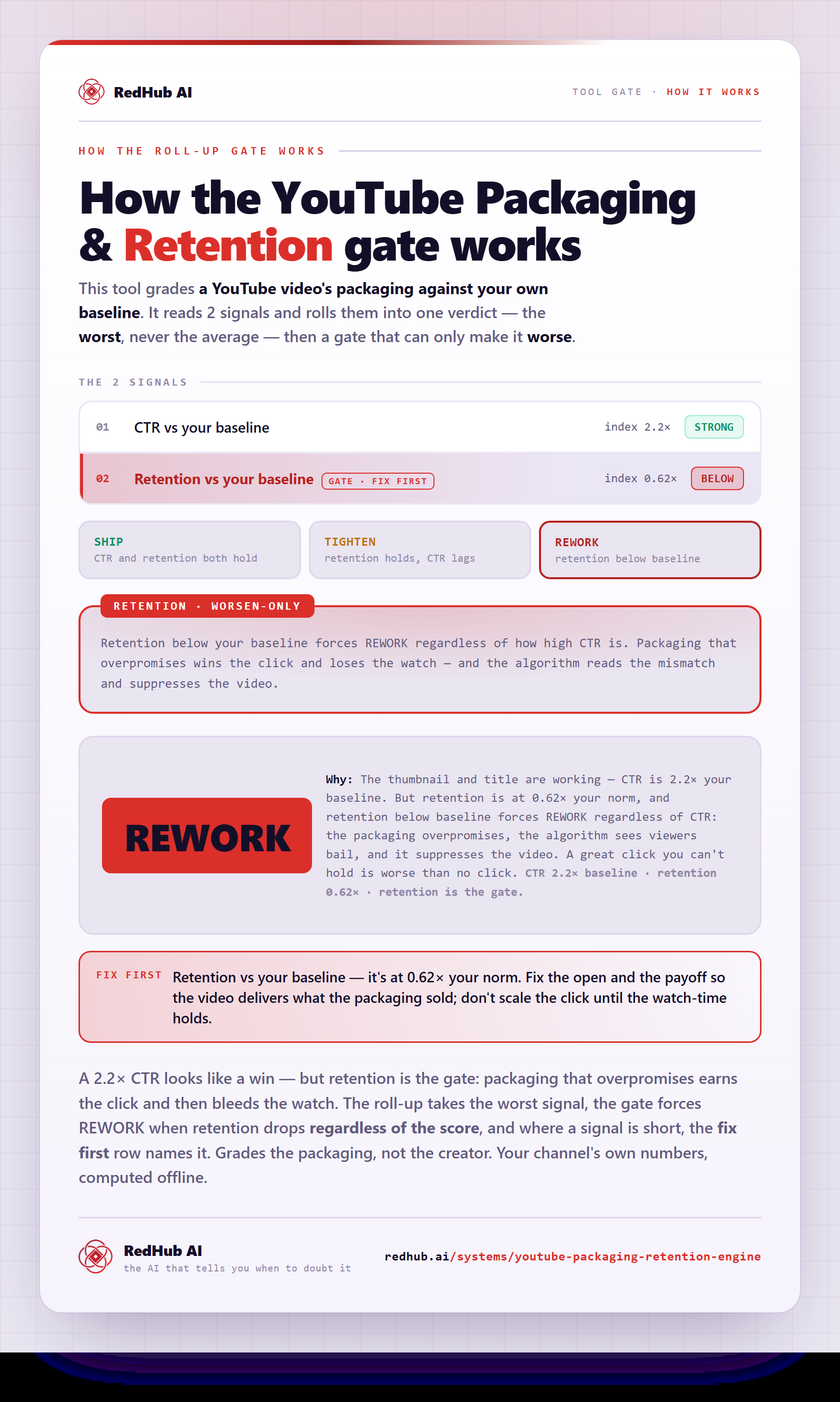
The gate this post refers to, drawn from the tool’s own logic. See the tool.