
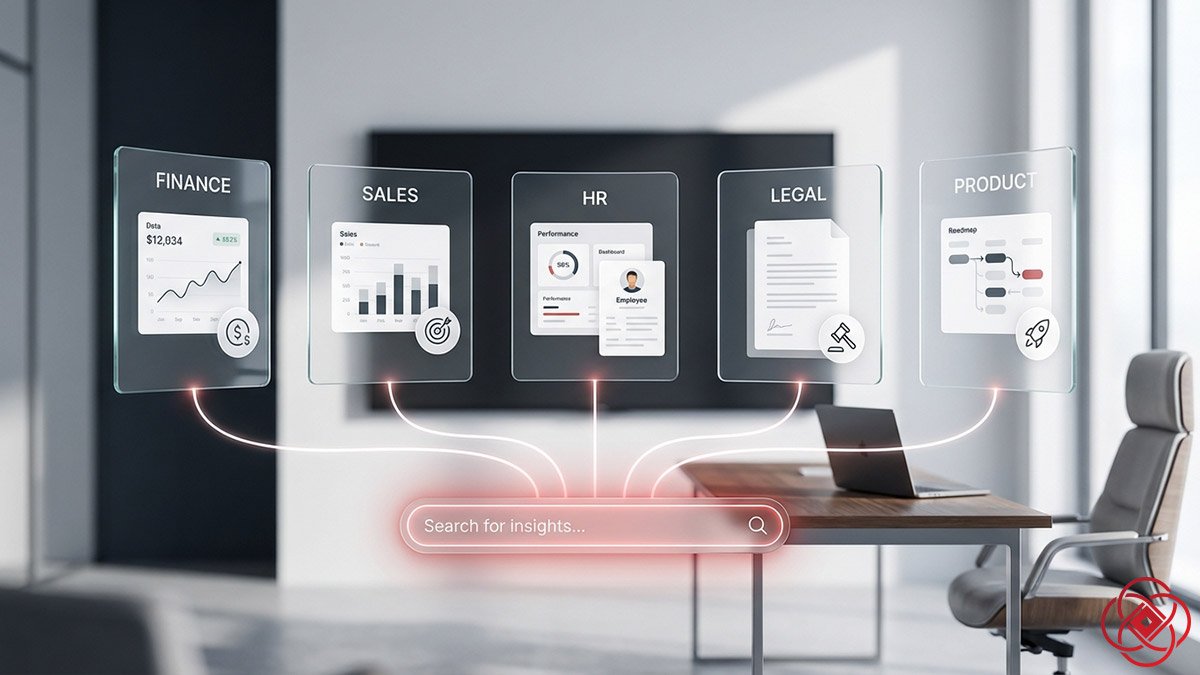
Perplexity ai • Agentic Business Systems
What Makes Perplexity Spaces "Enterprise-Grade"
How Fortune 500 teams use shared knowledge repositories to accelerate due diligence, close deals faster, and eliminate routine HR tickets — without leaking sensitive data.
TL;DR
- What it is: Enterprise Pro transforms Perplexity Spaces into company-wide knowledge hubs with 500-file shared repositories, zero AI training, and org-only access controls.
- Who it's for: Finance teams, sales orgs, legal departments, HR, product teams, and marketing groups that need secure internal search combined with live web intelligence.
- How it works: Admins upload files to a central repository; any user in the org queries them alongside web search — with connectors for Google Drive, SharePoint, OneDrive, Box, Dropbox, and Confluence.
- Bottom line: Teams at NVIDIA, Databricks, Dell, Bridgewater, and Latham & Watkins use Enterprise Spaces to cut research time, accelerate RFP responses, and keep proprietary data off AI training servers.
What is Perplexity Enterprise Pro?
Perplexity Enterprise Pro is a subscription tier that unlocks shared organizational Spaces, allowing administrators to upload up to 500 files into a centralized repository accessible to every employee. All uploads and searches are excluded from AI training by default, and collaboration can be restricted to org-only members — ensuring sensitive research never leaves your team.
Best for: Finance, sales, legal, HR, product teams needing secure internal search. Not ideal for: Solo users or small teams without centralized file management needs. Fast takeaway: Upload once, query anywhere — with zero AI training risk.
Enterprise Spaces operate within a broader secure AI search architecture—see Perplexity Pro for Business for governance and rollout strategy, and Perplexity Pro Search for Competitive Intelligence for how teams fuse internal repositories with live web intelligence to accelerate due diligence and RFP execution.
What Makes Spaces "Enterprise-Grade"
Enterprise Pro unlocks capabilities that go well beyond what individual users get. Administrators can upload up to 500 files to a shared organizational repository accessible to every user in the company.
All files and searches are excluded from AI training by default — no opt-in required. Enterprise users can also restrict Space collaboration to org-only members, so sensitive research never leaks outside your team.
Real Enterprise Customer Examples
These are use cases directly from early Enterprise Pro customers, as shared by Perplexity:
- Financial services firms (e.g., Bridgewater) conduct more robust due diligence by combining internal research notes and call transcripts with live industry news — all in one query.
- Sales and business development teams accelerate RFP responses by pulling from past proposal materials and live web intelligence simultaneously.
- HR teams help employees self-serve answers about benefits, policies, and wellness programs by pointing them to a Space loaded with internal HR docs.
- Growth-stage startups get real-time feedback on R&D and product roadmaps by comparing internal planning docs against best practices from the web.
Enterprise Pro customers include NVIDIA, Databricks, Dell, Bridgewater, Latham & Watkins, Fortune, and Lambda.
Use Cases by Department
Finance & Due Diligence
Upload internal research, deal memos, and client portfolio guidelines. Ask questions like: "Does client Y have a maximum holding rule for this investment?" or "What are the key risk factors across all uploaded deal documents?"
Enterprise Pro users can also connect Crunchbase and FactSet directly into a Space for real-time proprietary financial data alongside your internal files.
Example prompt: "I'm considering investing in Company X on behalf of institutional investor client Y. Does this client have a maximum holding rule as part of their portfolio management guidelines? Any other guidelines I should consider?"
Sales & Business Development
Build a Space loaded with RFP templates, past winning proposals, case studies, pricing sheets, and objection-handling guides. The AI synthesizes your internal playbooks with live web data for richer, faster responses.
Example prompt: "When pitching product Y to a mid-market prospect, what common objections are likely to arise based on our past RFPs? Provide a rebuttal script."
Legal & Compliance
Upload regulatory docs, zoning laws, policy frameworks, and compliance guidelines. Instead of manually searching dense PDFs, your team asks natural-language questions and gets cited answers.
Example prompt: "Review all uploaded documents related to NYC commercial zoning requirements. How far do our outdoor tables need to be from the street?"
HR & People Operations
Administrators upload the employee handbook, benefits guides, PTO policies, onboarding docs, and wellness FAQs into the org-level repository. Employees query the Space directly instead of emailing HR for routine questions.
Example prompt: "What is our parental leave policy for salaried employees, and how does it differ from our contractor policy?"
Product & Engineering
Upload user research, customer interview transcripts, roadmap docs, and feature request logs. Cross-reference internal data with public product news and competitor updates in one query.
Example prompt: "Based on uploaded user research and feature request logs, what are the top 5 most requested improvements from enterprise customers this quarter?"
Marketing & Content
Build Spaces per campaign, per channel, or per client. Upload briefs, brand guidelines, competitive teardowns, and past reports. Combine them with live web search for research-backed content production at speed.
Enterprise File Connectors
Enterprise Pro users can sync files directly from external platforms into any Space — no manual uploading required:
| Connector | What You Can Do |
|---|---|
| Google Drive | Sync folders; query docs, sheets, and slides |
| Microsoft SharePoint | Search spreadsheets, presentations, and documents via natural language |
| Microsoft OneDrive | Summarize and analyze files with natural language queries |
| Box | Sync files to Spaces for team-wide high-precision search |
| Dropbox | Configure specific files/folders for high-precision search |
| Confluence | Connect your wiki and internal docs directly |
Enterprise Admin Controls
Administrators also get granular control over the entire organization's Perplexity environment — including which features are available, who can create Spaces, and usage analytics to track how teams are engaging with the platform.
Memory features for the org can also be toggled and controlled at the admin level to maintain strict data ownership.
How to Get Started with Enterprise Spaces in 5 Steps
Here's a simple way to start using Enterprise Spaces without overcomplicating it.
- Identify your pilot use case: Pick one department (e.g., sales RFP library or HR self-service) with a clear pain point and measurable outcome (e.g., reduce RFP response time by 30%).
- Upload your core files: Admins load 20–50 essential documents into the org-level Space — proposal templates, benefits guides, compliance docs, etc.
- Set access controls: Restrict the Space to org-only collaboration and confirm AI training exclusion is active.
- Train your team: Run a 15-minute onboarding showing how to query the Space with natural language prompts instead of keyword search.
- Measure and iterate: Track query volume, response accuracy, and time saved. Expand to additional departments based on results.
Common Mistakes and How to Avoid Them
- Uploading too many files at once: Start with 20–50 high-value docs per use case. More files = noisier search results.
- Skipping access controls: Always restrict Spaces to org-only if the content is sensitive. Default settings may allow external sharing.
- Not training users on prompt quality: Generic queries ("tell me about benefits") produce weak answers. Teach teams to ask specific questions ("What is the vesting schedule for stock options granted in 2025?").
- Ignoring file connectors: If your team already uses Google Drive or SharePoint, sync directly instead of manually uploading to save time.
Tools and Resources
For getting started:
- Perplexity Enterprise Pro launch post
- Internal Knowledge Search help docs
- Enterprise Pro help center
For file connectors:
- Microsoft SharePoint connector guide
- Dropbox connector setup
- OneDrive connector instructions
- Box connector docs
- Confluence integration guide
For security and compliance:
Should You Use Enterprise Spaces?
Use it if: Your team handles sensitive client data, spends hours digging through internal docs, or needs to combine proprietary files with live web intelligence — and you have 10+ employees who need access.
Skip it if: You're a solo founder or small team (under 10 people), already have a robust internal wiki with fast search, or don't work with confidential data that requires AI training exclusion.
Best first test: Run a 2-week pilot with your sales team's RFP library or HR's benefits docs. Measure query volume, accuracy, and time saved compared to manual search.
FAQ
What is the difference between a personal Space and an Enterprise Space?
Personal Spaces are private to individual users and limited in file uploads. Enterprise Spaces allow admins to upload up to 500 files into a shared org-level repository accessible to all employees, with AI training exclusion and org-only collaboration controls.
How is Enterprise Pro different from Perplexity Pro?
Perplexity Pro is for individual users and includes unlimited searches and file uploads to personal Spaces. Enterprise Pro adds centralized admin controls, shared org-level file repositories, AI training exclusion by default, usage analytics, and file connectors for Google Drive, SharePoint, and more.
Can I use Enterprise Spaces without file connectors?
Yes. Admins can manually upload files directly to Spaces. File connectors (Google Drive, SharePoint, etc.) are optional but recommended if your team already stores docs on those platforms — they save time and keep files synced automatically.
How long does it take to see ROI with Enterprise Spaces?
Most teams report measurable time savings within 2–4 weeks. Finance teams cut due diligence research time by 40%, sales teams reduce RFP response time by 30%, and HR teams eliminate 50+ routine email tickets per month.
Are uploaded files used to train Perplexity's AI models?
No. All files uploaded to Enterprise Spaces are excluded from AI training by default — no opt-in required. This is a core security feature of Enterprise Pro.
This article references Perplexity's Enterprise Pro features as documented in their official help center and blog posts. Product capabilities may evolve; consult Perplexity's support team for the latest feature set.