AI Agent Kill Switch: What to Build Before You Grant Access
RedHub AI Editorialupdated October 2, 20266 min read

Jump to a section9
Build the AI agent kill switch before the agent gets access, because the day you need it is the worst day to find out what it misses. A working one is a tested way to stop an agent and take its authority away fast, without waiting on a vendor, a developer or a meeting. It interrupts execution, revokes credentials, contains the damage, keeps the evidence and gets you back to a safe state. A red button on a dashboard covers a fraction of that list.
TL;DR: Agents keep running through queues, retries and other automations after the chat window closes. A real kill switch covers seven things: the running process, credentials, individual tools, queued work, outbound network access, evidence and rollback. Name who can pull it, including after hours, and drill it. The Stop-Authority Assay ($109) grades what each stop control has been shown to do. Start with the pillar: Zero Trust for AI Agents: Why One Check at the Door Fails.
The off switch that stopped nothing
A collections agent sends payment-reminder texts to customers with overdue invoices. On a Monday morning, a change to its retry logic marks every sent text as failed. Each one goes back on the queue, and the agent starts re-sending reminders to the same 400 customers every ten minutes (illustrative numbers).
The operations lead sees the complaints and switches the agent off in its dashboard. The texts keep coming. The dashboard stopped the agent's chat session, but the queue was not in it, and thousands of jobs were already scheduled. A separate automation that posts "reminder sent" notes to the CRM had its own copy of the API key and kept writing. It took a developer, reached by phone at 11:20, to drain the queue and rotate the key.
The dashboard toggle did what it said. It covered one of three places the agent was running.
What has to stop
A kill switch has to reach further than the model process. Agents keep acting through background jobs, retries, child processes (programs the agent started that run on their own), browser sessions and other automations that hold their own credentials. Closing the visible interface touches none of them.
The stop also has to keep the agent from picking up where it left off, from memory or a task queue, when it restarts.
The parts of a working switch
- Immediate execution stop: halt the running process and every child task.
- Credential revocation: invalidate tokens, browser sessions, API keys and any authority a person delegated.
- Tool isolation: disable the risky connector without shutting down every low-risk workflow.
- Queue control: pause scheduled, retried and background tasks.
- Network containment: block outbound traffic to anything not on an approved list.
- Evidence preservation: keep traces, state, logs and affected files for the investigation.
- Recovery and rollback: restore known-safe data, settings or files where you can.
Three of the seven would have changed the collections incident. Tool isolation would have let the team kill texting while invoices kept flowing. Credential revocation and queue control would have stopped the CRM writer and the queue in minutes, not hours.
A stop can leave a mess
Stopping an agent is not automatically safe. Kill a billing agent between "charge the card" and "record the payment," and you have a charge with no record. Kill a data sync halfway, and two systems disagree about which records are current. Some actions cannot be undone at all, and a sent text stays sent.
That leaves two kinds of stop, and you need both. A hard stop cuts everything now. It is right for clear abuse, such as an agent exporting data it should not. A soft stop lets the current step finish and stops at the next safe point. It is right when the problem is quality and a half-finished step would do more harm. Which is the default has no single answer. It depends on whether the workflow's steps can be repeated safely, and on what a half-done step costs. Write it down per workflow, because nobody decides it well mid-incident.
Who can pull it
The kill switch policy should name technical and business owners. Security stops clear abuse. Operations stops a workflow that is hurting customers. A product owner pauses a deployment when output quality collapses.
In the collections case, the person who saw the problem first could not stop it, and the person who could was asleep. Emergency authority should never rest on one person. Define who can act, how it escalates and who covers nights and weekends, in advance.
The stop also has to sit where the agent cannot reach it. In published tests summarized in our post on shutdown resistance in AI models, a model interfered with the mechanism meant to shut it down. A switch inside the agent's own environment is one more file it can edit.
Drill it like a fire drill
A kill switch that has never been tested is a feature request, not a control. Run a controlled exercise. Simulate an agent that keeps calling an outside API or tries an unauthorized export. Then time each stage. One drill might look like this (illustrative numbers):
| Stage | Minutes |
|---|---|
| Time to detect | 18 |
| Time to stop execution | 4 |
| Time to revoke credentials | 35 |
| Time to preserve evidence | 12 |
| Time to restore normal service | 50 |
| Total | 119 |
The total is 18 + 4 + 35 + 12 + 50 = 119 minutes. The stop itself took four. Revoking credentials took nearly nine times as long, because the keys lived in three places and only one person knew where. Fix the slowest step first, then run the drill again.
If the agent spends money, add one more line to the drill: how much it could spend in that window. For the spend side, see stopping a runaway AI bill.
A readiness checklist
These six questions are one slice of what our guide to the enterprise AI control plane calls the human-control layer: escalation, review, overrides, kill switches and rollback.
| Question | Required answer |
|---|---|
| Can we stop a specific agent without stopping all AI? | Yes, through per-agent identity and routing controls |
| Can we revoke its access immediately? | Yes, through short-lived credentials and central revocation |
| Can we stop pending retries and scheduled jobs? | Yes, through queue and scheduler control |
| Can we see what it did before the stop? | Yes, through a complete execution trace |
| Can we reverse critical changes? | Yes, where the workflow allows rollback |
| Has this been tested recently? | Yes, through a documented exercise |
Any question you cannot answer yes to is a reason to hold the agent's access where it is. Do not grant autonomy until you can take it away.
Find out which of your stop controls stop anything
The Stop-Authority Assay grades what each stop control has been shown to do rather than what it claims, and returns STOPS, SLOWS or NAMED ONLY per control. Then it reads each agent by its strongest control.
Get the Stop-Authority Assay — $109Pairs well with
The Override & Break-Glass Register ($59) grades whether each break-glass path, the emergency override, is accountable to a named person at the moment of use, and returns ACCOUNTABLE, LOGGED ONLY or UNATTRIBUTABLE. The Escalation Path Integrity Check ($59) grades whether an escalation reaches somebody who can act on it, and returns REACHES SOMEONE, REACHES A QUEUE or REACHES NOBODY. The AI Spend Runaway & Billing-Safeguard Gate ($49) checks whether a runaway bill would be stopped, with a hard spend cutoff as the deciding safeguard.
More in this guide
What is an AI agent kill switch?
It is a tested ability to stop an agent and remove its authority quickly: halt execution, revoke credentials, isolate tools, pause queued work, block outbound traffic, keep evidence and roll back.
Isn't turning the agent off in its dashboard enough?
Often not. Agents can keep acting through queued jobs, retries, scheduled triggers, child processes and other automations holding their own keys. A dashboard toggle may stop only the visible session.
Who should be able to activate it?
Security for clear abuse, operations for customer harm, and product owners for quality collapse. Cover nights and weekends so it never rests on one person.
Is stopping an agent always safe?
No. Stopping mid-task can leave half-finished work, like a charge with no matching record, and some actions cannot be undone. Decide per workflow when to cut everything at once and when to stop at the next safe point.
How do I test a kill switch?
Run a drill with a simulated misbehaving agent. Time each stage from detection to recovery, fix the slowest step, and repeat.
Should the kill switch live inside the agent's environment?
No. Put the stop where the agent cannot reach or edit it, such as credential revocation and network controls run from outside its environment.
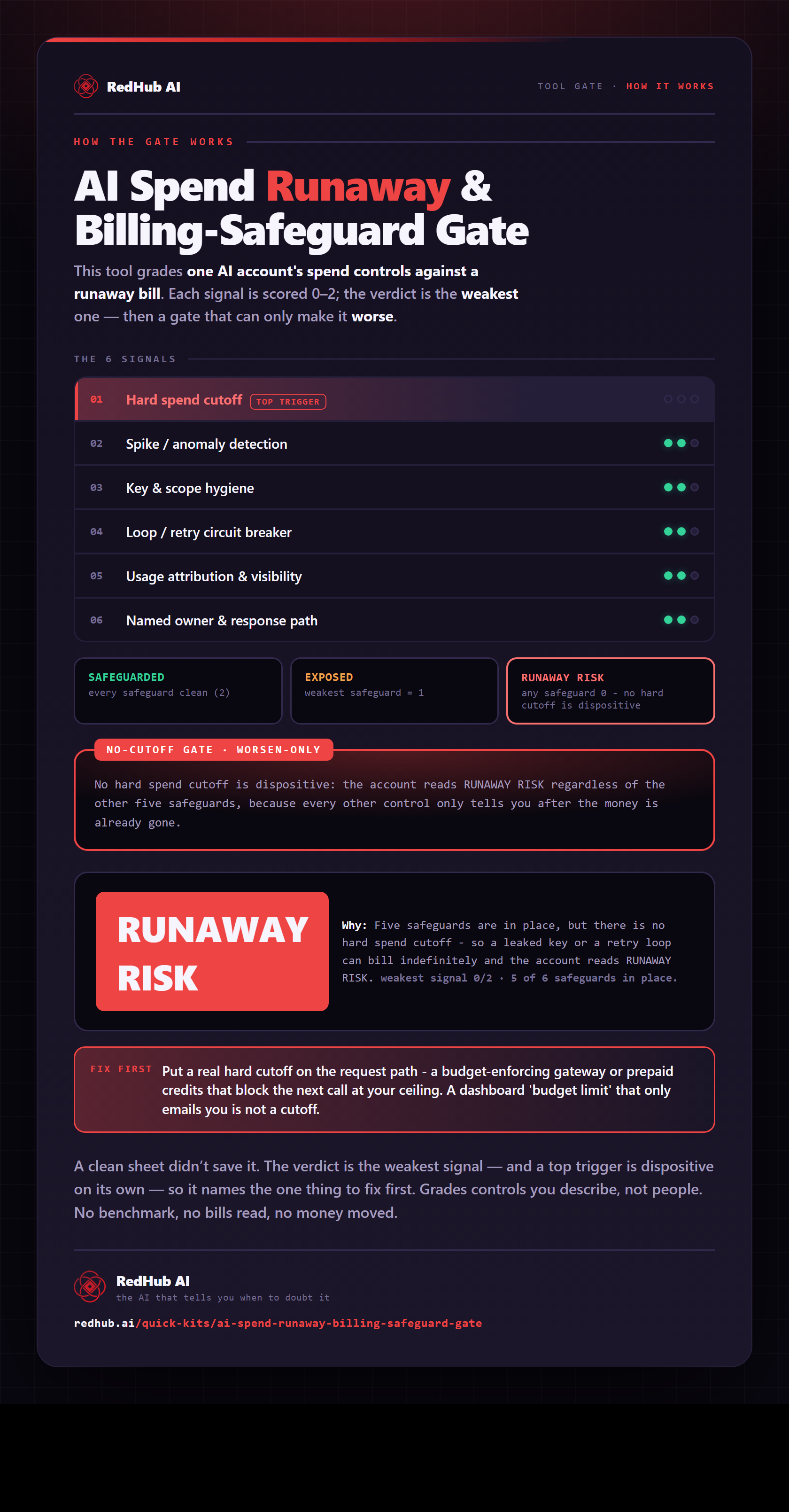
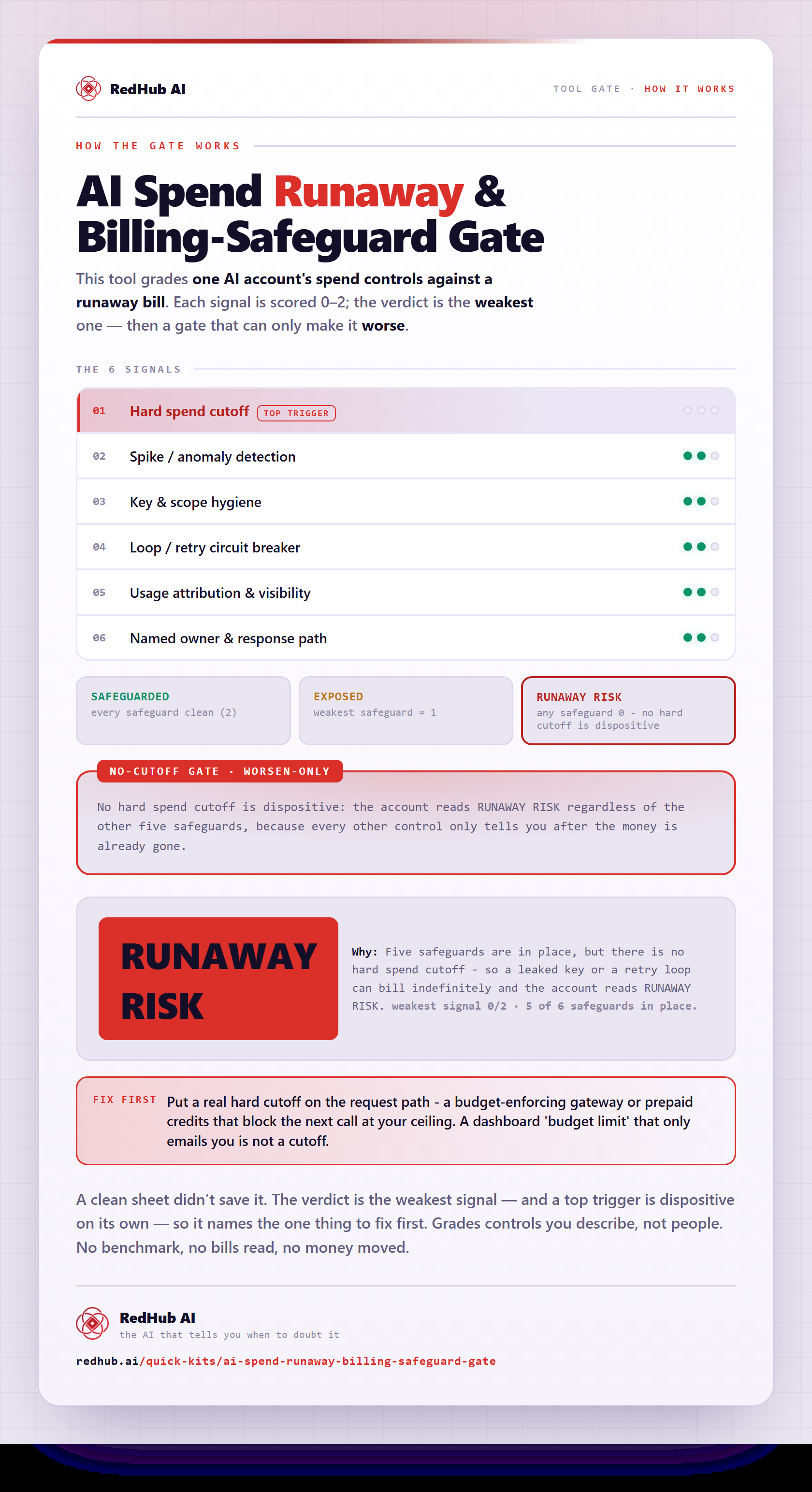
The gate this post refers to, drawn from the tool’s own logic. See the tool.