Why Your Cold Emails Get No Replies
RedHub AI Editorialupdated October 4, 20266 min read

Jump to a section7
Silence after a cold send usually starts before anyone reads a word, and that is the short answer to why cold emails get no replies. There are four causes to check, in this order: the email reached the wrong people, it never reached the inbox, the first line didn't prove relevance, or the ask was too big. The order matters because the first two can hide the last two completely. Three of the four have nothing to do with the writing. When replies are near zero, rewriting the copy is usually the wrong first move, since the message either went to people who don't have the problem or was never seen.
TL;DR: Silence usually means targeting or deliverability, not copy. Check four things in order: are these the right people, are you landing in the inbox, does line one prove relevance, and is the ask small? Google and Yahoo publish sender rules you can check today. The Cold Email Reply-Rate Optimizer ($39) flags a bounce rate too high to trust before you blame the words. Part of the guide on improving your cold email reply rate.
Reason 1: The wrong people
The first cause to check is the one least discussed: you emailed people who don't have the problem you solve. A flawless email to a bad-fit list gets nothing, because there's no interest to activate. It happens when a list is bought, scraped broadly, or filtered on a job title without checking that the title owns the pain. A "Head of Operations" at a 12-person agency and one at a 4,000-person manufacturer share a title and almost nothing else. Before touching a sentence, ask whether each recipient plausibly worries about the problem you fix. If the honest answer is "maybe," tighten the list first.
Reason 2: You never reached the inbox
The second cause is invisible from your side. The email bounced or went to spam. You see "sent," and the recipient sees nothing. Bounces are the loudest tell, since a high bounce rate means a stale or bad list, and Yahoo's sender guidance tells senders to monitor hard and soft bounces and remove invalid recipients.
Authentication is the other half, and Google and Yahoo both publish their rules. Google's sender guidelines require everyone who sends to Gmail to set up SPF or DKIM and keep the spam rate reported in Postmaster Tools below 0.3%, and Google recommends staying below 0.1%. Senders of more than 5,000 messages a day to Gmail accounts must also have SPF and DKIM, a DMARC record, and one-click unsubscribe on marketing messages. Yahoo's sender requirements are close: SPF or DKIM for everyone, and for bulk senders both, a DMARC policy of at least p=none, one-click unsubscribe, and unsubscribes honored within 2 days. Our guides to SPF and DKIM, DMARC and email deliverability walk through the setup.
Reason 3: The first line didn't earn the second
If you've got the right people and you're landing in the inbox and still hear nothing, now the message matters, starting with the opener. Cold email is read in a glance, and a generic first line ("I hope this email finds you well," "I'm reaching out because…") gets deleted before the pitch. The opener has one job: prove in a sentence that you know who they are and why this is relevant to them, not to your quota. Keep the detail real. A "personal" line an AI tool invented reads worse than none, which our post on AI sales prospecting covers.
Reason 4: The ask was too big
The last common killer is a call to action that's expensive to say yes to. "Do you have 30 minutes this week for a demo?" asks a stranger to give up real time on a hunch. A small, specific ask ("worth a look at a one-pager?" or "open to a 15-minute intro next week?") matches the trust you've earned so far, which is close to none. Escalate the ask once there's a reply. When one arrives, the Lead-to-Meeting Engine ($149) drafts a response that proposes real open times from your calendar, for you to send.
Work the causes in order
Because the causes hide each other, the fix runs in order: confirm the list is right, confirm you're landing in the inbox, then sharpen the opener, then shrink the ask. Copy testing pays off only when the first two are sound. Then you test it properly, one variable at a time, per the A/B testing guide, scoring positive reply rate so a change that just provokes people doesn't look like a win.
Separate a list problem from a copy problem
The Optimizer logs each variant's delivered emails, replies, positive replies, meetings and bounces, ranks them on positive reply rate, and marks any variant with a bounce rate above 2% "Fix list" before you draw a copy conclusion from it.
Get the Cold Email Reply-Rate Optimizer — $39Pairs well with
The Email Deliverability & DMARC Enforcement Readiness Gate ($79) grades each sending domain on SPF, DKIM, DMARC policy, From-alignment, one-click unsubscribe and spam-complaint headroom against the Google, Yahoo and Microsoft bulk-sender rules, and returns ENFORCING, AT RISK or FAILING per domain. Once replies arrive, the Inbound Lead Qualification Engine ($99) ranks who to work first, PURSUE NOW, NURTURE or DISQUALIFY, from your own marks. And the Lead-to-Meeting Engine ($149) scores each new reply BOOK NOW, NURTURE or DECLINE and drafts the meeting reply.
More in this guide
Why am I getting no replies to my cold emails?
Usually one of four reasons: wrong list, poor deliverability, a weak opener, or too big an ask. Check them in that order. Three of the four aren't copy problems, so when replies are near zero, check targeting and inbox placement before you rewrite the email.
Is a low reply rate a copy problem?
Rarely, if it's near zero. At that level the usual cause is targeting or deliverability: the message went to the wrong people or never reached the inbox. Copy becomes the bottleneck once the list and delivery are sound.
How do I know if it's a deliverability problem?
Watch bounces and check authentication. A high bounce rate signals a stale or bad list. Google requires SPF or DKIM from everyone sending to Gmail, and SPF, DKIM and DMARC from senders of more than 5,000 messages a day. A low bounce rate doesn't prove inbox placement, since spam-folder delivery doesn't show up in your sending numbers.
What makes a cold email opener work?
It proves, in one sentence, that you know who the recipient is and why you're writing to them specifically. Generic openers get deleted on sight. An earned, specific first line buys you the second sentence, which is all the opener needs to do.
Should I ask for a meeting in the first email?
Usually make the first ask smaller than a full meeting: a quick look, a one-pager, a 15-minute intro. A stranger has almost no trust in you yet, so a big time commitment is easy to ignore. Escalate the ask after you get a reply.
How does the Optimizer help diagnose no-reply campaigns?
It marks any variant whose bounce rate is above 2% "Fix list," so you catch a dead list before blaming the copy, and it ranks variants on positive reply rate so a provocative change doesn't look like a fix. It can't see spam-folder placement; no spreadsheet can.
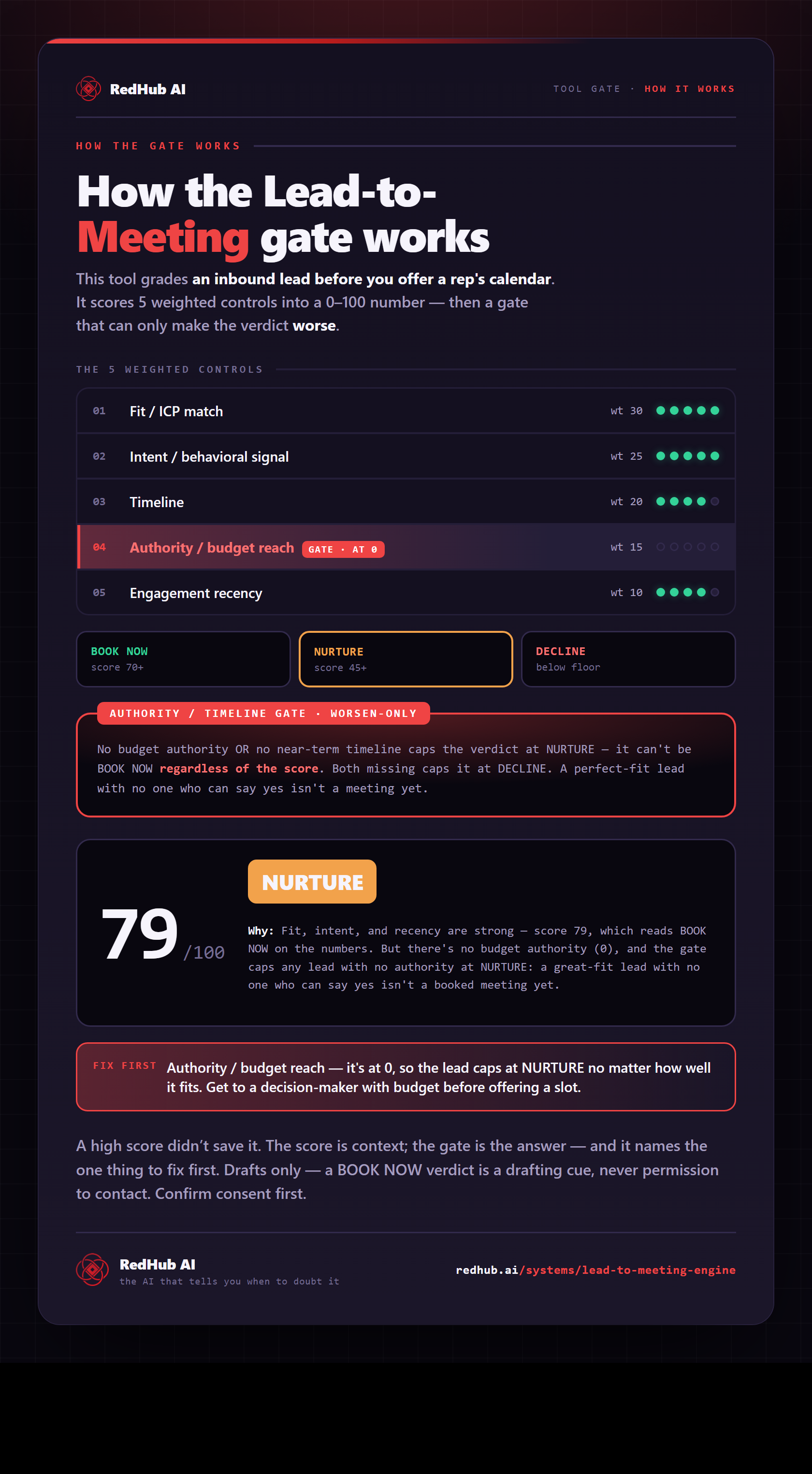
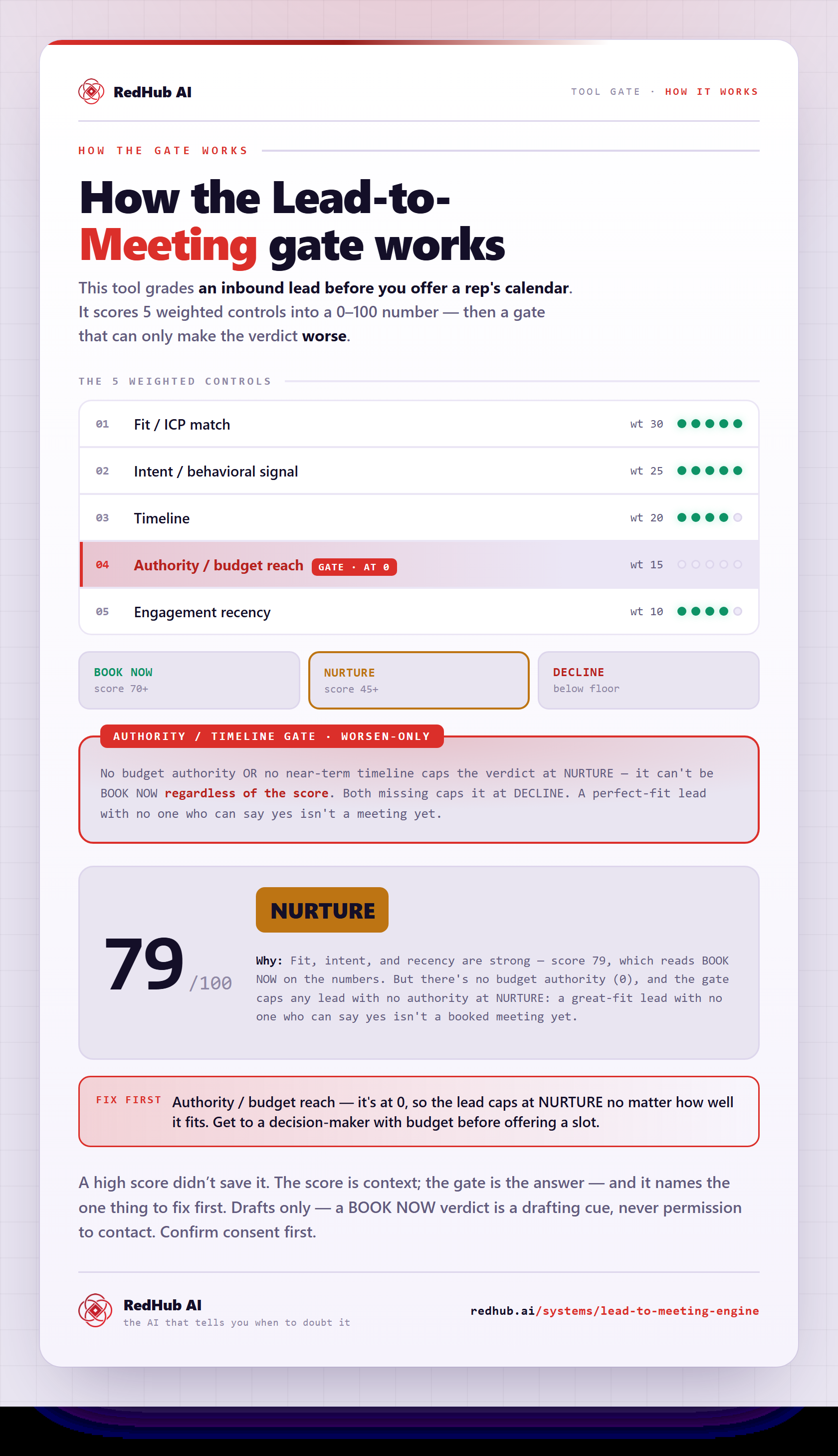
The gate this post refers to, drawn from the tool’s own logic. See the tool.