Zero-Click Search: Which Pages Are Safe?
RedHub AI Editorialupdated August 17, 20265 min read

Jump to a section7
TL;DR
- What it is: zero-click search is a search that fully answers the searcher on the results page, so no one clicks any website — AI Overviews are now the biggest driver of it.
- Who it's for: anyone deciding which pages are worth defending versus which queries are permanently answered elsewhere — see the AI Overview Traffic-Loss Diagnostic.
- How it works: plain factual queries get absorbed first; comparison, pricing, and transaction queries hold onto the click longer.
- Bottom line: not all your traffic is equally at risk — sort your pages by query type before you decide where to spend effort.
What is zero-click search?
Zero-click search is any search where the person gets what they need directly on the results page and never clicks through to a website. It started with featured snippets and knowledge panels years ago, but Google's AI Overviews have made it far more common, because an AI-written answer can now fully resolve many more kinds of questions than a snippet ever could. The result: a growing share of searches for your keywords may end without sending you a single visitor.
Best for: teams deciding which content is worth defending versus which queries are a lost cause — the AI Overview Traffic-Loss Diagnostic ($79) scores that page by page from your own data.
Zero-click search isn't new, but it's growing fast, and AI Overviews are the reason. A search engine result page used to be a list of links you clicked through. Now it's increasingly a written answer, generated on the spot, that can settle the question before you scroll to a single link. For publishers and businesses, that means a real share of the searches that used to send traffic now send none.
The important nuance is that this isn't uniform. Some queries are almost entirely absorbed into zero-click answers. Others still reliably send a click, because the answer genuinely requires visiting a specific site — to compare options, check a live price, or complete a transaction. Knowing which of your pages fall into which group changes what you should do next.
Which queries are most exposed to zero-click search
An AI Overview is good at answering questions that have one clean, factual answer. It struggles to fully replace a page when the answer depends on the person's specific situation, current data, or a next action only your site can complete.
Queries that still earn a click
- Comparisons between named options ("X vs Y")
- Live or local pricing and availability
- Anything requiring sign-up, checkout, or booking
- Branded and navigational searches for your business
- Complex, multi-part questions with no single answer
Queries most exposed to zero-click
- Plain definitions ("what is X")
- Simple "how to" steps with no local variation
- General cost ranges and quick facts
- Glossary and reference-style content
- Single-answer factual trivia
If your traffic loss is concentrated in the left-hand exposed list, that's consistent with zero-click absorption, not a ranking problem. We cover the exact Search Console pattern this creates — impressions holding while clicks fall — in the Great Decoupling.
How to tell which of your pages are which
You don't need to guess. The query type usually tells you, and Search Console confirms it:
- List your top pages by impressions over the last 90 days.
- For each one, ask: could an AI answer fully resolve this in two sentences, with no follow-up needed? If yes, it's exposed.
- Cross-check against the actual clicks change for that page over the same window — a real drop confirms the exposure; a stable click rate means it's holding for now.
- Search the page's main query yourself and see whether an AI Overview appears, and whether your page is cited inside it.
Key insight: a page appearing inside the AI Overview's citations is a different situation than a page being ignored entirely. Being cited can still preserve some referral traffic and brand visibility even without the click. Not being cited at all is the worse position — and it's usually a citation-signal problem, not a content-quality one.
What to do once you know which group a page is in
Pages in the exposed group aren't automatically a lost cause, and pages in the defensible group aren't automatically safe forever. The right move depends on the page's specific weak signal — citation strength, freshness, intent fit — which is exactly what a page-by-page diagnostic is for. We lay out the full defend-repurpose-retire decision in how to recover traffic from AI Overviews.
Find out which of your pages are exposed
The AI Overview Traffic-Loss Diagnostic ($79) reads your own Search Console export and grades every page HOLDING, DECOUPLING, or EVAPORATING — so you know exactly where zero-click search is hitting you hardest.
Get the Diagnostic — $79 →Zero-click search also reshapes what "ranking well" is even for anymore — a page can rank perfectly and still lose the click. That shift in what SEO should optimize for is the subject of AI overviews SEO.
Decision Guide
Treat a page as exposed if: its query is a plain factual question an AI answer could fully resolve in a sentence or two.
Treat a page as defensible if: its query requires a comparison, live data, local specifics, or a next action only your site provides.
Best first step: list your top 20 pages by impressions, tag each as exposed or defensible, and check whether the exposed group shows the clicks-down pattern in Search Console.
FAQ
What is zero-click search?
It's a search where the person gets a full answer directly on the results page and never clicks through to any website. AI Overviews are currently the fastest-growing driver of it, because they can resolve far more question types than earlier zero-click formats like featured snippets.
Which of my pages are most at risk from zero-click search?
Pages targeting plain factual queries — definitions, simple how-to steps, general cost ranges — are the most exposed, because an AI Overview can answer those directly. Pages built around comparisons, live pricing, or a transaction are harder to fully replace.
Does zero-click search mean my content doesn't matter anymore?
No. It means the content that wins is content an answer box genuinely can't replace — comparisons, current data, and anything requiring a next action. Content built purely to restate a fact is what's most exposed.
Is being cited inside an AI Overview better than not being cited at all?
Usually, yes. A citation can still preserve some brand visibility and occasional referral clicks. Being absent from the AI Overview entirely on a query you used to rank for is typically the worse position, and often points to a citation-signal gap rather than a content problem.
How do I know if zero-click search is actually the cause of my traffic drop?
Check impressions and clicks separately, per page. If impressions are flat or rising while clicks fall, that gap is consistent with zero-click absorption. If both are falling together, that points to a ranking or demand issue instead.
What can I do about pages that fall into the exposed category?
Some can be strengthened to earn the citation and any remaining click; some are better rebuilt around an angle an AI Overview can't fully answer; and some queries are worth letting go of entirely. The right call depends on the page's specific weak point.
Know exactly where you stand
Stop guessing which pages zero-click search is quietly taking from you. Read your own Search Console export and get a real, page-by-page verdict.
Get the AI Overview Traffic-Loss Diagnostic — $79 →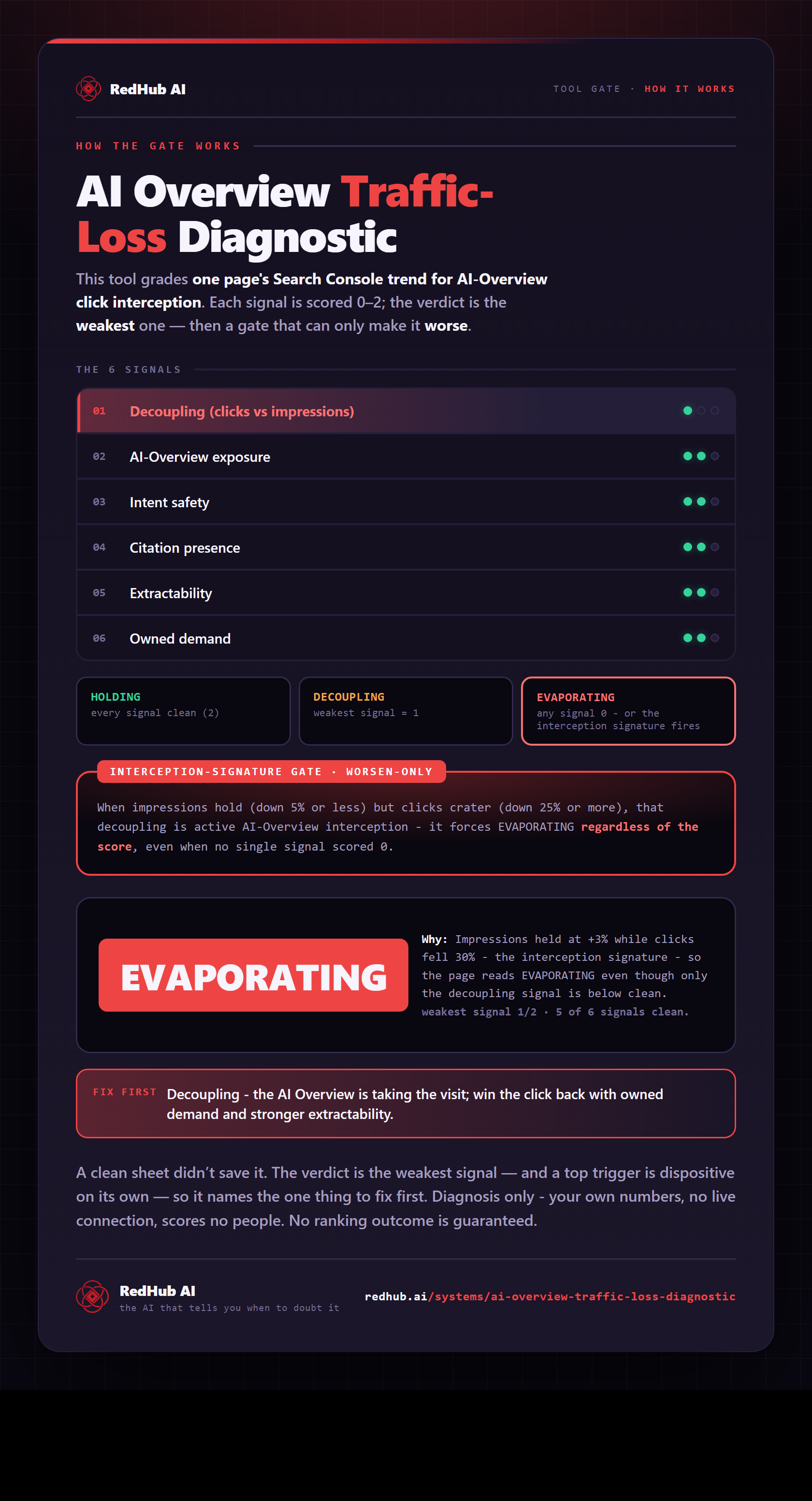
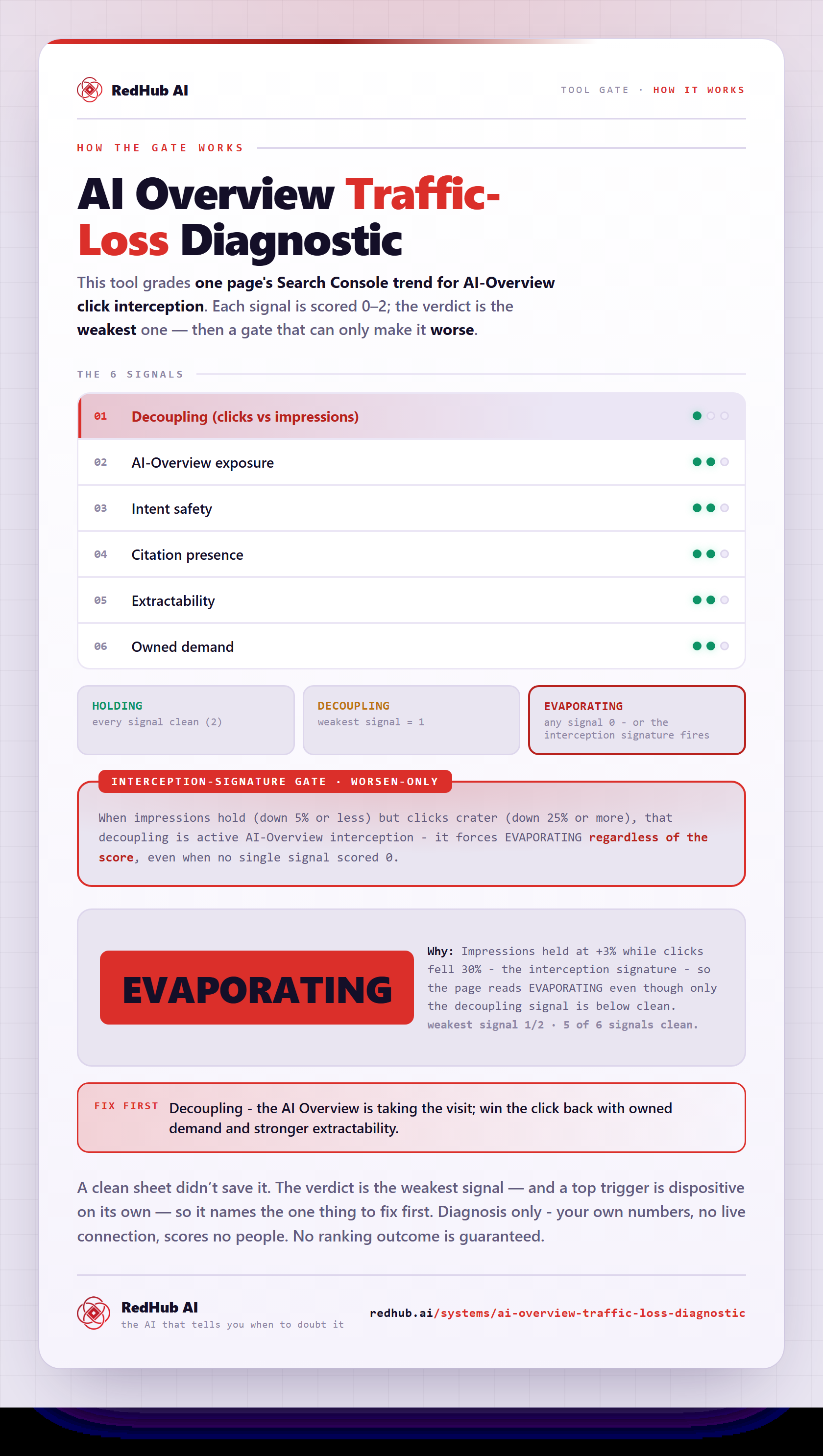
The gate this post refers to, drawn from the tool’s own logic. See the tool.