How to Calculate Your AI Cost Per Task (Before You Automate)
RedHub AI Editorialupdated September 20, 20267 min read

Jump to a section9
Your AI cost per task is what it costs you to run one unit of work through an AI tool — the AI spend for that task divided by how many times you run it, compared against what a person would have cost to do the same job. You get that number by dividing your total AI spend on a task by the number of times you run it in a month, then comparing it to the loaded cost of a human doing the same work. It sounds simple. Most teams still get it wrong, because they compare the wrong two numbers.
TL;DR: Cost per task = AI spend for the task ÷ tasks run, compared against the human time it replaces × a loaded hourly rate. The unit price almost never matters on its own — volume does. A task that costs a fraction of a cent can still be a real budget line at 200,000 runs a month, and a task that "feels expensive" per call can be nothing once you weigh it against the hours it saves. Plug your own numbers into the calculator below, or use the AI Cost-Per-Task Calculator to keep the math on file for every task you're weighing.
The formula, in plain terms
There are two sides to this math, and both have to be honest or the whole exercise is theater.
- AI cost per task — your total AI spend attributable to the task, divided by the number of tasks it handled in that period. This includes the usage-based platform cost and, where it applies, any per-seat or subscription cost you're allocating to the task.
- Human cost per task — the minutes a person actually takes to do the same task, times their loaded hourly rate (wage plus benefits plus overhead — not just their paycheck).
The gap between those two numbers is your case for automating — or your case for not automating yet. Neither number is static. Vendor pricing changes, sometimes without much notice, so always check current rates at the platform you're using rather than trusting a number you memorized six months ago.
Why the unit price is the wrong thing to stare at
Ask "is AI cheap?" and you'll get a number that means nothing on its own. Ask "is this task worth automating at this cost, at this volume?" and you get an actual answer. A task that costs a fraction of a cent to run is irrelevant if you only run it ten times a month. Run it 200,000 times and that same fraction of a cent is a real line item on your P&L — one worth watching, forecasting, and occasionally renegotiating.
This is the single biggest thing SMB teams miss when they first start automating: volume, not unit price, decides whether a task is worth automating. A support-ticket summarizer that costs a small amount per ticket looks trivial in a demo. Multiply it by every ticket your team handles in a busy month, and it's a number your finance lead will ask about. That's not a bad thing — it just means the decision belongs in a budget conversation, not a "let's just try it" conversation.
Try it: cost-per-task calculator (illustrative)
Plug in your own numbers below. This is a simplified illustration, not a quote — it doesn't know your vendor's current pricing, your actual task mix, or your team's real loaded rate. Use it to get the shape of the comparison, then verify your inputs against your own invoices and your platform's live pricing page before you build a business case around it.
Cost-per-task calculator (illustrative)
Walk through the default example: $200 in monthly AI spend across 4,000 task runs works out to $0.05 per task. If a person would have taken 6 minutes to do the same task at a $30 loaded hourly rate, the human version costs about $3.00 per task. That's not a "AI is basically free" conclusion — it's a "this specific task, at this specific volume, has a wide enough gap to be worth automating" conclusion. Change the inputs to match a task where a person only takes 30 seconds, or where your AI spend is quoted per-seat instead of per-task, and the gap can close fast or even flip. That's the point of running your own numbers instead of trusting a rule of thumb.
Where to get real numbers, not guesses
- Pull your actual AI spend for the task. Look at your vendor invoice or usage dashboard for the specific workflow, not your total AI bill. If the tool bundles several tasks into one line item, estimate the share honestly rather than assigning the whole bill to one task.
- Count real task volume, not a guess. Use your platform's usage logs or your own tracking, not a mental estimate. Task volume is usually higher than people expect once you actually count it.
- Time the human version honestly. Watch someone actually do the task, or ask them directly, rather than assuming. People tend to underestimate how long routine tasks take because the time is spread across a day instead of clocked in one sitting.
- Use a real loaded rate. Wage alone undercounts the true cost — add payroll taxes, benefits, and a reasonable overhead allocation. HR or finance usually has this number already.
- Re-run the math when pricing changes. Vendor prices move. Set a calendar reminder to re-check your numbers quarterly, not once and never again.
Three example tasks, worked through
Support-ticket summarizer. A team handling a high volume of routine tickets a month might see a wide gap between AI cost and the minutes an agent spends re-reading a thread to write a summary. The math tends to favor automation quickly here because the task is short, repetitive, and high-volume.
Invoice-data-extraction task. Pulling line items out of vendor invoices by hand is slow and error-prone. The AI cost per invoice is usually modest, but the real value is often in error reduction and staff time freed up for higher-judgment work — factor that in, not just the raw minutes saved.
First-draft email. Drafting routine customer emails is fast for AI and genuinely helpful, but a person still needs to review and send most of them. Don't count the full "person doing it from scratch" time as saved — count only the editing time you actually cut.
When the math says don't automate (yet)
Low volume plus long setup time is the classic case for waiting. If a task only happens a handful of times a month, the time you'd spend integrating and testing an AI workflow may cost more than just doing the task by hand for another year. Automating too early on a low-volume task is a common, avoidable mistake — the math should tell you when volume has grown enough to flip the decision, not your gut.
Go deeper
This pillar covers the core formula. For the details behind each piece of it, see how much AI actually costs per task, how to judge whether a task is worth automating at all, the hidden costs nobody budgets for, and how to decide between per-task and per-seat pricing when a vendor offers both.
Pairs well with
Once you're past task-level math, the Token Economics Workbook handles the deeper token-level and context-window math that a quick calculator isn't built for. If your team is scaling AI usage fast, the AI Spend Runaway & Billing-Safeguard Gate catches billing surprises before they hit your card. And if the task you're evaluating touches customer acquisition, the CAC & Payback Calculator does the payback math on the customer side.
More in this guide
What is AI cost per task?
It's your AI spend on a specific task divided by how many times you run that task, giving you a per-unit cost you can compare against the cost of a person doing the same work.
Is a low per-task AI cost always a good deal?
Not by itself. A tiny per-task cost multiplied by high volume is still a real budget line, and a task run rarely may not be worth automating even at a low unit cost once you count setup time.
How do I find my actual AI spend for one task?
Check your vendor's usage dashboard or invoice for that specific workflow. If one bill covers several tasks, estimate the honest share rather than assigning the whole cost to one task.
What's a "loaded hourly rate" and why does it matter?
It's wage plus benefits plus overhead, not just take-home pay. Using wage alone understates the real cost of the human version of the task, which skews the comparison in favor of automating things that might not actually be worth it.
Should I trust a vendor's advertised per-token price?
Treat it as a starting point, not a fixed fact. Vendor pricing changes and often varies by model tier and volume — verify current pricing on the platform itself before building a business case around it.
What if the math is close, not obviously in favor of automating?
A close call usually means the task isn't high-volume enough yet, or the setup cost is eating the savings. Revisit the math once volume grows or the tooling gets simpler to deploy.
Does this calculator replace a real cost model?
No — it's a fast, illustrative first pass. For token-level and context-window detail, use the Token Economics Workbook; for ongoing budget protection, pair it with the AI Spend Runaway & Billing-Safeguard Gate.
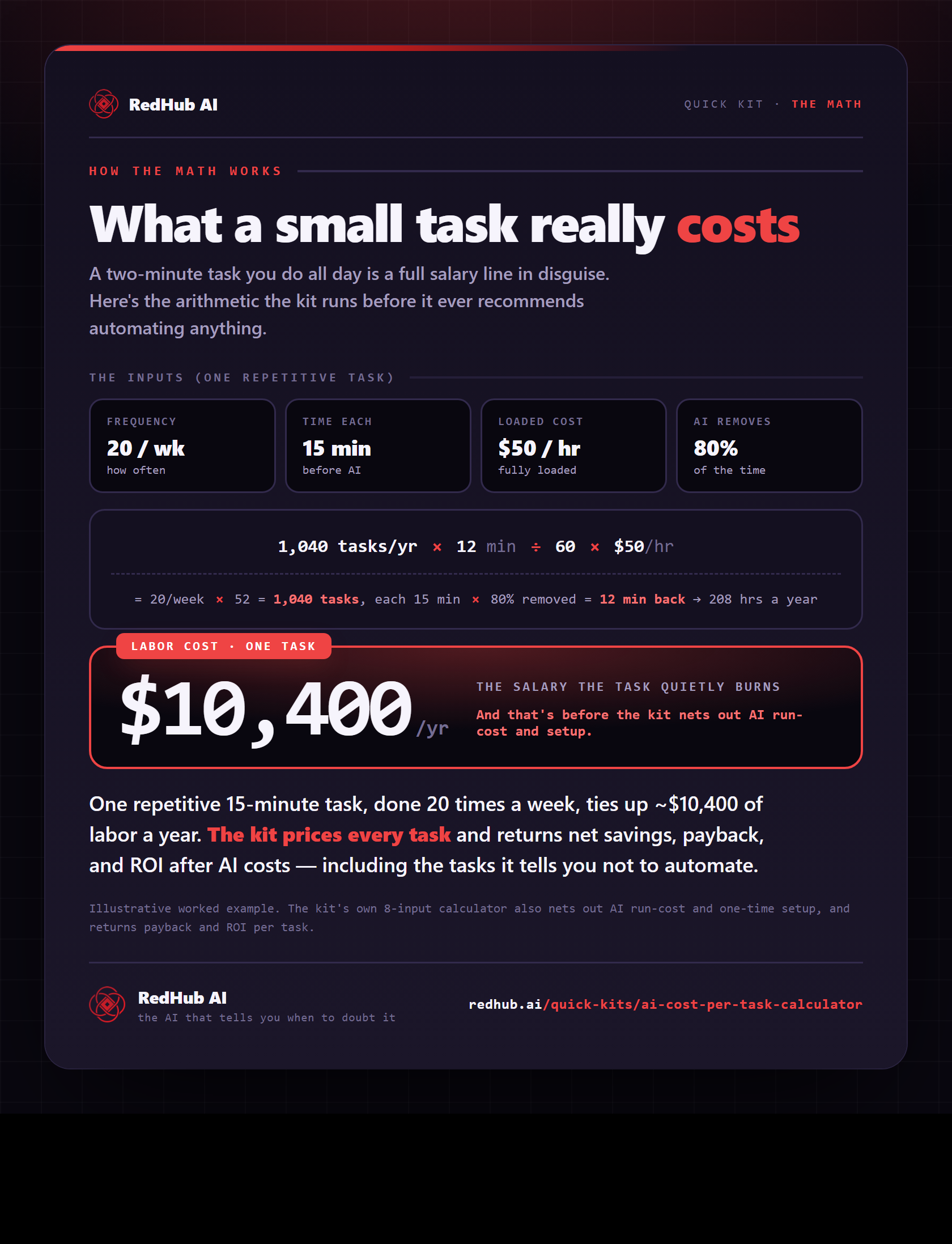
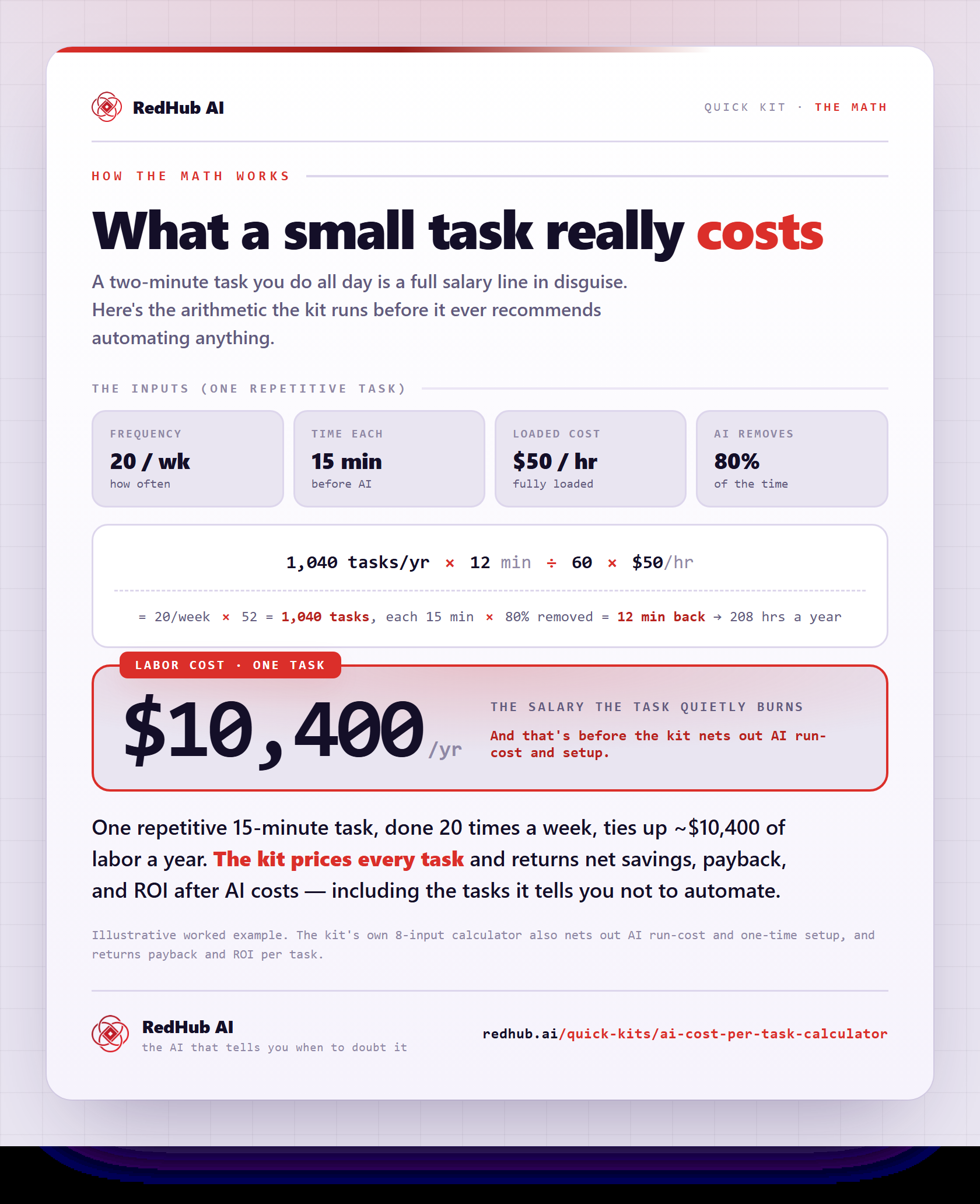
The gate this post refers to, drawn from the tool’s own logic. See the tool.