How Much Does It Really Cost to Run an AI Task?
RedHub AI Editorialupdated September 20, 20266 min read

Jump to a section8
- There is no single "AI costs $X per task" number
- The two cost components you actually need to track
- Three tasks, three very different cost shapes
- How to actually find your number
- Why this number alone doesn't answer the automation question
- If you need token-level precision
- Pairs well with
- More in this guide
It costs whatever your vendor charges for that task's usage, plus any per-seat or subscription cost you're allocating to it — and there's no universal number, because pricing varies by vendor, model tier, and task type, and it changes over time. The honest answer to "how much does AI cost per task" is "go check your own usage and your vendor's current pricing page," not a dollar figure someone quotes you in a blog post.
TL;DR: AI cost per task has two parts — the usage-based platform cost and any fixed cost (seats, subscriptions) you allocate to the task. Both vary by vendor and change over time, so verify current pricing at the platform rather than trusting a remembered number. What actually matters for your decision is comparing your real cost per task against the real cost of the human alternative — see the full formula in how to calculate your AI cost per task.
There is no single "AI costs $X per task" number
Every AI tool prices differently. Some charge by usage — per call, per unit of output, per minute of processing. Some charge a flat monthly seat fee no matter how much you use it. Some charge a mix of both. And within usage-based pricing, cost can shift depending on which model tier you're using, how much context the task needs, and whether the vendor changed its rates last quarter. Any blog post that hands you a specific per-task dollar figure as if it's a fixed, current fact is giving you a stale number dressed up as certainty. Always verify current pricing at the platform you're actually using.
The two cost components you actually need to track
- Usage-based cost. What the vendor charges for the actual work done — this is the part that scales with volume, and the part most people mean when they ask "how much does this cost per task."
- Allocated fixed cost. If you're paying a monthly subscription or per-seat license for the tool, and one task is only part of what that seat is used for, you need to fairly allocate a slice of that fixed cost to the task rather than ignoring it. A tool that "feels free" because you already pay for the seat is still costing you something per task — it's just hidden in a bill you're not looking at closely.
Add both together and divide by task volume, and you get an honest cost-per-task number. Skip the allocated fixed cost and you'll underestimate what the task actually costs you — which matters a lot if you're deciding whether to switch tools or negotiate pricing.
Three tasks, three very different cost shapes
Support-ticket summarizer. This is usually a short, high-volume, usage-based task — a lot of small charges that add up fast at scale but stay cheap individually. The cost story here is almost entirely about volume: watch the total, not the per-ticket number.
Invoice-data-extraction task. Extraction tasks often involve more context (a whole document, not a short message), which can push usage-based cost higher per task than a quick summarizer. But the value here often isn't just time saved — it's fewer manual entry errors, which is harder to put a dollar figure on but real.
First-draft email. Often bundled into a per-seat writing tool your team already pays for, which means the marginal cost of drafting one more email might be close to zero on the usage side — but the seat itself has a real monthly cost you should be allocating across everyone who uses it.
How to actually find your number
- Open your vendor's usage dashboard. Most usage-based AI tools show you a running total and, often, a per-call or per-unit breakdown. Start there instead of guessing.
- Separate the task from the rest of your bill. If your invoice bundles multiple workflows, isolate the usage tied specifically to the task you're evaluating.
- Add in a fair share of any fixed cost. If the task rides on a seat or subscription you already pay for, divide that monthly cost by how many tasks (or people) actually use it, and add the relevant slice.
- Divide by task volume for the same period. Use the actual count from your logs, not an estimate.
- Re-check quarterly. Vendor pricing moves, and your task volume probably does too. A number from six months ago is a guess, not a fact.
Why this number alone doesn't answer the automation question
Knowing your cost per task is only half the picture. The real decision — is this task worth automating — depends on comparing that number to what a human doing the same task actually costs, and on your volume. A cheap-per-unit task run rarely might not be worth the setup effort; a moderately-priced task run constantly might be a clear win. That comparison is the whole point of the cost-per-task calculator in the pillar guide — plug in your real numbers on both sides rather than stopping at "the AI part is cheap."
If you need token-level precision
This post covers task-level cost — the number most SMB operators actually need for a go/no-go decision. If you're managing a product built on top of an LLM API directly and need to model cost down to the token and context-window level (which matters a lot more once you're the one setting prices, not just using a tool), that level of detail belongs to a deeper resource, not a quick calculator.
Pairs well with
For token-level and context-window math beyond task-level estimates, use the Token Economics Workbook. If your usage-based costs are climbing and you want a guardrail before the bill surprises you, the AI Spend Runaway & Billing-Safeguard Gate is built for exactly that.
More in this guide
How much does AI cost per task, on average?
There's no reliable average — it depends on the vendor, the model tier, the task's complexity, and how the vendor prices usage versus seats. Check your own usage dashboard and the vendor's current pricing page for a real number.
Why won't you just give me a dollar figure?
Because any specific per-task price quoted today is likely to be stale in a few months — vendors change pricing, and quoting an old rate as current fact would be dishonest. Verify pricing at the platform instead.
Do I need to count my subscription cost, or just usage fees?
Both, if the task rides on a paid seat or subscription. Allocate a fair share of the fixed cost across the tasks or people that use it, or you'll underestimate the true cost.
Is a usage-based or per-seat tool cheaper for one task?
It depends on your volume and how many people touch the task — see the full comparison in the cost-per-task vs. per-seat guide.
How often should I re-check my cost-per-task number?
At least quarterly, or any time your vendor announces a pricing change or your task volume shifts meaningfully.
What's the difference between cost per task and cost per token?
Cost per task is the total cost to complete one unit of work, which may involve many tokens under the hood. Cost per token is the granular unit the vendor actually bills on — useful for API-level pricing decisions, less useful for a quick automate/don't-automate call.
Where do I start if I've never tracked this before?
Start with the cost-per-task pillar guide and its calculator — it walks through gathering the four numbers you need and comparing them honestly.
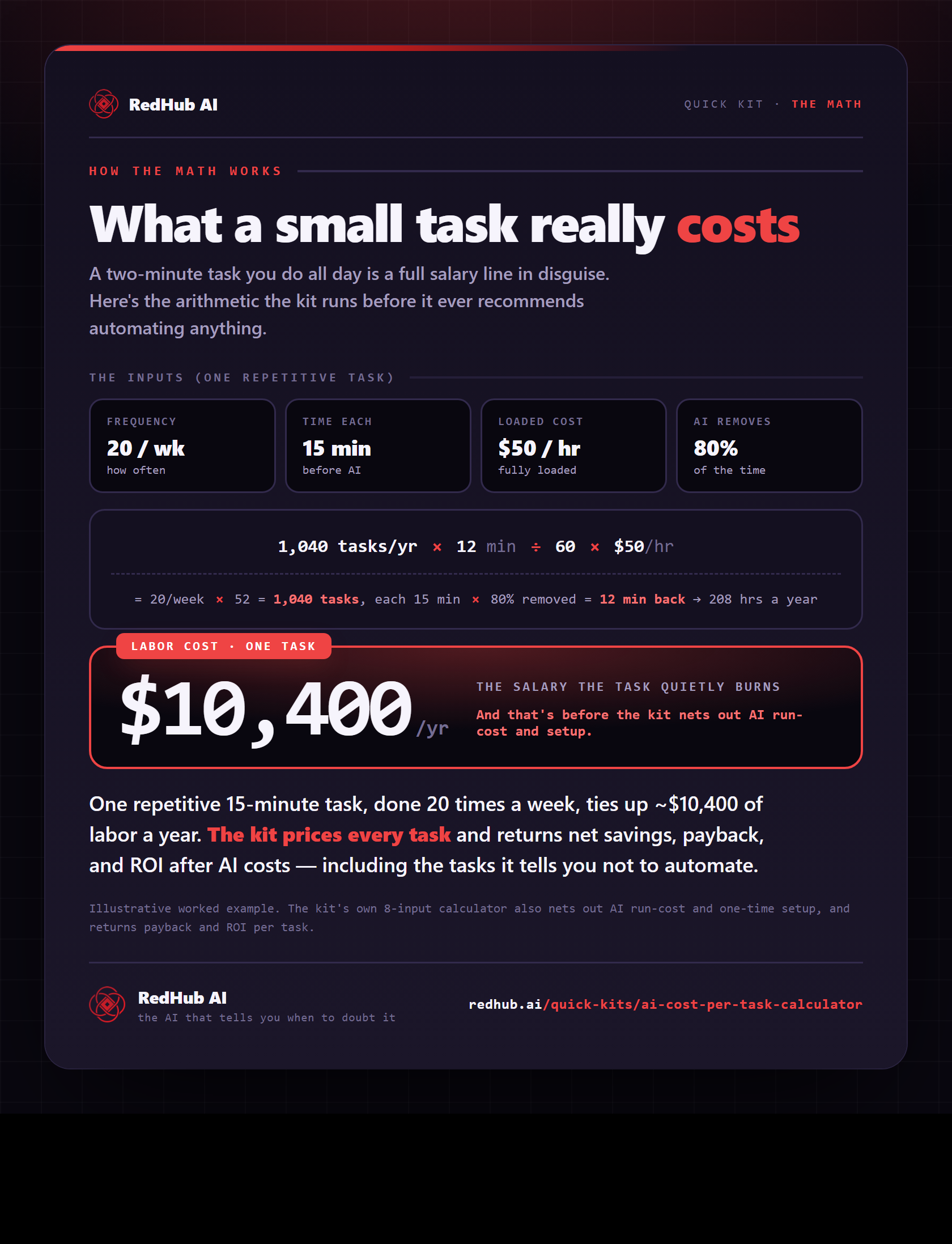
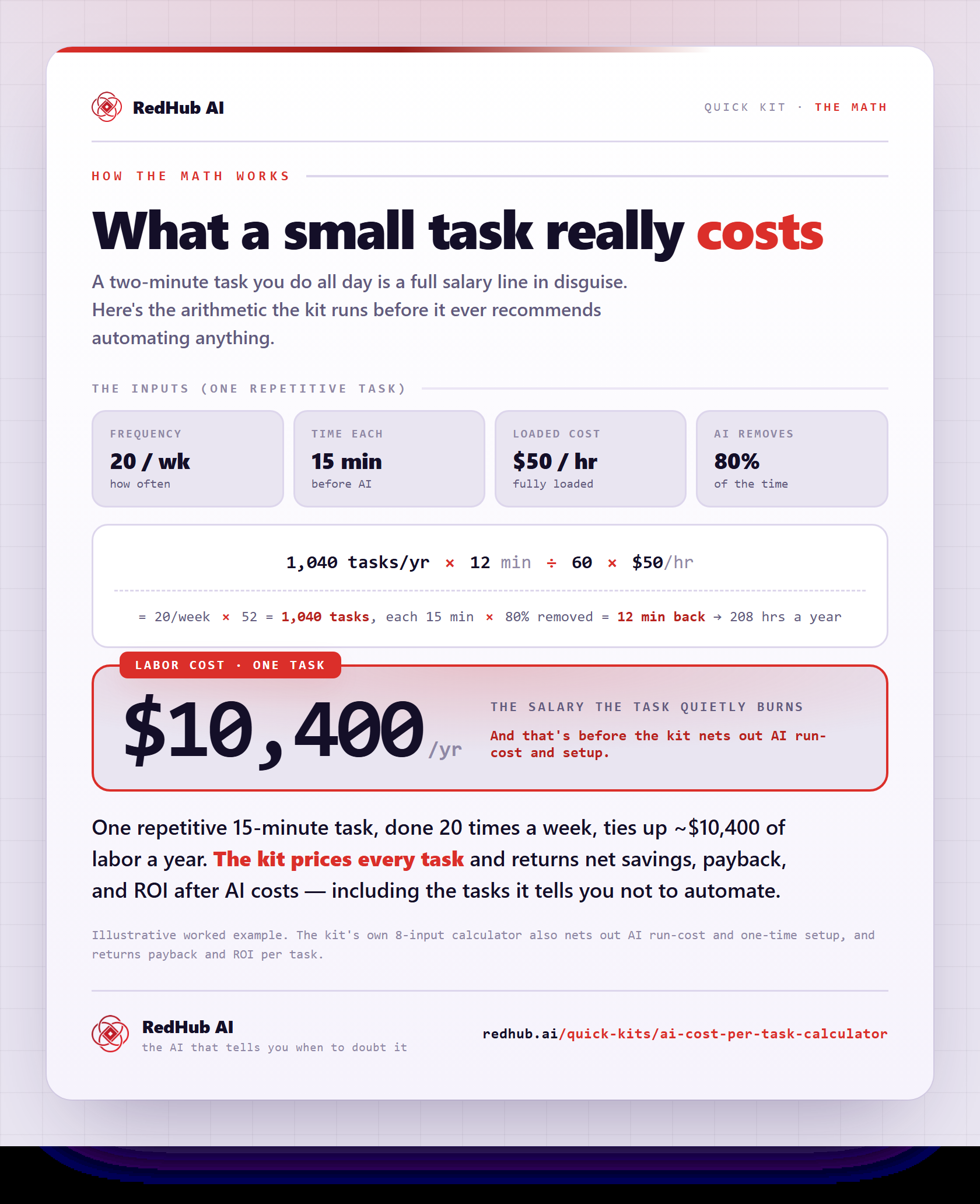
The gate this post refers to, drawn from the tool’s own logic. See the tool.