Should I Hire? Run the Capacity Math First
RedHub AI Editorialupdated August 17, 20266 min read

Jump to a section8
TL;DR
- What it is: A capacity check that answers "should I hire?" with math instead of a busy feeling.
- Who it's for: Agency and services owners about to add a $70K+ seat — see the Capacity & Utilization Planner.
- How it works: Measure billable utilization versus target. Below target: sell and fill the bench. At target: plan the hire. Sustained 90%+: hire, subcontract, or say no.
- Bottom line: If the bench is half-empty, a new hire lowers utilization and profit. You may already own the capacity you're about to buy.
Should I hire, or use the capacity I have?
Check your billable utilization before you post the job. If your team is below its target — commonly around 75 percent of realistic capacity — you already have unsold hours, and the right move is to sell and fill that bench, not add a seat. Hire when utilization is genuinely at or over capacity, the overload is sustained rather than a one-week spike, and your pipeline supports the added cost. Busy is a feeling; utilization is a number — decide from the number.
Best for: founders and ops leads weighing a hire — part of our capacity planning guide.
"Everyone's slammed. We need to hire." It's the most common sentence in agency operations — and one of the most expensive when it's wrong. A new seat means tens of thousands in loaded cost, weeks of ramp time, and a bet that the work keeps coming. So before you post the job, it's worth thirty minutes to answer one question: should I hire, or am I just under-using the people I already pay?
Labor is the number-one rising cost for many small businesses. That makes the hire the decision to get right — and it makes unsold capacity the leak to find first.
Busy is not the same as full
Teams feel busy for lots of reasons that have nothing to do with billable capacity: too many meetings, messy handoffs, rework, one overloaded person setting the mood for six. None of those are fixed by a new hire. In fact, if the underlying utilization is low, a hire makes the math worse — same revenue, more payroll, lower utilization for everyone.
Here's the shape of the problem, as illustrative arithmetic on a single $80,000 loaded-cost seat:
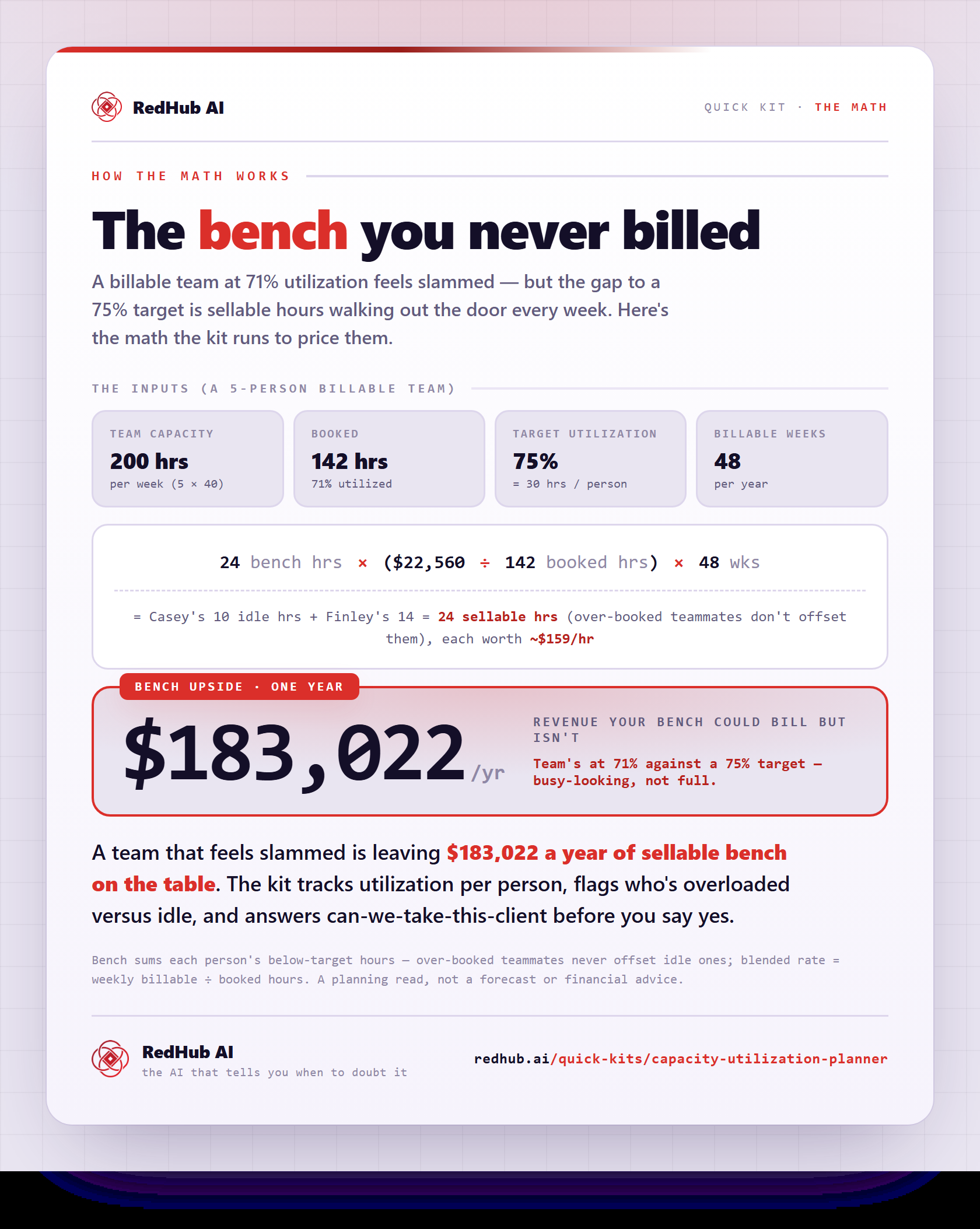
Illustrative math, not a measured claim: the 20-point gap between 60 and 80 percent on an $80,000 loaded cost is about $16,000 a year of capacity you paid for and never sold — per person. A team of five with that gap is carrying roughly $80,000 of unsold capacity while interviewing candidates to add more.
The four checks before you post the job
- Measure billable utilization. Booked client hours ÷ realistic capacity, per person and for the team. The formula and a fair target are in our utilization rate guide.
- Check the spread, not just the average. One person at 110 percent and one at 40 averages to "fine." That's a resource allocation problem, and rebalancing is free. Hiring is not.
- Check whether the overload is sustained. Two hot weeks around a launch is a sprint. A hot quarter is a staffing problem. Only the second one justifies a seat.
- Check the pipeline. A hire is a bet on future demand. If the work driving the overload ends in eight weeks, subcontract it instead of employing it.
What the verdict looks like
| Utilization vs. target | Verdict | Why |
|---|---|---|
| Below target | Don't hire — sell | You already own unsold hours. Fill the bench first; a new seat just dilutes it. |
| At target | Plan, don't post | Healthy. Start the pipeline for your next hire so you're not hiring in a panic later. |
| Sustained 90%+ | Add capacity or say no | Hire if the pipeline holds, subcontract if it might not, raise rates or decline work if neither fits. |
Hire now when…
- Utilization has held at or above ~90% for a quarter
- The pipeline covers the loaded cost with room to spare
- You're turning away good-fit work you wanted
- The overload sits in one skill you can name
Fill the bench first when…
- Team utilization is under target but everyone "feels" busy
- The load is lopsided — some drowning, some idle
- The spike traces to one project that ends soon
- Nobody has computed the actual number yet
The alternatives a utilization check surfaces
When the math says "not yet," you're not stuck — you have levers that don't cost a salary. Sell the bench: those unsold hours are inventory with an expiration date of Friday. Rebalance the lopsided load. Subcontract the temporary spike. Or raise rates — if you're over capacity and demand keeps coming, price is the pressure valve, and the Should I Raise My Prices? Decision Kit ($49) runs that math the same honest way.
And note the mirror-image mistake: refusing to hire when a seat is genuinely, provably empty. An unfilled role has its own daily cost — the Cost of Vacancy Calculator ($39) puts a dollar figure on it, so both sides of the decision get numbers instead of nerves.
Before you post that job, check the number.
The Capacity & Utilization Planner ($49, one-time) computes your team's real utilization, the bench you can still sell, and a sell/hire/turn-away verdict from your own inputs. It will tell you not to hire when the bench is half-empty — that's the point. One .xlsx; Excel, Google Sheets, or Numbers.
Run the check — $49 →One honest caveat, because it matters: no spreadsheet knows your clients, your people, or your risk tolerance. The Planner measures capacity and flags the decision — it doesn't make the hire/fire call, and it isn't financial advice. What it removes is the guessing.
Decision Guide
Hire if: billable utilization has been at or over ~90 percent for a sustained stretch, the pipeline covers the cost, and the overload names a specific skill.
Don't hire yet if: the team is below target, the load is just lopsided, or the spike ends with one project — sell, rebalance, or subcontract instead.
Best first step: compute this week's utilization per person before the next hiring conversation. Bring the number to the meeting instead of the feeling.
FAQ
How do I know if I should hire someone?
Check billable utilization first. Hire when the team is genuinely at or over capacity for a sustained period and the pipeline supports the cost. Below target, sell and fill the bench first.
What if my team says they're overwhelmed?
Take it seriously — and measure it. Overwhelm often traces to lopsided allocation, meeting load, or rework rather than true capacity. Those are fixed by rebalancing and process, not headcount.
What does hiring too early cost?
The new seat's full loaded cost lands while revenue stays flat, so utilization and margin drop for the whole team. As illustrative math, a seat billing 20 points under plan on $80,000 loaded cost is about $16,000 a year of paid-for, unsold capacity.
When is subcontracting better than hiring?
When the overload is real but its future is uncertain — a big project, a seasonal spike, a client you haven't renewed yet. Subcontracting buys capacity by the week instead of by the year.
Can I take a big new client without hiring?
Sometimes — it depends on your bench. The Planner's New Work Check answers it directly: enter the engagement's weekly hours and rate, and see whether the team absorbs it inside target, only by running hot, or not at all.
Does the Planner tell me to hire?
Only when you're genuinely at or over capacity. When you're below target it points you to sell first, because hiring into a half-full bench lowers utilization and profit. It's a planning tool, not financial advice — the call is yours.
Sell, hire, or say no — on numbers, not nerves.
Per-person utilization, the sellable bench, a clear verdict, and a New Work Check before your next yes. One-time $49, instant download, 30-day guarantee.
Get the Capacity & Utilization Planner — $49 →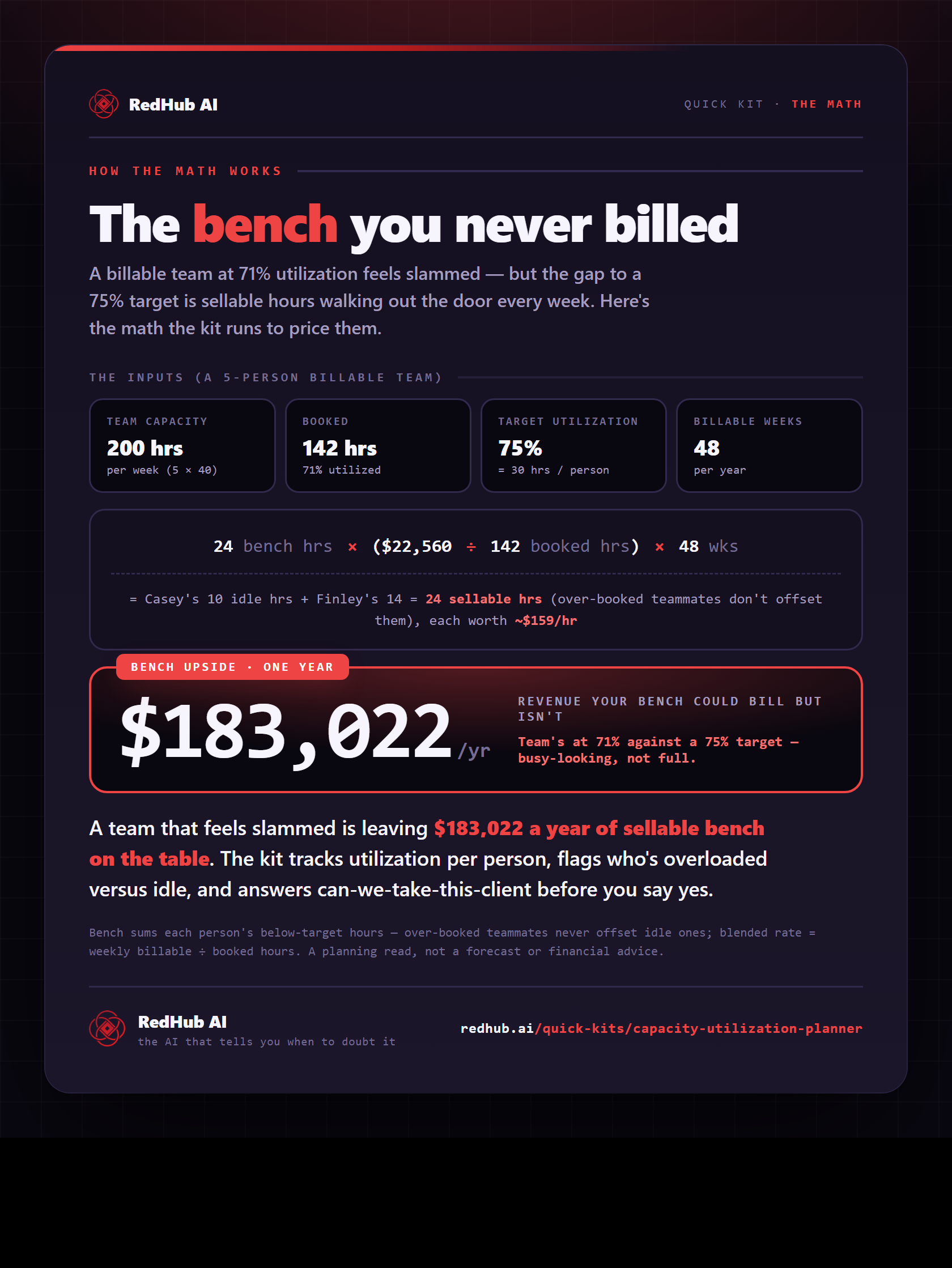
The gate this post refers to, drawn from the tool’s own logic. See the tool.