Stop Usage-Based Billing Surprises Before They Hit
RedHub AI Editorialupdated August 18, 20265 min read

Jump to a section8
TL;DR
- What it is: Usage-based billing surprises happen because AI spend scales with usage, has no natural ceiling, and often shows up on a delay.
- Who it's for: Anyone paying for AI by the call, token, or minute of compute — see the AI Spend Runaway & Billing-Safeguard Gate.
- How it works: A weekly spend check, real alert thresholds, one named reviewer, and a tested hard cutoff turn a surprise into a routine, expected number.
- Bottom line: Usage-based pricing isn't the problem. Not watching it closely enough is.
Why do usage-based billing surprises happen?
Usage-based billing surprises happen because two things combine: the spend has no built-in ceiling, since cost simply scales with however many calls get made, and visibility into that spend is often delayed — dashboards can lag, invoices arrive after the fact, and a spike from one bad hour can go unnoticed until the bill lands. The fix isn't switching pricing models. It's a routine that closes the visibility gap and a hard cutoff that closes the ceiling gap.
Best for: anyone who has been caught off guard by an AI or cloud invoice before — the AI Spend Runaway & Billing-Safeguard Gate grades whether the ceiling side of this is actually covered.
Usage-based billing surprises are almost never really surprises. Looking back, there's usually a clear cause: a new feature launched without anyone checking its call volume, a script left running longer than intended, or a spike nobody was watching for because nobody was watching at all. The bill itself isn't the surprise — the lack of a routine to catch it earlier is.
Why usage-based pricing has no natural ceiling
Flat, seat-based software has a built-in cap: you can only spend as much as your seat count allows. Usage-based AI pricing doesn't work that way. Cost tracks usage directly, call for call, token for token. There's nothing structural stopping usage — and therefore cost — from climbing as high as the requests keep coming. That's true whether the requests are legitimate growth, an inefficient loop, or outright abuse.
The visibility lag makes it worse
Even when spend is climbing for a perfectly ordinary reason — a successful feature, a busy week — most teams don't see it in real time. Usage dashboards can lag by hours. Invoices land on a monthly cycle, well after the spend already happened. A spike that started on a Tuesday might not be visible anywhere until the following month's bill. By the time anyone sees the number, there's nothing left to do except be surprised by it.
Illustrative framing, not measured statistics — the structural point is the same regardless of the exact numbers on your account.
Usage-based pricing isn't the enemy
Where usage-based pricing wins
- You only pay for what you actually use
- Scales down automatically in slow periods
- No upfront seat commitment
Where it needs a routine
- No built-in ceiling on spend
- Visibility often lags behind actual usage
- A single bug or leak has no natural limit
The routine that prevents the overnight shock
- Check spend weekly, not monthly. A weekly glance at your usage dashboard catches a climbing trend while it's still small, instead of finding it fully grown on the next invoice.
- Set alert thresholds that mean something. A threshold at your normal weekly spend plus a reasonable buffer will flag a real anomaly early — not just at some arbitrary large number.
- Name one reviewer. One person owns the weekly check and the alert inbox. When it's everyone's job, it's nobody's job.
- Test your hard cutoff, don't assume it. Confirm that whatever "limit" you've set actually stops spend at a ceiling, rather than just sending a notification. See why API spending limits don't stop runaway bills for exactly how to check.
This routine handles the ordinary, slow-building surprise. The sudden version — a leaked key or a stuck agent — is a faster, sharper version of the same underlying gap; see how a leaked API key becomes a five-figure bill for that scenario specifically, and the controls that actually cap LLM API spend for the day-to-day cost side.
Turn the surprise into a graded, known risk
The AI Spend Runaway & Billing-Safeguard Gate ($49, one-time) grades whether your setup would actually catch and stop a spend spike — hard cutoff, anomaly alerts, attribution, and a named owner — before it becomes next month's surprise.
Get the Gate — $49 →This lane is about sudden, variable API spend specifically. If your surprise came from a recurring software subscription instead, that's covered by the AI & SaaS Subscription Auditor, and for the fuller cost-and-reliability picture, see the AI Cost & Reliability Bundle.
Decision Guide
Start the routine if: you've ever opened an invoice and been genuinely surprised by an AI or API line item.
Skip it if: you already review spend weekly, have real alert thresholds, and have tested that your cutoff actually stops spend.
Best first step: look at your usage dashboard right now, today, instead of waiting for the next invoice. That single habit closes most of the visibility gap.
FAQ
Why does usage-based AI billing feel unpredictable?
Because cost scales directly with usage and has no built-in ceiling, and visibility into that usage often lags behind the actual spend — dashboards can lag hours, invoices land monthly. The combination is what creates the surprise.
Should I switch to flat-rate pricing to avoid surprises?
Not necessarily. Usage-based pricing has real advantages — you only pay for what you use. The fix for surprises is a weekly review routine and a real hard cutoff, not abandoning the pricing model.
How often should I check my AI spend?
Weekly, at minimum. A monthly-only check means any spike has a full month to grow before anyone notices it — a weekly glance catches it while it's still small.
What's the difference between an alert threshold and a hard cutoff?
An alert threshold tells you spend crossed a line — it's a notification. A hard cutoff actually stops the spend at that line. You need both: the alert for visibility, the cutoff for protection.
Is this the same problem as unused SaaS subscriptions?
No. This is about variable, usage-based API spend that can spike suddenly. Recurring software subscriptions are a steadier, slower leak covered by the AI & SaaS Subscription Auditor.
What's the fastest way to know if I'm exposed?
Check today whether your platform's spend limit actually disables the key at a ceiling, or only sends a notification. If you don't know the answer, assume the worst and start there.
Make sure your setup would catch the next spike, not just report it
Grade the hard cutoff, the alerts, and the ownership behind them — $49, deterministic, offline.
Get the AI Spend Runaway & Billing-Safeguard Gate — $49 →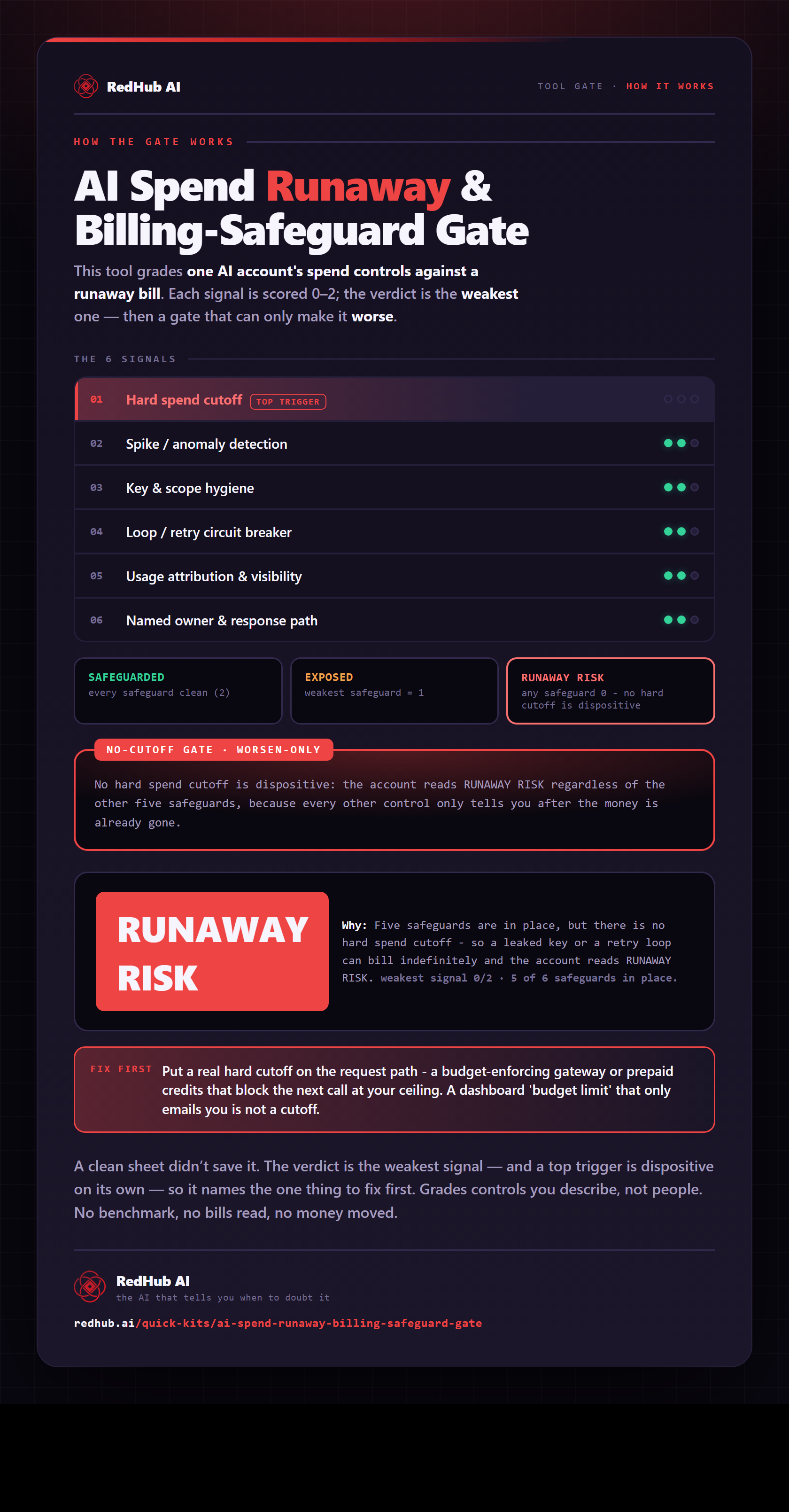
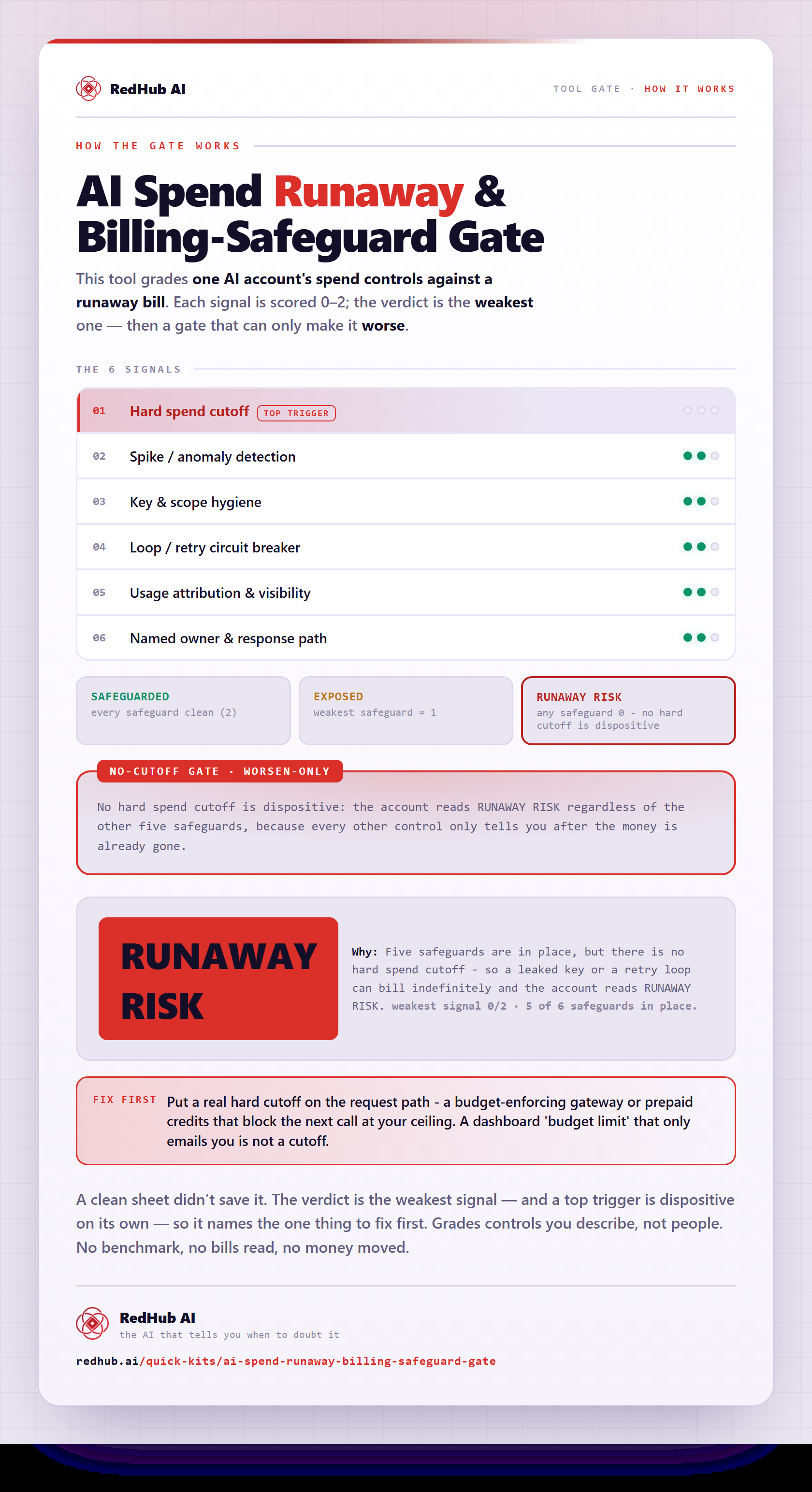
The gate this post refers to, drawn from the tool’s own logic. See the tool.